A temporary email generator for API management software free trials is a practical way to activate trials, receive the verification emails you need, and keep early vendor follow-up out of your main work inbox.
Use it for first-pass evaluation, sandbox setup, and product tours, then switch to a permanent team address only when an API gateway or developer portal platform makes your real shortlist.
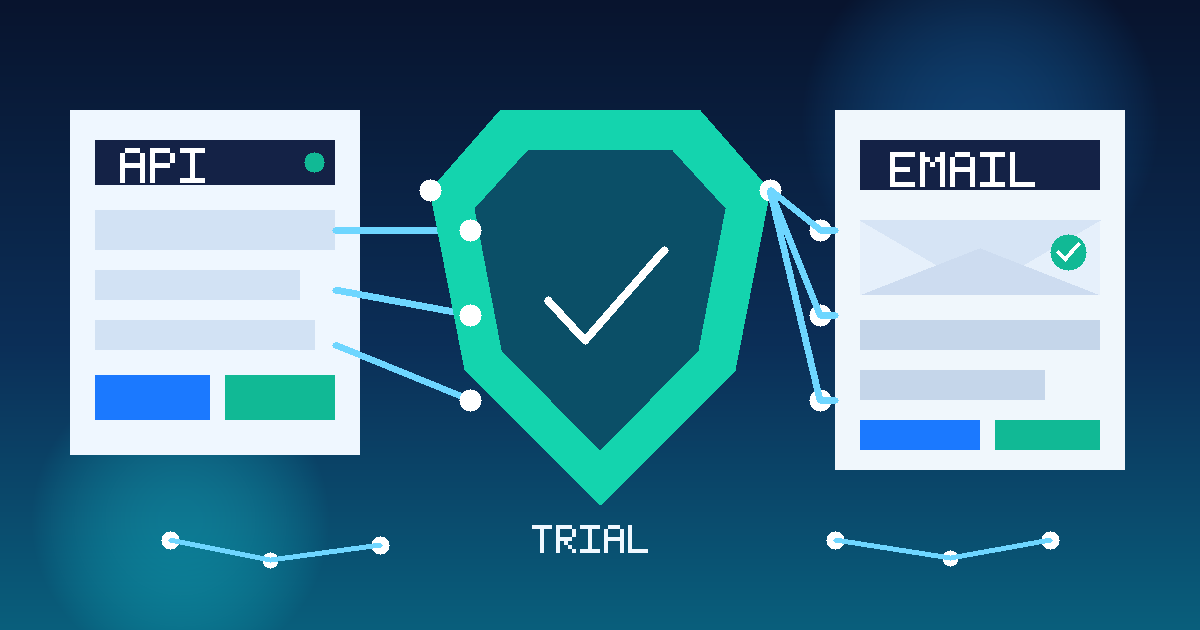
That workflow matters because API management tools rarely stop at a single welcome message. Once you request a free trial, many vendors start sending onboarding checklists, portal setup guidance, API key instructions, architecture diagrams, pricing prompts, webinar invitations, and demo nudges. If you are comparing several platforms at once, your inbox gets noisy fast.
A temporary inbox gives you a buffer during the research stage. You still get the confirmation link, the sandbox invitation, and the first-run instructions, but you decide when a vendor deserves access to a long-term work address. That is useful for platform teams, developer experience teams, architects, and technical buyers who want to stay organized without turning a short evaluation into months of follow-up email.
Why API management free trials create inbox clutter so quickly
API management is not a casual software category. Teams evaluating these platforms are often considering gateway policy enforcement, developer portal usability, authentication flows, analytics, traffic controls, monetization options, and multi-environment governance. Vendors know that a serious trial can lead to a meaningful contract, so the email sequence around the trial is usually aggressive.
After signup, you may receive:
- account verification and workspace activation links
- API key or token setup instructions
- gateway deployment walkthroughs
- developer portal customization tips
- sample API import and publishing guides
- security and policy management documentation
- demo booking prompts from sales or solution engineers
- follow-up sequences that continue long after the trial ends
That is manageable for one product. It becomes distracting when you are testing multiple vendors side by side and only need a clean way to compare them before procurement, security review, or architecture approval starts.
When a temporary inbox makes sense for API management trials
A temporary address is most useful during the shortlisting phase. You are not hiding from legitimate business contact forever. You are separating early research from long-term vendor engagement.
This approach usually helps when you are:
- comparing several API gateways or full API management suites in the same week
- testing developer portals before deciding which vendors deserve a live conversation
- running a lightweight proof of concept with sample APIs or non-production traffic
- evaluating rate limiting, policy controls, and analytics without committing your main inbox
- trying to keep exploratory tooling work separate from shared team mailboxes
If one platform clearly moves into serious review, switch to a permanent email address your team controls. A disposable inbox is for the evaluation stage, not for the final owner account that will matter for billing, production alerts, support, or contract paperwork.
How to use a temporary email generator for API management software free trials
1. Create the inbox before you start comparisons
Set up the temporary address first so each vendor signup stays inside the same evaluation workflow. If you are using Anonibox, this is the stage where it helps most: quick access to a throwaway inbox for verification without mixing exploratory signups into your main work email.
2. Use it only for activation and first-pass setup
The temporary inbox is perfect for account confirmation, sandbox invitations, quick-start guides, and the first onboarding emails. It is not the right home for a production tenant, enterprise support thread, or anything your team will need to own long term.
3. Save the messages that actually matter
Keep the important items outside the inbox before it expires. In practice, that usually means the verification link, setup instructions, environment URL, policy examples, and any notes about plan limits or trial duration.
4. Track each vendor separately
If you are evaluating three or four tools, keep simple notes for each one. Record what worked, what felt clumsy, what required a sales call, and where the product was clearly stronger or weaker. The temporary inbox reduces noise, but your notes are what turn the trial into a useful comparison.
5. Move finalists to a permanent address deliberately
Once a vendor becomes a genuine contender, switch to the team email you want tied to procurement, security review, support ownership, and renewal history. That handoff is the clean boundary between research and implementation.
What to evaluate during an API management free trial
If you are spending time on the trial, use the inbox strategy as part of a more disciplined buying process. Focus on whether the platform can actually support your APIs, your developers, and your operating model.
Gateway deployment and control model
Can you understand how the gateway is deployed and managed? Some teams care about a hosted control plane. Others need hybrid or self-managed options. Even in a short trial, you should be able to tell whether the setup model fits your environment instead of fighting it.
Authentication, policies, and traffic controls
Look at how the platform handles the basics: authentication methods, policy configuration, quotas, rate limiting, request transformation, versioning, and access control. A tool that looks polished in the portal but makes policy work painful will create friction later.
Developer portal experience
Many API management buying decisions are not just about gateway features. They are about whether internal or external developers can discover APIs, understand documentation, generate credentials, and get to first success quickly. During the trial, pay attention to how usable the portal feels for someone who is not already an expert.
Analytics and troubleshooting
Good trial environments should make it clear how you will inspect traffic, understand failures, and measure usage. Look for practical visibility into requests, latency, errors, policies, and consumption patterns. If analytics are locked behind heavy setup or limited too aggressively during the trial, make note of that.
Workflow friction
Notice how many manual steps it takes to publish an API, update documentation, rotate credentials, or apply a policy change. Trial success is not just about the feature checklist. It is about how smoothly the tool fits real team workflows.
Commercial clarity
Free trials are also a chance to understand where future cost might come from. Is pricing likely to depend on requests, environments, gateway nodes, users, portal features, or premium integrations? You do not need full procurement detail on day one, but you do want enough clarity to avoid wasting time on a platform that will never fit your budget.
A simple trial checklist
- Did signup and verification work without unnecessary sales friction?
- Could you publish or proxy an API quickly?
- Was the policy model understandable?
- Did the developer portal help or get in the way?
- Could you find useful analytics without a maze of menus?
- Were the trial limits transparent enough to judge the platform fairly?
- Did the vendor start pushing sales outreach before you even finished setup?
That last question matters more than it seems. Excessive trial email is not automatically a deal-breaker, but it can signal how much noise you will be managing later.
Common mistakes to avoid
- Using one inbox for every vendor: this makes it harder to tell which emails belong to which trial.
- Leaving important links only in the temporary mailbox: save the setup details you need before the inbox expires.
- Keeping a disposable inbox attached after shortlisting: once a platform becomes serious, move to a stable address your team owns.
- Judging the product by the email campaign: vendor follow-up can be annoying, but the product should still be evaluated on technical fit and workflow quality.
- Testing with no plan: if you do not know what you are trying to compare, even a clean inbox will not make the trial useful.
Temporary inbox vs permanent work inbox
A temporary inbox is best when you want a low-commitment first pass. It keeps activation emails and marketing follow-ups isolated while you decide whether the platform deserves deeper attention. A permanent work inbox is better once a vendor enters serious review, especially if legal, security, or implementation teams will need continuity.
Think of the temporary address as a filter, not a final destination. Its job is to protect your main inbox during exploration, not to become the permanent identity for a production relationship.
Who benefits most from this workflow
This pattern is especially useful for:
- platform engineers evaluating gateway and portal tooling
- developer experience teams comparing external developer onboarding flows
- architects running short technical bake-offs
- consultants narrowing a vendor shortlist for clients
- technical founders who want quick product comparisons without inbox clutter
If the goal is to test multiple API management tools efficiently, a temporary email workflow removes a lot of unnecessary administrative noise.
Final takeaway
A temporary email generator for API management software free trials is a simple, sensible way to verify accounts, collect the onboarding emails you need, and compare vendors without turning a short evaluation into a long-term email problem.
Use it for the early research stage, keep your trial notes outside the inbox, and switch to a permanent address when a platform becomes a real finalist. That gives you cleaner comparisons, less inbox spam, and better control over how vendor relationships start.