Yes — in many cases, using a separate Gmail account for job referrals is a smart way to keep referral threads, recruiter follow-ups, and application links out of your main inbox without relying on a throwaway address.
It is especially useful if referrals may turn into multi-step conversations, interview scheduling, resume sharing, or long follow-up timelines, because you stay organized while still using an address you fully control.
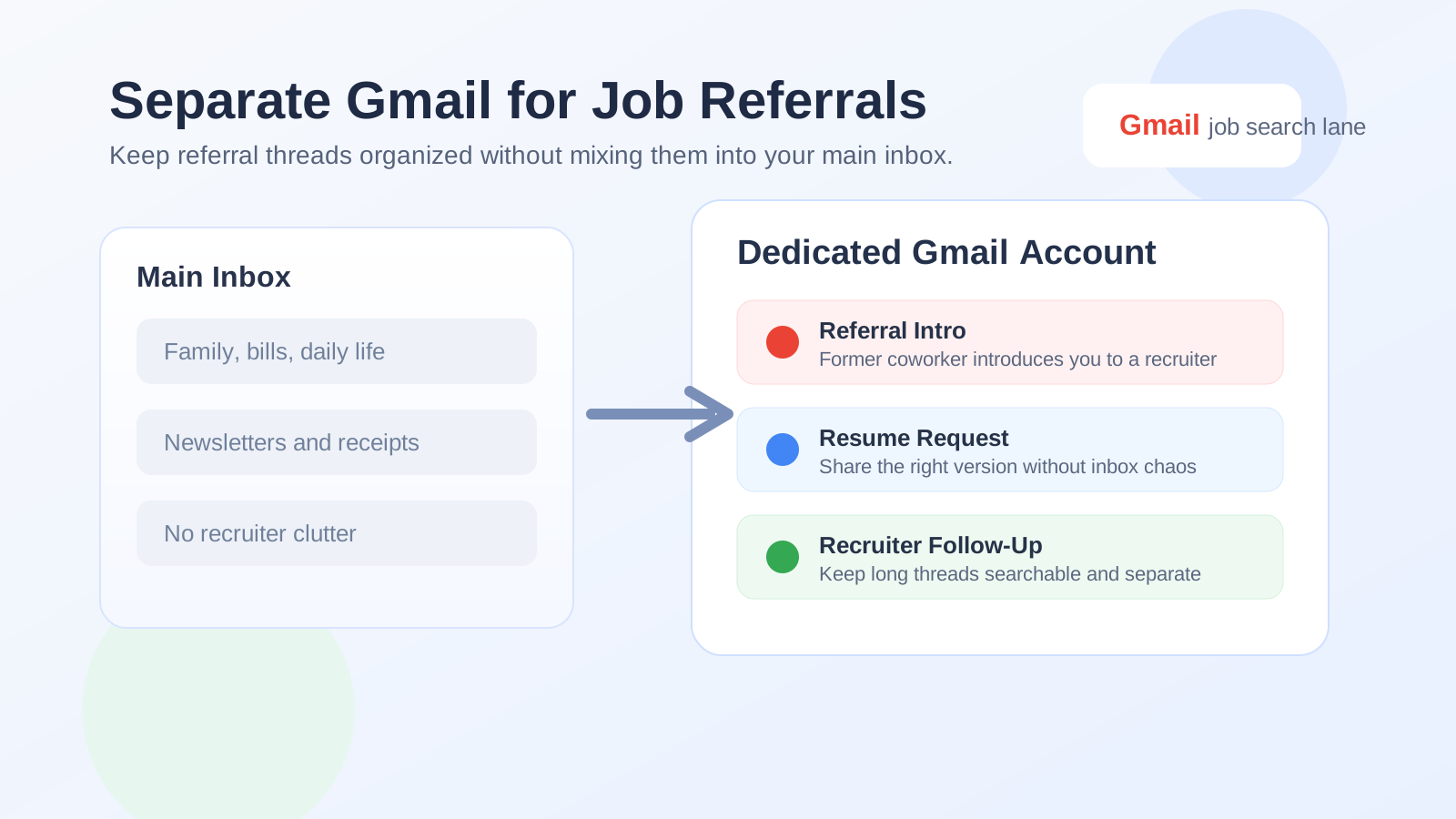
Why job referrals create a different email problem than regular applications
A normal job application can be simple: submit a form, wait, and maybe receive one confirmation email. Referrals are different. One person introduces you to another, someone forwards your resume, a recruiter replies days later, then a hiring manager or coordinator joins the thread. What started as a quick intro can easily turn into a long chain of messages spread across weeks or even months.
That is why referrals need a more deliberate email setup. A disposable inbox can be too fragile if the conversation stays alive. Your main personal inbox can become cluttered if every networking conversation, recruiter nudge, and hiring update lands beside bills, family messages, and daily life. A separate Gmail account sits in the middle: stable enough for real conversations, but separate enough to keep your search organized.
Short answer: usually yes, if you expect the referral to go somewhere
If the referral is credible and you expect real follow-up, a separate Gmail account is often the best balance of privacy, reliability, and control. It gives you a dedicated place for:
- resume and portfolio requests,
- referral introductions,
- application portal links,
- interview scheduling,
- recruiter follow-up messages, and
- later re-contact if the first role does not work out.
That matters because referral threads rarely stay as neat as people imagine. They branch, revive, and get forwarded. Keeping them in their own account makes the whole process easier to manage.
Why a separate Gmail account can work so well for referrals
1. It keeps referral activity out of your main inbox
This is the most obvious benefit, and honestly the one people feel first. Referral messages often arrive in bursts. Someone introduces you, you reply, a recruiter follows up, then there are reminders, application links, calendar invites, and thank-you notes. Even legitimate outreach can make your everyday inbox noisy. A separate Gmail account creates a clean lane for career conversations.
2. It is more durable than temporary email
Anonibox and other temporary-email tools are useful for short-lived signups, early research, or privacy-sensitive testing. But a real referral can stay active longer than expected. You may hear back next week, next month, or after a hiring freeze lifts. That is why job referrals usually deserve a stable inbox rather than a disposable one. A separate Gmail account still gives you separation, but without the risk of losing access to an important thread.
3. It helps you stay organized when multiple referrals overlap
If you are talking to several people at once, threads get messy fast. One referral may be for a direct application, another for an informational chat, and another for a recruiter introduction that turns into a formal process. With a separate Gmail account, you can use labels, filters, stars, and categories just for your job search instead of trying to find everything inside one overloaded personal inbox.
4. It gives you more control over what identity shows up
Your Gmail account can shape more than the address itself. It can influence your display name, profile photo, connected Google services, and the general feel of the account. A dedicated job-search Gmail lets you present a clean, professional identity without tying every referral thread to the same inbox you use for newsletters, shopping receipts, or old personal accounts.
When a separate Gmail account makes the most sense
A dedicated Gmail account is especially useful if:
- you are actively networking and expect several referrals at once,
- you want to keep recruiter communication separate from your main personal life,
- you need a stable inbox for weeks or months of follow-up,
- you want a professional address that is not tied to your current employer, or
- you plan to reuse the same account for applications, referrals, and interviews during one job-search cycle.
In other words, it is a strong choice when your search is serious enough to need its own communications lane, but not so temporary that a burner address makes sense.
When you probably do not need one
A separate Gmail account is helpful, but it is not mandatory for everyone. You may not need one if:
- you only expect one low-stakes referral,
- your current personal email is already clean and professional,
- you are comfortable handling all job-search traffic in one inbox, or
- the referral is just an initial conversation and not likely to turn into an active hiring process.
If your main personal inbox already works well and you are disciplined about organization, sticking with it can be perfectly fine. The separate Gmail option is about control and convenience, not about following a rule for the sake of it.
Why referrals usually should not go to your work Gmail
Some people try to solve inbox clutter by using a work-managed Gmail or Google Workspace account instead. That is usually a bad trade. Employer-owned inboxes bring visibility, retention, and account-control risks you do not need in a confidential job search. Referral threads can include resumes, recruiter replies, scheduling details, and forwarded introductions, all of which are better kept off employer-managed systems.
If you want separation, use an account you own. That is the whole point.
Gmail-specific benefits that make this setup practical
Labels and filters
Gmail is good at simple organization. You can create labels for company names, referral sources, priority threads, and interview stages. You can filter recruiter emails into one view, star time-sensitive messages, and archive old introductions without losing them.
Search that works well later
Referral threads often go quiet and then come back. A recruiter may return to you months later with “We spoke earlier this year.” Gmail’s search tools make it easier to find that old thread, the resume version you sent, or the exact introduction message that started the conversation.
Drive and Docs sharing
Sometimes a referral includes a request for your resume, case study, writing sample, or portfolio packet. A separate Gmail account can help you keep related Drive files and share settings in the same ecosystem. That can be convenient, as long as you keep the files clean and intentional.
Calendar separation if you want it
If you use the same Google account for Calendar, a dedicated Gmail can also help separate interview scheduling from personal events. That is not essential for every search, but it can be very useful once referrals start turning into calls and interviews.
How to set up a separate Gmail account for job referrals well
1. Use a professional address format
Keep it simple. Use your name or a clean variation that still sounds human and professional. Avoid anything cluttered, jokey, or overly anonymous. A referral is warmer than a cold application, so the email address should still feel credible when someone forwards it internally.
2. Set the display name intentionally
Make sure the visible sender name matches how you want recruiters and employees to know you. A referral introduction may be forwarded as-is, so your display name should not create confusion.
3. Turn on two-factor authentication
If this account may become your hub for active job-search communication, protect it properly. A separate account should not become a weak account.
4. Add a simple signature if useful
You do not need anything flashy. A name, phone number if you want to share one, and maybe a LinkedIn or portfolio link can be enough. The goal is clarity, not marketing.
5. Create a few labels before the traffic starts
Even basic labels like Referrals, Recruiters, Interviews, and Follow-Up make a difference once several conversations are happening at the same time.
Common mistakes people make
Using a throwaway inbox for real referral conversations
A temp inbox is fine for quick signups. It is usually not fine for a meaningful referral that may come back later. If someone inside a company is taking the time to introduce you, you want an address that will still be there when the thread wakes up again.
Creating a separate account and never checking it
Separation only helps if you still monitor the inbox. If you create a dedicated Gmail account, build a habit for checking it or forwarding high-priority notifications somewhere you will actually notice them.
Overcomplicating the system
You do not need one account for referrals, another for applications, another for interviews, and another for networking. For most people, one dedicated job-search Gmail is enough. Too many moving parts become their own organizational problem.
Leaving the account half-personalized
If the account has an odd profile picture, an outdated signature, or a confusing sender name, it undercuts the benefit of creating it in the first place. Keep it clean and intentional.
Separate Gmail vs your main personal email
If your personal email is already professional and lightly used, you may wonder whether a second Gmail account is overkill. The answer depends on how active your search is and how much privacy separation you want.
Your main personal email is usually fine when:
- your search is small,
- you only expect occasional referral traffic, and
- your inbox is not already overloaded.
A separate Gmail becomes more attractive when:
- you are applying broadly,
- you are networking heavily,
- you want cleaner boundaries, or
- you expect threads to involve recruiters, schedulers, and multiple interview rounds.
The big advantage is not that Gmail number two is magically safer. It is that it helps you keep job-search communication in a place built for that purpose.
What about using Anonibox instead?
Anonibox is great when you want to protect your main inbox during low-commitment signups, account tests, lead forms, or early-stage platform evaluations. That is a different use case from a real job referral. A referral usually deserves continuity. If someone may follow up later, forward your details internally, or send a formal application link days after the introduction, a stable dedicated Gmail account is usually the better fit.
A practical way to think about it is simple: use temporary email when the interaction is temporary, and use a dedicated long-term inbox when the conversation may actually matter.
A quick decision checklist
- Do you expect referral threads to continue for weeks or months?
- Are you talking to multiple people or companies at once?
- Do you want job-search communication out of your main inbox?
- Do you need an address you fully control, separate from any employer system?
- Would Gmail labels, search, and calendar separation make your process easier?
If most of those are yes, a separate Gmail account is probably a smart move.
Final answer
Yes, using a separate Gmail account for job referrals is usually a good idea if you want a clean, stable, professional place for referral introductions, recruiter follow-up, and related application steps. It gives you more control than your main inbox and more reliability than a disposable address.
The key is to keep it practical. Use one account you own, keep it professional, check it consistently, and let it handle the part of your job search that can easily turn into a long message trail. That way you get the privacy and organization benefits of separation without creating new problems for yourself later.