Yes, a temp email for Cursor can make sense for a quick evaluation, a one-off signup, or a short trial workflow.
It is a poor choice once the account is tied to paid access, real projects, workspace invites, or recovery details you may need later.
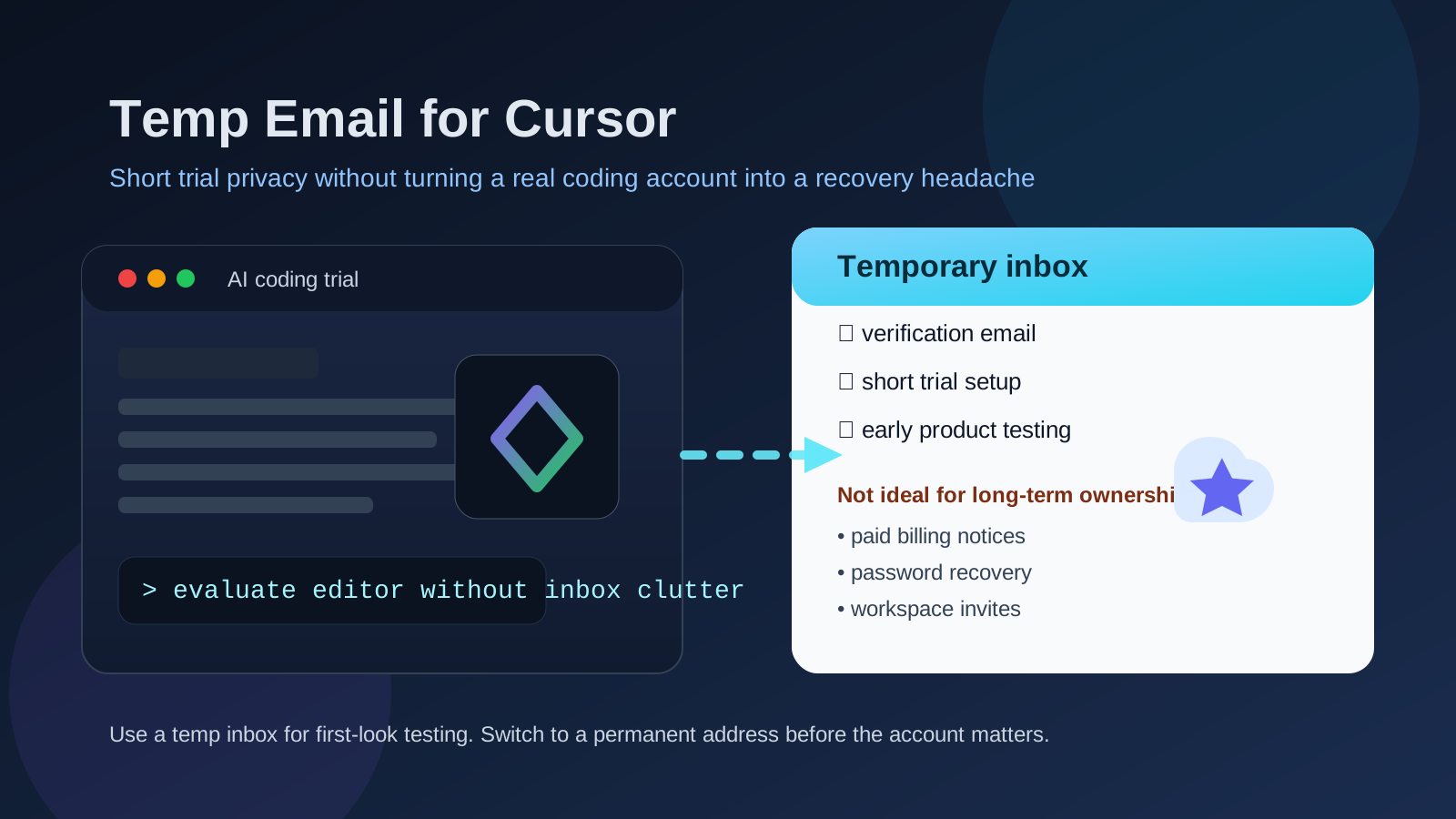
Cursor is the kind of tool people often want to try fast. You may want to compare it with other editors, test how the AI assistance feels in a real coding session, or see whether the overall workflow fits your stack before you start mixing that evaluation into your main inbox.
That is where a temporary inbox can help. A service like Anonibox can give you a quick verification address for early testing so welcome emails, follow-ups, and product nudges do not immediately land in the same inbox you use for work, clients, or personal life.
But there is an important catch: the more serious your use becomes, the less disposable your email should be. If the account starts to matter, the address behind it matters too.
When a temp email for Cursor actually helps
A temporary address is most useful when you are still in the “first look” stage and you do not yet know whether Cursor will become part of your regular workflow.
- Quick product evaluation: you want to sign up, verify the account, look around, and decide whether the editor is worth deeper setup.
- Comparing AI coding tools: you are testing several tools in the same week and want to keep each trial separate.
- Reducing inbox noise: you want confirmations and early follow-up messages without committing your everyday email immediately.
- Isolated experiments: you are creating a short-lived test environment, sample project, or demo workflow that does not need long-term account ownership.
In those situations, a temp inbox is less about secrecy and more about organization. You are separating a low-commitment experiment from the parts of your digital life that need continuity.
When a temporary address becomes the wrong tool
What works for a trial often stops working once the account becomes important. That is the line most people miss.
If you keep using a disposable inbox long after the evaluation phase, you can create avoidable problems:
- Password recovery gets fragile: if you lose access to the inbox, recovering the account may become difficult or impossible.
- Billing and renewal notices may disappear: that matters once you move to a paid plan or start treating the account as real infrastructure.
- Workspace invites can get messy: team access, shared environments, or account handoffs work better when the address is durable.
- Important notices may be missed: sign-in alerts, account changes, or service-related updates are harder to manage when the inbox is temporary by design.
- Your account history becomes harder to trust: if the inbox disappears, you lose the communication trail that often helps sort out access or subscription confusion.
The principle is simple: a temporary email is best for testing a tool, not owning a tool.
How to use a temp email for Cursor safely
If you want the privacy and convenience of a disposable inbox without creating future headaches, use a staged approach.
1. Decide whether this is a trial or a real setup
Before you sign up, be honest about your intent. Are you just checking whether Cursor feels useful, or are you already expecting to rely on it for daily work? If it is a real setup from day one, skip the temporary email and use a durable address you control.
2. Use the temp inbox only for early verification
If the goal is evaluation, create the temporary address first and keep the scope narrow. Use it for account creation, verification, and the first round of product testing. That lets you see the onboarding flow without immediately exposing your primary inbox to long-term follow-up.
3. Keep important work outside the throwaway phase
During the test, avoid treating the account like a permanent home. Do not assume the inbox will always be there when you need it later. If you are experimenting with local code, keep your real project ownership, credential records, and team workflows under accounts you can maintain long term.
4. Switch to a permanent address before the account matters
If Cursor proves useful, move to a permanent address before you start depending on the account. That usually means before you pay, before you invite collaborators, before you rely on the account for ongoing access, and definitely before you stop thinking of the setup as a test.
5. Save what you need during the trial
Even in a short evaluation, keep basic notes: the signup date, the email used, and whether the account moved past a throwaway stage. This sounds obvious, but it prevents the classic problem of liking the tool and then forgetting which inbox you used to create the account.
Temp email vs. separate permanent email for Cursor
For many people, the best long-term answer is not “main inbox” versus “disposable inbox.” It is a third option: a separate permanent address used only for tools, trials, and software accounts.
That middle-ground approach has real advantages:
- You keep your main inbox cleaner.
- You still have full recovery access later.
- You can manage renewals, receipts, and security notices in one place.
- You reduce the risk of losing access to a tool you end up depending on.
If you only want a one-hour test, a temp email is fine. If you think there is even a decent chance you will keep using Cursor, a separate permanent inbox is usually smarter than a disposable one.
What to watch out for during signup
Not every service treats temporary inboxes the same way. Some sign-up flows accept them without issue. Others may delay delivery, flag certain domains, or work inconsistently depending on the moment, the provider, or the verification step involved.
That means you should be practical rather than stubborn.
- If the verification email does not arrive, wait a bit before retrying.
- If the address appears unsupported, do not keep cycling through endless throwaway accounts.
- If you genuinely want to use the tool, move to a separate permanent inbox instead of forcing a temporary-email workflow that keeps failing.
The goal is to reduce friction and protect your privacy, not to turn account creation into a puzzle you have to solve over and over.
Who should avoid a temp email for Cursor entirely?
Some users should skip the disposable route from the start.
- Anyone planning to pay immediately should use an address they control long term.
- Anyone using Cursor for client or employer work should avoid throwaway account ownership unless there is a very specific short-lived test reason.
- Anyone expecting team invites or shared workflows should use a stable inbox from the beginning.
- Anyone who tends to forget account details is better off with a separate permanent email rather than a disposable one.
Convenience in the first ten minutes is not worth confusion later if the account becomes part of your real setup.
A practical example
Imagine you are comparing Cursor with a few other coding tools over a weekend. You want to see how the editor feels, how fast onboarding is, and whether the workflow matches the way you actually code. In that case, a temporary inbox is reasonable. You verify the account, run the test, and keep the experiment separate from your main email.
Now imagine a different scenario. You decide the tool is good enough to keep, you start relying on it for ongoing work, you attach a paid plan, and you begin treating the account like part of your development setup. At that point, the throwaway inbox has outlived its usefulness. The smart move is to switch to a stable address before the account carries real weight.
The difference between those two scenarios is not technical. It is about ownership.
Best practices if you try Cursor with a disposable inbox
- Use the temp address only for short evaluation, not long-term ownership.
- Keep a note of exactly which inbox created the account.
- Do not assume you will always be able to recover the account later.
- Move to a permanent inbox before paying or relying on the account regularly.
- Keep project-critical access, billing awareness, and account recovery tied to an address you fully control.
Those habits let you get the upside of a temporary inbox without sleepwalking into avoidable account problems.
So, should you use a temp email for Cursor?
Yes, if your goal is a clean short-term trial. A temp email for Cursor can be useful when you want to test the tool, isolate onboarding messages, and avoid pushing another software experiment into your main inbox.
No, if the account is about to become real. Once the setup involves ongoing use, paid access, important notices, or shared workflows, a disposable inbox becomes more of a liability than a convenience.
The best rule is simple: use a temporary email for evaluation, then switch to a durable address as soon as the account matters. That way you keep the privacy benefit up front without gambling on long-term access later.