A temp email for Formspree is useful for short-term signup, inbox verification, and early form testing, but it becomes a bad long-term choice once real submissions, lead notifications, or workflow ownership depend on that inbox.
Use a disposable address for the evaluation phase only, then switch to a stable monitored email before any live form, admin alert, or team handoff relies on it.
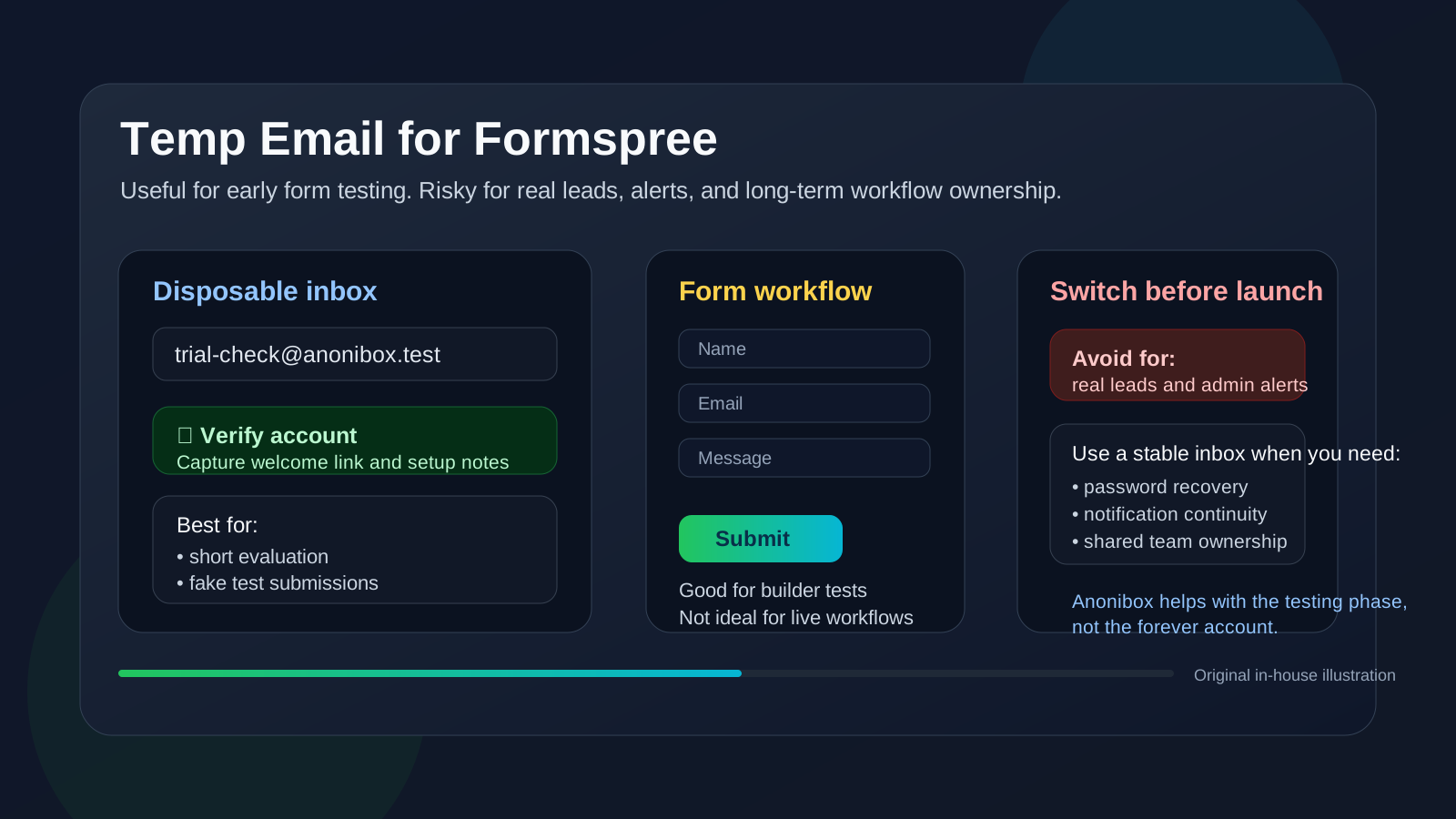
That is the practical answer most people need. Formspree is the kind of tool many people try quickly because they want to test a form endpoint, confirm a submission flow, compare a few lightweight form backends, or see whether a hosted form workflow fits a site they are building. In that stage, protecting your main inbox from another stream of product emails is reasonable.
The problem is that form tools stop being “just a trial” faster than people expect. A mock contact form becomes the real contact form. A test lead form ends up embedded on a landing page. A simple endpoint built for a proof of concept becomes the thing that actually forwards inquiries, project requests, or registrations. Once that happens, the email tied to the account stops being a throwaway detail and becomes part of the workflow itself.
If you are using Anonibox to keep early software evaluations separate from your long-term inbox, Formspree is a sensible candidate for that approach during the testing stage. The key is knowing when to stop treating the account like a temporary experiment and start treating it like infrastructure.
Why people look for a temp email for Formspree
Most people searching this are not trying to do anything shady. They usually want one of a few ordinary things:
- sign up and test Formspree without feeding their main inbox into another product nurture sequence
- compare Formspree with other form tools such as Formstack, Formsite, Wufoo, or Google Forms
- separate product research from production communication
- keep one-off trials, verification emails, and onboarding messages from cluttering a work inbox
- use a privacy-first workflow while deciding whether the tool is worth deeper evaluation
That is all reasonable. Early research is noisy. Trial accounts often trigger welcome emails, getting-started messages, feature announcements, upgrade prompts, and periodic follow-ups. If you test a lot of tools, the clutter adds up fast. A temp inbox gives you a clean lane for evaluation.
When using a temp email for Formspree makes sense
There are several cases where a disposable inbox is practical rather than reckless.
1. You are only doing a first-pass product evaluation
If your goal is to create an account, verify the address, send a few test submissions, and judge whether the service feels lightweight and usable, a temp email is fine. At that point you are not building a real operating process. You are simply answering, “Is this worth more time?”
2. You are comparing multiple form tools at once
Many teams do not evaluate one tool in isolation. They check several options in the same week. Using separate evaluation inboxes can make those comparisons easier and prevents your main address from becoming the long-term destination for tools you already ruled out.
3. You are testing a prototype or internal mockup
If the form is clearly fake, the submissions are only test data, and nobody outside your team depends on the result, a temporary inbox can still be perfectly acceptable. In that situation, the account exists to support experimentation, not continuity.
4. You want less inbox noise while checking the basics
Sometimes you only need to verify the account, inspect the dashboard, confirm the submission flow, and read the initial setup notes. A temp inbox helps you do that without automatically inviting months of product emails into a personal or permanent work account.
Where a temp email for Formspree becomes risky
The risk changes as soon as the account starts supporting something real.
Real submissions turn the inbox into part of the workflow
If your form is collecting actual inquiries, signups, support requests, project leads, event registrations, or other useful submissions, the contact address behind the account matters. Once real people are involved, missing notifications or losing account access is no longer a small inconvenience. It can directly affect response time, lead handling, and trust.
Notification continuity matters more than the signup email
Many people focus on the original verification message and forget that later emails often matter more. Ongoing alerts, account notices, resets, ownership messages, and workflow-related notifications can be far more important than the welcome email. Those are exactly the kinds of messages you do not want tied to an inbox that may disappear or stop being monitored.
Account recovery becomes a delayed problem
A surprising number of “temporary” tools end up sticking around. Maybe the test form works well enough that nobody bothers replacing it. Maybe a teammate inherits the project. Maybe a landing page launches before the planned cleanup happens. Weeks or months later, password recovery suddenly matters. A disposable inbox is fine for a disposable account. It is frustrating for an account that quietly became important.
Shared ownership and handoffs need a stable address
If more than one person may touch the form, or if the site might be handed to a client or another teammate later, the account email should be intentional and durable. A throwaway inbox is a poor foundation for teamwork because nobody trusts it to remain accessible when a real problem appears.
Live lead capture deserves more caution than testing
Formspree often sits close to real lead flows. Even if the form itself is simple, the impact may not be. If someone fills it out expecting a reply and the notification chain is weak, that is not just a technical issue. It can affect customer experience, sales follow-up, and internal accountability.
A safer way to test Formspree with a temp inbox
If you want the privacy benefit without the mess, use a staged approach.
1. Treat the temp inbox as evaluation-only from the start
Before you sign up, decide that the disposable address is only for trial access, verification, and early testing. That one decision prevents the most common mistake: letting a test account drift into production by accident.
2. Keep the submissions fake and low-stakes
Use sample names, internal-only notes, and clearly nonproduction forms while you evaluate the setup. The more realistic and public the workflow becomes, the less sense a temporary inbox makes.
3. Save the few messages that actually matter
During the testing phase you usually only need a small number of emails: the verification message, a welcome or setup note, and maybe a couple of useful links. Capture those while the inbox is active. Do not assume you will remember them later if the evaluation stretches out.
4. Ask product questions during one focused test block
A temp inbox works best when the evaluation is disciplined. Instead of creating an account and wandering away, use a single focused session to answer the real questions:
- Does the setup feel simple enough for your workflow?
- Can you test submissions the way you want?
- Are notifications and routing understandable?
- Would a teammate understand the account setup later?
- Is this actually better for your use case than nearby alternatives?
If the answer is no, you protected your main inbox from unnecessary follow-up. If the answer is yes, you know it is time to graduate the account to a stable email.
5. Switch before anything customer-facing goes live
The ideal moment to replace the temp inbox is before a real form is embedded on a live site or before genuine submissions start to matter. Do not wait until the form is already tied to business activity. Switching early is cleaner than fixing ownership later.
Disposable inbox vs dedicated secondary inbox vs permanent inbox
For Formspree, there are really three practical levels of email strategy:
- Disposable inbox: best for a very short first-look evaluation
- Dedicated secondary inbox: better if you test tools often and want privacy without losing continuity
- Permanent monitored inbox: the right choice once the form is part of a live workflow
That middle option is often the smartest compromise. If you dislike giving every vendor your primary address but you also know the tool might become important, a controlled secondary inbox is safer than a truly temporary one. It still keeps evaluations separate, but it does not break account recovery or future ownership.
Common mistakes to avoid
- Letting the trial drift into production: the form works, so nobody revisits the email decision.
- Thinking only the first email matters: later notifications and resets are often more important.
- Using a temp inbox for real leads: once real people depend on the workflow, the setup should be durable.
- Ignoring handoff risk: projects often outlast the person who created the first test account.
- Confusing privacy with permanence: a disposable inbox reduces clutter, but it does not create reliable long-term ownership.
Quick checklist before you sign up
Ask yourself these questions first:
- Am I only evaluating Formspree, or is this form likely to go live?
- Will real people submit data through this workflow?
- Will I need stable access to resets, notices, and admin emails later?
- Could a client or teammate inherit this setup?
- Would a dedicated secondary inbox serve me better than a fully disposable one?
If your answers point toward a short private evaluation, a temp email for Formspree is reasonable. If they point toward continuity, ownership, or lead handling, a stable inbox is the better choice.
Final answer
Yes, a temp email for Formspree can be useful for early testing, product comparison, and keeping low-stakes trial messages out of your main inbox. No, it is not a good long-term setup once real submissions, lead notifications, recovery access, or team ownership depend on that address.
The smart move is simple: use a temporary inbox during evaluation, then switch to a monitored permanent or secondary address before the form becomes part of a real workflow. That gives you privacy when it helps and reliability when it matters.