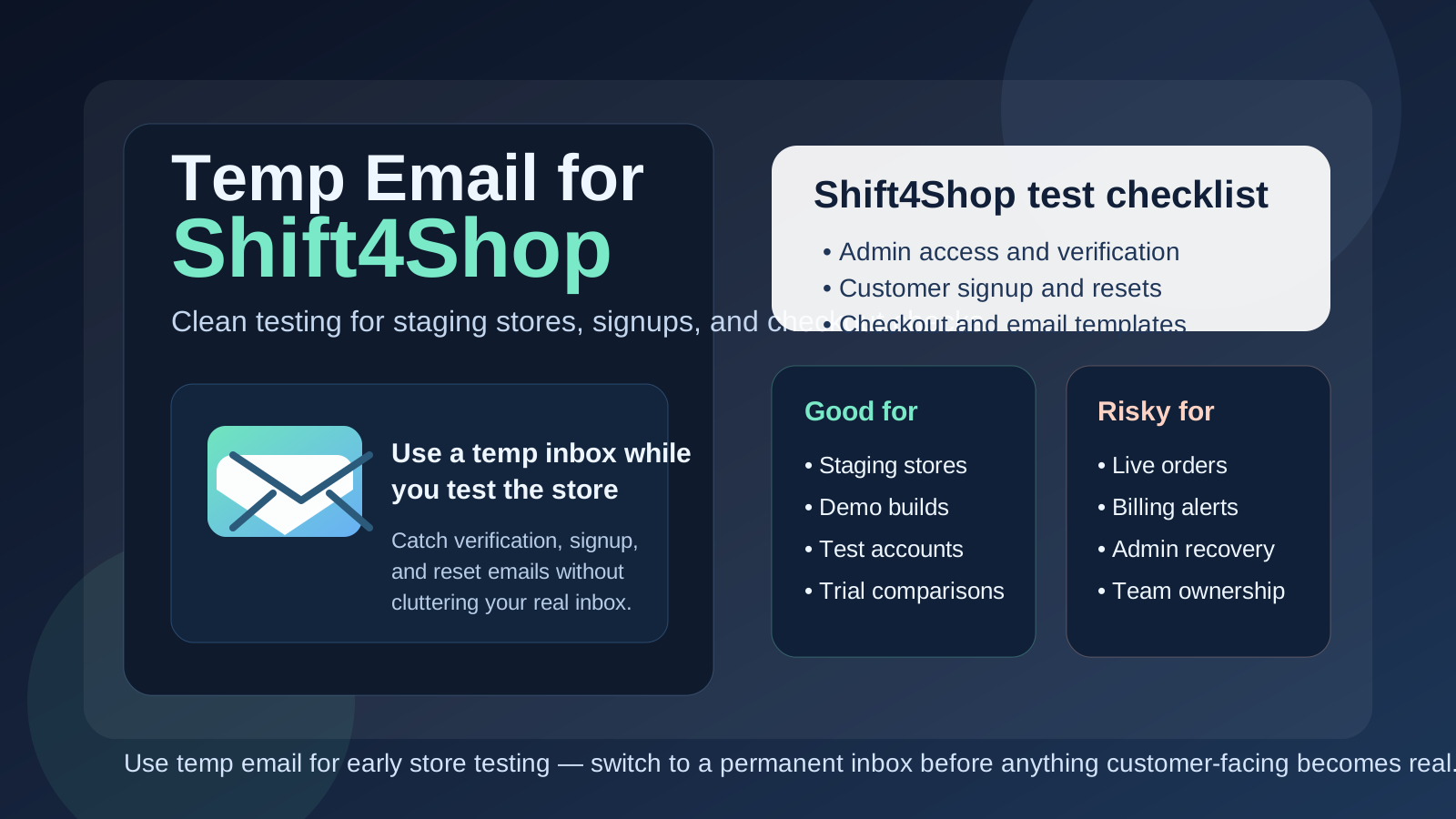
Yes — a temp email for Shift4Shop can be a smart way to test a staging store, create throwaway customer accounts, or verify early setup messages without tying every experiment to your permanent inbox.
It becomes a bad idea once the store is tied to real orders, admin recovery, billing, or customer communication that your business cannot afford to miss.
Why people look for a temp email for Shift4Shop
Shift4Shop stores often begin in a temporary phase. A merchant may be comparing ecommerce platforms, rebuilding an older catalog, testing a checkout setup, reviewing design options, or setting up a short-lived demo before anyone knows whether the store will become the real production site. During that stage, a permanent mailbox can collect a lot of noise: verification emails, onboarding sequences, trial follow-ups, app vendor outreach, abandoned setup reminders, and support messages from projects that may never survive the evaluation.
A temporary inbox helps separate early experimentation from long-term operations. You still receive the messages needed to activate an account, inspect workflows, and test the store properly, but you do not turn every experiment into a permanent inbox obligation. If you already use a privacy-first tool like Anonibox for low-stakes signups, this is one of the more practical ecommerce use cases.
This question also comes up because Shift4Shop has a long tail of merchants who know the platform from its earlier 3dcart history. Store owners and agencies sometimes spin up fresh environments just to revisit whether the platform still fits their needs, and that kind of comparison work is exactly where a temporary inbox can help.
When a temp email for Shift4Shop makes sense
A temporary email is most useful when the Shift4Shop environment is clearly disposable. Good examples include:
- building a staging store that may be deleted after design, catalog, or checkout testing,
- creating sample customer accounts to review registration, verification, and order emails,
- comparing themes, shipping settings, tax behavior, or promotions before committing long term,
- testing a migration from another ecommerce platform,
- creating a short-lived agency or freelancer demo for a client pitch,
- isolating early vendor outreach from the inbox used for real store operations.
The pattern is simple: if the store exists mainly to answer a temporary question, a temporary inbox can be appropriate. Does the storefront feel good enough to keep? Do the customer emails render correctly? Does the basic catalog workflow fit the business? If the environment may disappear next week, a throwaway address can keep your main mailbox far cleaner.
When it is the wrong choice
A temp email is the wrong tool once the Shift4Shop project starts carrying real business risk. The moment the account controls anything operationally important, your contact email needs to be stable, monitored, and recoverable.
Do not rely on a temporary inbox for:
- the primary admin or owner account you may need to recover later,
- live order notifications, customer replies, or support issues,
- billing, renewals, receipts, or payment-related communication,
- extensions, integrations, or connected services you plan to keep long term,
- security notices or maintenance alerts tied to the real store,
- shared team ownership where several people depend on the same account.
That boundary matters. Temporary email for temporary testing is practical. Temporary email for production store ownership is a shortcut that often creates avoidable headaches.
Practical Shift4Shop situations where a temp inbox helps
Testing customer signup and account email flows
Many merchants want to see exactly what shoppers receive after registration, password setup, or order-related actions. A temporary inbox lets you create sample buyer accounts, inspect the messages, and throw those test identities away when you are done. That is especially useful during template edits, localization checks, or storefront QA.
Creating throwaway accounts for checkout and promotion testing
Checkout testing usually works best when each run looks like a clean customer. A temp inbox makes it easy to create fresh sample accounts for coupon checks, shipping rule tests, tax comparisons, guest-versus-account experiments, or abandoned-cart reviews without filling a real mailbox with fake receipts and repeated notifications.
Comparing platform fit before a full commitment
If you are deciding between Shift4Shop and another ecommerce platform, you may want to evaluate practical details rather than marketing claims. Is the admin workflow comfortable? Does the storefront setup move quickly? Do the core store tasks feel manageable? A temporary inbox keeps that evaluation focused instead of letting every trial signup follow you for months.
Agency and freelancer demo builds
Agencies and solo builders often create temporary stores for redesign proposals, migrations, or proof-of-concept work. Some demos become real storefronts. Many do not. Using a temp inbox during the demo phase prevents every concept store from leaving a permanent trail in the main business mailbox.
Testing connected tools or marketplace signups
Store projects often involve outside services such as marketing tools, analytics connections, support widgets, or shipping-related workflows. If you are still deciding whether any of those belong in the stack, a disposable inbox can keep the early signup messages separated from the communications you actually want to keep long term.
How to use a temp email for Shift4Shop without causing future problems
1. Decide whether the store is genuinely temporary
Before signing up anywhere, ask the blunt question: is this just a test, or could this quickly become the live store? If there is a serious chance the environment will become production, a disposable inbox may already be the wrong starting point. If the answer is clearly “this is only for evaluation,” then a temp address is much easier to justify.
2. Use one inbox per store or test branch
Mixing several ecommerce experiments into one temp inbox creates confusion fast. It becomes harder to tell which verification link belongs to which test store, which password reset is still relevant, and which service message can be ignored. One inbox per store keeps the testing trail clean.
3. Save the messages that matter right away
If your setup sends a verification link, admin invite, or reset email, save what you need immediately. Temporary inboxes are useful because they are lightweight, but that also means you should not treat them like a permanent record. Capture the link, note the account, and move on.
4. Switch to a permanent address before launch
The right time to switch is earlier than most merchants think. Move to a permanent inbox before the store handles real orders, before the team starts relying on the account daily, and definitely before customers depend on any notifications that flow through it. A clean handoff is far easier before the store is busy.
What to test inside Shift4Shop while you still have the disposable inbox
If you are going to use a temp email during the evaluation stage, use that window well. The best test is not simply “did the signup work?” It is whether the store setup and email-driven flows feel dependable enough for the kind of operation you want to run.
Store admin onboarding
How easy is it to create the first account, access the admin area, and understand what needs configuration next? A good early test should make it obvious whether the platform feels straightforward or whether every basic setup step turns into friction.
Registration and password reset behavior
If the store uses customer account emails, test them on purpose. How quickly do messages arrive? Are the reset instructions clear? Do verification and password flows behave the way a real customer would expect? Temporary inboxes are especially useful here because they let you run the full cycle without exposing your main inbox to every experiment.
Order and notification templates
Even if you are not processing real business yet, it is worth checking how confirmation-style messages look during test orders. The goal is not to trust the temporary inbox forever. The goal is to inspect the communication experience before real customers see it.
General operational fit
The bigger question is whether Shift4Shop fits the way your business works. Does the store setup feel maintainable? Are catalog and product tasks manageable? Does the testing process suggest the platform will stay organized once the store is no longer a toy project? A temp inbox gives you space to answer those questions cleanly.
Common mistakes people make
- Leaving the temp email in place too long: what starts as a trial quietly becomes the real store.
- Using the same inbox for multiple stores: verification and recovery trails get messy fast.
- Forgetting who owns the admin account: later, nobody remembers which inbox controls the account.
- Testing only signup but not recovery: reset and notification paths often matter more than the first login.
- Assuming a disposable inbox is “private enough” forever: it is a convenience tool, not a long-term operating model.
What to do once the Shift4Shop project becomes real
As soon as the store moves beyond experimentation, tighten the process. Replace the temp address with a durable inbox you control. Make sure account ownership is clear. Document who receives recovery messages or operational notices. If the store will support real customers, payments, or ongoing team workflows, the admin and notification setup should look boring and reliable, not clever.
This is also the point where a separate permanent store inbox often beats a personal inbox. Even if you started with a temp email, the mature version of the workflow is usually a stable role-based address tied to the store, team, or brand rather than one person’s everyday mailbox.
Temp email vs separate permanent store inbox
It helps to separate these two ideas:
- Temp email: best for early testing, short-lived signups, and disposable evaluation stores
- Separate permanent store inbox: best for real admin ownership, order communication, shared workflows, and long-term recovery
People sometimes treat them like interchangeable privacy tools, but they solve different problems. A temp inbox reduces short-term clutter and exposure. A separate permanent inbox creates long-term control and organization. For serious ecommerce work, you will usually want both at different stages rather than only one forever.
A practical workflow that works well
- Create a temp inbox for the prototype or staging store.
- Use it to complete verification, customer-flow tests, and reset checks.
- Decide whether the store is disposable, ongoing, or likely to become production.
- If the project survives the test phase, migrate account ownership to a permanent controlled inbox.
- Only then rely on the account for real operations, customer notifications, or long-term admin access.
This approach keeps your inbox cleaner without creating unnecessary admin risk. You get the convenience of fast testing and the stability of proper ownership once the store matters.
Final takeaway
A temp email for Shift4Shop is a smart move when you are evaluating, prototyping, or rehearsing email-driven store workflows. It helps you test registration, password resets, notifications, and basic setup without filling your primary inbox with messages from stores that may never become real.
But once the Shift4Shop environment starts looking like something you will keep, share, or depend on, switch to a permanent address immediately. Temporary email is great for early store testing. It is not the right home for live orders, business continuity, or account recovery.