Yes, you can use a temp email for Big Cartel when you are testing a new store, checking signup flows, or comparing storefront tools before committing. It helps during short-lived setup, but it becomes risky once real orders, customer messages, plan billing, and account recovery depend on that inbox.
The practical answer is simple: use a temporary inbox for early evaluation and disposable experiments, then move the store to a permanent email address before the account becomes part of your real business.
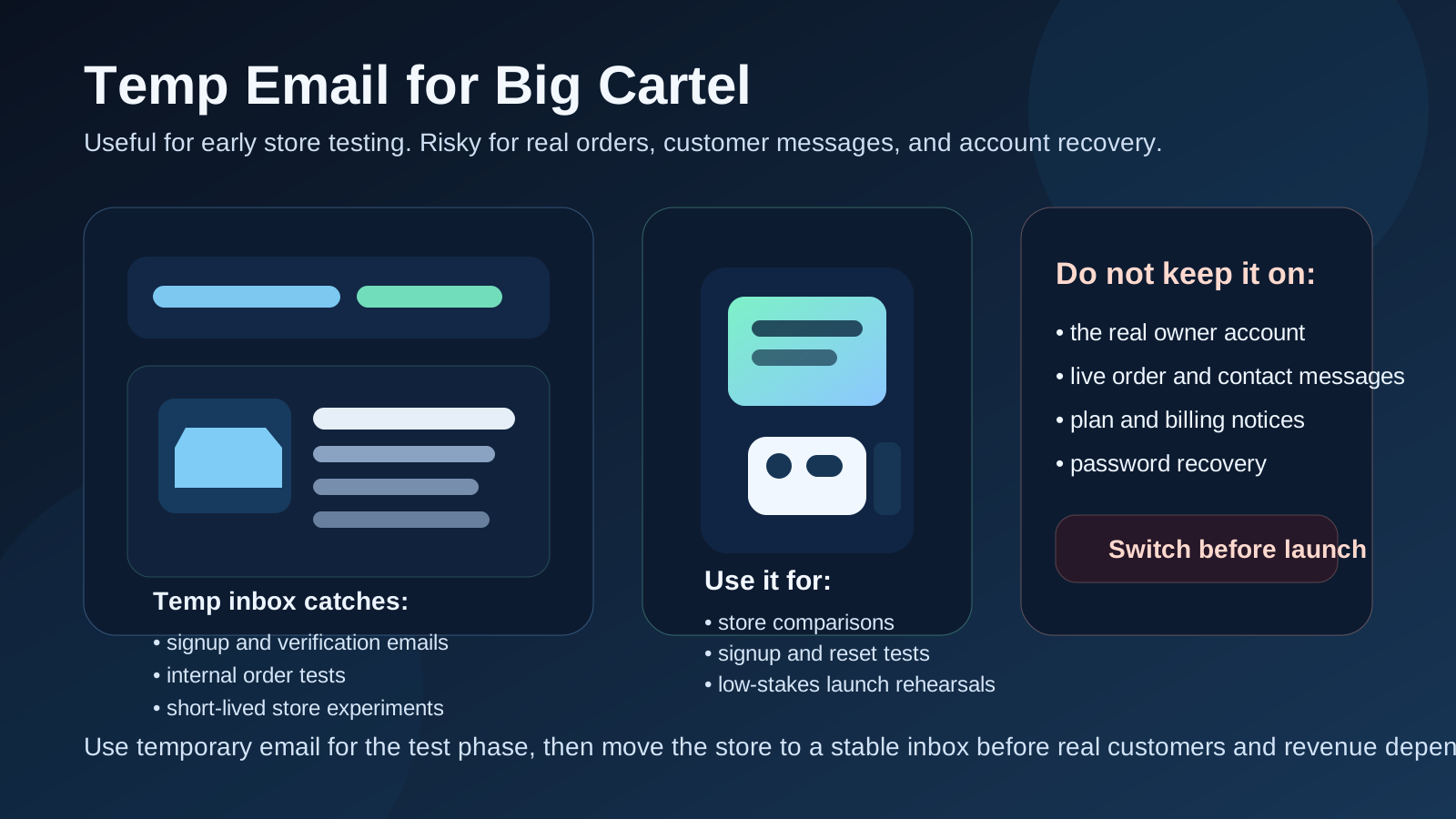
Why people look for a temp email for Big Cartel
Big Cartel attracts a lot of exactly the kind of users who like to test quickly. Independent makers, artists, side-hustlers, small brands, and agencies often want to spin up a storefront, see how the dashboard feels, test a product page, check order notifications, and compare the experience with other platforms before they commit time or money.
That early stage usually creates more email than people expect. You may get signup confirmation messages, password setup links, welcome sequences, plan prompts, order notifications from test purchases, contact-form messages, custom-domain reminders, and occasional plan or billing notices if you move beyond the simplest test. If you compare several store tools in a short window, your main inbox can fill with ecommerce experiments surprisingly fast.
A temporary inbox can keep that evaluation cleaner. Instead of mixing throwaway store tests into the same inbox you use for real customers, real business communication, or personal life, you can isolate the experiment and only keep what matters.
That is where a tool like Anonibox fits naturally. It gives you a disposable inbox for the low-stakes part of the workflow so your permanent address does not end up collecting every unfinished store idea.
When a temp email makes sense for Big Cartel
A temporary email works best when the store is clearly still a test. At that stage, speed and separation are usually more important than long-term continuity.
- Comparing Big Cartel with Shopify, WooCommerce, Sellfy, or other creator-store options
- Setting up a short-lived proof of concept for a client or internal review
- Testing product creation, themes, and storefront behavior without using your long-term inbox
- Checking what signup, login, and reset emails look like in a non-production environment
- Running internal order tests to see how store notifications behave
- Keeping side-project or seasonal-store experiments separate from your real business email
- Trying the platform before you decide whether it deserves a permanent business address
In those situations, the account exists to help you learn something. It does not yet carry long-term customer responsibility. That is the ideal use case for temporary email.
When a temp email becomes a bad idea
The problem starts when a store stops being temporary but the inbox behind it still is. That sounds obvious, but it happens all the time. Someone creates a quick trial store for an experiment. The experiment looks promising. A few products stay live. Then real visitors show up, a few real orders come in, and suddenly the “test” inbox is tied to a store that matters.
A temp email is a poor fit if it is attached to:
- The main owner account for a store you plan to keep
- Order and customer-notification emails you may need to revisit later
- Plan changes, billing notices, or payment-related account messages
- Password recovery for the store you actually run
- Contact messages that could lead to real sales or support issues
- Any workflow where losing the inbox would create confusion, downtime, or lost revenue
Once the store matters, inbox stability matters too. A disposable mailbox is a convenience tool for testing, not a foundation for business continuity.
A simple rule that keeps you out of trouble
If the account exists to test the store, a temp email can be reasonable. If the account exists to run the store, recover the store, or support real customers, use a permanent address you control.
That rule is boring, but it works. It stops you from carrying a disposable inbox into production just because it was convenient on day one.
How to use a temp email for Big Cartel safely
1. Decide whether this is a test store or a real store before signup
The best time to make the email decision is before the account exists. If there is a real chance the store will become your actual owner account, you are usually better off starting with a stable inbox from the beginning. If this is clearly an experiment, temporary email is fine.
2. Use one temporary inbox per store experiment
Reusing the same inbox across multiple storefront tests gets messy fast. You forget which reset email belongs to which platform, which order notice belongs to which sandbox checkout, and which welcome sequence you can ignore. One inbox per experiment keeps the trail understandable.
3. Save anything important right away
Temporary inboxes are useful because they are lightweight, but that is also the limitation. If there is a message you may need later, such as a setup link, a domain instruction, or an account detail, save it while you still have it. Do not assume it will be sitting there forever.
4. Test the email-driven workflow, not just the first login
Do more than confirm that the welcome email arrived. Trigger a password reset. If the store flow allows it, run a safe internal order test. Check how notifications look on the inbox side. See whether the experience feels clear or cluttered. A useful store test is about the whole communication loop, not only about creating the first account.
5. Switch before launch, not after a problem
The worst time to replace a temporary inbox is after live customers are already involved. Move the store to a durable email address before launch, before support requests matter, and before you need consistent recovery options.
What to test inside Big Cartel while you still have the disposable inbox
If you use a temp email during evaluation, make the most of the window. The question is not just whether the store can be created. It is whether the store feels manageable when email becomes part of the workflow.
Signup and initial access
How smooth is the first account setup? Does the confirmation email arrive clearly? Is it obvious what to do next? That first impression matters because it tells you how much friction the platform introduces before you even start customizing products and pages.
Product and storefront setup
Once you get in, test the practical setup path. Add products, change images, adjust descriptions, and explore how quickly you can move from blank store to usable storefront. The inbox itself is not doing that work, but using a temporary address helps you separate these experiments from your real day-to-day business communication.
Order-notification behavior
If you can safely run internal test purchases or low-stakes checkout rehearsals, pay attention to what emails get sent and when. Are the messages clear? Are they noisy? Would you trust them once real buyers are involved? This matters because stores are not only visual. They are operational systems, and email is part of that operations layer.
Password reset and recovery experience
Many people test signups but forget recovery. That is a mistake. A store owner who cannot recover access quickly has a real problem. Even if you are still in test mode, it is worth checking how the password-reset flow behaves so you know what would happen later on a permanent inbox.
Contact and message flow
If your store includes a contact route or order-related messages, think about what happens when a real customer reaches out. In test mode, seeing how those messages feel is useful. In production, those same messages are often too important to leave attached to a disposable inbox.
Common mistakes people make
- Letting the trial inbox become the permanent owner inbox: convenience quietly turns into risk.
- Using a disposable address after launch: it may seem fine until you need a reset or a past customer email.
- Testing signup but not recovery: recovery problems often matter more than the first login.
- Mixing several store tests into one inbox: notifications become confusing and easy to misread.
- Ignoring customer communication: once messages could affect orders or trust, a stable inbox matters.
- Waiting too long to switch: people often promise themselves they will move to a permanent address later, then forget until something breaks.
When to switch to a permanent inbox
The right time is sooner than most people think. You should switch as soon as the store starts looking real rather than disposable.
- You plan to keep the store beyond the evaluation phase
- You are showing the store to real customers instead of only internal reviewers
- You are preparing for a launch or a limited release
- You care about keeping order or contact messages in a stable place
- You may need billing notices or plan-change emails later
- You want a dependable recovery path if login issues happen
At that point, a separate permanent operations inbox is usually better than your personal email. It gives you continuity without forcing all store traffic into your everyday mailbox.
Temp email vs separate permanent store inbox
These are related tools, but they solve different problems.
- Temp email: best for short trials, fast platform comparisons, disposable store experiments, and low-stakes testing
- Separate permanent store inbox: best for real ownership, order continuity, customer communication, billing notices, and recovery
People sometimes treat temporary email like a forever privacy solution. It is not. It solves the early-stage clutter problem. A stable business inbox solves the long-term control problem. For a serious creator-commerce workflow, you often want both at different stages.
A practical workflow that works well
- Create a temp inbox for the Big Cartel experiment.
- Use it to verify the account and test early notifications.
- Check store setup, order-related emails, and recovery flow while the project is still low stakes.
- Decide whether the store is disposable, ongoing, or headed toward launch.
- If the store survives the test phase, move it to a permanent inbox you control before real customers depend on it.
That approach keeps evaluation tidy without turning a throwaway setup choice into a business headache later.
Final takeaway
A temp email for Big Cartel is useful when you are comparing platforms, testing a small storefront idea, or checking how email-driven store workflows behave before you commit. It keeps your primary inbox cleaner and makes early experiments easier to manage.
But once the store becomes part of a real business, the inbox behind it needs to become real too. Do not leave order messages, customer communication, plan notices, or account recovery tied to a mailbox you may lose. Temporary email is great for early store testing. It is a bad foundation for long-term store ownership.