Yes — using a temp email for Sitefinity can be useful for early sandbox tests, agency handoffs, and invite-only staging work, but it is a poor long-term choice for production admin ownership, billing contacts, or account recovery.
If you only need to verify a trial, check a Sitefinity setup flow, or test how invites and notifications behave, a disposable inbox can keep your main address cleaner. Once the project becomes real, though, you should move critical access to a stable email your team actually controls.
Why people look for a temp email for Sitefinity
Sitefinity sits in the part of the CMS market where teams often test quietly before they commit. An agency may be reviewing the editor experience for a client. An internal digital team may want to compare Sitefinity with another enterprise CMS. A developer may need to test forms, user invitations, admin notifications, or staging workflows without dragging a permanent inbox into every early experiment.
That is where a temporary inbox can help. It gives you a short-lived address for the first layer of signup or invitation friction, so you can confirm how the workflow behaves before you decide whether the environment deserves a real long-term contact.
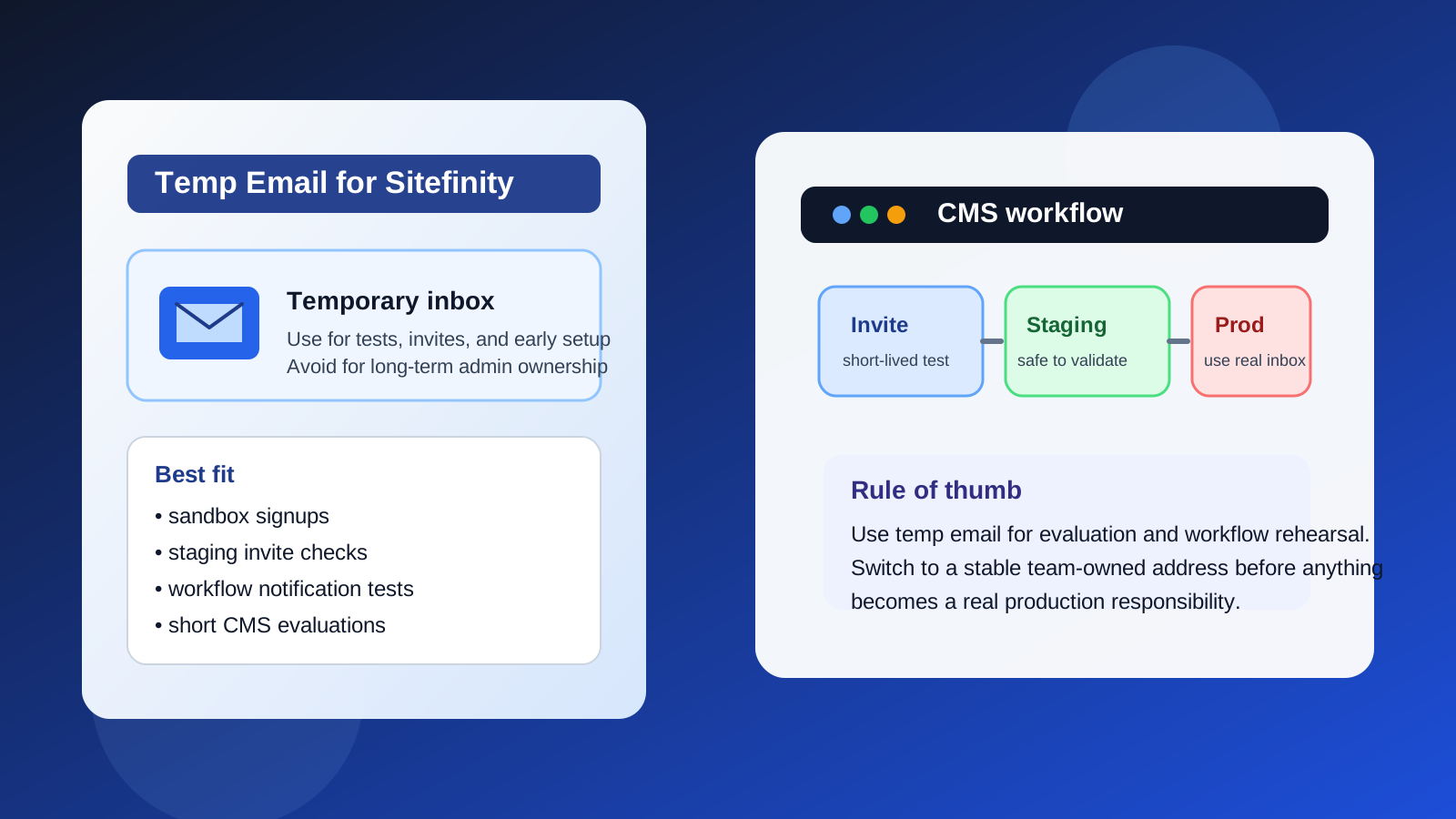
Short answer: when a temp email makes sense
A temp email for Sitefinity usually makes sense when you are doing low-risk, early-stage work such as:
- Testing a sandbox or evaluation environment
- Checking how invite emails or password setup emails are delivered
- Reviewing agency-to-client handoff flows before launch
- Running a short internal comparison between multiple CMS platforms
- Keeping vendor follow-up out of your main inbox during research
In those cases, the goal is not to build permanent infrastructure around a disposable address. The goal is to remove noise while you learn whether the platform and workflow are even worth deeper adoption.
When a temp email is the wrong choice
A disposable inbox becomes risky the moment the account matters beyond a quick test. Sitefinity projects often accumulate real responsibilities fast: admin roles, content approvals, security notices, hosting updates, form alerts, and recovery messages. If the mailbox disappears, the account becomes harder to manage.
That means a temp email is the wrong choice for:
- Production admin users
- Long-term owner accounts
- Billing or contract contacts
- Password recovery for important environments
- Shared team accounts that multiple people depend on
- Anything tied to legal, compliance, or audit expectations
A good rule is simple: if losing the inbox would create operational pain, do not use a disposable address there.
Realistic Sitefinity scenarios where a temp inbox helps
1. Early CMS evaluation
If you are comparing Sitefinity against Adobe Experience Manager, Sitecore, Kentico, or another enterprise CMS, a temporary inbox can keep the evaluation separate from your daily work email. You can receive the initial verification message, product follow-up, or demo invite without signing your primary mailbox up for a long nurture sequence right away.
2. Testing invite flows
Many teams want to see exactly what a new editor or admin receives. Does the message arrive quickly? Is the language clear? Does the setup link work cleanly on first click? A throwaway inbox can be perfect for validating that experience before you start inviting real users.
3. Agency staging and handoff checks
Agencies often need a safe way to test the last mile of user creation and permissions during a handoff. Using a temporary address for a disposable reviewer account can help confirm the mechanics without exposing a real stakeholder to unnecessary noise during the rehearsal.
4. Form and notification experiments
If your Sitefinity setup sends confirmation emails, workflow notices, or basic admin notifications, a temporary inbox can help you confirm what arrives and when. It is a lightweight way to check behavior before routing messages to a real mailbox that people watch every day.
How to use a temp email for Sitefinity without causing future headaches
Start with a narrow purpose
Know what you are testing before you create the account. Are you checking a signup flow, validating a password setup email, testing a role-based invite, or measuring how quickly notifications arrive? A temp inbox works best when it serves one narrow purpose instead of becoming an accidental permanent home.
Save the messages that matter
Temporary inboxes are temporary. If the setup email includes a useful link, environment detail, or onboarding instruction, save it immediately. Do not assume the message will still be there tomorrow.
Move important accounts to a durable email quickly
If the test becomes a real project, change the email early. Do not wait until the environment is populated with content, forms, users, and permissions. The longer you wait, the more annoying the cleanup becomes.
Document what you changed
If a disposable inbox was used for a test account, note when the account was created, why it existed, and whether it was retired or migrated. This matters more than people think, especially when several teammates or an outside agency touched the environment.
What a temp email does well in a CMS workflow
A disposable inbox can solve a few very specific CMS problems well:
- Spam control: you avoid turning every product test into months of follow-up email.
- Workflow isolation: sandbox invites and staging notifications stay separate from production communication.
- Fast experimentation: you can test account creation, email delivery, and invite behavior quickly.
- Cleaner comparisons: if you are evaluating multiple platforms, each test can stay compartmentalized.
That is the real value. It is not magic privacy. It is better inbox hygiene and better evaluation discipline.
What a temp email does not solve
It does not make a weak account policy strong. It does not fix loose permissions. It does not replace proper ownership records. And it does not guarantee privacy if you are careless somewhere else in the workflow.
If your Sitefinity environment has real team members, production content, or business-critical forms, the durable solution is not “keep using disposable inboxes longer.” The durable solution is controlled role assignment, clear owner accounts, and email addresses that can be managed, audited, and recovered by the right people.
Should you use a disposable inbox for Sitefinity Cloud or enterprise onboarding?
For the earliest research phase, maybe. For serious onboarding, not for long. Enterprise CMS projects usually outgrow disposable addresses fast because they involve procurement, implementation partners, identity providers, environment approvals, and multiple stakeholders. Even if a temp inbox helps you clear the first gate, you should expect to replace it as soon as the project stops being a throwaway test.
That is especially true when the account starts receiving:
- team invitations
- administrator notices
- environment-change alerts
- ownership or recovery messages
- important vendor communication
A safer alternative for longer evaluations
If you need more breathing room than a fully disposable address provides, use a separate but durable testing inbox instead. For example, a dedicated evaluation mailbox or alias gives you many of the same benefits — cleaner organization, less inbox clutter, easier comparison work — without the risk of the address vanishing when you need it later.
That middle-ground approach is often better for a Sitefinity proof of concept that may last weeks rather than hours. Use a true temp inbox for the shortest and lowest-risk steps. Use a separate durable inbox when the project starts to stick.
Where Anonibox fits
If you want to isolate early CMS tests from your everyday mailbox, Anonibox is useful for that first layer of experimentation. You can create a temporary address, receive the invite or verification message, confirm the workflow, and decide whether the environment deserves a permanent team-owned inbox. That is a practical use case. The mistake is treating a temporary address like a forever admin identity.
Simple checklist before you use a temp email for Sitefinity
- Is this account only for early testing or validation?
- Would losing access to the inbox create real operational problems?
- Do you need to save invite or recovery messages right away?
- Will this account ever become a production owner or admin?
- Should you use a durable evaluation inbox instead?
If the account is temporary, low-risk, and easy to retire, a temp inbox can be a smart convenience. If the account will matter later, use a stable email from the start.
Final takeaway
A temp email for Sitefinity is most useful at the beginning of a project, not in the middle or at the end. It helps with sandbox signups, short evaluation cycles, invite-flow testing, and staging rehearsals. It becomes a liability when the same account starts owning real content operations, production access, billing conversations, or recovery paths.
Use the disposable inbox to learn quickly, then promote anything important to a real managed address as soon as the project proves itself. That keeps your testing cleaner without setting a trap for the team that has to run the CMS later.