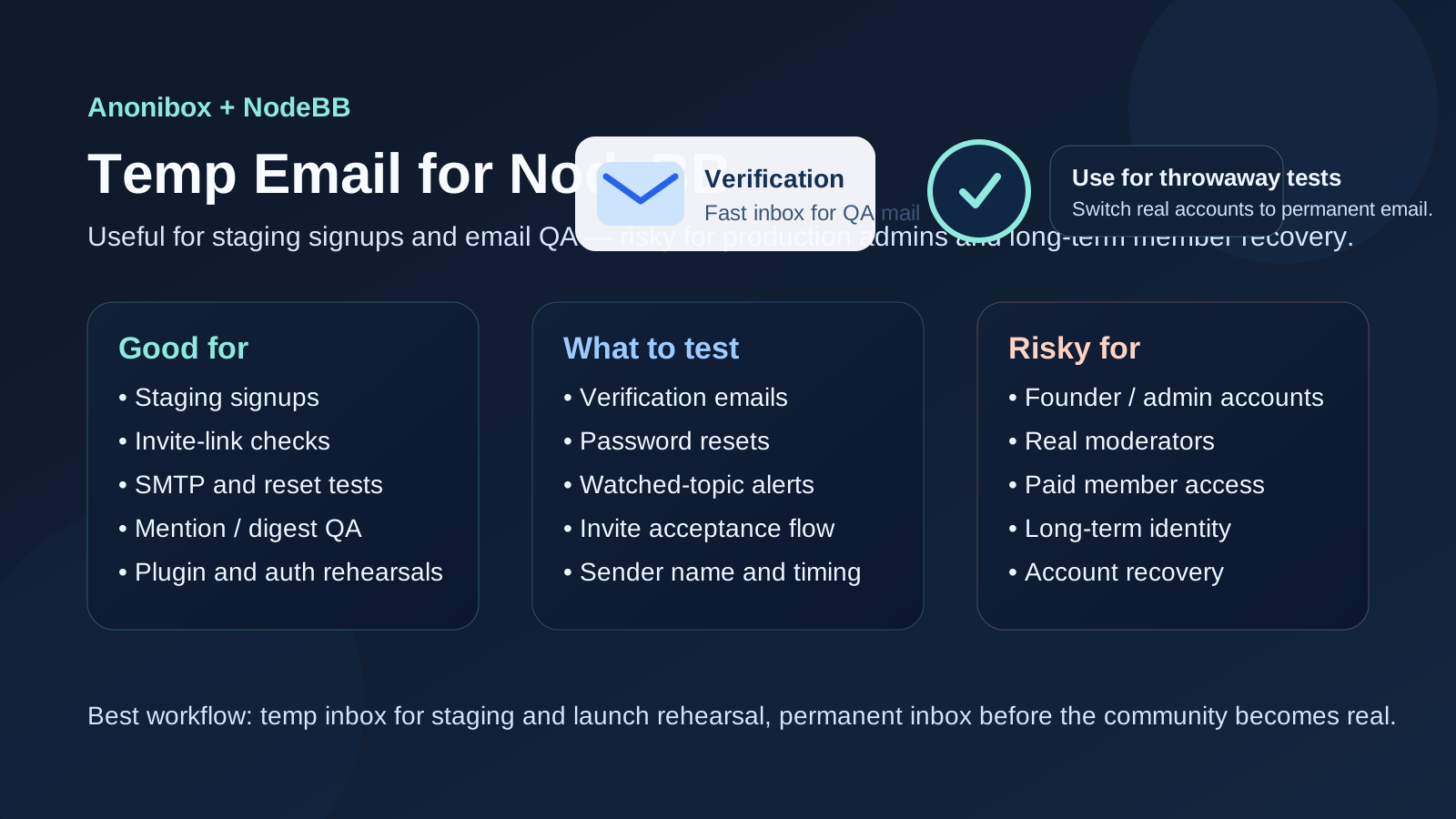
A temp email for NodeBB is useful when you want to test signups, invites, password resets, and notification delivery on a staging forum, but it is a poor choice for production admin accounts or long-term members you may need to recover later.
Use a disposable inbox for short-lived QA, launch rehearsals, and mail-flow checks. Do not use it for the founder account, real moderators, paid members, or any identity tied to ongoing community ownership.
Why NodeBB is a practical match for temporary-email testing
NodeBB communities depend on email more than many teams first realize. Even if the public forum experience feels centered around posts, replies, categories, and real-time notifications, email still sits underneath important account actions. New-user verification, invitation links, password resets, mention alerts, digest emails, watched-topic notifications, and some admin workflows all depend on mail reaching the right inbox.
That makes NodeBB a good candidate for temporary-email testing during setup. If you are building a new community, migrating from another forum, changing SMTP providers, or trying plugins that affect authentication or notifications, a throwaway mailbox lets you verify the full user journey without turning your permanent inbox into a dumping ground for test messages.
Anonibox fits that early-stage job well: create a clean inbox, receive the activation or reset message, confirm the link works, and retire the account when the test is over. It keeps your QA cycle tidy while giving you a realistic view of what members will actually receive.
When a temp email makes sense on NodeBB
There are several situations where a disposable inbox is genuinely useful rather than gimmicky.
1. First-run signup checks on a staging forum
Before you invite real members, you should walk through the registration flow yourself. That includes the signup form, email verification, password creation, first login, and any welcome or approval messages. A temporary inbox is ideal here because the account is disposable by design. You are testing the path, not creating a lasting forum identity.
2. Invitation and onboarding rehearsals
Some NodeBB communities rely on invite flows, closed betas, or curated early access. A temp inbox helps you test whether invitations arrive, whether the acceptance links work on time, and whether the new account lands in the right starting group or onboarding path.
3. SMTP, DNS, or email-provider changes
If you change transactional email providers, move hosting, update SPF, DKIM, or DMARC records, or adjust NodeBB mail settings, you need a fast way to verify the result. A disposable address gives you a clean receiving endpoint for fresh tests so you can confirm that registration, reset, and notification messages still work after the change.
4. Notification QA for mentions, replies, and digests
NodeBB often powers active communities where members depend on timely alerts. You may want to confirm how reply notifications look, whether digest emails feel readable, or whether watched-category messages are firing too often. A temporary inbox lets you test those patterns with throwaway accounts before exposing real members to noisy or broken mail.
5. Plugin or SSO experiments
Many NodeBB sites add plugins for social login, external auth, custom group behavior, or moderation workflow changes. Even when login itself happens elsewhere, the forum may still use email for resets, validation, or fallback account actions. Disposable inboxes are useful while you experiment with those integrations and want fast, repeatable signups.
What to test with a NodeBB temp account
If you are going to use a temporary email, use it deliberately. A good NodeBB QA pass should answer specific questions rather than just proving that one message arrived.
- Registration: Does the forum allow signup as expected, and are validation errors clear?
- Email verification: Does the activation message arrive quickly, and does the link still work after a few minutes?
- Password reset: Can a user request a reset and regain access without confusion?
- Invites: Do invite emails land correctly, and do invited accounts inherit the right permissions?
- Notifications: Are mentions, replies, watched topics, and category emails firing at the right frequency?
- Templates: Do subject lines, sender names, and message content look trustworthy and readable?
- Deliverability: Are messages hitting spam folders, arriving late, or failing silently?
This is where a temporary inbox is better than using your main email over and over. Each new test can start from a clean state, which makes it easier to spot delays, duplicates, or missing messages.
A sensible workflow for using temp email on NodeBB
Start with one inbox per scenario
Do not reuse one disposable address for everything if you are trying to diagnose a problem. Use one for signup testing, another for invite flow checks, and another for reset or notification tests if needed. Clean separation makes debugging much easier.
Name your test accounts clearly
If you create multiple test users, label them in a way your team understands, such as signup-qa, invite-check, or digest-test. That keeps the admin panel tidy and reduces the chance that someone mistakes a throwaway user for a real community member.
Save the important evidence
Temporary inboxes are best for short-lived verification, not long-term archiving. If a test email matters, save screenshots, copy headers, or note the timing before you move on. That is especially useful when you are comparing providers or investigating why some messages arrive and others do not.
Retire the account when the test is over
Once you have confirmed the behavior, remove or disable the test user. That keeps your member list honest and avoids cluttering analytics, trust-level experiments, or moderation views with fake accounts you no longer need.
Where a temp email becomes risky on NodeBB
The convenience disappears fast when the account stops being disposable. NodeBB communities can accumulate moderation history, private messages, subscriptions, saved preferences, reputational weight, and group permissions over time. Once an identity matters, the mailbox behind it matters too.
Production administrator accounts
Never use a temporary inbox for the founder account, an admin account, or any high-permission operational identity. If you lose access to that mailbox later, password recovery and account verification become harder at exactly the wrong moment.
Real moderators and staff
Moderators often receive sensitive notices, internal coordination messages, reports, and security-related alerts. Those accounts should live on stable addresses controlled by real people or by the organization, not by a disposable mailbox that may vanish when you need it most.
Long-term members and paid communities
If your NodeBB community includes subscribers, donors, course members, customers, or verified professionals, email continuity matters. A temporary inbox may be fine during a short prelaunch test, but it is not a responsible default for anyone whose account needs to last.
Accounts tied to recovery or ownership
Any account that might need future recovery should use a permanent address. That includes original community owners, plugin purchasers, support contacts, and anyone who may need to prove continuity later.
NodeBB-specific risks to think about
NodeBB can be simple to launch, but it still sits inside a broader stack of auth, plugins, themes, email providers, and moderation rules. That creates a few practical risks if you lean too heavily on disposable addresses.
- False confidence: a temp inbox may prove that one message arrived once, but not that real-member delivery is consistently healthy across providers.
- Lost notification history: if you test too much with throwaway addresses, you may miss how actual long-term notification volume feels to members.
- Confusing support cases: if staff forget which test users were disposable, cleanup gets messy later.
- Weak recovery posture: temporary inboxes make recovery harder if a test account accidentally becomes more important than planned.
In other words, temp email is a sharp tool, not a default identity strategy.
Best practices if you use Anonibox with NodeBB
- Keep temp inboxes limited to staging, QA, or controlled launch checks.
- Switch important accounts to permanent addresses before go-live.
- Document which test accounts were created and why.
- Check not just delivery, but also sender reputation, formatting, and timing.
- Test one recovery flow before launch so you know what a real member will experience.
- Review whether plugins or auth changes alter who receives email and when.
If you handle it that way, Anonibox becomes a clean operational helper rather than a liability. It gives you privacy and focus during early testing without weakening production account hygiene.
Should you use a temp email for NodeBB?
Yes, for early forum testing it makes a lot of sense. A temp email for NodeBB is genuinely helpful for validating signup flow, invitation delivery, password resets, and notification behavior on a staging board or controlled prelaunch community.
No, it is not a good fit for production admins, moderators, paid members, or any account that may need long-term continuity. The moment an account matters operationally or historically, move it to a permanent inbox you control.
Final takeaway
A temp email for NodeBB is best treated as QA infrastructure. It helps you test the member journey, confirm email reliability, and keep throwaway forum experiments out of your main inbox. That is valuable during setup, migration, plugin testing, and launch rehearsal.
Just keep the line clear: disposable inboxes are for disposable accounts. For real staff, real members, and real recovery paths, use stable email from the start. That balance gives you the privacy and convenience of temporary email without making your forum harder to manage later.