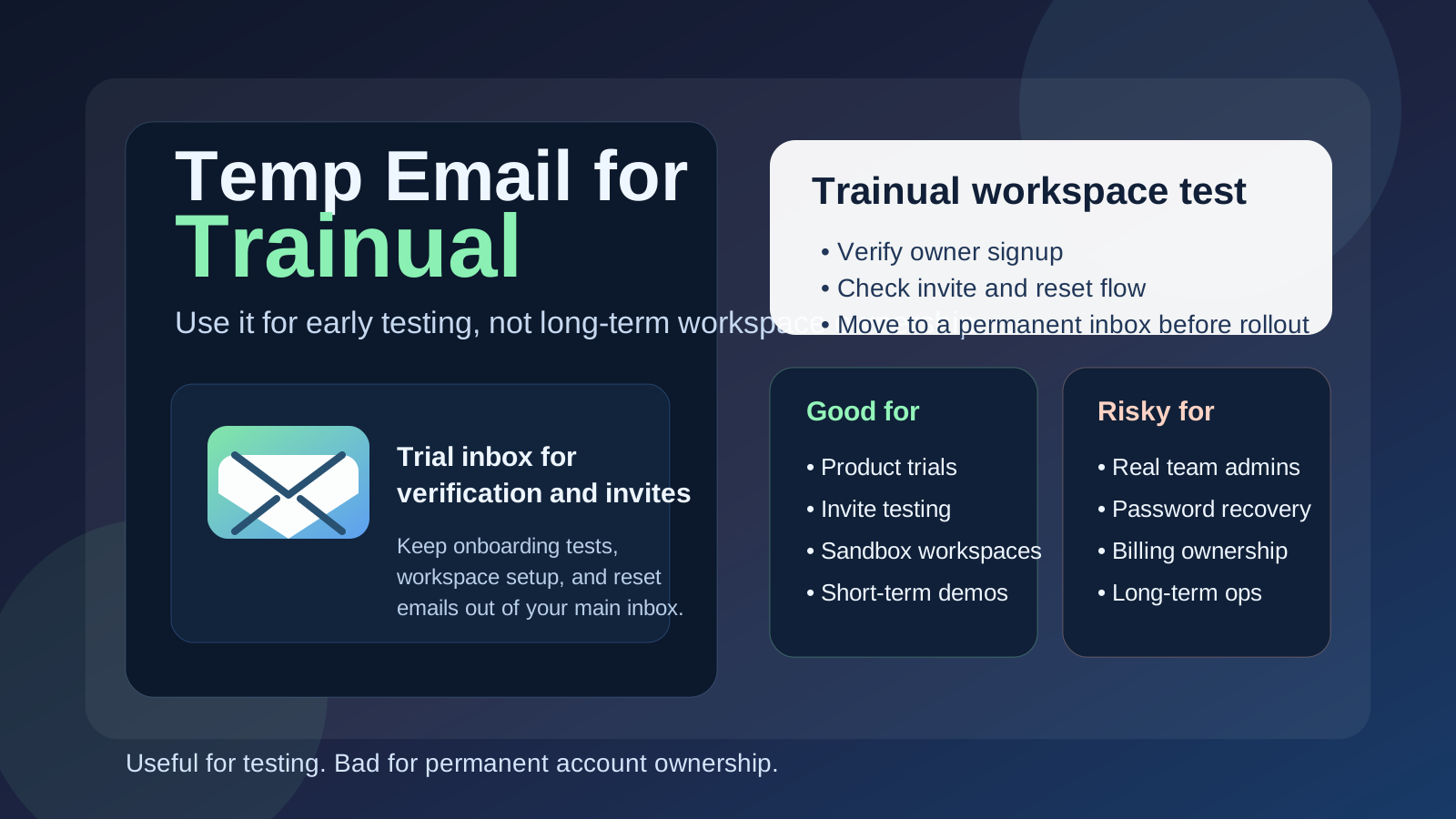
Yes, you can use a temp email for Trainual when you are testing a workspace, checking invite flows, or comparing onboarding tools without giving your primary inbox to yet another trial. It is useful for short-term evaluation, but it is a bad choice for the real owner account once your playbooks, team access, and recovery path actually matter.
In practice, a temporary inbox makes sense for early testing and low-stakes setup. It stops making sense the moment that Trainual workspace becomes part of your real operating system.
Why people look for a temp email for Trainual
Trainual is the kind of product teams rarely evaluate with a quick glance. They usually want to create a workspace, upload a few processes, invite a teammate, test how assignments feel, and see whether the platform fits their onboarding or knowledge-management style. That means emails show up early: account verification, invites, password resets, trial reminders, notifications, and all the other messages that come with trying software properly instead of just reading the landing page.
If you test several training or operations tools in the same month, your main inbox gets noisy fast. You end up with half-finished workspaces, reminders from trials you do not plan to keep, and old invites that never mattered. A temporary inbox can keep that clutter contained while still letting you reach the point where the product feels real enough to judge.
That is the honest value of a service like Anonibox here. It gives you a disposable inbox for the evaluation stage so your personal or work address does not become the permanent home for every software experiment.
When a temp email makes sense for Trainual
A temp inbox is most defensible when the Trainual account is clearly temporary, clearly experimental, and clearly not the final long-term owner of anything important. Good examples include:
- Opening a short trial just to understand how the workspace is structured
- Testing how invites, access emails, or password resets behave
- Comparing Trainual with another onboarding or SOP tool side by side
- Creating a sandbox where you can import a few sample processes without mixing them into your real inbox history
- Running a quick internal demo before deciding whether the team wants to move forward
- Checking whether the platform feels right for one client, department, or use case before creating a permanent admin setup
In those situations, the inbox is supporting a test, not anchoring an operation. That distinction matters more than people think.
When a temp email is a bad idea
The risks start when the account attached to the temporary inbox is no longer temporary in practice. That happens all the time. A test workspace looks useful, someone adds real documentation, a manager invites two teammates, then a month later nobody remembers that the original owner used a throwaway inbox. Now the workspace matters, but the recovery path does not.
A temp email is a poor choice if it is tied to:
- The primary workspace owner or top admin
- Real employee onboarding or training operations
- Long-term process documentation your team depends on
- Password resets or security-related account recovery
- Billing, subscription, or vendor communication
- A shared workspace that multiple people will need to manage over time
Once Trainual becomes part of how your business trains people or stores important procedures, the email behind it needs to be durable, controlled, and boringly reliable. Clever temporary setups are fine for experiments. They are terrible substitutes for stable ownership.
A simple rule that prevents most problems
If the account exists to test something, a temp email may be reasonable. If the account exists to own something, use a permanent address you control.
That rule keeps temporary inboxes in their lane. It also forces a clean handoff before the workspace becomes operational, which is much easier than trying to fix ownership after other people are already relying on the system.
How to use a temp email for Trainual without creating a mess
1. Decide whether this is a trial or a real rollout before you sign up
The biggest mistake is treating every new account as “temporary for now” and promising yourself you will clean it up later. If the workspace might become the real one, skip the temporary inbox and start with a permanent address from day one. Use a temp inbox only when you are genuinely running an evaluation or a disposable test.
2. Keep one inbox tied to one workspace
Do not use the same temporary inbox for three software trials and two Trainual workspaces at once. That makes invites and resets harder to track, and it becomes annoyingly easy to click the wrong email while testing. One inbox per workspace keeps the logic simple.
3. Save the important links or notes immediately
When you receive a verification email, invite, or reset link, use it promptly and capture anything you may need. Temporary inboxes are valuable because they are lightweight, but that also means you should not treat them like a permanent record system.
4. Switch to a permanent address before inviting real people
If the trial is going well, do not wait until half the team is inside the workspace. Change ownership early, while the environment is still small and easy to manage. That way the permanent address becomes the center of gravity before the workspace gains real operational weight.
What to test in Trainual while you still have the disposable inbox
If you are going to use a temp email during the evaluation stage, use that time well. The goal is not just to confirm that sign-up works. The goal is to learn whether Trainual fits the way your team actually trains, documents, and hands work off.
Invite and access flow
How smooth is it to invite someone into the workspace? Are the messages clear? Does the first-login experience feel understandable for a non-technical teammate? This matters more than a lot of buyers expect, because training software succeeds or fails on adoption as much as on features.
Password reset and recovery behavior
Trigger a reset on purpose while the workspace is still in test mode. If you ever do need to recover access later, you want to understand what that path looks like. A temporary inbox is a good tool for rehearsing the flow, but it should not become the long-term destination for those recovery messages.
Workspace structure and early content organization
Add a few sample processes, policies, or onboarding steps. Try to view the product like a new hire or cross-functional teammate would. Does the structure feel clear, or do things start getting messy after the first handful of documents? A real evaluation is less about marketing promises and more about whether your test content becomes easier to use once it is inside the tool.
Notification tolerance
Part of the reason people reach for temp inboxes is that some software becomes noisy during testing. Watching what arrives during the first day or two helps you judge how much email overhead the platform creates. That is useful information when deciding whether the tool deserves a permanent place in your stack.
Team rollout reality
Ask the uncomfortable question early: if this workspace stopped being a test tomorrow, would the current setup still be responsible? If the answer is no, then you already know you need a permanent inbox before moving any further.
Common mistakes to avoid
- Letting a test workspace quietly become the production workspace: this is the classic problem, and it is usually avoidable.
- Using a temp email for the only admin who can recover the account: convenient now, painful later.
- Inviting real teammates before ownership is cleaned up: the more people depend on the workspace, the harder it is to unwind a sloppy setup.
- Testing only sign-up and not the rest of the email-dependent workflow: invite and reset behavior matter just as much as the first login.
- Assuming temporary means private forever: a disposable inbox is a convenience tool, not a guarantee of long-term security or account governance.
Temp email vs a separate permanent work inbox
These are not the same thing, and using them as if they are interchangeable creates bad habits.
- Temp email: best for trials, short-term evaluations, disposable tests, and early verification flows
- Separate permanent inbox: best for real workspace ownership, admin continuity, resets, billing, and long-term accountability
For many teams, the smartest path is to use both at different stages. Start with a temp inbox for quick evaluation. If Trainual survives that stage, move the account to a stable role-based address that the business controls.
A practical workflow that works
- Create a temporary inbox for the evaluation stage.
- Use it to test sign-up, verification, invites, and password resets.
- Load a few sample processes or onboarding docs so the trial reflects real usage.
- Decide whether the workspace is disposable, promising, or clearly becoming operational.
- If it is moving forward, switch ownership to a permanent controlled inbox before wider rollout.
- Only then invite real teammates at scale or depend on the workspace for ongoing operations.
This workflow keeps your main inbox cleaner without creating preventable admin risk. You get the convenience of a disposable test and the discipline of stable ownership once the workspace matters.
Final takeaway
A temp email for Trainual is a sensible tool for early workspace testing, invite checks, and low-stakes evaluation. It helps you explore the product without giving your real inbox a lifelong subscription to every trial message.
But if the workspace becomes real, the inbox behind it needs to become real too. Use temporary email for the test phase. Use a permanent address for the owner phase. That is the clean line that keeps convenience from turning into account chaos.