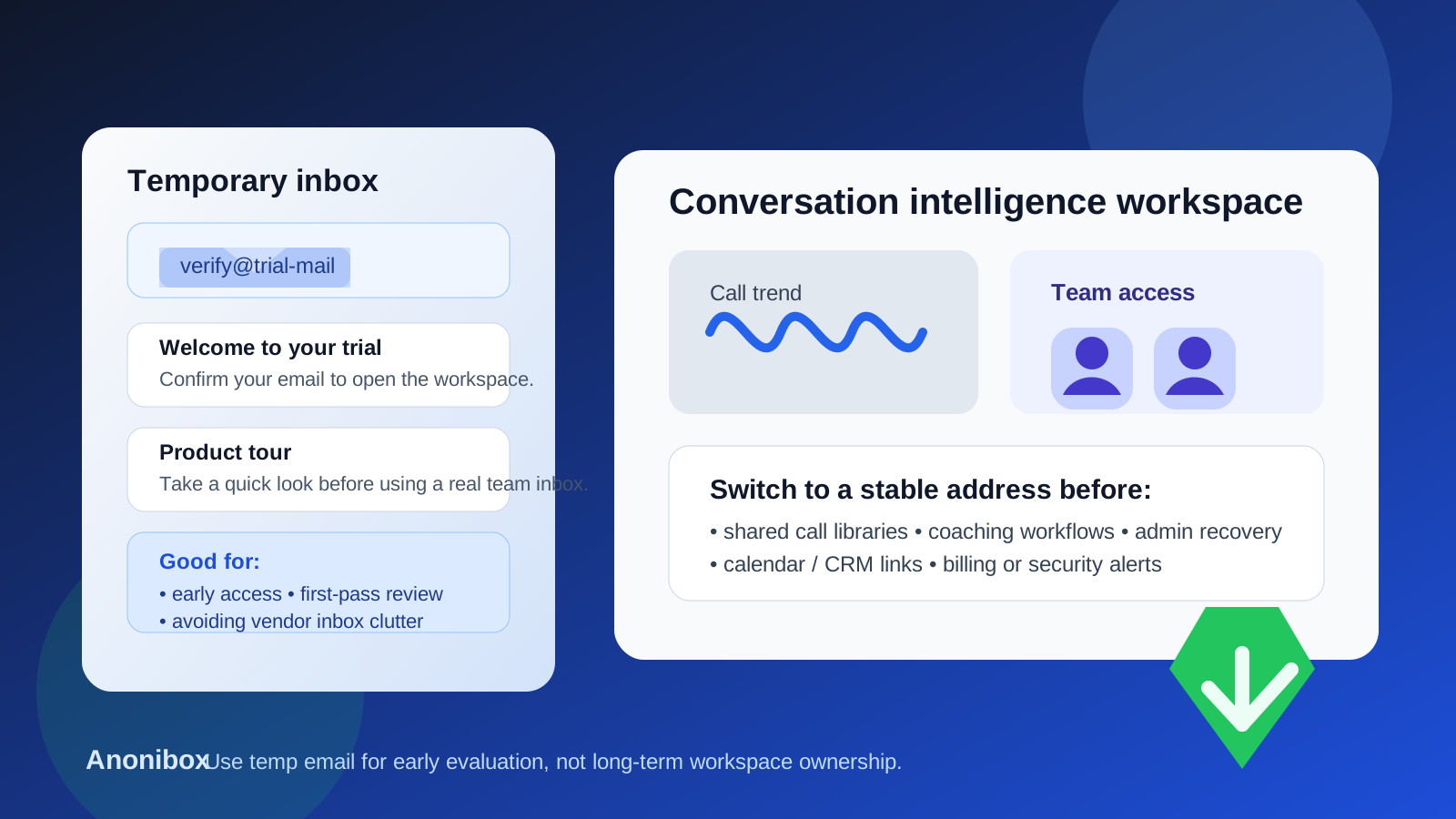
A temp email for Modjo can work for early conversation-intelligence evaluation and inbox hygiene. It becomes risky once team access, shared call libraries, coaching workflows, or account recovery depend on that inbox.
Yes, you can use a temporary email for Modjo during a low-stakes first pass if you only need email verification, a quick look at the workspace, and enough access to decide whether the platform deserves a deeper review.
Why people look for a temp email for Modjo
Revenue and conversation-intelligence tools usually want a work email before they unlock a product tour, trial workspace, follow-up sequence, or sales conversation. That is not unusual, but it does mean one curious signup can become days or weeks of reminder emails, demo prompts, meeting nudges, and “just checking in” messages from multiple vendors at the same time.
If you are comparing tools in the same category, that clutter adds up quickly. A temporary inbox helps you verify the account, see the first-run experience, and keep your main work mailbox out of another nurture sequence until you know whether the platform is serious shortlist material. That is the practical use case behind a query like temp email for Modjo.
Used that way, a disposable inbox is not about hiding. It is about keeping early research clean. A service like Anonibox can be useful when you want to separate “interesting enough to test” from “important enough to adopt.”
When a temporary email makes sense for Modjo
A temporary inbox usually makes sense when the account is still in an evaluation-only phase and you are not treating it like a production workspace yet. Good examples include:
- Completing signup and email verification so you can see whether the workspace opens cleanly
- Reviewing the first dashboard, onboarding flow, and setup friction
- Comparing several conversation-intelligence vendors side by side without feeding your main inbox into every follow-up sequence
- Watching a product tour, exploring sample views, or testing how the interface is organized before you involve other teammates
- Figuring out whether the platform is worth a deeper proof of concept at all
At this stage, the account is disposable because the decision is still disposable. You are not relying on it to hold valuable team context yet. You are simply using it to answer practical questions such as: does the product feel relevant, is the setup manageable, and does the workflow seem worth another meeting?
When a temp email becomes the wrong choice
The line changes fast once the workspace stops being a casual trial and starts becoming a real operating environment for a sales team, manager, or revops owner. That is when a disposable inbox stops being convenient and starts becoming fragile.
A temporary email is a bad long-term fit when any of the following start to matter:
- Teammate invites: if other people are joining the workspace, the owner login needs to be stable and monitored.
- Shared call libraries: once the account starts holding useful recordings, notes, or searchable conversation history, the owner address becomes part of knowledge access.
- Coaching workflows: if managers are using the tool for review, feedback, or performance coaching, losing control of the admin inbox creates avoidable operational risk.
- Connected systems: calendar, CRM, dialer, meeting, or notification integrations should not sit behind an address that may disappear.
- Account recovery and admin alerts: password resets, security notices, permission changes, and billing-related messages belong in a durable inbox.
This is the part people underestimate. A temporary inbox can feel harmless during the first half hour, but the original login address often becomes the root of ownership. If the trial starts collecting real team value, you want that foundation to be dependable.
A practical way to use a temp email for Modjo without creating future problems
1. Use the burner inbox only for the first evaluation pass
Keep the goal narrow. Get through signup, confirm the email, and spend one focused session learning whether the workspace looks promising. Do not treat that first login as permanent by default.
2. Avoid loading meaningful team context too early
If you are still using a disposable inbox, keep the test light. Do not let the workspace become the home of important shared recordings, internal coaching notes, or anything your team would be annoyed to lose track of later.
3. Decide quickly whether the product is a real contender
The cleanest workflow is not “keep the burner forever.” It is “use the burner while the decision is still uncertain.” If the answer is no, walk away with minimal inbox clutter. If the answer is yes, move the workspace to a stable company-owned address before the pilot gets messy.
4. Switch to a permanent address before the account matters operationally
The best time to change ownership is before the workspace becomes central to daily work. Once several users rely on it, the change becomes more annoying, more political, and easier to postpone.
5. Document who owns the workspace
If the evaluation becomes a pilot, make it explicit which person or shared team mailbox owns the account. That helps with continuity if the original evaluator changes roles or leaves the project.
What can go wrong if you keep the disposable inbox too long?
Most of the failure modes are boring, but boring operational problems are exactly what slow a team down. Common issues include:
- You need a password reset and the temporary inbox is gone
- An important admin or security email lands in an address nobody watches anymore
- Teammates assume someone else controls the original owner login
- A promising pilot gets stuck because the workspace was created casually and never cleaned up
- Shared conversation history becomes valuable before account ownership becomes stable
None of those problems are dramatic on their own. Together, they are the kind of friction that makes a useful trial harder to trust than it needs to be.
Best practices for privacy-conscious evaluations
- Separate evaluation from adoption. A temporary inbox is for exploration, not for long-term operational ownership.
- Use one stable work-owned address once the tool matters. That could be a real individual owner or a monitored shared admin mailbox depending on how your team runs vendor evaluations.
- Keep a simple vendor log. Write down which tools were tested, who signed up, and which ones used temporary addresses.
- Be careful with live business context. Early testing is one thing. Real customer conversations and internal coaching notes are another.
- Treat recovery as part of setup. If the workspace is worth keeping, the inbox behind it should also be worth trusting.
Common mistakes people make with a temp email for Modjo
- Using a disposable inbox for a trial and then forgetting that it quietly became the owner account
- Inviting teammates before ownership and recovery details are cleaned up
- Letting shared call libraries accumulate behind a throwaway address
- Confusing easy signup with safe long-term administration
- Waiting until there is an urgent access problem before moving the account to a permanent inbox
The fix is usually simple: if the product is gaining traction, switch the login to a real inbox early. That one step prevents most of the mess.
Should you use a temp email for Modjo?
Yes, for a narrow early evaluation. No, for long-term workspace ownership.
That is the clean answer. A temp inbox can be genuinely helpful when you want quick access, low commitment, and less inbox spam while you compare vendors. It becomes risky once the account is tied to shared call libraries, team permissions, coaching workflows, account recovery, or any business process people may actually depend on.
If your goal is to keep the trial phase tidy, a disposable inbox from Anonibox is a reasonable way to start. Just do not let a disposable login quietly become the permanent foundation of a real team workspace.