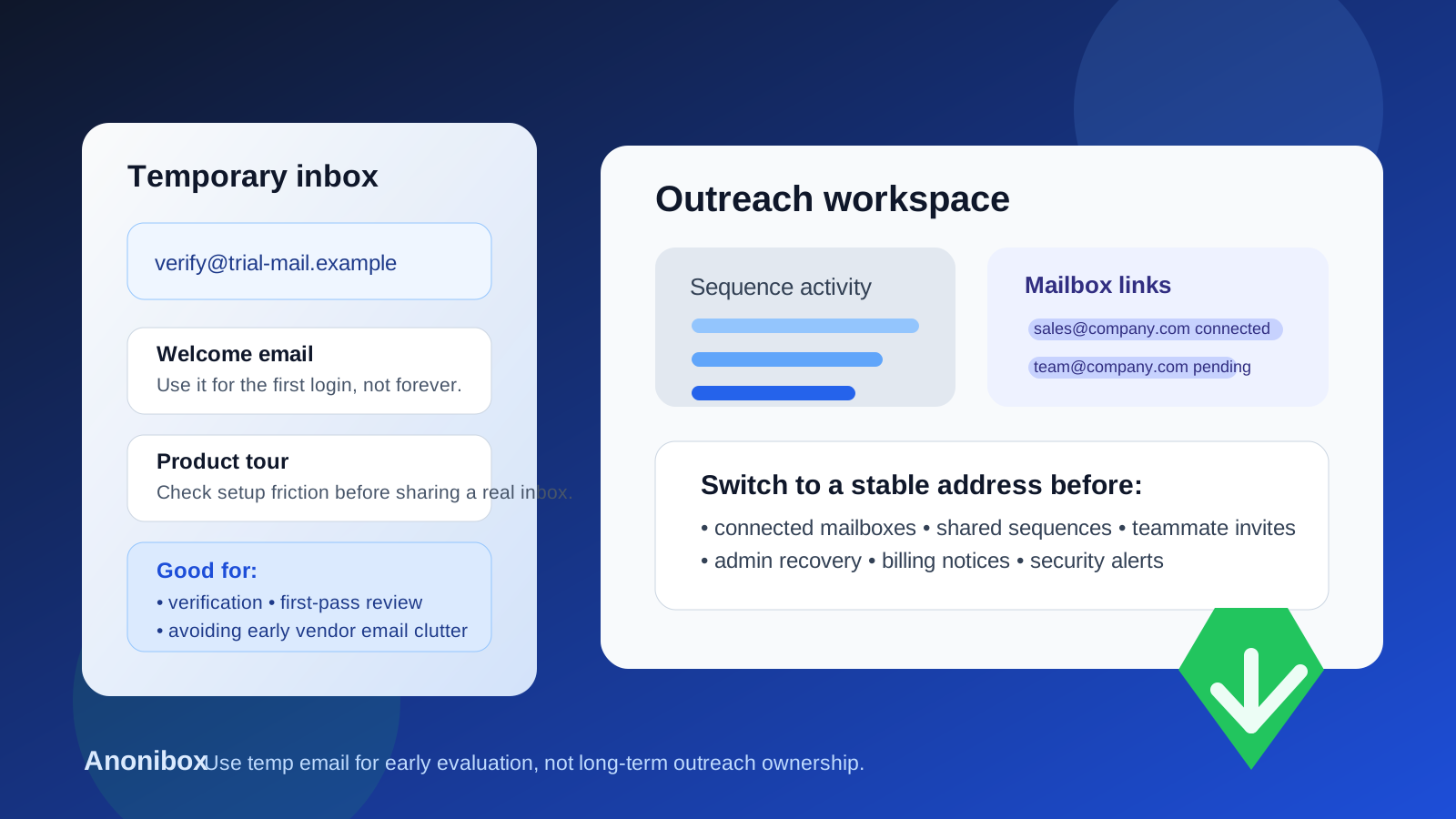
A temp email for Outplay can work for a short first-pass evaluation, but it is a poor long-term choice once connected mailboxes, shared sequences, team access, or account recovery start to matter.
Yes, you can use a temporary inbox for Outplay when you only need to verify the account, look around the workspace, and decide whether the platform is worth deeper testing. No, you should not keep a disposable address attached if the trial begins to touch real outreach operations.
Why people search for a temp email for Outplay
Sales-engagement platforms usually ask for a work email before they open a trial, demo workspace, product tour, or onboarding flow. That is normal. The problem is what happens after signup: reminder emails, demo prompts, sequence tips, calendar nudges, pricing follow-ups, and repeat check-ins can stack up quickly if you are comparing several tools at once.
That is why a query like temp email for Outplay makes practical sense. People want enough access to judge the product without feeding their main inbox into another long vendor follow-up cycle too early. A temporary address helps separate curiosity from commitment.
If you are still in the “is this even worth serious time?” stage, a disposable inbox can reduce friction. A service like Anonibox can be useful when you want to verify the account, see the setup experience, and keep early testing from spilling into your normal work email.
When a temp email makes sense for Outplay
A temporary inbox is most useful when the account is still disposable in the practical sense. You are not running real outreach yet. You are just trying to answer a few product questions.
- Can you get through signup and email verification cleanly?
- Does the workspace feel intuitive enough for your team?
- Do the sequence, task, and pipeline views look promising?
- Is the setup lightweight enough to justify a second session?
- Does the product seem worth involving sales ops or revops?
For that kind of early review, a burner inbox can be reasonable. You can confirm the account, inspect the onboarding flow, and compare Outplay with other outreach tools without tying your main address to every future sales prompt.
Where a disposable inbox stops being a good idea
The line changes once the account stops being a casual trial and starts becoming a real outreach environment. Outreach software is not just another read-only dashboard. Even in a pilot, it can become tied to inbox connections, sending workflows, teammate permissions, and account recovery surprisingly fast.
A temp email becomes the wrong choice when any of these start to happen:
- Connected mailboxes: if the workspace links to real sender accounts, ownership suddenly matters more.
- Shared sequences: once teammates collaborate on campaigns, the original login is part of operational continuity.
- Team invites and permissions: a disappearing inbox should not be the root owner of a shared sales workspace.
- Admin and security alerts: password resets, permission changes, and billing notices belong in a monitored inbox.
- Serious pilot work: if the tool is becoming shortlist-worthy, your login should stop being temporary before the workflow gets sticky.
This is the real trade-off. A temporary inbox is fine while the decision is temporary. It becomes fragile the moment the account gains operational value.
What makes outreach tools different from lighter signups
With some products, losing access to an old trial is only mildly annoying. Outreach software is different because ownership often sits close to systems your team actually depends on. The more realistic your test becomes, the more dangerous a disposable root login becomes.
Even if you are not yet sending live campaigns, outreach platforms can still hold useful setup work: sequence drafts, messaging experiments, task flows, persona notes, integrations, user roles, and evaluation comments from teammates. If the account later becomes important, recovering or cleaning up a workspace built on a throwaway address adds friction you could have avoided.
A sensible way to use a temp email for Outplay
1. Keep the first session narrow
Use the temporary inbox for the first decision only. Verify the email, enter the product, explore the interface, and decide whether Outplay deserves deeper evaluation. Do not treat the first login like a permanent home automatically.
2. Avoid connecting real sender infrastructure too early
If you are still using a disposable address, keep the test lightweight. Do not rush into linking important inboxes or building a workspace that other people will depend on before you know the tool is a real contender.
3. Decide quickly whether the platform belongs on the shortlist
The cleanest workflow is simple: use the burner inbox during the uncertain phase, then either walk away or move to a stable address. The messy version is letting a low-commitment trial quietly become a semi-production workspace.
4. Switch to a durable work-owned inbox before collaboration matters
If the product passes the first screen, change the owner login early. That could be a real operator, a sales-ops owner, or a monitored team mailbox. The point is stability, not improvisation.
5. Write down who owns what
During vendor evaluations, teams often forget basic ownership hygiene. A short internal note about who opened the trial, which inbox was used, and whether it has been migrated can prevent avoidable confusion later.
Risks of keeping the temporary inbox too long
Most of the problems are unglamorous, but those are the ones that waste time in real teams:
- You need a password reset and the temporary inbox is gone.
- A useful pilot gets stuck because nobody controls the original owner email anymore.
- Mailbox connections or permissions need review, but the recovery path is weak.
- Teammates assume the workspace is properly owned when it was actually created casually.
- An admin notice lands in an inbox nobody checks, and the team misses it.
None of these are exotic failure modes. They are just common examples of what happens when an evaluation workflow never graduates into an ownership workflow.
Best practices for privacy-conscious outreach evaluations
- Separate evaluation from adoption. A temporary inbox is useful for exploration, not for long-term workspace administration.
- Use a stable work address once the tool looks promising. If the account might survive beyond the first test, give it a durable owner.
- Treat mailbox connections as a threshold. Once sender accounts, shared sequences, or serious collaboration appear, the burner phase should end.
- Keep a simple vendor log. Note which tools were tested and which ones were created with temporary addresses so nothing gets lost.
- Do not confuse easy signup with safe governance. A quick account creation flow does not remove the need for proper ownership later.
Common mistakes people make with a temp email for Outplay
- Using a disposable inbox for the first trial and then forgetting that it became the real owner account
- Inviting teammates before account ownership is cleaned up
- Connecting real mailboxes while the recovery path still depends on a throwaway address
- Letting sequence drafts and internal workflow setup accumulate behind an unstable login
- Waiting until an urgent access problem appears before migrating the account
The fix is usually straightforward: if the trial is gaining traction, move it to a monitored work inbox early and make ownership explicit before the workspace matters.
Should you use a temp email for Outplay?
Yes, for a narrow early evaluation. No, for ongoing outreach operations.
That is the honest answer. A temp inbox can be genuinely useful when you want to verify the account, inspect the workspace, and avoid unnecessary inbox clutter during vendor comparison. It stops being smart once the account begins to touch connected mailboxes, shared sequences, teammate permissions, or account recovery.
If your goal is to test fast without inviting long-term email noise, a disposable inbox can be a good starting point. Just make sure the login stops being disposable before the workspace stops being disposable.
Final takeaway
A temp email for Outplay is best treated as an evaluation tool, not an ownership strategy. Use it to clear the first gate, review the product, and decide whether the platform deserves a deeper look. If it does, move quickly to a stable company-controlled inbox before real outreach workflows, mailbox links, and team access depend on an address that may not still exist later.
That keeps the trial clean, protects your main inbox from early vendor noise, and avoids the avoidable mess that comes from building a serious pilot on top of a throwaway login.