A temp email for Ramp is fine for a quick first-pass evaluation, but it becomes risky once cards, approvals, reimbursements, or account recovery depend on that inbox.
Use a temporary inbox for the research stage only, then move the workspace to a stable company-controlled address before anything operational starts living there.
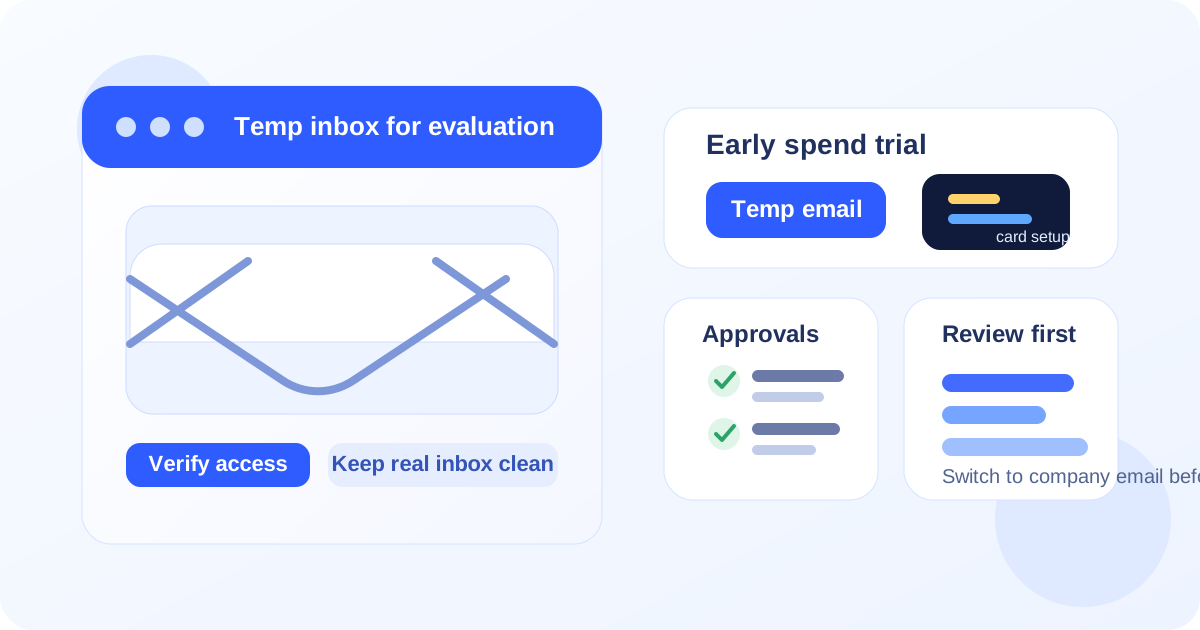
That is the practical answer behind most searches for temp email for Ramp. Usually the person typing that query is not trying to dodge normal verification. They just want to look at the product, receive the signup email, and decide whether it belongs on the shortlist before another long stream of onboarding messages, sales follow-up, and teammate-invite prompts lands in a real work inbox.
That is a reasonable goal. Spend-management trials tend to generate more email than people expect. One signup can quickly turn into activation links, setup guides, card-program walkthroughs, policy tips, pricing prompts, demo requests, accounting integration notes, and repeated nudges to invite other people. A service like Anonibox can help keep the exploratory stage separate from the inboxes your team already uses for real purchasing questions, receipt handling, reimbursements, and vendor communication.
The boundary matters, though. Once the account starts holding business value, the owner email stops being a small convenience detail. If the Ramp workspace begins touching real cards, live approvals, expense review, accounting handoff, shared admin access, or recovery, a throwaway inbox becomes an avoidable liability.
Why someone would use a temp email for Ramp
Most people considering this workflow want one of four things: less inbox clutter, cleaner vendor comparison, more privacy during research, or a way to test the product before involving the wider finance team.
- verify access without putting a permanent work inbox into every trial funnel on day one
- compare multiple spend-management tools without mixing all the follow-up together
- keep a first-pass evaluation separate from the address that handles real finance operations
- check the setup flow before deciding whether Ramp is serious enough to bring into procurement or security review
Those are sensible reasons. If you are comparing several platforms in a short window, a dedicated temporary inbox can make the process calmer and easier to track.
Where a temporary inbox helps most
A temp email works best during the stage where you are still deciding whether the platform deserves more time. That usually includes:
- receiving the verification link
- reviewing the first onboarding messages
- looking through the dashboard and navigation
- checking whether the spend controls make sense for your team
- comparing the product against nearby alternatives already on your shortlist
At that stage, the inbox is just a gatekeeper. You need it to unlock the trial and collect a few setup messages, but you are not relying on it for anything business-critical yet. That is exactly where temporary email is useful.
Where the idea starts to break down
The logic changes once the trial stops being disposable research and starts becoming a real workspace. Spend-management products do not stay light for long. If the account begins collecting cards, approval routing, reimbursement requests, shared roles, or accounting settings, the email attached to the workspace suddenly matters a lot more.
A temporary inbox is a bad fit once any of these become true:
- you are inviting colleagues who will expect stable ownership
- you are testing live or semi-live spend controls
- you are connecting the workspace to accounting or ERP processes
- you are storing anything you would care about recovering later
- you are entering a real proof-of-concept rather than a brief first look
At that point, the safer move is simple: switch the account to a durable company-controlled email before the evaluation becomes operational.
What to review during an early Ramp trial
If you are going to use a temp email for the first stage, make the most of that limited window. The goal should not be “sign up and wander around.” The goal should be a structured evaluation that tells you quickly whether the tool belongs on the shortlist.
1. Card and spend controls
Look at how the product presents card issuance, spending limits, merchant controls, and visibility into who can spend what. You are not trying to configure a forever program yet. You are asking whether the logic feels clear and whether the controls seem understandable for the way your team actually buys things.
2. Approval flow design
Check how the product frames approvals, exception handling, and policy enforcement. A good first-pass question is whether finance and non-finance stakeholders could both understand the workflow without a long explanation. If the approval model feels messy in a short trial, it usually does not get magically simpler later.
3. Expense and reimbursement workflow
Review how reimbursements, receipts, and spending records are surfaced. Even when a platform is strong on cards, the surrounding workflow still matters. Early evaluation is the right time to notice whether the product feels coherent or fragmented.
4. Reporting and handoff readiness
You do not need a full accounting deployment to judge whether the reporting direction looks promising. Check whether the platform appears to support clear categorization, useful export logic, and the kind of visibility finance teams normally need when they are closing the loop on spend.
5. Role structure and ownership
Pay attention to who the workspace seems to be built for. Is ownership clearly defined? Do admin and reviewer roles look understandable? Does the product feel like something one person can test safely before a broader rollout? These questions matter because they tell you when a temp inbox is still acceptable and when it is already too flimsy for the account you are creating.
A safe workflow if you want to use a temp email for Ramp
The best version of this strategy is not complicated. It just needs a clean handoff point.
- Create the temporary inbox first. Keep the trial separate from your everyday finance or operations inbox from the start.
- Use it for signup and verification only. Let it collect the welcome message, activation link, and first setup notes.
- Document what matters. If the trial surfaces useful settings, screenshots, or comparison notes, save them outside the inbox right away.
- Decide quickly whether the tool is a discard or a contender. If it is not a fit, abandon the trial and keep your real inbox clean. If it is a contender, move the account to a company-controlled email before the workspace becomes meaningful.
- Verify the new ownership path. After switching to a stable address, confirm that recovery messages, team invites, and important notifications go where they should.
That workflow gives you the upside of temporary email without pretending it is suitable for the entire lifecycle of a finance tool.
Common mistakes to avoid
- Letting the temp inbox stay attached too long. The early research phase should be short. If the tool survives that stage, move it.
- Inviting teammates before changing the owner email. Shared evaluations deserve stable ownership from the start.
- Using the inbox for real spending activity. A test environment is one thing. Anything that starts resembling live operations is another.
- Forgetting recovery risk. People often focus on signup convenience and ignore the problem of getting locked out later.
- Judging the product by the email sequence instead of the workflow. The point of the trial is to evaluate the software, not the vendor’s nurture cadence.
Is a temp email a good idea for Ramp?
Yes, but only for the narrow stage where you are still evaluating whether the platform deserves deeper attention. If you want to verify the account, review the interface, compare it against other spend-management tools, and avoid dropping a permanent work email into another vendor funnel too early, a temporary inbox is a practical choice.
No, if the workspace is already becoming real. Once the account starts handling team invites, approval rules, reimbursement activity, card management, or recovery responsibility, the cost of disposable ownership is higher than the convenience it gave you at signup.
Final takeaway
A temp email for Ramp can be a smart move for early research and a bad move for real operations. Use it to get through the front door, collect the first emails, and decide whether the product belongs on your shortlist. Then, if the evaluation becomes serious, hand the account over to a stable company-controlled inbox before your team starts depending on it.
That balance is where tools like Anonibox fit best: helpful for privacy, organization, and low-friction first looks, but not a substitute for durable ownership once cards, approvals, or recovery actually matter.