A temp email for Payhawk is fine for a first-pass evaluation, demo access, and early comparison work. It is a bad idea once company cards, approvals, invoice workflows, reimbursements, or account recovery depend on that inbox.
Use a temporary inbox for the research stage only, then move the account to a stable company-controlled address before the workspace becomes operational.
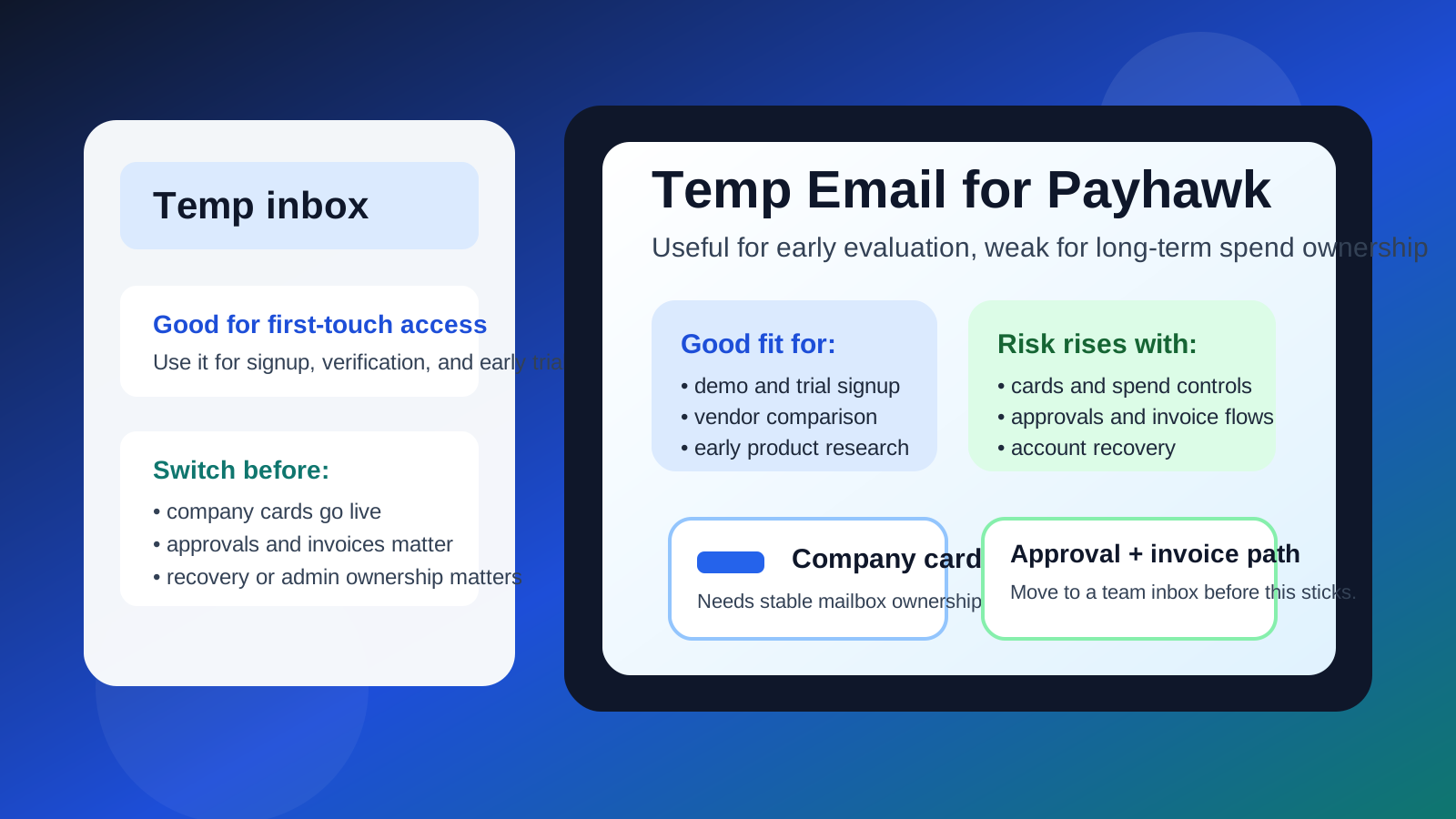
That is the practical answer behind most searches for temp email for Payhawk. Usually the person asking is not trying to bypass normal verification. They want to see the product, receive the first activation messages, and decide whether it deserves a serious place on the shortlist without committing a permanent finance or operations inbox to another long vendor sequence too early.
That instinct makes sense. Spend-management and expense platforms tend to create more follow-up than buyers expect. One trial signup can lead to welcome emails, product walkthroughs, meeting requests, implementation guides, case studies, security questionnaires, and repeated prompts to invite teammates. A temporary inbox from a tool like Anonibox can keep that early stage organized and protect your long-term inbox from noise while you are still figuring out whether the product is even relevant.
The boundary matters, though. Payhawk is not the kind of tool where inbox ownership stays trivial for long. If your evaluation starts touching real spend controls, company cards, bill workflows, reimbursements, approval chains, or admin ownership, the mailbox attached to the account stops being a convenience detail and starts becoming part of the operating setup. That is where a throwaway inbox becomes more risk than benefit.
Why someone would want a temp email for Payhawk
Most people searching this keyword are trying to solve one of a few very practical problems.
- They want to request access or start a trial without dropping a permanent company inbox into another software funnel.
- They are comparing Payhawk against nearby spend-management tools and want each vendor kept in its own lane.
- They want less clutter in the inbox already used for real finance, procurement, or operations work.
- They want to evaluate the setup flow before involving the rest of the team.
All of that is reasonable. A temporary inbox can be a clean screening tool during the low-stakes research phase, especially when several products are being reviewed in the same week.
When using a temp email for Payhawk makes sense
A temporary inbox is most defensible when you are still in the disposable part of the evaluation.
- First-touch signup: you want to receive the verification email and unlock the product.
- Early demo research: you want to see how the platform presents cards, approvals, and expense workflows before scheduling deeper conversations.
- Shortlisting: you are comparing Payhawk with other tools such as Ramp, Airbase, Brex, Spendesk, Pleo, or SAP Concur.
- Inbox protection: you want to prevent another vendor nurture sequence from landing in a mailbox your team already relies on every day.
That is where temporary email genuinely helps. You still get the onboarding messages you need, but you do not immediately tie the trial to an inbox that may later be expected to own something more permanent.
Why the risk changes quickly with spend-management software
Temporary email is helpful because it keeps research lightweight. Payhawk becomes risky on a burner inbox for the opposite reason: the account can stop being lightweight very quickly. Spend tools are often evaluated through realistic workflows, not just casual dashboard browsing. The moment the trial starts to resemble how the platform would work inside a real business, the account owner email matters more.
1. Company cards raise the stakes
As soon as a workspace begins testing card issuance, spending controls, cardholder visibility, or card-related policies, the mailbox attached to the account matters. Even if the environment is still technically a test, it is no longer just a disposable curiosity. A lost or expired inbox becomes a headache when the trial is now tied to card workflows, team roles, or admin permissions.
2. Approvals and purchase controls need continuity
Payhawk evaluations often focus on how requests, approvals, and spending rules are structured. That means the account may quickly become the place where your team is testing who approves what, how exceptions are handled, and whether the workflow feels realistic. Disposable email is weak plumbing for that kind of evaluation because the account may end up carrying decisions that your team wants to revisit later.
3. Invoice and bill workflows are not throwaway details
Some teams are interested in Payhawk partly because of invoice handling and broader spend control, not just cards. Once the trial touches purchase visibility, invoices, or expense documentation, the owner inbox becomes part of the recordkeeping path. A burner mailbox is fine for first access, but not ideal once the product starts behaving like a workspace your team might keep.
4. Reimbursements and receipts create follow-up dependency
Expense systems rarely live in one isolated moment. Receipts, reimbursements, and review loops often create later follow-up actions. If those actions depend on a mailbox that was meant to be temporary, you are creating avoidable fragility for no real gain.
5. Account recovery problems appear late
This is the part people underestimate. The downside of a temporary inbox often does not show up on day one. It shows up later, when you need a password reset, a security verification link, or proof of ownership during a handoff. That is exactly when a short-term convenience turns into an unnecessary blocker.
A safe way to use temporary email during a Payhawk evaluation
The best approach is not “never use a temp inbox.” It is to use one with a clear handoff point.
- Start with the temporary inbox only for screening. Use it to verify access, review the first onboarding flow, and decide whether Payhawk belongs on the shortlist.
- Document anything useful outside the mailbox. Save notes, screenshots, and observations in your team workspace so the inbox is not the only place where early context lives.
- Make a real decision quickly. If the product is not promising, abandon the trial and keep your permanent inbox clean. If it is promising, promote the account early.
- Switch to a stable company-controlled address before operational testing. Do this before inviting more teammates, testing approvals seriously, exploring card ownership, or relying on recovery messages.
- Verify the new address actually owns the account. Confirm that password resets, admin notifications, and important product messages go to the durable inbox you intend to keep.
That workflow preserves the privacy benefit without confusing a screening tool for long-term account ownership.
Good use cases for a temp email here
- quick signup and verification
- first-pass comparison against other spend-management products
- reviewing the early dashboard and onboarding flow
- keeping vendor follow-up out of a real finance inbox while you are still researching
- isolating several software evaluations so each one stays organized
Bad use cases for a temp email here
- leaving it attached once multiple stakeholders rely on the workspace
- using it when the trial already includes realistic card, approval, or invoice testing
- depending on it for recovery or long-term admin ownership
- treating it as a substitute for a proper team-owned evaluation mailbox
- forgetting to migrate after the product clearly becomes a finalist
What someone searching this keyword usually needs to know
Most buyers are really asking two questions at once. First: will a temporary inbox work well enough to get through the early evaluation? Usually yes. Second: is it smart to leave the account on that inbox if the evaluation becomes serious? Usually no.
That split answer is the important one. Temporary email is useful at the front door because it lowers friction and limits long-tail inbox clutter. It is weak as the long-term identity for software that may end up connected to financial processes, admin ownership, and team access.
A quick checklist before you do it
- Am I just trying to access the product, or am I already testing realistic workflows?
- Will this account soon touch cards, approvals, invoices, receipts, or reimbursements?
- Will anyone else on the team depend on this workspace next week?
- Would a recovery problem be annoying or costly if the mailbox disappeared?
- Is this product already a likely finalist rather than a casual comparison?
If your answers point to early research, a temporary inbox is probably fine. If your answers point to shared ownership or operational testing, move the account to a durable address sooner rather than later.
Final answer
A temp email for Payhawk is a smart choice for first-touch evaluation and a poor choice for long-term ownership. Use it to request access, receive the first verification message, compare the product with nearby alternatives, and keep early vendor follow-up out of your main inbox. Then switch to a stable company-controlled address before cards, approvals, invoice workflows, reimbursements, team access, or account recovery matter.
That gives you the privacy and organization benefits of temporary email without turning a short-term convenience into a longer-term operations problem.