iMessage can be fine for quick job-referral coordination with someone you already know or can verify, but it is a weak place to run the whole referral process.
Use it for lightweight scheduling or confirming interest, then move the real referral trail—resume sharing, introductions, and next steps—to email, LinkedIn, or the employer’s formal application flow.
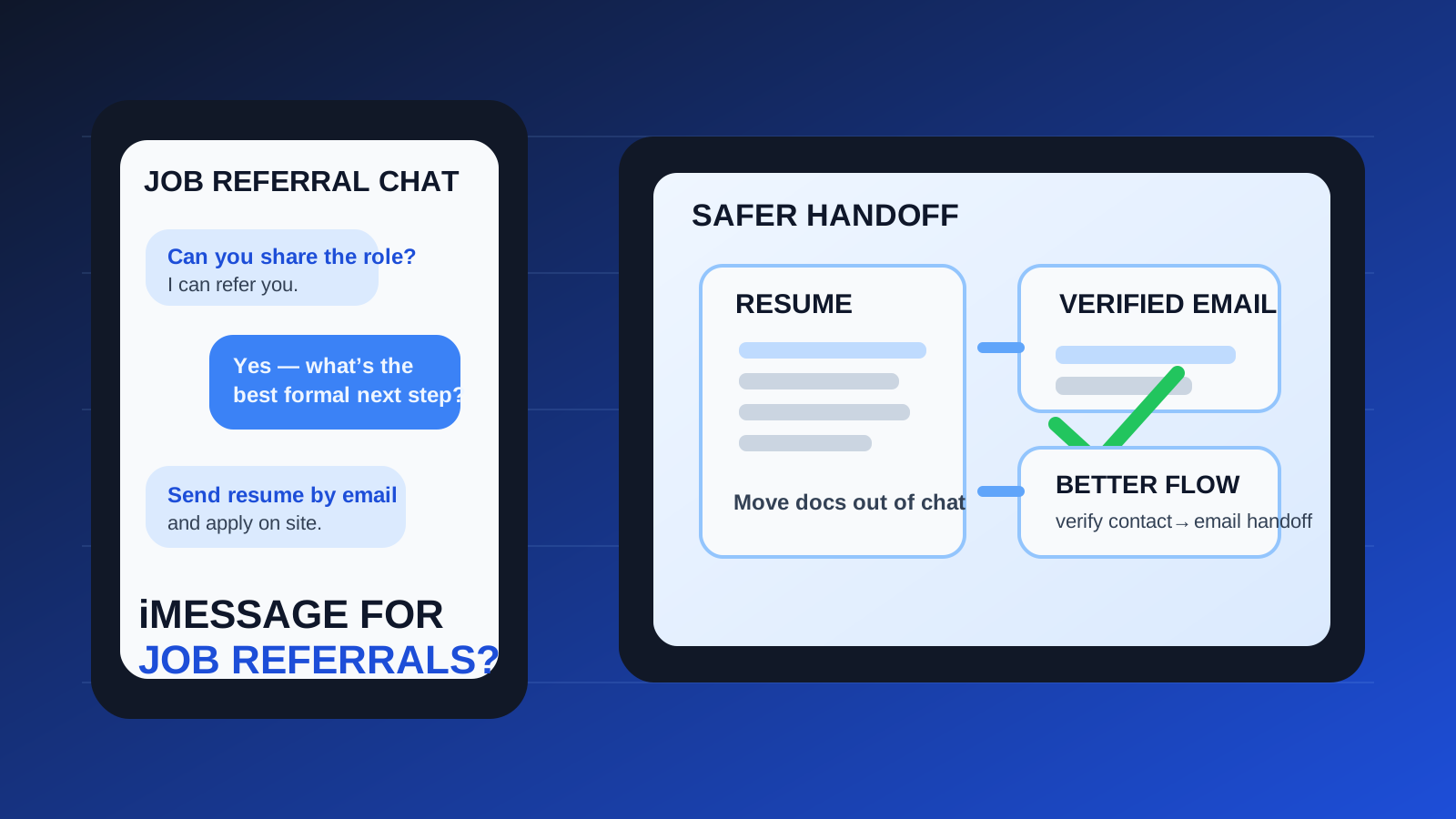
That is the practical answer behind the question should you use iMessage for job referrals. A lot of referrals start casually now. A former coworker texts you. A friend from a meetup says, “Send me the role.” An alum messages from a personal phone instead of email. In those moments, iMessage feels natural because it is fast, familiar, and easy to answer.
The problem is not that iMessage is automatically unsafe. The problem is that referrals depend on trust, clarity, and follow-through. Once the conversation turns into résumé sharing, recruiter introductions, role details, scheduling, and next steps, a casual text thread stops being the best home for the process. A good referral should make your path clearer. A weak channel can make it messier.
For most job seekers, the best rule is simple: iMessage is acceptable as a bridge, not ideal as the whole road.
Why this question comes up so often
Referral conversations rarely begin in perfect corporate conditions. The person helping you may be busy, traveling, on a personal device, or more comfortable texting than checking a full inbox. If they already know you, sending a quick iMessage can feel efficient and friendly.
That is especially common in situations like these:
- a former coworker offering to refer you internally
- a friend telling you about an open role and asking for your resume
- an alum, community member, or warm mutual contact wanting to confirm interest quickly
- a recruiter or coordinator following up after an existing introduction
None of that is strange. The issue is not whether the first message arrives by iMessage. The issue is whether you keep the important parts there after the conversation becomes more serious.
Short answer: yes for light coordination, no for the full referral workflow
If a real person you know says, “Text me the role link,” “Are you still interested?” or “I can introduce you if you send your LinkedIn,” iMessage is usually fine for that kind of quick coordination.
If the thread becomes the main place for your résumé, the details of the role, introductions to other people, interview timing, or documents you may need later, iMessage becomes a weaker choice. Referrals work best when the context is easy to save, verify, and revisit. Text threads are good at speed. They are not always good at structure.
When iMessage can make sense for job referrals
You already know the person well
If the referral comes from a former manager, teammate, friend, or established professional contact, the trust problem is much smaller. In that case, texting can be a perfectly normal way to coordinate the first step.
The ask is narrow and low risk
Simple exchanges fit iMessage well. For example:
- confirming whether you want the referral
- sending the exact role link
- checking whether your resume is current
- agreeing on the best email address for the formal introduction
- confirming that you applied already
These are lightweight moments where convenience matters more than formal recordkeeping.
You can verify the company and role independently
Even if the text feels legitimate, it helps if you can check the company careers page, the employee’s LinkedIn profile, or another public source that confirms the job is real. A referral should become easier to trust when the outside facts line up.
You plan to move the conversation quickly
iMessage works best when it is a brief handoff, not a permanent container. If the next step is “I’ll email the recruiter and copy you” or “Send me your preferred email and I’ll make the intro there,” that is a healthy sign.
Why iMessage is a weak primary channel for referrals
1. A blue bubble is not proof of identity
People often trust iMessage more than they should because it feels cleaner than random SMS. But a familiar interface does not prove the sender is really who they claim to be. A name in your phone, a profile photo, or a smooth tone is still not the same as verified professional identity.
If someone says they work at a company, can refer you internally, or know the hiring manager, verify that independently. Real referrals gain credibility from outside confirmation, not from the messaging app alone.
2. Your personal number becomes part of the referral trail
Many people use iMessage through their main phone number. That can blur your job search with your everyday personal life faster than email does. Once your number travels through referral chains, staffing notes, forwarded intros, or recruiter contacts, it can be harder to control later.
That does not mean you should never use your number. It means you should notice the trade-off. A phone number is stickier than an email alias, and it can expose you to follow-up texts, unexpected calls, or future outreach you did not really want.
3. Important context is easier to lose in chat
Referrals can get complicated quickly. Which role was it? Did the employee say they would send your resume today or after you apply? Did they want a tailored resume or a general one? Did they introduce you to recruiting already?
In email, those details usually sit in a thread that is easier to search, forward, and save. In iMessage, they can get buried between quick replies, screenshots, and unrelated conversations.
4. Texting encourages oversharing
Chat apps make people answer fast and think less about what they are sending. That can lead to handing over more personal information than the stage really requires. A referral usually does not require your full address, sensitive identity details, or a long personal backstory. It often only requires a resume, a LinkedIn URL, and clarity about the role.
5. Professional handoff is weaker
A good referral usually needs a clean transition: from the referrer to the recruiter, from the recruiter to the application system, or from the introduction to a formal interview process. Email and LinkedIn are simply better at that handoff. They create clearer context for the next person who receives the thread.
Red flags that mean you should slow down
Be more cautious if any of these show up:
- the person refuses to identify themselves clearly or will not link to a real profile
- the company or role details stay vague even though they want fast action
- they push you to share sensitive information by text
- they avoid company email or the official application process for no clear reason
- the “referral” sounds more like a guaranteed shortcut to a job than a normal introduction
- you are rushed into clicking links, downloading files, or moving to another app immediately
A legitimate referrer may prefer convenience, but they should not be allergic to basic verification and a cleaner follow-up channel.
A safer workflow if someone wants to refer you over iMessage
1. Verify the person before you send anything useful
Look for a company profile, a LinkedIn page, an internal role that makes sense, or a mutual contact who can vouch for them. If you already know them personally, that step may be easy. If you do not, slow down and confirm before sending your materials.
2. Keep the first reply minimal
You do not need to unload your whole career history into a text thread. A short response is enough: confirm interest, ask which role they mean, and ask what the next step should be.
For example, a clean first reply might be: “Yes, I’m interested. Which role do you have in mind, and would you prefer I send my resume by email?”
3. Move the real referral materials into a stronger channel
Once the conversation is real, shift to email, LinkedIn, or the employer’s application system. That makes it easier to preserve the introduction, attach documents properly, and continue the process in a channel that other people at the company can actually use.
If the referrer is helping from a personal device, this does not need to be awkward. A simple line works: “Happy to send it here, but email may be easier for the resume and role details if you want to introduce me formally.”
4. Use separate contact details when appropriate
If the referral began in a broad community, a semi-public network, or a low-trust context, it can be smart to protect your main inbox while you decide whether the opportunity is serious. That is where a separate job-search email can help. A tool like Anonibox can be useful during early, uncertain follow-up when you want to limit spam and keep your personal inbox cleaner.
Once a genuine referral and recruiter thread are active, though, stability usually matters more than disposability. The best setup is often a dedicated but durable inbox rather than a short-lived address.
5. Save the details that matter
If something important is agreed by text, do not let it stay informal forever. Move it into a durable record. That could mean asking for the role link by email, replying with a short summary, or saving the recruiter introduction once it lands in a stronger channel.
What channels are usually better than iMessage?
For most real referral workflows, these options are stronger:
- Company email: best when the referral is becoming a formal introduction or involves a recruiter.
- LinkedIn messages: helpful when visible professional identity matters.
- The company careers page: ideal when the employee wants you to apply first and then mention your name internally.
- A phone or video call: useful when the referral is nuanced and benefits from a real conversation.
iMessage can still play a role, but it usually works best as the fast coordination layer around those more durable channels.
A practical checklist before you use iMessage for a referral
- Do I know this person already, or can I verify them quickly?
- Is the role real and easy to confirm outside the text thread?
- Am I only using iMessage for coordination, not for everything important?
- Would email or LinkedIn make the next step clearer?
- Am I sharing only what this stage actually requires?
- Do I have a stable inbox ready for the formal handoff?
If the answers feel solid, a brief iMessage exchange is probably fine. If several answers feel weak, move the conversation into a more professional and verifiable channel before you go further.
Final answer
So, should you use iMessage for job referrals? Sometimes, yes — but mostly for quick coordination with someone you already trust or can verify. It can help you confirm interest, swap a role link, or arrange the next step without much friction.
It is usually not the best place for the full referral process. When resumes, introductions, recruiter follow-up, and application details start to matter, email, LinkedIn, or the employer’s formal workflow are stronger choices. That gives you the speed of texting without letting an informal thread carry more weight than it should.
In other words: use iMessage as a bridge, then move the referral somewhere built for clarity, professionalism, and follow-through.