If your browser profile is tied to a company account, synced with work history, or loaded with employer-managed extensions, you should usually not use it for job offers.
A personal browser profile on a personal device is the better default because offer letters, e-sign links, salary research, and HR forms can leave traces inside a work-managed environment.
People often think about job-search privacy in terms of email first, and that makes sense. Recruiter messages are the most obvious signal. But the browser profile you use matters too, especially once a company moves from casual outreach to a real offer. At that point you may be opening compensation summaries, signing documents, reviewing benefits information, comparing revisions, checking start dates, and logging in to portals that store sensitive personal data.
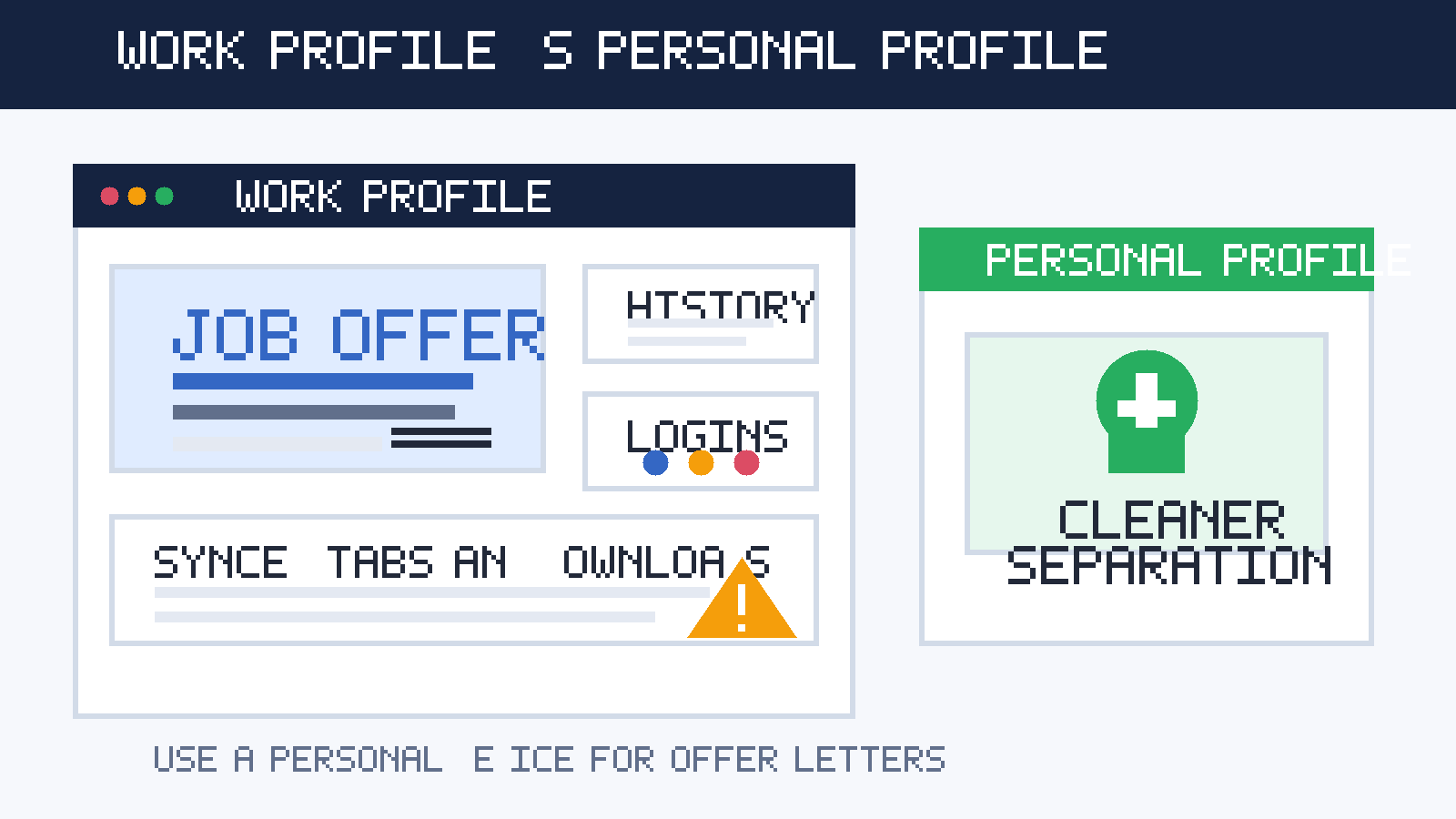
That is a very different privacy situation from casually reading job listings. A work browser profile can carry much more baggage than people realize: browsing history, synced tabs, saved passwords, autofill, company identity, enterprise policies, and extensions you do not fully control. None of that automatically means your employer is watching every page. It does mean the environment is not really yours.
Short answer: usually no
If you have a personal alternative, use that instead. Opening a job offer in a work browser profile is usually a bad trade: small convenience now in exchange for less privacy, more account mix-ups, and a greater chance of leaving offer-related traces behind.
That matters because job offers are not just another email thread. They often involve salary details, bonus language, equity summaries, background-check links, tax forms, benefits previews, and digital signature tools. Those are exactly the kinds of documents most people would rather not handle inside a browser environment connected to their current employer.
Why the offer stage creates bigger browser risks
Applications and interviews already create privacy concerns, but the offer stage raises the stakes. When an offer arrives, the information becomes more sensitive and the workflow becomes more complicated. You may need to bounce between email, PDF attachments, e-signature tools, benefits portals, calendar links, and identity-verification forms.
In a work browser profile, all of that can interact with existing work context. Your browser may already be signed into a company Google Workspace or Microsoft account. It may restore tabs from earlier sessions. It may suggest saved work credentials first. It may sync history across machines. It may even include extensions installed for security, compliance, or web filtering. That is a messy place to review a compensation package or upload onboarding details.
The key point is simple: a work browser profile is built for your employer’s workflow, not for your private career decisions.
What a work browser profile can expose during job offers
1. Offer-related history and address-bar suggestions
When you open offer pages, compensation calculators, or company-specific portal links, that activity can stick around in browsing history and address-bar suggestions. Later, while typing something unrelated, the browser may surface those pages again. That is awkward on any machine. It is worse when the browser profile is part of the environment you use every day for your current job.
You do not need an active spy for this to be a problem. Quiet traces are enough. A suggestion showing another company’s offer portal during screen sharing or a shared-desk moment can say more than you intended.
2. Saved logins and wrong-account sign-ins
Offer-stage workflows often involve Google, Microsoft, DocuSign, Workday, Greenhouse, or employer-specific HR systems. In a work browser profile, the browser may prefer the wrong saved account or prompt the wrong identity first. That can lead to confusing sign-in loops, the wrong display name, or cross-account clutter that makes an already stressful decision harder.
Sometimes the issue is not a dramatic privacy breach. Sometimes it is just a preventable mess: you open an e-sign link and your browser tries to use your work account, or you join a portal with a profile photo and name you would rather keep separate from the hiring process. A dedicated personal profile lowers those odds.
3. Downloads and recent-file trails
Offer letters usually do not stay inside one tab. You may download a PDF, save a benefits guide, compare two versions of an agreement, or open a spreadsheet to think through compensation. On a work browser profile, those actions can leave breadcrumbs in recent downloads, browser history, cloud-sync folders, and file suggestions.
That does not guarantee anyone else sees them, but it increases the number of places where private career material can linger long after you meant to close it.
4. Autofill in HR and onboarding forms
The offer stage often blends into onboarding tasks: direct-deposit details later on, emergency contacts, address confirmation, benefit selections, and legal-name fields. Some of that may happen only after you accept, but the point is the same: browsers remember a lot. Autofill can reveal old entries, mix personal and work details, or store new information in the wrong environment.
If you are trying to keep your search clean and contained, filling sensitive forms inside a work profile is the opposite of clean containment.
5. Managed extensions, sync, and employer policies
Many work browser profiles are not just signed-in browsers. They are managed browsers. That can mean enterprise extensions, security filters, compliance settings, password tools, and sync rules you did not choose. You may not know exactly what is logged, cached, inspected, or recoverable later, and in privacy terms that uncertainty alone is enough reason to avoid the setup.
You do not need to prove the worst case to make a sensible decision. If the environment is employer-managed, it is already the wrong environment for a confidential offer review.
Common ways people get tripped up
- Opening a salary PDF on the same profile they use all day for work and forgetting it stays in recent downloads.
- Clicking an e-sign link while signed into the wrong Google or Microsoft account and ending up in an annoying, sometimes revealing login loop.
- Saving competitor research or negotiation notes in browser bookmarks that later resurface in suggestions.
- Using the work profile because it already has the browser open even though the real reason is convenience, not safety.
- Assuming incognito fixes everything when the browser is still running inside an employer-controlled device and profile ecosystem.
Most of these mistakes are not dramatic. They are just unnecessary. That is exactly why it makes sense to prevent them before the offer stage gets busy.
Does incognito or private browsing solve it?
Not really. Private browsing can reduce local history saved to that session, which is useful, but it does not turn a work browser profile into a private environment. You are still on the same machine, with the same network context, the same employer-linked account nearby, and often the same extensions or management controls in place.
Think of incognito as a clutter-reduction tool, not a confidentiality strategy. It can help you avoid leaving some obvious crumbs. It does not change who controls the broader environment.
What you should use instead
A personal device you control
If possible, review job offers on your own laptop, desktop, tablet, or phone. That gives you far more control over files, history, sync, and logins. Even a basic personal device is usually better than a polished employer-managed one when the topic is a private job offer.
A separate personal browser profile
You do not need a second computer for every situation. Often a clean personal browser profile on your own device is enough. Keep offer-stage tabs, saved logins, and downloaded documents there instead of mixing them into the same profile you use for daily personal browsing. That makes the whole process easier to manage and easier to revisit if you are comparing more than one offer.
A stable personal email for real offers
This is also the stage where reliability matters more than disposability. A tool like Anonibox can make sense for low-commitment signups, early research, or noisy job-board experiments, but once a legitimate employer is sending an actual offer, you want a personal inbox you monitor and control long term. Offers, revisions, and onboarding links are too important to route through a throwaway workflow.
A small offer-review checklist
Before opening or signing anything, pause for a minute and make the environment boring on purpose:
- Use your personal device and personal browser profile.
- Close unrelated tabs.
- Make sure the right email account is active.
- Download files into a folder you can find later.
- Verify the sender and the domain before you sign in.
That sounds simple because it is. Simplicity is good here.
If you absolutely must use a work browser profile
Sometimes people do not have a good alternative in the moment. Maybe your personal device is unavailable or the deadline is tight. If you truly have to open something from a work browser profile, treat it as damage control, not as a best practice.
- Do the minimum necessary and move the conversation back to a personal setup as soon as possible.
- Avoid saving passwords.
- Do not bookmark the portal.
- Do not store negotiation notes there.
- Do not assume private mode makes the whole environment private.
- Re-open the materials later on your personal device before making final decisions.
In other words, if you need to peek, peek carefully. Do not build your whole offer workflow there.
A quick decision checklist
Ask yourself these questions before you open an offer link:
- Is this browser profile signed into a company-managed account?
- Would I be comfortable with this page appearing in history, downloads, or suggestions later?
- Could the browser try to use the wrong saved login?
- Do I have a personal device or profile available instead?
- Am I about to review or upload information I would rather keep entirely outside my employer’s ecosystem?
If those questions make you hesitate, that hesitation is probably telling you the right answer already.
Final answer
Usually no: do not use your work browser profile for job offers if you have a personal alternative. The convenience is minor, but the privacy and workflow downsides are real. Offer letters, salary details, saved logins, benefits portals, and signature links belong in a cleaner environment that you control.
The best setup is straightforward: personal device, personal browser profile, personal email, and careful verification before you sign or upload anything. That will not make the process perfect, but it will make it more private, more organized, and much less likely to leave awkward traces in the wrong place.