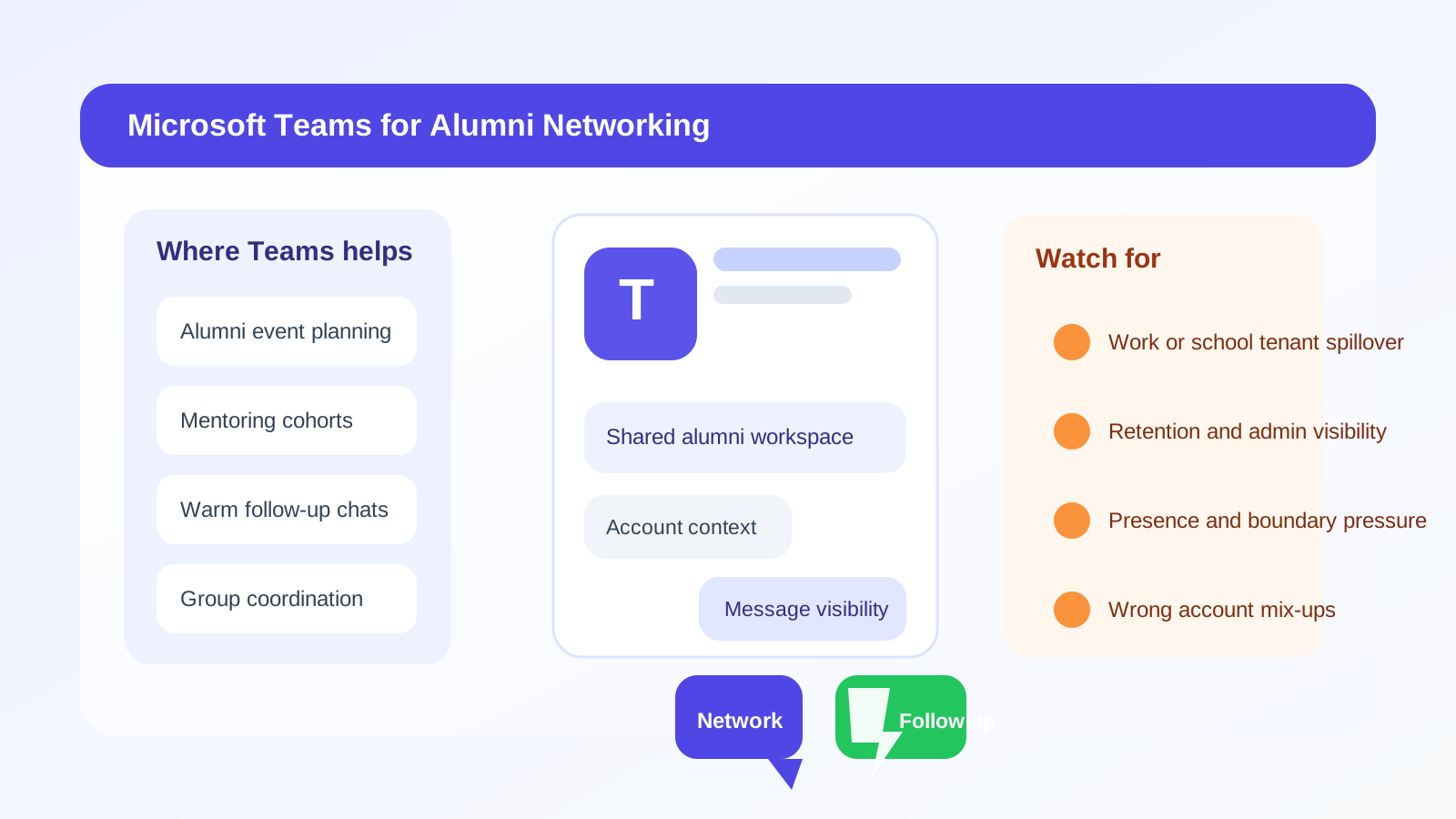
Yes, you can use Microsoft Teams for alumni networking, but it usually works better as a group or follow-up channel than as your default first-contact method. Teams can be convenient when an alumni community already lives there, yet it also exposes workspace identity, account context, and message visibility in ways many people do not think about at first.
For most one-to-one alumni outreach, email or LinkedIn is safer, cleaner, and easier to manage. Teams makes the most sense when the school, alumni association, cohort, or event already uses it and the conversation is happening inside that existing space.
Why this question comes up
Microsoft Teams sits in an awkward middle zone between formal and informal communication. It is more structured than text messages, WhatsApp, or Messenger, but it is still more conversational than email. That makes it attractive for alumni panels, mentorship groups, virtual meetups, chapter committees, and class communities that already run on Microsoft 365.
If your school has a Teams-based alumni hub, or if a former classmate invites you into a Teams thread for an event, using it may feel natural. Notifications are fast, files are easy to share, and meetings can be scheduled without much friction.
The catch is that Teams is not a neutral channel. It usually sits inside an organization, and that organization can shape what people see about you, how discoverable you are, and what records remain after the conversation ends. For privacy-conscious networking, that matters.
Short answer: good inside established alumni spaces, weaker for cold outreach
Teams is usually reasonable when:
- You are already in a legitimate alumni workspace, cohort, or mentoring group.
- The other person expects communication there.
- The message is logistical, event-based, or part of an existing group discussion.
- You need to coordinate a virtual session, share a document, or keep one group thread organized.
Teams is much less ideal when:
- You are contacting an alumnus cold for the first time.
- You are unsure which Microsoft account or tenant context you are exposing.
- You want clean long-term follow-up outside a school or employer workspace.
- You are trying to keep personal, academic, and professional identities neatly separated.
That is why Teams is best treated as a context-specific tool, not a universal networking default.
The biggest privacy and boundary issues with Teams
1. Your workspace identity can reveal more than you expect
Unlike a plain email address, Teams often shows a broader account identity. Depending on the setup, people may see your full name, profile photo, school or employer affiliation, role information, presence status, and sometimes other directory details tied to the organization that owns the workspace.
That may be perfectly fine in a university-run alumni group. It may be much less fine if you are messaging from a current employer account, a school account you do not plan to keep, or a tenant where you would rather not mix networking activity with day-to-day organizational life.
2. Teams can blur school, work, and personal boundaries
Many people have multiple Microsoft identities: a work account, a school account, and maybe a personal Microsoft account. In practice, those profiles are easy to mix up. You may join the right alumni community but reply from the wrong tenant, expose the wrong display name, or accidentally make your networking activity feel institutionally attached when you meant it to be personal.
This is especially important if you are networking while employed and do not want coworkers, IT administrators, or organizational logs to overlap with that activity unnecessarily.
3. Message retention may be outside your control
Teams conversations are often retained according to organization policies. Even when the discussion feels casual, the platform may keep more history than you would on a private text thread. That does not mean Teams is unsafe. It just means you should not assume every message is as temporary or private as it feels.
If you are asking for advice, sharing sensitive job-search details, or talking through career concerns, email or a carefully chosen personal channel may give you clearer expectations.
4. Presence, calendar, and responsiveness can create pressure
Teams is built around availability signals. Green dots, meeting status, activity pings, and quick replies can subtly change the tone of the interaction. In alumni networking, that can push a conversation toward immediacy even when a slower, more thoughtful exchange would be better.
What starts as a simple question can turn into a stream of chat notifications, call attempts, meeting invites, and shared files. That is convenient for active group coordination, but less ideal for measured first outreach.
5. Group visibility changes the social dynamic
In an email exchange, the audience is obvious. In Teams, discussions can happen in channels, threads, side chats, and shared spaces with different visibility rules. Before you post a career question, ask for advice, or upload a document, make sure you know who can actually see it.
A message intended for one alumnus can feel very different if it sits inside a channel where multiple members, moderators, or admins can revisit it later.
When Teams works well for alumni networking
There are real use cases where Teams is a strong fit.
- Alumni mentoring cohorts: A university or alumni office runs a structured mentoring program inside Teams, and everyone joined expecting professional discussion there.
- Event coordination: You are handling panel logistics, breakout-room planning, or follow-up scheduling for an alumni webinar or meetup.
- Warm introductions: Someone in the group already introduced you and the conversation is a continuation of that trusted context.
- Ongoing communities: The value comes from staying inside the shared space, not from one isolated outreach message.
In those situations, Teams can reduce friction. You do not need to force everyone back into email if the group is already functioning well in one place.
When Teams is the wrong first move
You should usually avoid choosing Teams as your starting point when:
- You found the alumnus through a directory and have not interacted before.
- You want to make a polished, low-pressure first impression.
- You are asking for a referral, resume review, or detailed informational interview.
- You do not fully understand what the workspace reveals about your account.
- You are using an employer-managed or soon-to-expire school account.
Cold outreach works better in channels that let the other person answer on their own terms. Email is usually best for that. LinkedIn is often a close second when the professional context is already obvious.
A better default: email first, Teams second
The easiest way to balance convenience and privacy is simple:
- Start with a short email or LinkedIn message.
- Establish the relationship and confirm interest.
- Move to Teams only if the other person prefers it or the alumni group already uses it heavily.
This keeps your initial outreach clean and searchable while still letting you use Teams where it is genuinely useful. It also makes long-term follow-up easier. Alumni relationships often continue for months, not just one event or one chat thread.
If an alumni portal, virtual event, or community signup asks for an email address before you can participate, using a separate networking inbox can help you keep those registrations organized without flooding your main inbox. That is one place a tool like Anonibox fits naturally: not as a guarantee of anonymity, but as a practical way to segment early-stage alumni newsletters, event notices, and low-stakes community signups until you know which relationships are worth carrying forward.
How to use Teams more safely if you do choose it
Check which account you are using
Before you message anyone, confirm whether you are in Teams with a work account, school account, guest account, or personal Microsoft account. Small account mistakes are one of the easiest ways to expose the wrong identity context.
Review what your profile shows
Look at your display name, profile photo, title, and any tenant-linked information. Make sure it matches the impression you want to create. Alumni networking should not accidentally look like an internal work chat unless that is truly the context.
Assume messages may be retained
Use Teams for coordination and normal conversation, not for dumping sensitive personal history, job-search frustrations, compensation details, or documents you would rather keep in a more controlled channel.
Keep the first note short and specific
A good opener might look like this: “Hi Priya — we are both State U alumni, and I saw your note in the analytics alumni channel. I am exploring product analytics roles and wondered whether you would be open to a short chat or a few pointers on how you made the transition.”
That message is clear, respectful, and easy to answer without creating pressure.
Move important follow-up into email
If the conversation becomes more substantial, shift the durable parts of it to email. That includes resume sharing, detailed advice, introductions, or anything you may want to reference later. Teams is fine for quick coordination. Email is usually better for long-term relationship management.
Should you create a separate Teams account just for alumni networking?
Sometimes, but only if it solves a real problem. A personal Microsoft account or guest identity can make sense if you want to avoid using a work tenant or a school account you may lose after graduation. What you do not want is a throwaway setup that makes you hard to recognize, hard to reach, or inconsistent across follow-up.
Alumni networking depends on trust and continuity. If you use a separate account, it should still look credible, stay monitored, and connect smoothly to a stable email address you control.
Quick decision checklist
Teams is probably a reasonable choice if most of these are true:
- The alumni group already runs on Teams.
- You understand exactly which account and profile details are visible.
- The conversation is warm, logistical, or community-based.
- You are comfortable with the workspace context and likely retention rules.
- You can move important follow-up to email later.
Teams is probably the wrong first choice if most of these are true:
- You are doing cold outreach.
- You want stronger privacy and cleaner boundaries.
- You are using a current employer account.
- You are unsure who can see the conversation.
- You need a searchable, long-term professional record.
Final answer
So, should you use Microsoft Teams for alumni networking? Yes, sometimes — but mainly when the alumni community already lives there and the context is clearly established. Teams is strong for group coordination, mentoring cohorts, and event follow-up. It is much weaker as a default cold-outreach channel because workspace visibility, account mix-ups, and retention policies can blur the boundaries you may want to keep clear.
If you want the safest default, start with email or LinkedIn, keep your outreach organized, and use Teams only where it adds real convenience without creating unnecessary exposure. That way you get the benefits of fast collaboration without letting platform context do more identity sharing than you intended.