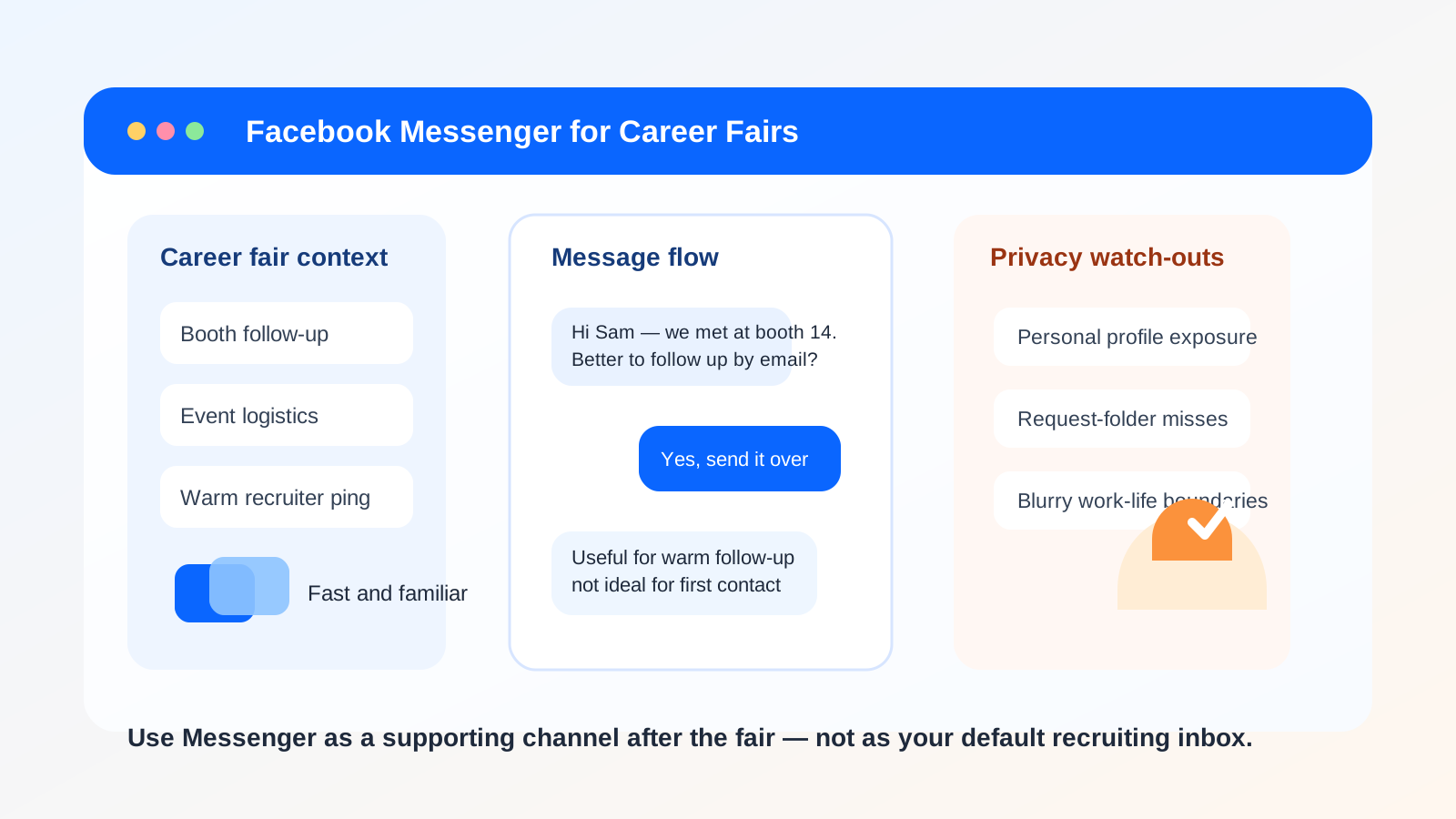
Yes, you can use Facebook Messenger for career fairs, but it is usually better for warm follow-up or event logistics than for first-contact recruiting conversations. Messenger can feel convenient in the moment, yet it often exposes more of your personal profile than email or LinkedIn and can make professional follow-up harder to organize.
If you care about privacy, clean boundaries, and keeping recruiter conversations searchable, start with email or LinkedIn first. Move to Messenger only when the context is already warm, the recruiter or alumni contact is clearly real, and the conversation is simple enough that a casual chat channel will not create confusion later.
Why Messenger comes up at career fairs
Career fairs are messy, fast, and a little chaotic by design. You may scan a QR code, join a student or alumni event page, message a recruiter after a panel, follow up with a campus ambassador, or continue a conversation that started in a Facebook event or university group. In those moments, Messenger can feel like the quickest way to keep momentum going.
That convenience is real. Most people already have the app. Notifications are immediate. Short replies feel natural. If you are coordinating where to meet, confirming whether someone is still at a booth, or continuing a conversation from a campus event page, Messenger can absolutely work.
But the same convenience also creates trade-offs. Messenger is tied to a social profile, not a channel built for professional outreach. That means the question is not simply whether Messenger works. The better question is whether it is the right default for privacy, professionalism, and reliable follow-up after the fair ends.
The short answer: fine for warm follow-up, weak for first contact
For most people, Messenger is acceptable when the connection is already partly established. Maybe you met the recruiter in person, you are both active in the same university group, or an alumni volunteer explicitly suggested chatting there. In those cases, the informality can make follow-up easier.
It is much weaker when you are doing cold outreach, trying to make a polished first impression, or sharing information you may need to reference later. A career fair already produces enough noise. Putting important recruiting details in a personal chat app often makes that noise worse.
The biggest privacy and workflow risks
1. Your personal profile can become part of the conversation
Messenger does not just deliver your words. It often brings your broader Facebook identity with it: your profile photo, visible bio details, public posts, mutual friends, and the overall feel of your account. That may be fine with actual friends. It is not always ideal when you are trying to look organized and professional during a job search.
Some people keep Facebook fairly private or barely use it. Others have old public content, casual jokes, or community activity they would rather not drag into recruiter conversations. If the channel makes you wonder what someone can see about you before you even send the message, that is a sign to slow down.
2. Message requests are not always reliable
One of Messenger’s biggest hidden problems is visibility. If you are not already connected, your message may land in a request folder or filtered area instead of a main inbox. That makes Messenger feel fast from your side while actually being less dependable than a normal email. A recruiter could miss the message entirely, or find it days later when the moment has passed.
That is especially annoying after career fairs because timing matters. If a recruiter told you to follow up within a day or two, you want a channel that has a better chance of landing in front of them right away.
3. Boundaries blur quickly
Messenger encourages casual, always-on behavior. That can be helpful for event logistics, but less helpful for professional boundaries. You may end up sending late-night follow-ups, reacting too fast, or mixing career messages with family chats and social notifications. On the other side, the recruiter or representative may also treat the thread casually, which is not always what you want when discussing next steps.
4. It is easy to lose the paper trail
Career fairs create lots of tiny details: who asked for your resume, who mentioned an internship opening, who told you to apply through a specific link, and who invited you to reconnect next month. Email handles that kind of record-keeping better. Messenger threads are fine for “Where is booth 14?” They are less ideal for keeping your professional follow-up system clean.
5. Casual chat lowers your scam radar
Any platform with easy direct messages can be used for impersonation, fake recruiter outreach, or vague “opportunities” that do not hold up under basic scrutiny. That does not mean every Messenger contact is suspicious. It just means the casual tone can make people drop their guard faster than they would in a formal email thread.
When Messenger can be a reasonable choice
Messenger works best when the ask is small, the context is warm, and the interaction is already grounded in a real event or shared group.
- Post-event logistics: you are confirming where to meet, whether someone is still at the venue, or where to send an application link.
- Warm follow-up: you met the person at the fair and they explicitly said Messenger was fine.
- Shared group context: the conversation began in an alumni page, campus event, or fair-related Facebook group.
- Simple check-ins: you are sending a quick thank-you or confirming a next step that will later move to email.
In those situations, Messenger is being used as a convenience layer, not as the entire professional relationship. That distinction matters.
When Messenger is the wrong default
You should usually avoid leading with Messenger when:
- You are contacting a recruiter or company representative for the first time.
- You want the strongest professional first impression possible.
- You are sending a resume, portfolio, or anything important enough to reference later.
- You are trying to keep your personal and professional identities separate.
- You are unsure whether the account or person is legitimate.
If any of those apply, email or LinkedIn is usually better. They are more expected, easier to organize, and less likely to pull your personal social profile into the interaction.
A better default workflow for career-fair follow-up
If you want the convenience of Messenger without letting it take over the whole process, a simple workflow works well:
- Start with the channel the employer expects. That is usually email, an application portal, or LinkedIn.
- Use Messenger only as a bridge. For example, to confirm a contact detail, continue a conversation that already started in a group, or thank someone who explicitly suggested the app.
- Move durable information back to email. Resume submissions, interview scheduling, role details, and anything you may need later should live in a more searchable place.
This also helps with privacy. If a fair, event page, or employer newsletter signup asks for contact details before you know whether it is worth ongoing attention, a separate email workflow can keep things cleaner. That is where a service like Anonibox can be practical: not as a guarantee of anonymity, but as a way to keep early event registrations, company follow-up lists, and marketing emails from spilling into your main inbox before you decide which contacts matter.
Best practices if you do use Messenger
Review what a non-friend can see
Before you message anyone from a career fair, look at your profile the way a stranger might. Public profile photo, visible bio text, old public posts, and group membership clues all shape the first impression. You do not need a perfect profile, but you should know what context travels with your message.
Keep your first message short and specific
A good career-fair Messenger note should be easy to answer quickly. Mention where you met, who you are, and the exact next step you are asking for. Example: “Hi Jordan — we spoke at the State U career fair this afternoon about your data analyst internship. Thanks again for the advice. Would you prefer I follow up by email with my resume and application details?”
That works because it is polite, specific, and makes it easy to move the conversation to a more professional channel.
Do not dump sensitive information into chat
Messenger is not where you want to paste personal identifiers, salary paperwork, ID scans, or anything you would regret sending to the wrong person. Keep the app for lightweight follow-up, not sensitive materials.
Confirm the real company channel
If someone asks you to continue outside official channels, pause and verify. Real recruiters may use personal convenience tools sometimes, but legitimate hiring processes still usually connect back to a company domain, a formal application system, or a professional profile you can verify independently.
Capture the useful details elsewhere
After the chat, move the important notes into your own tracking system right away. Save the recruiter’s name, company, role, and promised next step in a spreadsheet, notes app, or email folder. That prevents Messenger from becoming a black hole of half-remembered opportunities.
Should you make a separate Facebook account for career fairs?
Usually, no. A second social profile is awkward to maintain and can look strange if it has little activity or weak identity signals. If you need separation badly enough to consider a second Facebook account, that is often a clue that Facebook Messenger should not be your default recruiting channel in the first place.
A dedicated job-search email, a separate calendar, or a cleaner LinkedIn workflow is usually a more practical way to create boundaries without inventing a second social persona.
A quick decision checklist
Messenger is probably reasonable if most of these are true:
- You already met the person at the career fair or share a real event context.
- The message is short, simple, and low-risk.
- Your profile does not reveal anything you would be uncomfortable attaching to a job-search conversation.
- You are happy to move the conversation to email for anything important.
- You have independently verified who the person is.
Messenger is probably the wrong choice if most of these are true:
- You are making first contact out of the blue.
- You want a polished and professional first impression.
- You need a reliable record of what was said.
- You do not want your personal Facebook presence tied to the interaction.
- You are already overwhelmed by post-fair follow-up and need more structure, not less.
Final answer
So, should you use Facebook Messenger for career fairs? Sometimes, but mostly as a warm follow-up or convenience channel rather than the main recruiting path. It can help when the context is already real and the task is simple, but it is a weaker default when privacy, professionalism, and long-term follow-up matter.
For most people, the smarter approach is simple: use email or LinkedIn first, keep your main job-search records outside chat apps, and treat Messenger as optional support rather than the center of your career-fair communication. That gives you the speed of a casual message without giving up control of your boundaries.