Yes — usually. A separate browser profile is a smart move for data broker removal services if you want cleaner autofill, fewer account mix-ups, and less spillover into your everyday browsing.
It will not make you invisible, but it can reduce accidental exposure when you sign up for privacy dashboards, submit opt-out requests, and manage the steady stream of confirmation emails those services often generate.
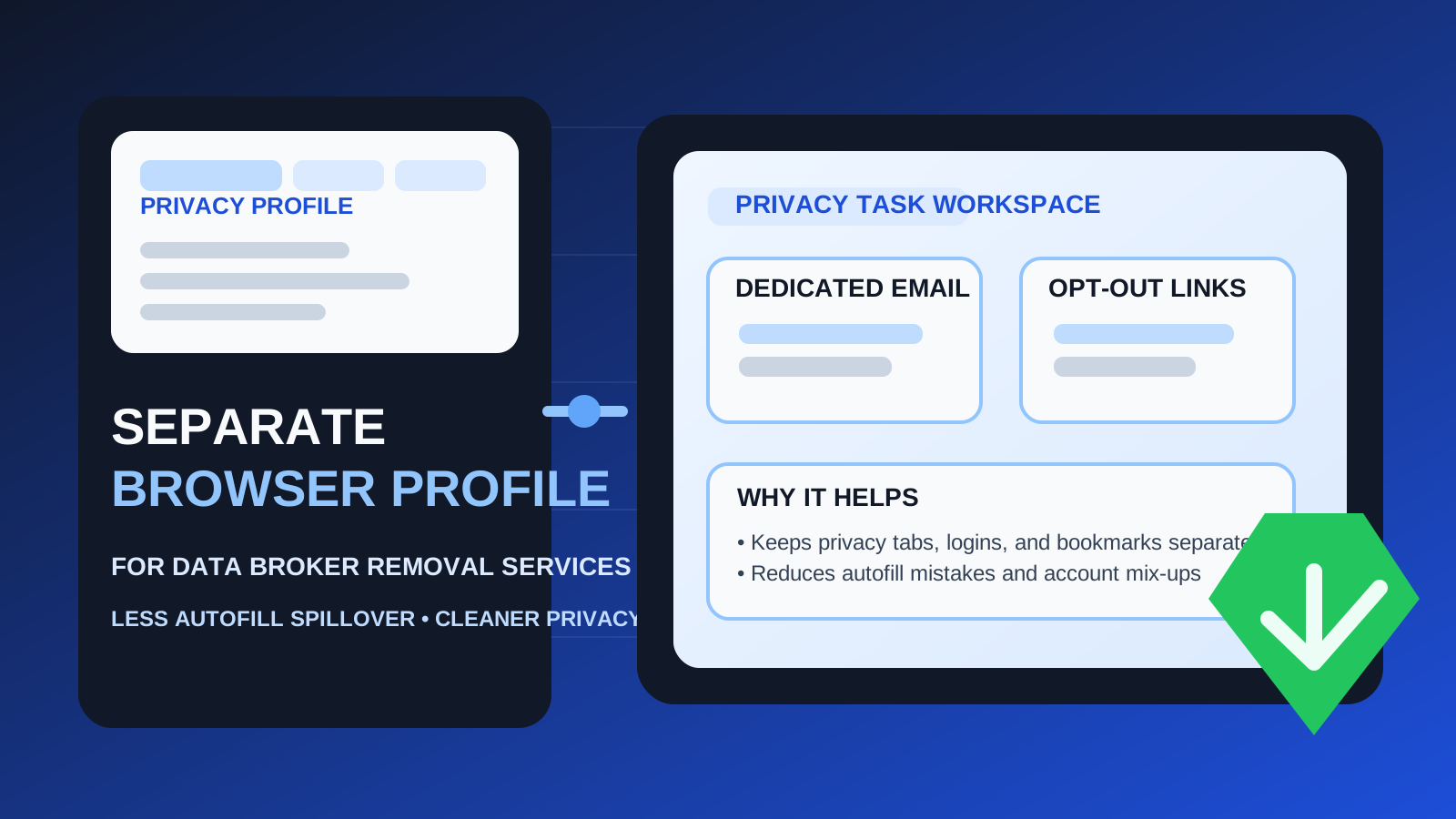
That is the practical answer behind searches for separate browser profile for data broker removal services. People often focus on the email side of privacy first, which makes sense. But the browser side matters too. If you are using data broker removal services, you may be opening many verification links, signing into privacy dashboards, uploading opt-out details, reviewing account notices, and checking status pages across multiple vendors and websites. Doing all of that inside the same browser profile you use for shopping, work, banking, and personal email can get messy fast.
A clean profile will not solve every privacy problem, and it is not a magic anti-tracking shield. Still, it is one of the easiest low-effort habits you can adopt if you want better separation. Think of it as creating a dedicated workspace for privacy admin. Just like a separate inbox can reduce spam and exposure, a separate browser profile can reduce cross-contamination and simple mistakes.
Why browser separation matters for data broker removal services
Data broker removal is rarely a one-click task. Even when you pay a service to handle most of the work, the process often involves repeated confirmations, dashboard logins, account settings, support threads, and vendor-specific instructions. Some services ask you to verify your email, review matches, confirm addresses, or revisit dashboards to track removals over time.
That creates a few practical privacy issues:
- Autofill leakage: your main browser may suggest the wrong email address, full name, address, or phone number when you are filling privacy forms.
- Account mix-ups: you can easily open the wrong inbox, sign into the wrong Google or Apple account, or cross wires between personal and privacy-only accounts.
- Tracking spillover: your regular profile already holds years of cookies, logins, ad-tech signals, and browsing history.
- Clutter: opt-out links, support pages, privacy dashboards, and verification flows get mixed into the same tabs, bookmarks, and history as everything else you do online.
A separate browser profile will not erase all tracking, but it does create cleaner boundaries. That alone can make ongoing privacy work easier to manage.
What a separate browser profile actually helps with
Cleaner email and account routing
If you use a dedicated email strategy for privacy work, a separate profile helps you stay inside it. That matters because data broker removal services often depend on repeat access to the same inbox. You do not want your browser casually suggesting your everyday Gmail or work email when the whole point was to keep those addresses out of the loop.
This is where a tool like Anonibox can fit naturally. If you use a separate privacy inbox for signups, trial accounts, or opt-out management, pairing that inbox with a dedicated browser profile makes the workflow more consistent. The inbox stays separate, and the browser environment does too.
Fewer autofill mistakes
Autofill is convenient until it is not. Many people have old addresses, legacy usernames, saved cards, extra phone numbers, and multiple email identities stored in their everyday browser. That is fine for general life admin. It is less fine when you are trying to be deliberate about which contact details appear in privacy-related workflows.
A clean browser profile reduces the chance that you paste the wrong email into an opt-out tool, upload the wrong identity details, or accidentally connect a privacy-service login to the wrong account.
Less cross-account confusion
Some data broker removal services involve third-party verifications, support threads, and status notifications over time. If you are switching between your main browser profile, several inboxes, and multiple identity-related tabs, mistakes become more likely. A dedicated profile narrows the environment and makes the process easier to follow.
Better operational hygiene
Even if the privacy benefit feels abstract, the organizational benefit is immediate. Bookmarks, history, saved passwords, extension choices, and open tabs all stay more focused. That makes follow-up work much less annoying.
What a separate profile does not do
This is the part worth saying clearly: a separate browser profile is useful, but it is not a magic privacy shield.
- It does not make you anonymous.
- It does not stop a data broker removal service from learning the information you knowingly submit.
- It does not replace a separate email strategy.
- It does not erase device-level, network-level, or browser-fingerprint realities.
What it does do is reduce easy, avoidable leakage and help you keep a cleaner boundary between your privacy-maintenance workflow and the rest of your online life. That is still valuable. Just do not oversell it to yourself.
When using a separate browser profile makes the most sense
A dedicated profile is especially helpful when:
- you are using a separate email or alias for removal-service accounts
- you expect to manage opt-outs or dashboard updates over time
- you want to avoid mixing privacy tools with your personal or work browsing
- you have a lot of saved autofill data in your everyday browser
- you are comparing multiple privacy tools and want cleaner account separation
It is also useful if you are the kind of person who forgets where things live online. A dedicated privacy profile makes it obvious where your removal-service tabs, bookmarks, credentials, and confirmation emails belong.
When it may be more effort than benefit
If you are only doing a single one-off opt-out task and you are disciplined about using the right email and clearing the session, a whole separate browser profile may be more structure than you need. Not every privacy task requires a mini operating system.
But data broker removal services usually are not one-off tasks. They often involve recurring checks, refresh cycles, vendor updates, and occasional re-verification. That is why a separate profile tends to pay off more here than it would for a random coupon signup or one-time download.
How to set up the profile so it actually helps
1. Give it a clear purpose and name
Name the profile something obvious like Privacy Admin or Data Removal. The goal is instant recognition. If you have to think about which profile to use, you will eventually pick the wrong one.
2. Sign into only the accounts that belong there
Do not half-separate things. If this profile is for removal-service work, keep it that way. Use the specific email account, alias workflow, or privacy-only credentials you intended for that job.
3. Keep extensions minimal
You do not need a circus of add-ons. Too many extensions create their own mess and sometimes their own privacy questions. Keep the profile simple and functional.
4. Save only the bookmarks you actually need
Bookmark the removal-service dashboard, your dedicated inbox, and maybe a few recurring opt-out resources. A shorter bookmark bar is easier to trust.
5. Review saved passwords and autofill carefully
The whole point is to reduce accidental crossover. If the new profile starts inheriting old credentials or suggesting unrelated addresses, fix that early.
Good combinations that work better together
A separate browser profile works best when it is part of a larger privacy workflow instead of a standalone trick.
- Separate profile + separate email: good for long-term monitoring and cleaner inbox control.
- Separate profile + email alias: good if you want forwarding control without handing out your main address everywhere.
- Separate profile + temporary inbox during early research: useful when comparing services before deciding which one to keep.
That last point matters. Temporary email can be fine for evaluating a service, but many data broker removal workflows need stable follow-up over time. If the relationship may become ongoing, move to an email setup you can actually monitor. The browser profile helps either way, but it cannot compensate for an inbox you no longer control.
Common mistakes to avoid
Using a separate profile but logging into everything anyway
If you immediately sign into your personal Google account, main shopping accounts, and everyday services, you have watered down the separation. Keep the profile focused.
Assuming the profile alone is enough
If you still use your primary personal email everywhere, the browser separation only solves part of the problem. The email decision is still central.
Forgetting long-term access needs
Data broker removal is often ongoing. If you create a neat profile but tie it to an inbox you will not keep, you have only moved the weakness to a different place.
Letting the profile become another junk drawer
The value comes from clarity. Once the profile is filled with unrelated tabs, saved logins, and random browsing, it stops doing its job.
A quick decision checklist
Before you bother creating a separate browser profile, ask:
- Am I likely to use data broker removal services more than once?
- Do I already use a separate inbox or alias for privacy tasks?
- Is my everyday browser full of saved autofill data I do not want spilling into these forms?
- Do I want a clearer place to store bookmarks, logins, and follow-up tasks for privacy work?
If most answers are yes, a separate profile is probably worth the few minutes it takes to set up.
Final answer
Yes — for most people using data broker removal services, a separate browser profile is a practical upgrade. It helps reduce autofill mistakes, keeps privacy-related accounts from mixing with your normal browsing, and makes ongoing follow-up easier to manage.
Just do not mistake it for total protection. It works best when combined with a sensible email strategy, good account hygiene, and realistic expectations about what browser separation can and cannot do. If you want a cleaner, calmer privacy workflow, though, it is one of the easiest habits to adopt.