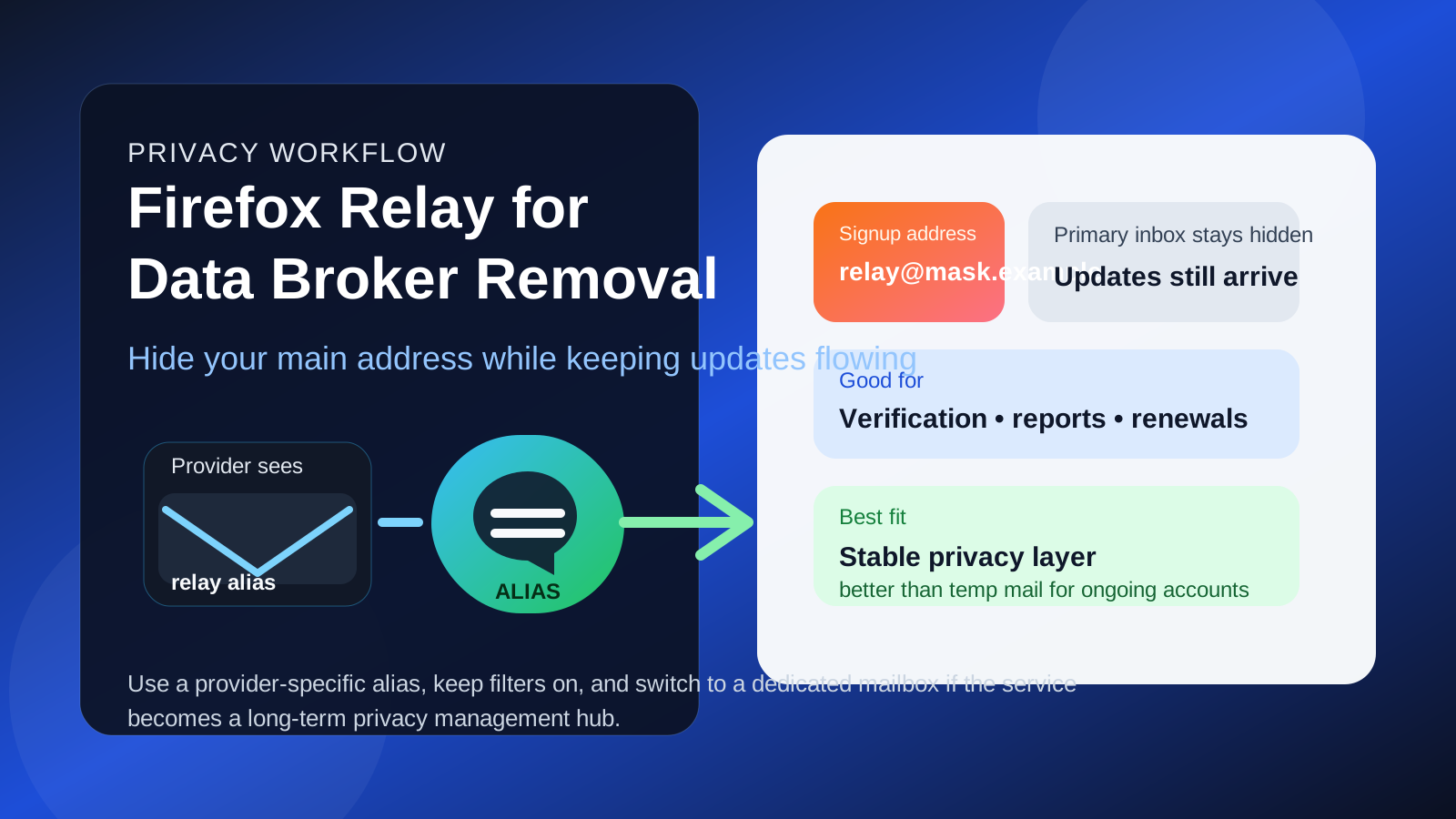
Usually yes — Firefox Relay is a strong option for data broker removal services when you want to hide your primary email but still receive verification links, scan updates, and renewal reminders.
It works best as a stable privacy alias rather than a disposable inbox replacement, and a separate dedicated mailbox may be better if you want long-term account ownership or manage removals for more than one person.
Why this question matters
People sign up for data broker removal services because they want less exposure, not another uncontrolled trail of contact data. That makes the signup address more important than it looks. An email address often becomes the account anchor for verification, progress updates, support replies, billing notices, renewal reminders, and proof that an opt-out workflow actually happened.
At the same time, handing your oldest personal email to every privacy vendor can feel backwards. If your main address is already tied to shopping receipts, family accounts, travel logins, newsletters, and years of public or semi-public exposure, giving that same address to another service adds one more place where it can circulate. That is why privacy-minded users start looking for a middle ground.
Firefox Relay is appealing because it gives you an alias that forwards mail to an inbox you already control. In plain English, the service sees the alias, while your real address stays hidden behind it. For data broker removal services, that can be a smart balance between privacy and continuity.
What Firefox Relay actually solves
Firefox Relay is not the same thing as a classic throwaway inbox. It does not give you a short-lived mailbox you abandon after one use. Instead, it gives you a forwarding alias that can keep working for as long as you need it. That difference matters a lot in this use case.
Data broker removal is rarely a one-click event. Even the better services may send messages over weeks or months: account confirmations, new scan results, status summaries, renewal prompts, or requests to review an account setting. A purely temporary inbox can break that chain. A forwarding alias usually preserves it.
That is what makes Firefox Relay interesting here. It can reduce exposure of your primary address without cutting you off from the updates that make the service useful in the first place.
Why Firefox Relay can be a good fit for data broker removal services
1. It keeps your primary inbox out of another vendor database
Your main personal email address often becomes a long-term identifier. It is one of the easiest ways for companies, marketers, platforms, and data brokers to connect activity across different services. Using a Relay alias gives you a cleaner boundary. The removal service can still contact you, but it does not get the core address you use everywhere else.
That does not make you anonymous, and it does not magically remove every privacy risk. But it does reduce unnecessary exposure of one valuable identifier.
2. It is more durable than a temporary email
Temporary inboxes are useful during early research, but they are fragile for ongoing account ownership. A data broker removal dashboard may matter next week, next month, or at renewal time. Firefox Relay is usually a better fit because the alias can stay available for the full life of the account instead of disappearing before the useful follow-up arrives.
3. It helps you organize privacy-service mail
A Relay alias also makes inbox organization easier. You can label messages, filter them, and keep provider-specific updates separate from your everyday mail. That helps when you need to answer practical questions later:
- Which provider sent this report?
- Did they actually confirm removals or just promise to review them?
- When does the plan renew?
- Which service produced this support thread or billing notice?
That sort of organization is boring until you need it, and then it matters a lot.
4. It gives you better leak visibility
If you use a dedicated alias for one removal provider and that alias later starts receiving unrelated promotions or suspicious follow-up, you learn something valuable. You may not know exactly how the address spread, but you do know which relationship exposed it. That is much harder to see if you use your main inbox for every privacy tool.
5. It is a better middle ground than “just use your personal email”
For many people, the real choice is not between perfect privacy and zero privacy. It is between using the main inbox by default or adding one practical buffer. Firefox Relay is often that buffer. It is more stable than a disposable inbox, easier to start than creating a brand-new full mailbox, and more privacy-friendly than handing over your oldest personal address everywhere.
Where Firefox Relay can fall short
Reply workflows can still matter
Some privacy services are mostly one-way updates, but others may involve back-and-forth support conversations. If you expect frequent replies, billing questions, or manual removal follow-up, make sure you understand how your alias workflow behaves before you rely on it. The privacy benefit is not worth much if communication becomes awkward exactly when you need a quick response.
You still depend on your underlying inbox
Firefox Relay hides the destination address from the sender, but messages still land in a real inbox underneath. If that inbox is overloaded, poorly filtered, or not monitored, Relay does not solve the practical problem of missing an important renewal or support message. It is a privacy layer, not a substitute for good inbox habits.
It may be too lightweight for long-term account ownership
If you plan to keep a service for years, manage multiple family members, or store a serious paper trail of privacy work, a dedicated separate mailbox may still be stronger. Relay is excellent for separation and shielding, but a standalone mailbox can be cleaner when privacy management becomes an ongoing system rather than a simple account.
Some services may prefer conventional account addresses
Most providers will simply treat an alias as an email address, but not every signup flow behaves perfectly. Some forms are picky, some support teams are inconsistent, and some services quietly work better when the account uses a mailbox you fully control end to end. That does not make Relay a bad choice. It just means you should not assume every workflow will feel identical.
When Firefox Relay is a smart choice
- You want to hide your primary inbox from one more vendor relationship.
- You still need reliable access to verification emails, progress summaries, and renewal notices.
- You want to isolate privacy-service messages in a cleaner, trackable way.
- You are managing one personal account rather than a larger family or business privacy workflow.
- You want something more durable than a temporary inbox without opening a full separate mailbox yet.
In those situations, Firefox Relay is often one of the better compromises available.
When a separate mailbox is the better answer
- You want a completely dedicated inbox for privacy-management accounts.
- You expect a high volume of support messages, monitoring alerts, or renewal history.
- You are handling removals for multiple people and want cleaner account separation.
- You want an inbox that can remain the durable home for years of privacy-service activity.
- You would rather not depend on an alias-forwarding layer for an account category you consider important.
In other words, Firefox Relay is strong for privacy buffering. A full separate mailbox is better when privacy maintenance becomes a long-term operating system in your life.
Firefox Relay vs temporary email for this use case
This is where people often choose the wrong tool for the wrong stage.
A temporary inbox is best for early evaluation: checking a pricing guide, testing a signup form, or comparing whether two services immediately trigger aggressive follow-up. If you use a disposable tool like Anonibox during that first pass, that can be perfectly sensible.
But once you create an account you may want to revisit, Firefox Relay is usually the better move. It preserves continuity while still shielding your underlying inbox identity. For most real data broker removal subscriptions, that balance is more useful than pure disposability.
A completely separate mailbox goes one step further. It gives you both privacy and a long-term independent account home. That is often the best answer if you already know this category of service is going to stay in your life.
How to use Firefox Relay for data broker removal services without creating headaches
1. Create a dedicated alias for each provider
Do not reuse one alias across several unrelated privacy services if you can avoid it. A provider-specific alias makes later leak detection and inbox filtering much easier.
2. Test the forwarding before signup
Send a message through the alias first and confirm it lands where you expect. That small test prevents needless confusion later.
3. Filter messages immediately
Create a label or folder for the service the moment you sign up. Privacy management gets messy when welcome emails, progress reports, and billing reminders vanish into a crowded main inbox.
4. Save important account emails
Keep verification, receipts, renewal notices, and key support replies somewhere easy to find. Even if forwarding works perfectly, your future self will appreciate not having to hunt for evidence of what a provider promised.
5. Reassess if the relationship grows
If the service becomes central to your privacy workflow, ask whether the Relay alias is still the right long-term home. There is nothing wrong with starting with Relay and later moving to a dedicated privacy mailbox if the account becomes more important than you expected.
Common mistakes to avoid
- Using your oldest personal inbox by default: it is easy, but it exposes more than necessary.
- Using a temporary inbox for a long-term paid account: that often breaks recovery and update workflows later.
- Reusing one alias across too many services: you lose the tracking benefit that makes aliases so useful.
- Ignoring renewal and billing emails: privacy services often stretch across months, not days.
- Assuming an alias equals anonymity: it reduces exposure of one identifier, but it does not erase every trace or guarantee perfect privacy.
A quick decision checklist
Before you sign up, ask yourself:
- Am I only testing a provider, or am I starting an account I may need for months?
- Would losing access to update emails or password resets create a problem later?
- Do I want a simple privacy buffer, or a completely separate privacy mailbox?
- Will I want to know exactly which provider received this address?
- Am I likely to manage just one account, or a broader privacy workflow over time?
If you mainly want a stable privacy shield between the provider and your primary inbox, Firefox Relay is usually a strong fit. If you want a full long-term account home, a dedicated mailbox may be more practical.
Final answer
Yes — Firefox Relay is often a smart choice for data broker removal services because it hides your primary email address while still preserving access to the updates that make the service usable.
It is not the best answer for every situation. A temporary inbox is weaker once account continuity matters, and a full separate mailbox may be better for long-term privacy management. But for many people, Firefox Relay hits the sweet spot: less exposure than a main inbox, more stability than throwaway email, and enough control to keep privacy work organized without becoming a hassle of its own.