Usually, no — your main personal phone number is not the best number to use on LinkedIn if it could become visible to strangers, recruiters you do not know yet, or account-recovery workflows you do not fully control.
If you do add a personal number to LinkedIn, the safest version is to keep it private, limit who can see or discover it, and treat it as a controlled contact method rather than something your public professional profile should casually expose.
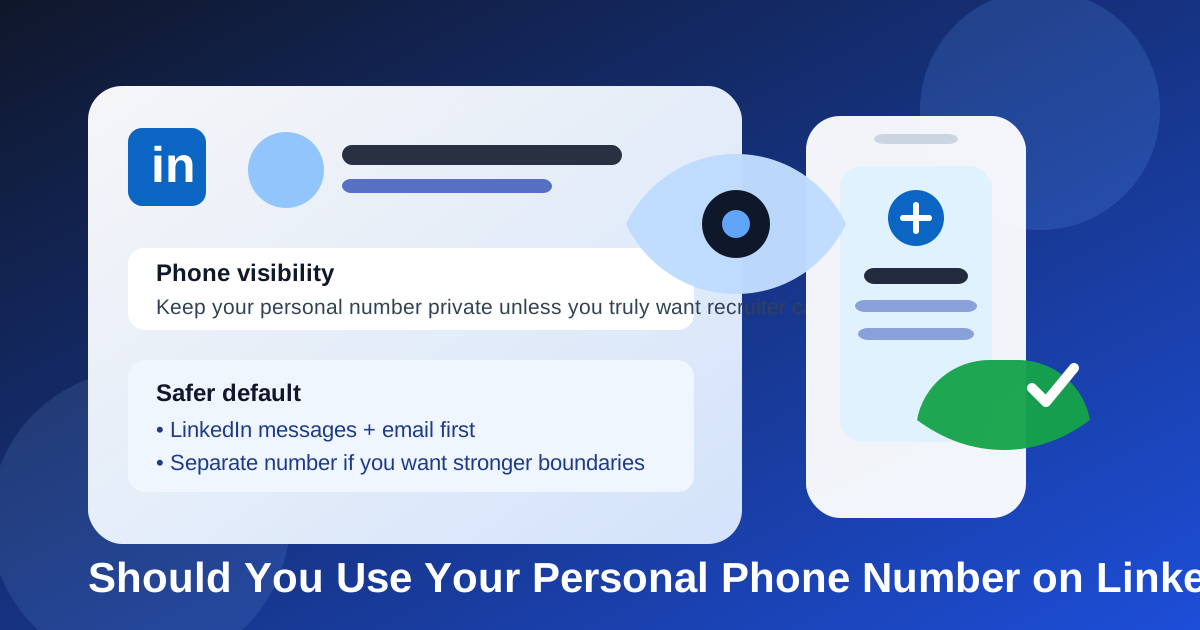
LinkedIn is a strange hybrid. It is part public profile, part networking platform, part recruiting funnel, and part long-term account you may keep for years. That mix is exactly why the personal-phone-number question matters more here than it does on a one-off job application. A resume goes to a specific employer. A LinkedIn profile can keep attracting attention, connection requests, recruiter outreach, and spam long after you stop actively job hunting.
That does not mean a personal phone number is always wrong. It means your default should be caution. For most people, LinkedIn works perfectly well with email, LinkedIn messages, and a private recovery number. The problem starts when a number that feels “professional enough” slowly turns into a source of robocalls, scam texts, blurred work-life boundaries, or unnecessary exposure attached to a public-facing profile.
Short answer: your personal number can work, but it usually should not be your visible LinkedIn number
If your main personal number is the line you use for family, banking alerts, two-factor codes, deliveries, and daily life, you should think twice before tying it too loosely to LinkedIn. The issue is not that LinkedIn itself is automatically unsafe. The issue is that a long-lived public professional account creates more chances for your personal number to leak, be scraped, be shared, or simply become a magnet for unwanted outreach.
For many people, the best LinkedIn setup is one of these:
- No publicly visible phone number at all, with contact handled through LinkedIn messages and email.
- A private phone number only for account recovery, with tight visibility settings.
- A separate professional number if you expect recruiter calls and want stronger boundaries.
Your main personal number should only be the LinkedIn number if you are comfortable with the privacy tradeoff and you actively manage how that number is exposed.
Why LinkedIn feels riskier than a resume or direct application
On a direct company application, you are usually giving contact information to one employer through one form. On LinkedIn, you are adding information to a profile that may remain active for years, be viewed by strangers, and become connected to networking, account recovery, lead generation, and recruiter outreach all at once.
That changes the risk in a few important ways:
- Longevity: your LinkedIn account often outlives one job search by a long time.
- Visibility: profile settings can change, and many people never review them carefully.
- Discoverability: a number tied to a known professional identity can attract more targeted outreach.
- Boundary creep: networking messages can turn into calls and texts faster than you expect.
That is why the right question is not just “Can I use my personal number?” It is “Do I want my main personal number connected to this platform in a way that could create long-term noise?”
When using your personal phone number on LinkedIn may be reasonable
There are situations where your personal number is still the simplest and most practical choice.
- You keep tight privacy settings and do not expose the number publicly.
- You want one stable number for account recovery and occasional recruiter follow-up.
- You do not use a separate work-search number and do not expect much inbound outreach.
- Your personal phone line is already the number you use professionally in other settings.
- You are comfortable screening calls and ignoring unknown texts.
If that describes you, using your personal number is not automatically a mistake. The key is that you are choosing it deliberately, not leaving it there by default because it felt convenient during signup.
The biggest downsides of using your main personal number
1. Spam and cold outreach
Any contact method attached to a professional identity tends to attract more attention over time. Even if LinkedIn itself does not openly publish your number to everyone, your number can still end up in places you did not intend through account syncing, shared contact exports, recruiter databases, or simple human forwarding. Once that happens, the cost is usually not one catastrophic event. It is a slow drip of junk calls, irrelevant sales pitches, and messages you never wanted.
2. Scam texts that sound believable
Job-search and networking scams work because they sound plausible. A text that references recruiting, a referral, a job opening, or “your LinkedIn profile” can feel more legitimate than random spam. If your real personal line is tied to the platform, a fake recruiter only needs a little context to sound convincing enough to catch you off guard.
3. Blurred personal boundaries
Your main number is usually where your real life lives. When that same line becomes your networking number, recruiter number, and account-recovery number, work opportunities can follow you into nights, weekends, vacations, and everything in between. Some people are fine with that. Many are not.
4. Too much dependency on one personal channel
If your oldest personal number is doing everything — daily life, sensitive logins, and professional visibility — a small privacy problem becomes a bigger annoyance. Good boundaries reduce that risk. Overloading one number increases it.
Visibility settings matter more than most people realize
A lot of the risk comes down to visibility. Many people think in binary terms: “my number is on LinkedIn” or “my number is not on LinkedIn.” In practice, the real question is who can see it, who can use it, and how else it is tied to your account.
Before you rely on a personal number there, review things like:
- whether the phone number is visible on your profile or hidden
- whether your profile can be discovered through contact information
- whether LinkedIn is using that number for account recovery
- whether your syncing, imports, or connected devices expose more than you intended
This is one reason the personal-number choice is different from adding a number to a single application. On LinkedIn, settings are part of the strategy. A number can be relatively low-risk when kept private and monitored. The same number becomes far less appealing if it is easy for strangers to connect it to your profile.
Better alternatives if privacy matters to you
If you are uneasy about using your main personal line, you do not have to choose between total invisibility and reckless exposure.
Use email and LinkedIn messages first
For many professionals, LinkedIn works best as an email-and-messaging platform. Recruiters can message you there, you can respond on your own time, and you can move to a call only after deciding the opportunity is real.
Use a separate professional number
If you expect calls, a separate number is often the cleanest middle ground. It gives you a layer of separation, makes voicemail easier to manage, and lets you retire or mute that line later if it starts collecting spam.
Use a stable virtual option carefully
A maintained service like Google Voice can be useful if it is reliable in your region and you actually check it. That said, the tool matters less than the habit. A separate number only helps if you monitor it consistently and keep access to it long term.
Keep your inbox separate too
If you are already separating your job-search or networking email from your everyday inbox, the same logic applies here. A tool like Anonibox can help you avoid dumping every professional signup into your main address, while a separate phone strategy keeps calls and texts from piling onto your primary line too.
If you do use your personal number, follow these best practices
Keep it as private as possible
If the number is there for recovery or selective contact, treat it that way. Do not assume that “added” should mean “visible.”
Use a professional voicemail greeting
If a real recruiter does call, your voicemail should sound calm, current, and intentional. A simple greeting with your name is enough.
Be cautious with unexpected texts
A message mentioning your profile or a job lead is not proof that the sender is legitimate. Verify names, companies, and domains before you click links or move the conversation elsewhere.
Do not share one-time codes
No legitimate recruiter needs a verification code from your phone. If anyone asks for one, stop immediately.
Review your setup periodically
LinkedIn is a long-lived account. Your comfort level may change depending on whether you are actively job hunting, casually networking, or settled into a role. Revisit your contact settings instead of forgetting about them for years.
When you definitely should not use your personal phone number on LinkedIn
- Your personal number is tied to sensitive banking, security, and recovery workflows you want to isolate.
- You already receive enough spam and do not want more exposure.
- You are actively job searching and expect a lot of cold recruiter traffic.
- You prefer strong boundaries between work opportunities and personal life.
- You have an easy alternative, like a stable separate number, that you would trust more.
In those cases, using your main personal line rarely gives enough upside to justify the extra exposure.
A quick decision checklist
Before you use your personal phone number on LinkedIn, ask yourself:
- Do I want strangers or weakly vetted contacts one step closer to my primary phone line?
- Am I comfortable with this number being tied to a long-term public professional profile?
- Would email and LinkedIn messages cover most real contact needs?
- Would a separate number give me better boundaries with very little downside?
- Have I actually reviewed my visibility and recovery settings?
If those questions make you hesitate, that hesitation is useful. It usually means your main personal number is too valuable to treat casually.
Final answer
You can use your personal phone number on LinkedIn, but for most people it should not be the default visible contact number. The privacy cost is often higher than the convenience, especially when LinkedIn already gives you other ways to stay reachable.
If you decide to keep a personal number tied to the account, keep it private, review your settings, and use it intentionally. If you want cleaner boundaries, a separate number plus a separate inbox is usually the smarter long-term setup. That way, you can still respond to real opportunities without turning your main personal line into your forever networking funnel.