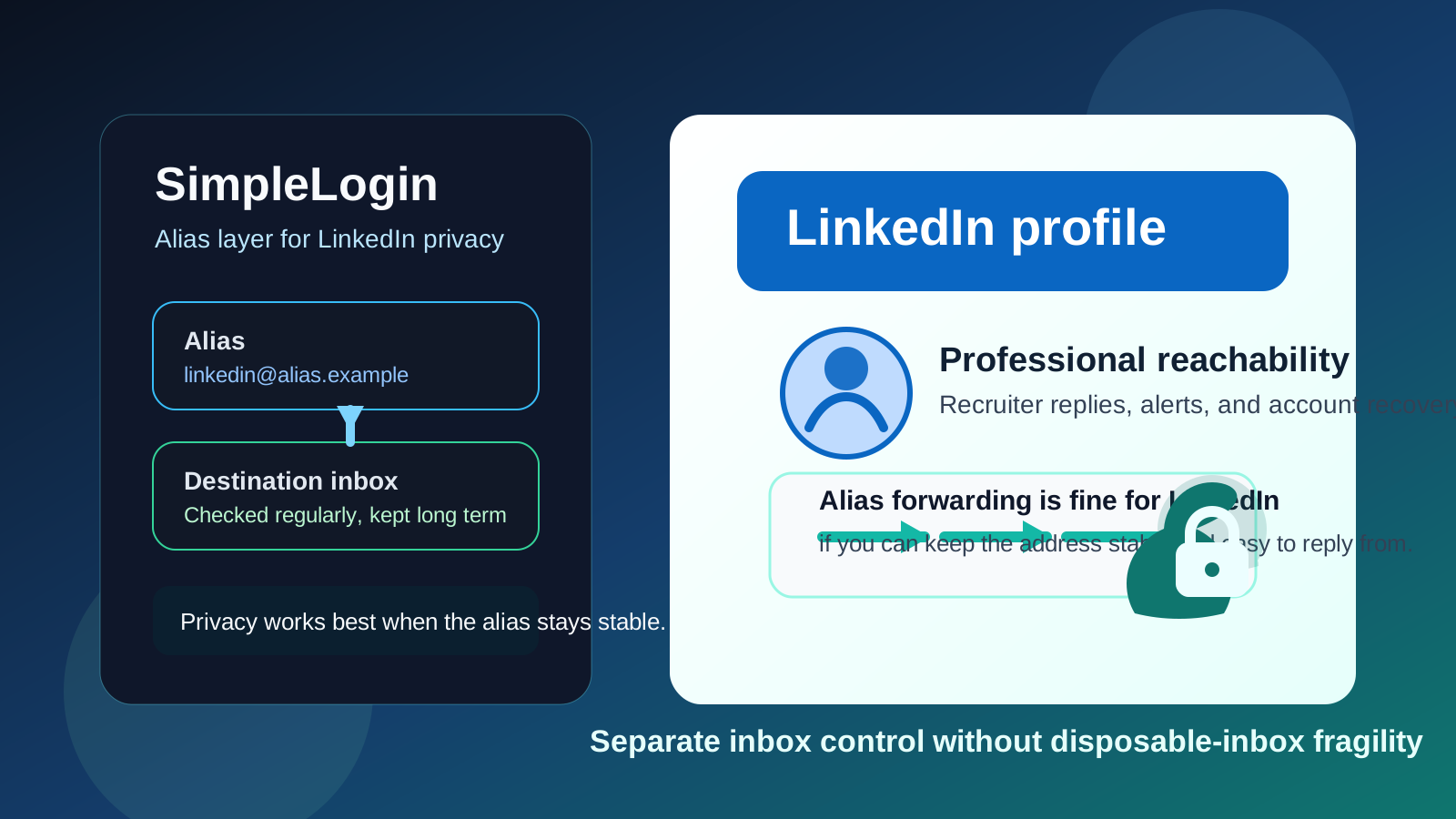
Yes — SimpleLogin can be a smart LinkedIn email setup if you want more privacy without giving up long-term reachability. It works best when you keep the alias stable, monitor the destination inbox consistently, and treat LinkedIn as a durable professional account rather than a disposable signup.
If you plan to rotate aliases constantly, disable them quickly, or use LinkedIn with a throwaway mindset, SimpleLogin is the wrong fit. LinkedIn conversations can stretch across months or years, so continuity matters at least as much as privacy.
Why this question matters
LinkedIn sits in a strange middle ground. It is more public than a normal email exchange, but it is also more persistent than a one-time signup form. The address behind your profile may receive recruiter messages, job leads, event follow-ups, networking replies, password resets, and security alerts long after you create the account. That makes the email choice more important than many people expect.
SimpleLogin appeals to privacy-conscious users because it lets you avoid exposing your main inbox directly. That is a real advantage. But the benefit only holds if the alias remains usable for the kinds of slow-moving conversations that often happen on LinkedIn.
Short answer: SimpleLogin is fine for LinkedIn if the alias is stable
If you want a cleaner boundary between LinkedIn and your main inbox, SimpleLogin can be a very practical option. A stable alias can shield your underlying address, help you organize platform-related mail, and give you more control if outreach later becomes noisy.
The mistake is treating LinkedIn like a temporary-email use case. It is not. A profile that may matter for job searches, referrals, freelance leads, alumni outreach, or professional reputation needs an address you can keep working for the long haul.
When SimpleLogin works well on LinkedIn
1. You want privacy without using a throwaway address
Many people do not want their oldest personal inbox attached to every professional platform. They want a layer between their real mailbox and the websites, recruiters, and salespeople who may end up contacting them. SimpleLogin can provide that layer without forcing you into a short-lived disposable inbox.
That distinction matters. A disposable inbox is built for short-term access. A LinkedIn contact path should be built for continuity. SimpleLogin can bridge those needs if you use it as a durable alias rather than a temporary trick.
2. You want a cleaner professional inbox workflow
LinkedIn can generate a surprising amount of email: connection activity, event reminders, newsletters, recruiting outreach, product nudges, account alerts, and security notices. Keeping that stream separate from your everyday personal inbox can make life easier. A dedicated alias can help you sort professional-platform traffic without handing out your underlying address directly.
3. You already trust your destination inbox
SimpleLogin is strongest when it forwards into an inbox you already check and plan to keep. If the destination mailbox is reliable and part of your normal routine, the alias becomes a useful privacy layer instead of another moving part you might forget.
4. You are comfortable maintaining the setup
Alias-based privacy works best when the setup is boring in a good way. You should know where LinkedIn mail lands, feel confident you can keep the alias active, and avoid complicated habits that future-you may not remember. If your system feels fragile, it probably is.
When SimpleLogin is the wrong fit for LinkedIn
1. You plan to rotate or disable aliases quickly
LinkedIn is not a one-week interaction. A recruiter may reach out long after your profile is updated. A former colleague might reconnect months later. If you think you may retire the alias casually or lose track of it, you are risking missed messages and account headaches.
2. You are not sure how replies will look
Before using any alias setup for serious professional communication, make sure you understand your own workflow well enough to reply clearly and consistently. If contacts receive mail from one address but your reply path feels confusing, it can create friction. The goal is privacy, not needless complexity.
3. You rarely check the destination inbox
The best LinkedIn email is not the one with the most privacy features on paper. It is the one you actually monitor. If recruiter replies, interview invitations, or security alerts land in a mailbox you ignore, the setup stops being helpful.
4. You want LinkedIn to behave like a low-stakes trial signup
This is where people mix up use cases. If you use Anonibox for one-off verifications, temporary signups, or early-stage inbox protection, that can be perfectly sensible. But the email behind a real LinkedIn profile should normally be more durable than the address you would use for a disposable trial.
Does SimpleLogin look unprofessional on LinkedIn?
Usually, no. Most recruiters care far more about whether they can reach you and whether you respond clearly than about whether your address is routed through a privacy tool. What matters is that the visible address looks calm, readable, and intentional rather than strange or throwaway.
That means you should avoid joke aliases, overly random strings, or anything that makes your contact path look disposable. A straightforward, name-based alias or another professional-looking format is much better than something that feels temporary.
SimpleLogin vs other LinkedIn email options
- SimpleLogin vs a primary personal inbox: SimpleLogin gives you more separation and less direct exposure, but only if you maintain the alias properly.
- SimpleLogin vs a work email: a personally controlled alias is usually safer long term because your employer does not control it.
- SimpleLogin vs a school email: a school inbox can disappear after graduation or policy changes, while a personally managed alias can stay with you.
- SimpleLogin vs a temporary inbox: SimpleLogin is much better for LinkedIn because it is designed for ongoing use, not short-term verification and abandonment.
- SimpleLogin vs a custom-domain email: a custom domain can look more permanent and branded, but SimpleLogin may be easier if your main goal is quick privacy separation rather than full mailbox ownership.
Best practices if you use SimpleLogin on LinkedIn
Use one long-term alias, not constant experiments
Pick an alias you are willing to keep active. LinkedIn benefits from continuity. Constantly switching contact addresses creates avoidable confusion and account-recovery risk.
Keep the destination inbox healthy
The alias layer only works if the inbox behind it remains accessible, monitored, and organized. If you would miss an important message there, the alias is not solving the right problem.
Test your workflow before it matters
Do not wait until a recruiter message or security alert arrives to discover whether your setup feels awkward. Make sure the forwarding path works and that your communication flow feels professional from both directions.
Make the visible address look normal
A simple, credible alias makes first contact easier. The goal is to protect your main inbox, not to raise unnecessary questions about whether the address is real.
Review account recovery and security
Your LinkedIn email is part of your account-security story, not just your notification preference. If you lost access to the alias setup tomorrow, you should know what recovery steps you would actually take.
Common mistakes to avoid
- Using a LinkedIn alias you may disable as soon as you get annoyed by notifications
- Forgetting that recruiter follow-up can arrive long after your last profile update
- Choosing an alias that looks disposable or confusing
- Adding too many forwarding layers and then losing track of them
- Assuming privacy matters more than reachability in a professional-networking context
A quick decision checklist
Before you put SimpleLogin on LinkedIn, ask yourself:
- Will I keep this alias active for the long term?
- Does it forward into an inbox I actually monitor?
- Does the visible address look professional enough for recruiter contact?
- Can I handle follow-up and account-recovery messages without confusion?
- Am I using this for privacy and organization, not as a disposable shortcut?
If the answer to most of those questions is yes, SimpleLogin can be a good fit.
Final verdict
Yes — SimpleLogin can be a smart LinkedIn choice if you want a privacy layer between your public professional profile and your main inbox. It is especially useful if you value alias control, cleaner inbox boundaries, and long-term flexibility.
The rule is simple: LinkedIn deserves a stable contact path. If your SimpleLogin alias is one you will keep, monitor, and use consistently, it can work very well. If it is effectively a temporary address in disguise, it is the wrong tool for a profile that may matter for years.