Yes, a separate browser profile is often a smart choice for employment verification because it keeps portal logins, autofill, downloads, and sensitive documents away from your everyday browsing.
The catch is that it should be a stable, easy-to-monitor profile on a device you trust, not a messy throwaway setup you might abandon halfway through the process.
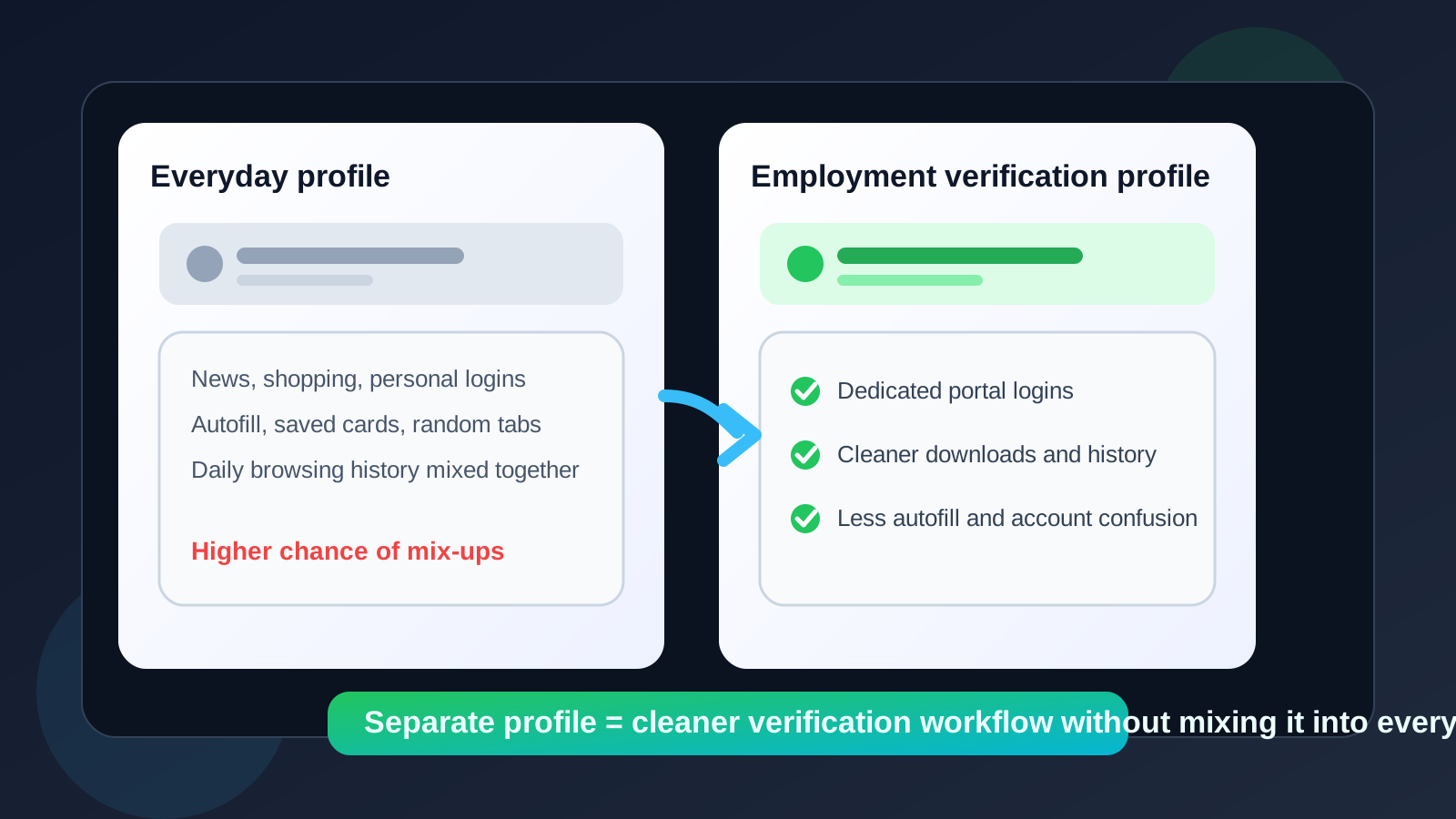
Employment verification sounds simple until you are actually in it. One employer or screening vendor may send a consent form, another may ask you to log into a portal, and a third may request follow-up documents after your first upload. At the same time, your regular browser is already full of personal logins, shopping sessions, saved cards, email tabs, and old autofill entries. That is how small mistakes happen: you upload from the wrong cloud account, save sensitive files into a personal downloads pile, or let the browser autofill information you did not mean to share.
That is why a separate browser profile for employment verification is often worth it. It gives you a cleaner space for verification portals, employer emails, and supporting documents without turning your whole device into a high-friction project. It is not magic, and it is not a security guarantee, but it is one of the simplest ways to reduce mix-ups and keep late-stage hiring tasks more organized.
Why employment verification is a good use case for a separate profile
Employment verification sits in an awkward middle zone. It is more sensitive than a casual job application, but it is usually less discussed than interviews or offer letters. By the time verification starts, you may be handling previous-employer details, contact names, dates of employment, pay stubs, identity documents, or portal invites from a third-party vendor. Even when everything is legitimate, it is still a process where accuracy and organization matter.
A separate browser profile helps because it isolates this work from daily browsing habits. Instead of mixing a verification portal with personal Gmail, saved shopping passwords, unrelated autofill data, and dozens of open tabs, you get a cleaner workspace built for one purpose. That makes it easier to stay focused and less likely that you click, upload, sign in, or save something under the wrong account.
What a separate browser profile actually solves
1. It reduces account mix-ups
One of the most common browser mistakes is not a dramatic hack. It is just using the wrong account. Maybe your everyday browser is signed into multiple Google accounts, two Microsoft accounts, and several cloud storage services. When a verification portal asks for a document, you can easily grab the wrong file source or upload from the wrong drive. A separate profile lowers that risk because only the accounts you need for employment verification live there.
2. It keeps autofill under better control
Browsers love being helpful. Sometimes too helpful. Stored addresses, phone numbers, card data, and form history can appear the moment you click into a field. For verification tasks, that can be annoying at best and sloppy at worst. A dedicated profile gives you a cleaner autofill environment so you are not fighting your browser every time you fill out a form.
3. It creates cleaner downloads and document handling
Verification workflows often involve PDFs, signed forms, employer letters, or identity-related paperwork. If all of that lands in the same messy downloads folder as screenshots, random invoices, and personal attachments, finding the right file later becomes harder than it should be. A separate profile lets you set expectations: these downloads belong to this process.
4. It keeps your history and portal sessions compartmentalized
That matters for both convenience and privacy. If you need to return to a verification portal a week later, it is easier when the related history, bookmarks, and cookies live in one profile instead of being buried inside everything else you did online that week.
Separate browser profile vs incognito mode
People often treat these as interchangeable, but they are not.
Incognito or private windows are good for quick one-off tasks when you do not want a session to stick around. Employment verification is usually not a one-off task. You may need to come back to the same portal, keep a session history, revisit a confirmation page, or track which links were sent by which vendor. Incognito can make all of that more annoying.
A separate browser profile is better when you want continuity without contamination. It preserves the environment you need for the process while still keeping it away from your regular browser life.
Separate browser profile vs your work browser profile
This part is simple: if you are still employed, your work browser profile is usually the wrong place for employment verification. Employer-managed profiles may sync browsing history, installed extensions, bookmarks, or account activity more broadly than you expect. Even if nobody is actively watching you, using a company-managed profile for outside job activity creates unnecessary overlap.
If privacy matters, a separate personal profile on your own device is usually the better choice. The goal is not to hide anything dramatic. It is just to keep outside-career activity from sharing a lane with employer-managed systems.
When a separate profile is especially useful
- You are dealing with multiple portals or vendors. Some hiring processes use third-party verification services, and those can generate several emails, forms, and login flows.
- You are juggling more than one hiring process. Separate profiles make it easier to avoid crossing documents or accounts between opportunities.
- You already use separate contact channels for job search. If you have a dedicated inbox, alias, or temporary inbox workflow, a dedicated browser profile matches that same compartmentalization mindset.
- You have a cluttered everyday browser. If your normal profile already contains years of bookmarks, saved sessions, and personal autofill, cleaner separation helps a lot.
- You are concerned about accidental exposure on a shared or semi-shared machine. Even when the device is yours, a distinct profile helps keep sensitive tabs and files out of your normal browsing flow.
When it may be unnecessary
A separate profile is useful, but it is not mandatory for every person in every situation.
If the process is very simple, you are only dealing with one employer, your everyday browser is already clean, and you are good at staying organized, you may not need the extra layer. Some people work perfectly well with a well-managed default profile and a tidy file system.
The point is not to create ceremony for its own sake. The point is to use separation when it genuinely reduces friction, confusion, or privacy spillover.
How to set up a separate browser profile without overcomplicating it
Keep it boring and stable
Choose a mainstream browser profile feature you already understand. Name it clearly. Something like “Employment Verification” is better than a vague icon you will forget later.
Sign in only to what you actually need
If the profile ends up carrying every account you already use elsewhere, the benefit disappears. Add only the email account, storage account, and portal logins that are relevant to the verification process.
Use a clean bookmarks bar
Bookmark the employer portal, relevant email inbox, and maybe one document folder. That is enough. The value comes from reducing clutter, not rebuilding your whole digital life inside a second profile.
Think about downloads early
Know where files will land. If you are expecting consent forms, employment letters, or document requests, make sure you can find them quickly.
Keep notifications realistic
If you use a separate profile but never open it, you have not improved anything. Employment verification can move quickly. You still need a routine for checking the inbox and portal activity tied to that profile.
How this fits with temporary email and job-search privacy tools
A separate browser profile pairs well with a separate email strategy, but it does not replace one. Early in a job search, some people use temporary inboxes or disposable email workflows to reduce spam-heavy exposure. Tools like Anonibox can be useful when you want a low-friction inbox for early-stage signups or less trusted intake points.
Employment verification is usually later and more serious than that. At that stage, continuity matters more than disposability. So the stronger combination is often a stable verification email address or alias plus a separate browser profile that keeps the related sessions, downloads, and portal history together. That setup is usually more practical than treating employment verification like a throwaway signup.
Common mistakes to avoid
Using a separate profile once, then forgetting it exists
If the process spans several days, you need to keep returning to the same profile. Otherwise you end up with half the workflow in one browser space and half in another.
Installing every extension you normally use
The cleaner the profile, the better. If you load it with the same pile of extensions, saved accounts, and distractions as your main browser, you lose most of the point.
Treating it like a security guarantee
A separate profile helps with organization and compartmentalization. It does not guarantee privacy, stop tracking, or make an untrusted device suddenly trustworthy. It is a practical workflow improvement, not a magic shield.
Building it on a work-managed device or profile
If the entire point is cleaner separation from your current employer or ordinary browsing life, creating the profile inside a company-managed environment defeats a lot of that value.
A quick checklist before you use one
- Is this on a device you trust and control?
- Does the profile contain only the accounts needed for verification?
- Can you easily monitor the inbox and portal linked to it?
- Do you know where downloaded forms and documents will go?
- Will this make the process simpler rather than more confusing?
If the answer is yes across the board, a separate browser profile is probably helping. If not, simplify the setup before you rely on it.
Final answer
So, should you use a separate browser profile for employment verification? In many cases, yes. It is one of the easiest ways to keep sensitive portals, document uploads, and verification-related browsing from getting tangled up with your everyday online life.
Just keep the setup practical. Use a stable profile on a personal device you trust, sign in only to what you need, and make sure you will actually monitor it. Done well, it can make employment verification cleaner, calmer, and less error-prone without turning a normal hiring step into a technical project.