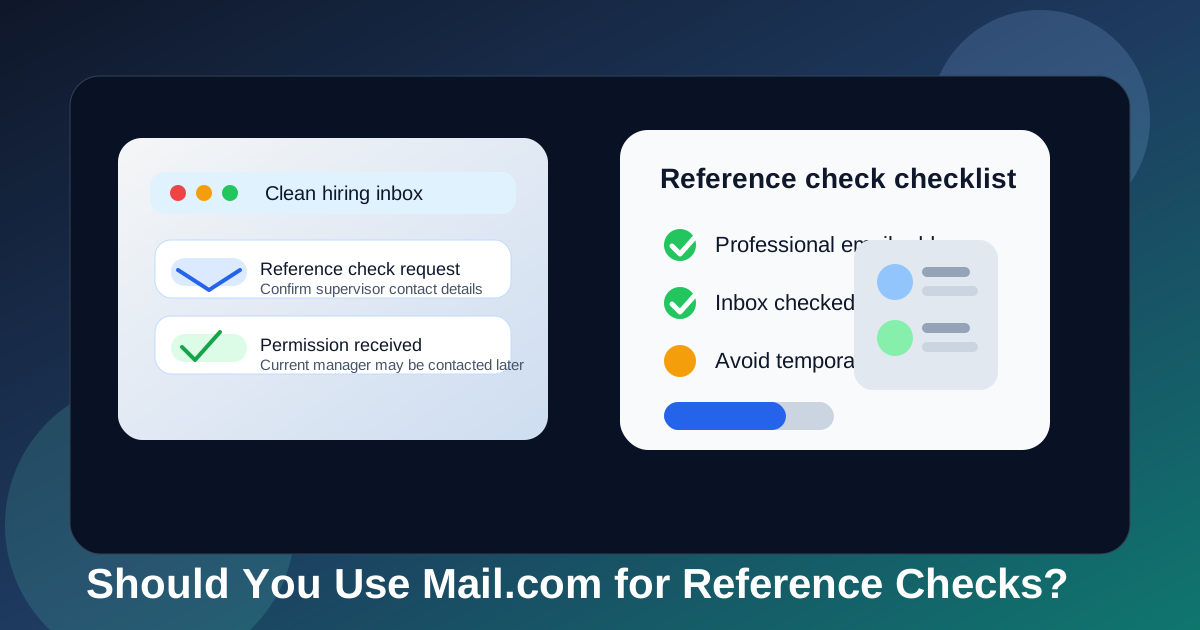
Yes, Mail.com can work for reference checks if the address is professional, the inbox is stable, and you actually monitor it while the hiring process is moving.
A dedicated long-term inbox is usually safer than a temporary one at this stage, because reference checks often involve follow-up, clarifications, and delays you do not see coming.
Why this question matters more than it seems
Reference checks happen late enough in the hiring process that small communication mistakes start to matter. Earlier on, missing a newsletter or a generic recruiter blast is annoying but usually harmless. During reference checks, a missed message can hold up the final stretch of a real opportunity.
An employer might need you to confirm the best contact details for a former manager, tell them whether a current employer can be contacted, or answer a small question about timing, titles, or reporting lines. Sometimes the check happens quickly. Sometimes it drags because a reference is slow, out of office, or no longer at the same company. That is why the right inbox for reference checks is less about brand prestige and more about continuity.
Mail.com sits in an interesting middle ground for a lot of job seekers. It is not a throwaway inbox, so it can support a multi-day or multi-week process. But people also often use it as a secondary account, which means the real risk is not the provider itself. The risk is treating it like an account you only remember when convenient.
Short answer: Mail.com is acceptable if you use it like a real hiring inbox
Most employers are not obsessing over whether your address is on Mail.com, Gmail, Outlook, or another mainstream service. They care about practical things: whether you see messages quickly, whether your address looks reasonably professional, and whether the same inbox stays available from interview stage through references and onboarding.
If your Mail.com account is clean, active, and easy to check, it can absolutely work for reference checks. If it is old, cluttered, or tied to a username that feels unserious, then the problem is not really Mail.com. The problem is that your setup introduces avoidable friction during a stage where follow-through matters.
What reference checks actually demand from an inbox
Reference checks are mostly a coordination exercise. Employers are trying to verify who they should contact, when they can do it, and whether the contact details you gave them are still correct. That means your inbox needs to support a few simple but important goals:
- Reachability: you need to notice requests quickly enough to keep the process moving.
- Continuity: the inbox should still be there if someone follows up several days later.
- Searchability: you may need to find an old message with a recruiter, a reference list, or a permission note.
- Professionalism: the address itself should not distract from an otherwise normal hiring process.
- Security: reference-related email may include names, job history, and next-step links you do not want buried in a messy account.
Mail.com can do all of that. The key question is whether your specific Mail.com inbox does it well.
When Mail.com is a good choice for reference checks
1. You already use it as a dedicated job-search inbox
This is probably the strongest case for it. If your Mail.com address is already the inbox you use for applications, recruiter replies, scheduling, and later-stage hiring steps, then reference checks are a natural continuation. Keeping the same inbox reduces confusion and gives you one place to watch for updates.
2. The address looks professional
A straightforward name-based handle is usually fine. Most hiring teams are not ranking email providers like a taste test. They are reacting to whether the full address looks normal and trustworthy in context. A simple address built around your name is much safer than one built around jokes, old gamer tags, or random numbers.
3. You monitor it every day
Reference checks do not always generate lots of mail, which is exactly why they can be easy to miss. One message may matter more than twenty application confirmations. If Mail.com is on your phone, you notice alerts, and you check spam and inbox regularly, that works in its favor.
4. You want separation without using a disposable inbox
Plenty of job seekers do not want final-stage hiring communication mixed into the same inbox they use for shopping, receipts, newsletters, and personal life. That is reasonable. A separate Mail.com account can give you cleaner boundaries without becoming fragile the way a temporary inbox can.
Where Mail.com can create friction
1. The account is a backup inbox you rarely open
This is the most common failure mode. People create a secondary inbox for “organization,” then forget to build habits around it. During reference checks, a rarely used inbox is more dangerous than a crowded but familiar one, because you may not notice an urgent message until the recruiter has already had to chase you.
2. The inbox is cluttered with unrelated mail
If your Mail.com account has become a catch-all for old signups, discounts, trials, and low-value notifications, it may not serve the purpose you want it to serve. Reference-check communication is often low volume and easy to bury. A dedicated inbox only helps if it stays dedicated.
3. The address does not match the rest of your hiring workflow
If you applied with one email, interviewed from another, and then switch again for references, people can still work with that, but it is not ideal. Consistency reduces confusion. If Mail.com is going to be part of the process, it is usually best when it is part of the process all the way through, not introduced suddenly at the most detail-sensitive stage.
4. You want privacy, but are solving the wrong problem
Reference checks are not anonymous by nature. The employer already knows your identity and is contacting real people from your work history. The privacy benefit of a separate inbox is mainly about compartmentalization and reducing spillover into your main account, not hiding who you are. If you expect a secondary inbox to make the process feel invisible, you will be disappointed.
Why temporary email is usually the wrong tool here
This is where Anonibox fits naturally into the bigger picture. Temporary or disposable email is useful much earlier in the funnel: job-board experiments, gated downloads, low-trust forms, and situations where you want to protect your main inbox from broad spam exposure. That is a real use case.
Reference checks are different. They are slower, more personal, and often less predictable than people assume. A recruiter might say references are next, then nothing happens for a week. A screening vendor might follow up with a clarification request after a manager finally replies. You may need to reopen a message with contact instructions or confirm permission to contact someone at a specific time.
That is why a durable inbox almost always beats a disposable one at this stage. Temporary email is excellent for reducing exposure when trust is low. Reference checks happen when trust is higher and continuity matters more.
Best practices if you use Mail.com for reference checks
Use the cleanest version of your address
If you have more than one Mail.com address, use the one that looks most professional and most obviously connected to your name. Hiring teams do not need novelty here. They need clarity.
Create a simple hiring folder
Make one folder or filter for recruiter, HR, screening, and reference-related messages. That small step turns a general inbox into a much more reliable workflow. If the process stretches out, you will be glad the important messages are grouped together.
Check spam and junk during active hiring
Reference-check messages do not always come from the exact company domain you expect. They may come from a recruiting coordinator, HR operations address, or a screening tool you have not seen before. During an active reference stage, a quick junk-folder check is worth the extra minute.
Reply from the same inbox consistently
Consistency helps everyone. If the recruiter, HR team, and screening vendor all see the same address throughout the process, there is less room for confusion, mismatched records, or missed follow-up.
Save the messages that matter
Do not assume you will remember where an important note is. Save messages with reference instructions, deadlines, contact approvals, or corrections. A simple archive folder can prevent unnecessary scrambling later.
Verify unexpected links before clicking
Job seekers are constant phishing targets. A legitimate reference check may still involve third-party software or unfamiliar domains, so slow down if something looks odd. Verify through the recruiter or official company contact if a request feels inconsistent or unusually urgent.
A practical setup for privacy-conscious job seekers
If you care about privacy but still want a low-friction hiring process, the smartest approach is usually layered rather than absolute.
- Use a temporary or compartmentalized inbox early when you are protecting yourself from spammy signups and broad top-of-funnel exposure.
- Move serious hiring steps into a stable inbox once interviews, references, and verification become real.
- Keep that stable inbox clean and searchable so you can respond quickly when follow-up arrives.
- Avoid unnecessary mid-process switching unless there is a real problem with the address you started with.
For many people, a clean Mail.com address works well in that second stage. It gives separation from personal inbox noise without sacrificing the continuity reference checks need.
Example: when Mail.com helps and when it hurts
Imagine two job seekers. The first uses a Mail.com inbox created specifically for job hunting. It has a professional address, notifications turned on, and a folder for hiring messages. When the employer asks whether a current manager can be contacted next week instead of this week, that person sees the message, replies quickly, and the process keeps moving.
The second also has a Mail.com address, but it is an old backup account used for random signups, rarely checked, and full of junk. A recruiter sends a question about whether a former supervisor’s number is still correct. The message gets buried, the employer waits, and a simple delay turns into avoidable friction. Same provider, completely different outcome.
That is why this topic is mostly about inbox habits, not inbox branding.
Quick checklist before you use Mail.com for references
- Does the address look professional and name-based?
- Do you check the inbox daily on the device you actually use?
- Will the account stay active for the full hiring and onboarding window?
- Is the inbox clean enough that one important message will stand out?
- Have you been using the same inbox consistently throughout the process?
- Would another stable inbox serve the role better with less friction?
If most of those answers are yes, Mail.com is probably a perfectly reasonable choice. If several answers are no, switching to a cleaner long-term inbox before reference checks begin may save you hassle.
Final answer
Yes, you can use Mail.com for reference checks if the inbox is stable, professional, and actively monitored. The provider itself is usually not the deciding factor.
What matters is whether the account helps you stay reachable, organized, and consistent during a part of hiring that often involves quiet but important follow-up. Use temporary email earlier when you need spam protection. Use a durable inbox like a clean Mail.com account when the process becomes real and continuity starts to matter more than short-term privacy.