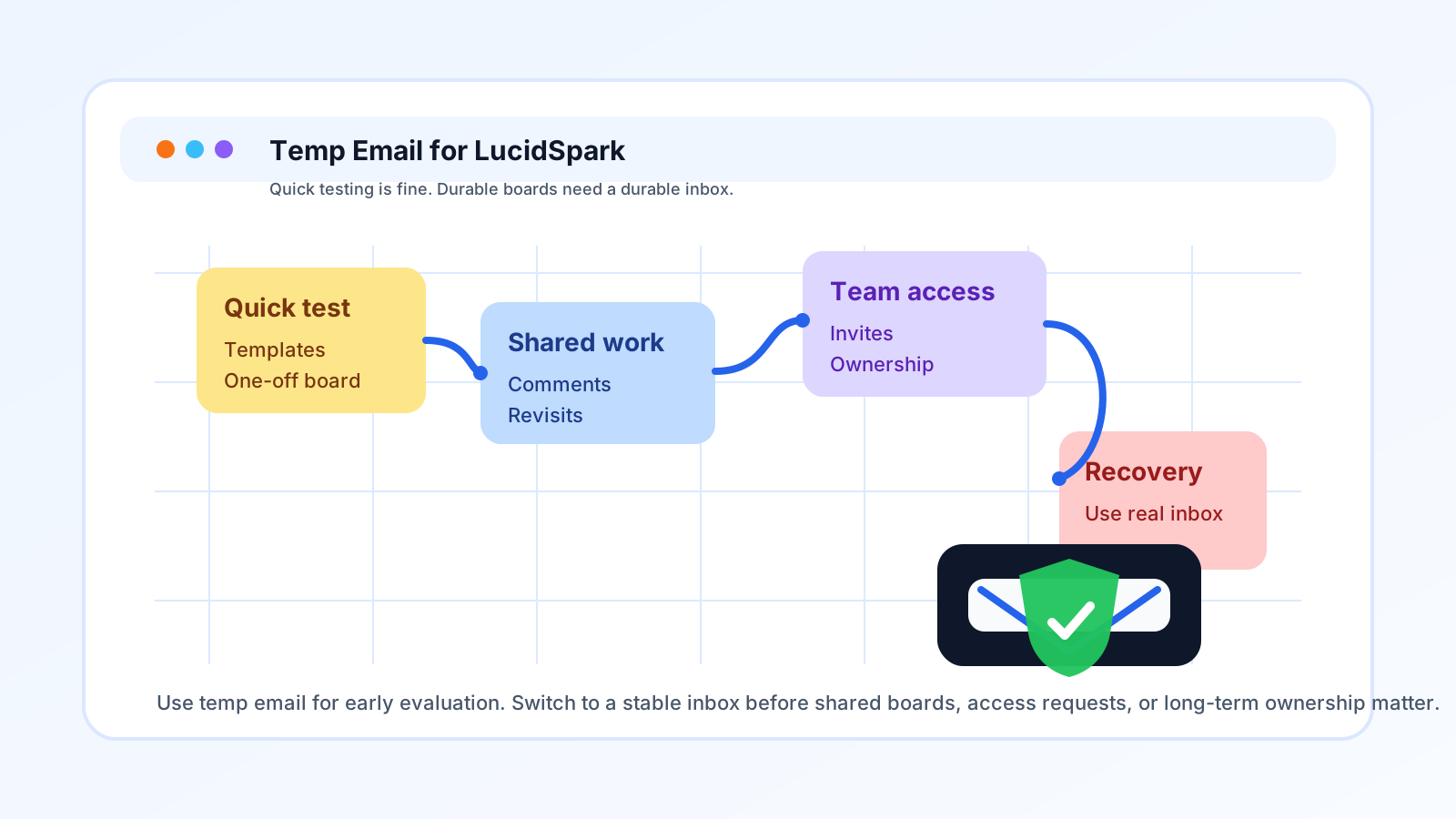
A temp email for LucidSpark can be useful for quick whiteboard testing, but it becomes risky once shared boards, comments, team access, or account recovery matter.
Yes, you can use a temp email for LucidSpark if you only want to explore templates, try a one-off board, or keep your main inbox out of another SaaS trial. No, it is not the smartest long-term choice once the board starts carrying real work, collaborators, or anything you may need to recover later.
That trade-off matters because LucidSpark lives in a gray area between “just testing a tool” and “quietly creating something important.” People open a board to brainstorm, run a workshop, map a process, collect sticky notes, or sketch an idea for a class or side project. Then the board grows legs. Someone else joins. Comments show up. The session gets revisited next week. What started as a low-stakes sign-up suddenly becomes part of a real workflow.
If you are searching for temp email for LucidSpark, you are probably trying to protect your inbox while you explore. That is reasonable. The key is knowing where temporary email helps, where it starts to create friction, and when to switch to a stable inbox you actually control.
Why people want a temp email for LucidSpark
LucidSpark is the kind of tool people often want to try before they commit to it. It sits in a cluster with products like FigJam, Miro, Mural, and other collaborative whiteboarding tools where sign-up feels light, but the downstream email can become surprisingly noisy.
Common reasons people reach for a temporary inbox include:
- They want to test the workspace without giving their main email to another software vendor.
- They are comparing several whiteboard tools and do not want every trial feeding the same inbox.
- They only need a board for a short workshop, brainstorming session, or one-off exercise.
- They want to keep freelance, class, side-project, or volunteer experiments separate from their everyday identity.
- They want to avoid long follow-up sequences, product updates, prompts, and reminder emails before they know whether they will keep the tool.
That is the good use case. A temp address through a service like Anonibox can keep the early evaluation phase cleaner. You get through verification, you open the board, and you see whether the product is worth deeper setup.
When a temp email for LucidSpark makes sense
1. You are doing quick product evaluation
If you are only asking, “Is this the right whiteboard tool for me?” a temporary inbox is often fine. You can create the account, look at the interface, open a sample board, test a few templates, move some sticky notes around, and decide whether LucidSpark belongs in your workflow at all.
At this stage, the account is still disposable because the work is disposable. You are evaluating, not depending on it.
2. You are comparing several collaboration tools at once
Whiteboard-tool comparisons create inbox clutter fast. One week you may test FigJam, the next Miro, then LucidSpark, maybe Mural after that. If you use the same permanent address for every short trial, your inbox becomes a backlog of onboarding emails, webinar nudges, feature announcements, and upgrade prompts that outlive the comparison itself.
A temp inbox gives each test a clean boundary.
3. You only need a one-off board
Sometimes a board really is temporary. You may be joining a workshop, outlining a simple process, preparing for one presentation, or capturing quick notes you do not expect to revisit. If the board is genuinely low stakes and short-lived, a temporary inbox can be a practical fit.
4. You are protecting your main inbox during early research
Even reputable tools can be heavy on lifecycle email. If you are not ready to invite that stream into your primary inbox, using a temporary address for first contact is a reasonable way to keep the relationship narrow until the product earns more trust.
When it becomes a bad idea
1. The board stops being a test and starts being shared work
This is the biggest turning point. Collaborative whiteboards feel informal, but the moment other people are involved, the account matters more than it did on day one. Shared boards often lead to follow-up access requests, comments, permission changes, and revisit sessions you did not plan for when you first signed up.
If the board is turning into something your teammates, classmates, clients, or collaborators actually rely on, a throwaway inbox stops being convenient and starts being fragile.
2. You are the owner of something other people may need later
If you created the board, invited people into it, or may need to manage permissions later, you should not leave ownership attached to an email address you may lose. Ownership is where temporary email decisions become expensive. What feels like a harmless privacy move on day one can become a nuisance or a lockout problem later.
3. Notifications actually matter now
People often treat email notifications as pure noise, but once a board matters, some of those messages carry useful signals. Access requests, comment threads, board shares, and security or recovery messages are only annoying when the account is still disposable. Once the board matters, those same emails become part of normal account hygiene.
4. You may need recovery, continuity, or billing visibility
Any account that could become important should be attached to an inbox you can still reach next week, next month, and next quarter. Recovery is the part people forget when they use temp email. The first verification message is easy. The problem comes later, when you need a reset link, confirmation message, or ownership change and the old inbox is gone.
Specific risks with a temp email for LucidSpark
- Lost access at the wrong time: A board can matter long after the first login.
- Missed collaborator activity: Shared work often depends on reliable notifications.
- Messy handoff problems: If you are the original owner, later transfer or cleanup can be more awkward.
- Confusion across tools: If you are testing several platforms at once, it is easy to forget which temp inbox belongs to which account unless you document it.
- False sense of disposability: A whiteboard feels temporary until it quietly becomes real documentation.
The safest way to use a temp email for LucidSpark
If you want the privacy benefit without trapping yourself, use a staged approach.
Start with temporary email only for first access
Use the temp inbox to get through sign-up and initial verification. That lets you inspect the product without immediately connecting it to your long-term inbox.
Decide quickly whether the board is disposable or durable
Ask yourself a simple question after the first session: “Will I care about this board a week from now?” If the honest answer is yes, switch to a stable inbox early instead of waiting for the account to become tangled with more activity.
Save the messages that matter
During the first hour, keep the essentials: the verification email, any useful setup notes, and the direct board link if you need it. Temporary inboxes are good at short bursts, not long-term record keeping.
Move to a real inbox before inviting other people
This is the cleanest rule of thumb. If you plan to collaborate, use a durable inbox before comments, access requests, or recurring work start depending on the account. It is easier to make the switch early than to clean it up later.
A practical checklist before you decide
Use a temp email for LucidSpark only if most of these statements are true:
- You are testing the tool, not building something important yet.
- The board is personal, short-lived, or genuinely disposable.
- You do not expect other people to depend on your account.
- You are comfortable switching to a permanent address later if the tool sticks.
- You only need the first verification and setup emails, not long-term continuity.
Use a permanent inbox instead if any of these sound true:
- The board may become a real project artifact.
- You are inviting teammates, classmates, or clients.
- You care about account recovery and future access.
- You expect comments, follow-ups, or repeat sessions.
- You may eventually connect the board to broader work or paid usage.
Examples of good and bad use
Good use
You are comparing LucidSpark against FigJam and Miro for a side project. You want to see templates, try a few boards, and decide which interface feels best before giving any vendor your long-term inbox. A temp email is reasonable here.
Borderline use
You join a one-off workshop board for a community event. If you truly only need it for that session, a temporary inbox may be fine. But if you think the board might stay active afterward, it is smarter to switch early.
Bad use
You create a board your team will actually use for planning, discovery, retrospectives, or documentation and leave it attached to a throwaway inbox. That is exactly where the convenience stops paying for itself.
How Anonibox fits naturally into the workflow
Anonibox makes the early stage easier when your goal is inbox protection, not long-term account management. If you only want to pass the sign-up gate, review the workspace, and avoid another flood of follow-up mail while you compare tools, a temporary inbox is useful. Just do not confuse “good for sign-up privacy” with “good for permanent ownership.” Those are different jobs.
Final answer
A temp email for LucidSpark is a good short-term privacy move when you are only testing the product, comparing whiteboard tools, or joining a low-stakes one-off board. It becomes a poor long-term choice once shared boards, collaborator activity, ownership, recovery, or anything durable enters the picture.
The simplest rule is this: use temporary email to explore, then switch to a stable inbox before the work becomes real. That gives you the privacy benefit up front without creating a mess later.