Yes — a temp email for Crisp is fine for quick sign-up privacy while you test the product.
It becomes a risky choice once shared inbox ownership, customer conversations, teammate invites, billing, or account recovery depend on that temporary address.
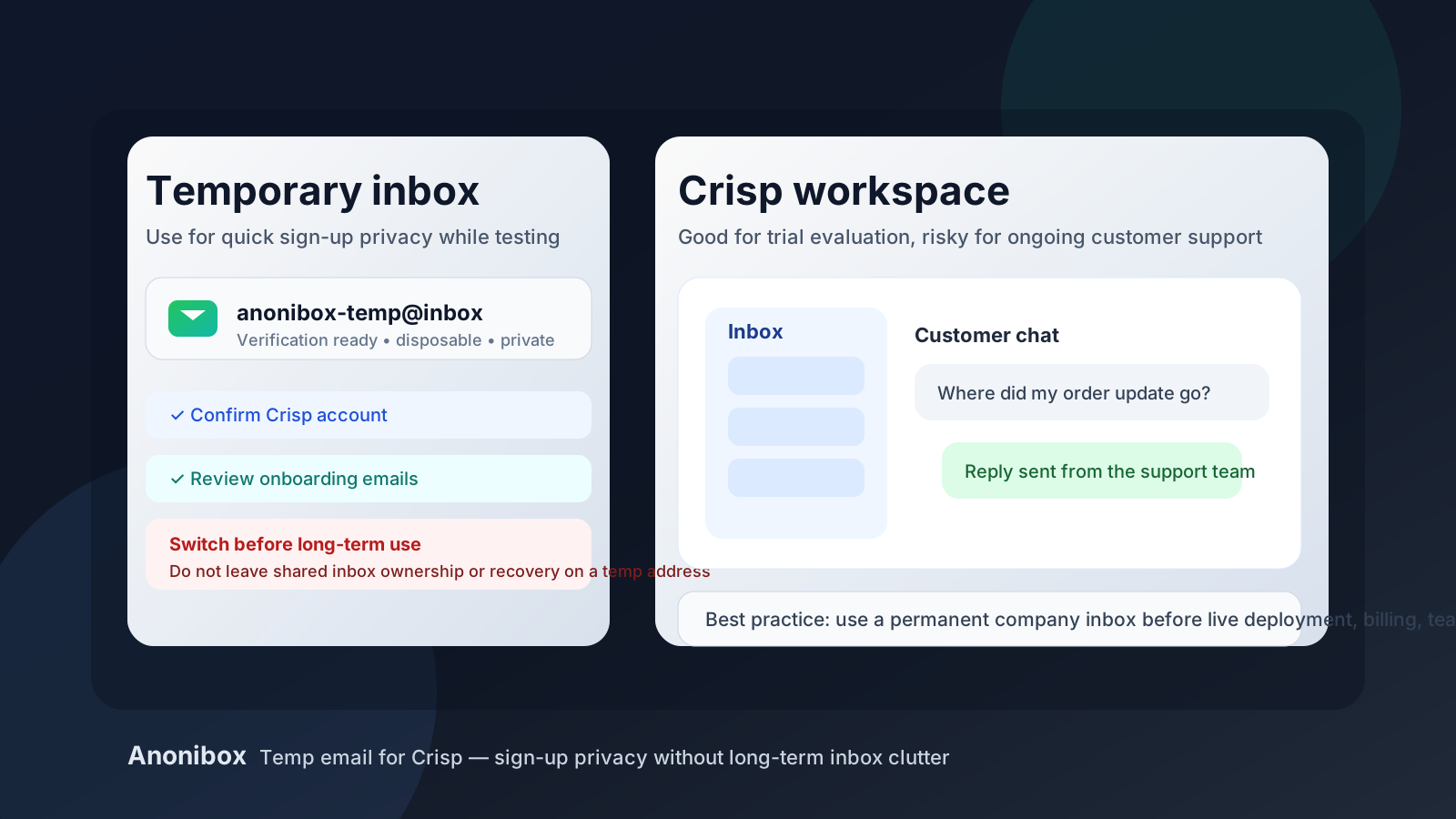
That is the practical answer most people need. If you only want to explore Crisp, confirm the account, click around the inbox, and decide whether the platform fits your workflow, a disposable address can help keep trial noise out of your main inbox. But if you are moving toward a real support setup, live chat on a production site, or a shared team workspace, you should switch to a durable email address early.
Crisp is not just a simple newsletter sign-up. It can sit close to customer communication, team access, saved conversations, chatbot flows, and account administration. That means the email you use at signup matters more over time than it does in the first ten minutes. A temporary inbox is great for short-term evaluation. It is not a great foundation for long-term ownership.
When a temp email for Crisp makes sense
A temporary inbox makes the most sense when you are still in the low-stakes research phase. Maybe you are comparing Crisp with Intercom, Tidio, Front, Help Scout, or another support tool and you do not want a week of sales follow-ups landing in your main mailbox. Maybe you are a founder checking whether the interface feels right. Maybe you are testing widget setup on a staging site and want to keep the trial isolated until you know whether the product is worth deeper work.
In those situations, using a temporary address is reasonable because your goal is simple: get through verification, review onboarding messages, and evaluate the software without turning your real inbox into a long nurture funnel. An address from Anonibox or a similar throwaway workflow can be useful for exactly that stage.
- You want to confirm the account and review the setup flow privately.
- You are comparing multiple support tools in a short period.
- You do not want product tips, sales nudges, and reminder emails mixed into your main inbox yet.
- You are still deciding whether Crisp is even a serious option for your team.
When a temporary email becomes a bad idea
The equation changes as soon as Crisp stops being a trial and starts becoming part of real operations. If the workspace may hold live customer conversations, support routing, teammate permissions, billing notices, or security alerts, the signup address is no longer a disposable detail. It becomes part of the account’s long-term reliability.
A temp email is a weak fit when:
- you plan to invite teammates into a shared inbox,
- you expect to keep customer conversation history,
- you may need password resets or ownership verification later,
- billing receipts or renewal notices matter, or
- the account could become your real customer-support front door.
If any of those are true, switch to a permanent company-controlled inbox before the trial turns into a real deployment. Waiting too long is how teams end up with an important account tied to an address nobody can recover.
Why this matters more for Crisp than for a casual sign-up
People sometimes treat all product registrations the same, but they are not. A temp email is low-risk for a one-off content download or a lightweight demo. Crisp is different because it can sit in the middle of customer communication. Even if you start small, the workspace can quickly become operational: chat history accumulates, macros get written, automations get tweaked, teammates join, and the account starts to matter.
That means the real question is not whether a temp email can get you through signup. It can. The better question is whether you would be comfortable losing access to that inbox once the trial has served its purpose. If the answer is no, then it should not remain the account’s long-term identity.
A sensible workflow if you want privacy during evaluation
1. Use the temp inbox only for the first layer of testing
Create the temporary address before you sign up. Use it for account confirmation, the welcome email, and the initial onboarding sequence. This gives you a clean testing lane without exposing your permanent inbox too early.
2. Evaluate the product quickly and deliberately
During the trial, focus on the things that actually determine whether Crisp fits your use case: inbox layout, live chat responsiveness, teammate workflow, automation options, and how easy it is to manage customer conversations. Capture notes as you go instead of leaving important setup details trapped in a temporary mailbox.
3. Switch before anything becomes persistent
If Crisp looks promising, update the account email before you add teammates, connect production channels, install the widget on a live site, or rely on the workspace for real support conversations. That is the clean handoff point between temporary privacy and operational ownership.
4. Move billing and recovery to the durable inbox too
Do not only change the visible contact address. Make sure the inbox tied to billing, security alerts, password resets, and primary ownership is also one your team controls long term.
Practical risks of keeping a temp email on a live Crisp account
You could lose account recovery
This is the biggest one. If the temporary mailbox expires or becomes inaccessible, password resets and important verification messages may go nowhere useful. That is inconvenient during a trial and potentially painful once the workspace matters.
You may miss critical notices
Support platforms send more than welcome emails. There can be login alerts, teammate invitation confirmations, billing notices, and plan-related updates. A throwaway inbox is easy to forget, which makes it a poor destination for anything important.
Team ownership can become messy
Many problems with shared tools are not technical at first. They are administrative. One person signs up quickly, uses a temporary address, and then months later nobody knows who controls the original owner inbox. That creates unnecessary friction for a tool that may now be central to customer communication.
Customer support history deserves stability
If Crisp becomes part of your actual support stack, you want the surrounding account information to be stable and boring. Temporary inboxes are good for experimentation. Production support workflows should be attached to predictable, controlled contact details.
What a good decision looks like in real life
Imagine a solo founder testing three customer messaging tools over one afternoon. A temp email for Crisp makes perfect sense there. The founder wants to compare onboarding, see how the inbox feels, check the widget editor, and avoid weeks of follow-up mail from every vendor. That is exactly the kind of short evaluation where disposable inboxes are useful.
Now imagine the same founder decides Crisp is the winner, installs it on a live site, connects the team’s real workflow, and starts using it to answer customer questions. At that point, staying on a temporary inbox is no longer clever privacy hygiene. It is just avoidable account risk.
Quick checklist before you decide
- Use a temp email if you only need sign-up privacy and early product testing.
- Switch to a permanent inbox before teammates, billing, or live customer support depend on the account.
- Save important setup details instead of leaving them inside a mailbox that may disappear.
- Keep ownership clear by using a company-controlled address for long-term administration.
- Treat the temp inbox as disposable and not as a substitute for a durable support identity.
So, should you use a temp email for Crisp?
Yes — for short-term sign-up privacy and trial evaluation, a temp email for Crisp is completely reasonable.
No — it is not the right long-term choice once shared inboxes, customer chats, teammate access, billing, or recovery matter.
The cleanest approach is to use a disposable address only at the beginning, while the stakes are low, and then move the account to a real inbox the moment Crisp becomes something you may actually keep. That way you get the privacy benefit without leaving an important communication tool tied to an address that was never designed to last.