A temp email can work for a short Chatra trial, but it becomes a bad idea once shared inbox ownership, live chat notifications, teammate invites, billing, or recovery depend on that address. If you only want sign-up privacy while you test the widget and inbox, yes, a disposable address is fine; if you plan to run real customer conversations, switch to a stable team-controlled email early.
That is the practical answer. Chatra sits in the exact category where the signup phase and the real operational phase are completely different. A burner inbox can keep your main email cleaner during evaluation, but a live chat account tied to customers, agents, and workflow history should not stay attached to an address you may lose later.
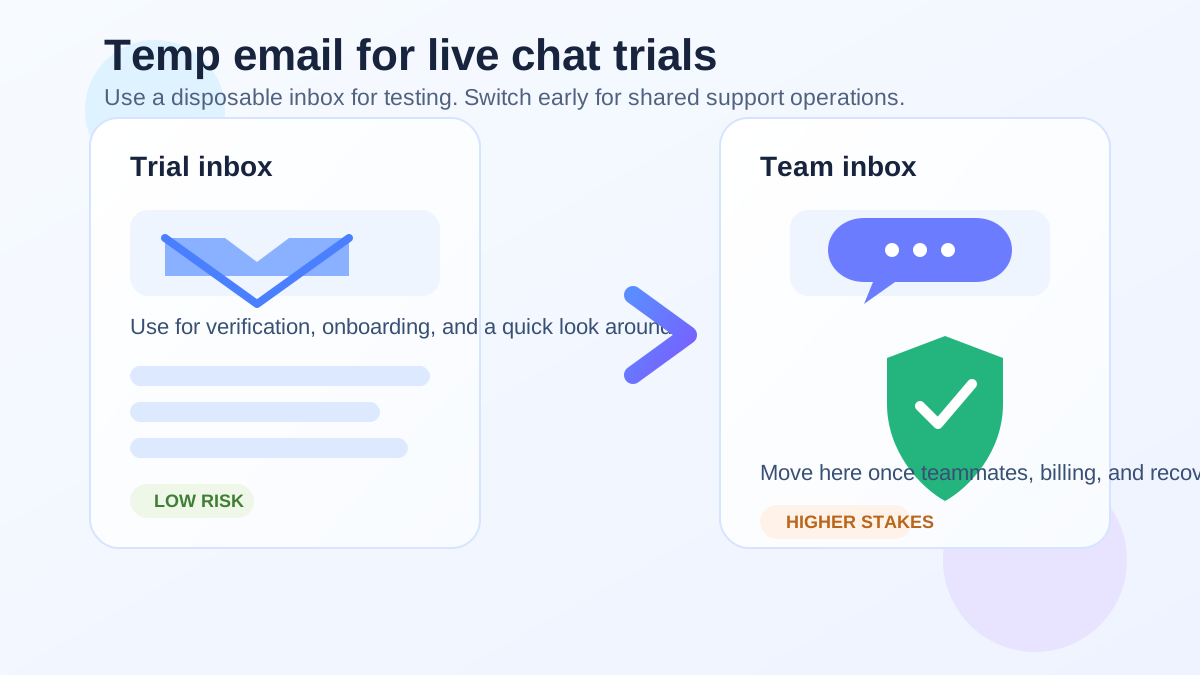
Why people consider a temp email for Chatra
The reason is simple: support software trials create noise. Once you sign up, you may start getting onboarding sequences, webinar invites, feature tips, discount nudges, sales follow-ups, and reminder emails even before you decide whether the product belongs in your stack. If you are comparing Chatra with tools like Tawk.to, Userlike, JivoChat, Smartsupp, or Freshchat, it is reasonable to want that first round of messages somewhere other than your long-term inbox.
That is where a service like Anonibox can help. You can verify the account, open the product, look at the inbox, test the widget, and decide whether Chatra is worth a deeper setup without immediately turning your main address into another trial funnel.
When a disposable inbox makes sense
A temp email for Chatra is most sensible when the account is still purely experimental. In that stage, the cost of losing the inbox later is low because nothing important depends on it yet.
- You only want to inspect the dashboard. Maybe you want to see how conversations are organized, how agent presence works, or how basic settings are laid out.
- You are comparing several live chat tools at once. A temporary inbox keeps trial emails separated so your real inbox does not fill up with messages from every vendor you looked at.
- You are doing a solo evaluation. No teammates are joining, no customers are involved, and you are not planning to keep the account active unless the product stands out.
- You mainly need the verification email. Sometimes the whole point is simply getting past the sign-up gate so you can judge the product itself.
In those situations, a temp inbox is just a privacy and clutter-control tool. That is a reasonable use case.
Where it stops being a smart choice
The moment Chatra moves from “tool I am trying” to “tool I may actually use,” the disposable inbox stops being clever and starts becoming fragile. Shared support tools create dependencies fast. The email on the account may affect agent invitations, password resets, billing notices, ownership changes, security alerts, and important configuration messages.
That means a temp email becomes risky when any of the following are true:
- You invite teammates. If other people are joining the account, the owner email should already be something stable and team-controlled.
- You connect real customer chat. Once visitors can reach you through the widget, the account is no longer disposable in any meaningful sense.
- You care about missed notifications. Chat alerts, setup notices, or account warnings are not things you want tied to an expiring inbox.
- You add billing details. Paid plans and disposable owner addresses are a bad mix.
- You might need recovery later. If the original inbox disappears, recovering access can become harder than it should be.
The biggest risks of keeping a temp email on Chatra too long
1. Account recovery gets weaker
This is the most obvious problem. If the original inbox expires or stops being accessible, password resets and ownership checks become more painful. During a toy trial, that is merely annoying. During a real support rollout, it can become disruptive.
2. Shared ownership becomes messy
Live chat platforms are often used by multiple people, not one lone operator. If the primary account is anchored to a throwaway address only one person used during signup, the setup can become awkward as soon as the tool becomes a shared system.
3. Important notices can disappear into a dead inbox
Billing reminders, policy changes, invitation links, or security notices are easy to ignore when the inbox was meant to be temporary from the start. That is fine for a one-hour experiment. It is not fine for ongoing support work.
4. You create unnecessary migration work
Eventually, if Chatra makes the shortlist, you will need to move the account to a permanent address anyway. Waiting too long turns a simple best practice into a cleanup task you could have avoided.
A better workflow for testing Chatra with less risk
If you want the privacy benefit without the long-term downside, use a staged workflow instead of treating one email choice as permanent from day one.
- Use a temp email for the first look. Sign up, verify the account, and spend a short session evaluating whether the product is even relevant.
- Judge the product quickly. Look at the inbox, widget setup, routing basics, canned replies, team features, and reporting surfaces you actually care about.
- Decide whether Chatra is a serious candidate. If the answer is no, let the temporary inbox do its job and move on cleanly.
- Switch to a permanent address early if the answer is yes. Before teammates, billing, or live traffic enter the picture, move the account to a stable mailbox you control for the long term.
This approach gives you the best of both worlds: privacy and inbox protection during evaluation, then operational stability once the account matters.
What to evaluate during the trial instead of obsessing over signup
Once you are inside Chatra, the email choice should fade into the background. The better question is whether the tool actually fits your workflow. Spend your time on practical checks like these:
- How easy is it to install and customize the chat widget?
- Can your team handle conversation ownership clearly?
- Do alerts and operator availability settings feel usable?
- Is the inbox fast enough for daily work?
- Can you imagine handing this tool to real agents without confusion?
- Are the automation and routing features sufficient for your support volume?
That is the real point of the trial. A temp email is just a way to reduce friction while you answer those questions.
Signs you should switch off the temp email immediately
If any of the following happens, stop treating the account as disposable and move it to a real address right away:
- You start inviting coworkers.
- You save important configuration work you do not want to repeat.
- You connect the tool to your site or support flow.
- You begin relying on notifications to respond on time.
- You discuss pricing or plan to keep the account past the first test.
In short: as soon as Chatra begins to feel operational instead of experimental, the disposable address has outlived its usefulness.
Should small teams handle this differently?
Small teams sometimes assume a temp email is safer because fewer people are involved. In reality, small teams often have even more to lose from messy ownership. If one founder or one support lead created the account with a burner inbox and later leaves, gets busy, or forgets the setup details, recovering ownership can become surprisingly awkward.
A stable shared or role-based email is usually the cleaner long-term home once the trial turns into a real tool. Even if only one person uses Chatra at first, it helps to think a step ahead.
Simple rule of thumb
Here is the short version:
- Use a temp email for Chatra if you only want sign-up privacy and a low-commitment product test.
- Do not keep a temp email on Chatra if customers, teammates, billing, or account recovery will depend on it.
That rule works because it matches the real risk. A disposable inbox is fine for disposable evaluation. It is weak for durable operations.
Final answer
A temp email for Chatra is useful for a quick trial, a privacy-first comparison, or a first pass through the signup flow. It is not a strong long-term choice for a live chat account that may end up holding team access, customer conversations, and recovery paths.
If you want the cleanest workflow, use a temporary inbox for the first evaluation, then switch to a permanent address as soon as Chatra looks like a real contender. That keeps your main inbox out of unnecessary vendor noise without building your support setup on an address that was never meant to last.