Discord can work for networking events, but it is usually best as a community follow-up channel rather than your default first-contact method. It helps most when the event already lives inside a Discord server and the conversation is continuing in that same shared space.
If you want cleaner boundaries, easier long-term follow-up, and a more professional first impression, email or LinkedIn is usually the safer place to start. Discord is convenient, but convenience is not the same as control.
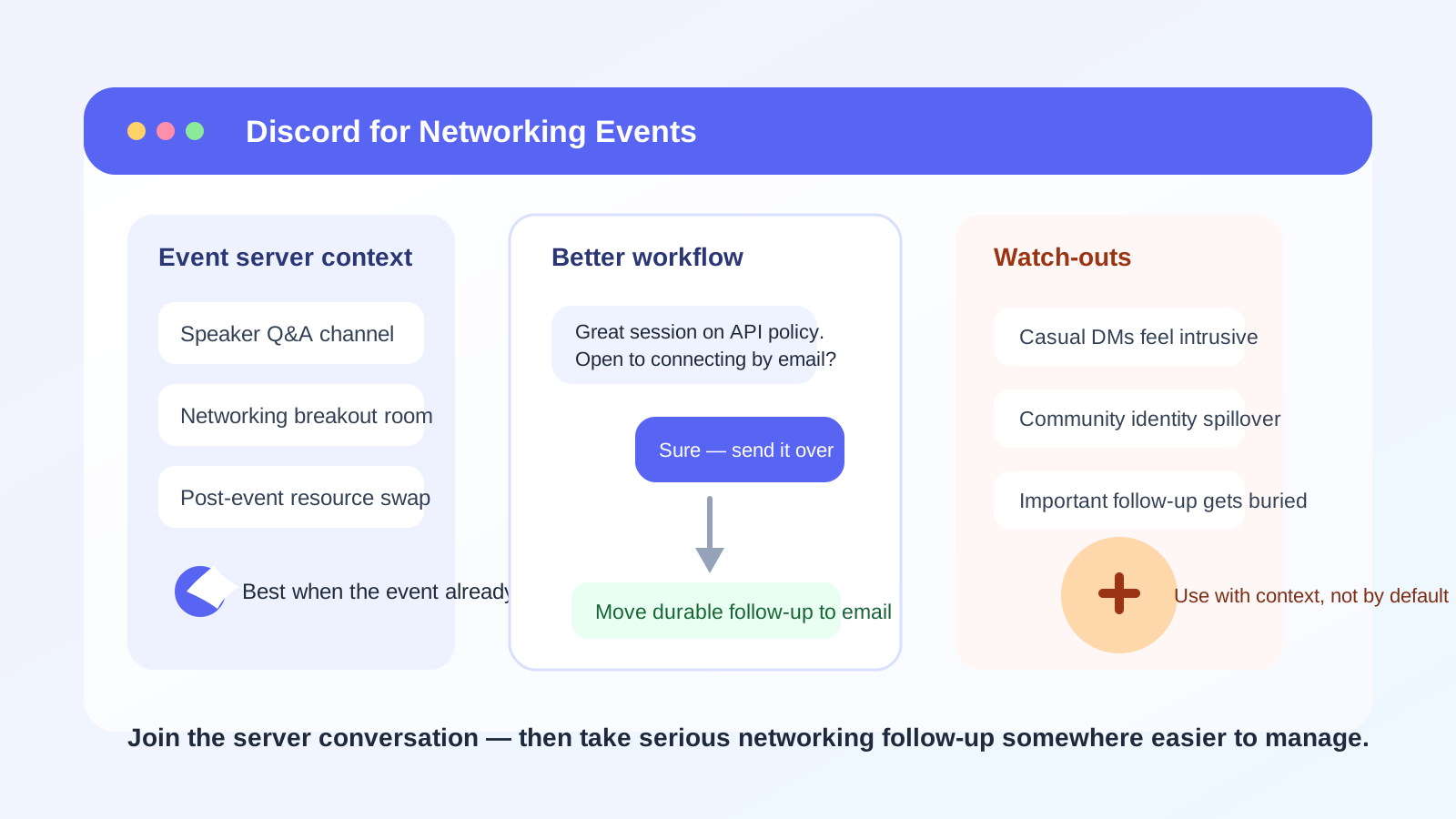
Why this question comes up in the first place
Not every networking event happens in a ballroom, a conference hallway, or a formal webinar anymore. A lot of modern communities organize in Discord: open-source groups, creator circles, startup communities, gaming-adjacent tech spaces, online conferences, hackathons, bootcamps, and niche professional communities. If the event itself runs through a Discord server, using Discord can feel natural.
You may already be reading announcements there, joining live text chats, dropping into stage events, or answering quick questions in event channels. In that environment, sending a Discord direct message can seem easier than tracking down someone’s email address.
That convenience is real. But networking is not just about starting a conversation. It is also about what that conversation reveals, how easy it is to continue professionally, and whether you are building a clean long-term contact trail instead of a scattered set of chat messages.
The short answer: good for shared-community context, weaker for cold outreach
Discord works best when the event and the relationship already have some built-in context. For example:
- You both joined the same event server and were already active in the same thread or session.
- The organizer explicitly encourages Discord-based follow-up.
- The conversation is lightweight and time-sensitive, such as clarifying a session link, asking where a breakout room moved, or continuing a short exchange from an event chat.
- The other person is clearly more active on Discord than on email or LinkedIn.
Discord is much less ideal when you are reaching out cold, asking for a serious career conversation, requesting a referral, or trying to make a polished first impression with someone senior. In those cases, the same casual feel that makes Discord easy can also make it feel less credible or less professional.
The biggest drawbacks of using Discord for networking events
1. Your community identity may reveal more than you intended
On Discord, people do not just see a name and message. They may also see your username style, avatar, shared servers, status behavior, or the overall tone of how you present yourself in online communities. That is not always bad, but it is more personal and culture-dependent than email.
If you use Discord heavily for hobbies, private friend groups, fandoms, gaming, or casual communities, that identity layer may not match the impression you want to make during professional networking. Even when shared-server visibility is limited, Discord still feels more personal than a dedicated networking inbox.
2. Direct messages from strangers can feel intrusive
At a networking event, a person may be open to a quick exchange in a public session chat but less enthusiastic about an unexpected DM right afterward. Discord makes direct outreach easy, which means it also makes it easy to come across as too familiar too fast.
That matters because the tone of networking is often delicate. A concise message tied to a specific event conversation can be welcome. A vague “hey, let’s connect” message from someone you barely interacted with can feel low-value or pushy.
3. Important follow-up gets lost
Discord is built for ongoing streams of conversation. That is great for live communities, but less great for durable professional follow-up. Contact details, action items, and promised introductions can disappear into busy threads or a direct-message history you forget to revisit.
Email is easier to search, file, forward, and return to later. If your goal is a relationship that lasts beyond the event, Discord often works better as the first spark than as the permanent record.
4. Boundaries are blurrier than they look
Discord encourages casual rhythms: quick replies, off-hours pings, side chats, and server hopping. That can make conversations feel friendly, but it can also make professional boundaries fuzzy. You may not want recruiter follow-up, alumni outreach, and event banter mixed into the same notification flow as your other servers.
That is especially true if you are talking to several people from multiple events at once. What feels easy at first can turn messy fast.
5. Scams and impersonation are easier in casual channels
Any low-friction messaging platform attracts some fake profiles, copycat accounts, and opportunistic outreach. Discord does not make every networking interaction risky, but it does mean you should verify who you are talking to before sharing personal contact details, résumé files, or anything sensitive.
If someone quickly tries to move you to another app, asks for unusual personal information, or sends suspicious links right after an event, treat that as a warning sign instead of social proof.
When Discord is actually a smart choice
Discord can be genuinely useful in a few event-specific situations.
- Community-native events: The event lives inside a Discord server, and everyone expects ongoing conversation there.
- Warm continuation: You already spoke in a stage chat, breakout room, or thread, and the DM is a direct follow-up to that exchange.
- Logistics: You are coordinating session timing, resource links, or a quick handoff after the event.
- Technical communities: In some developer, open-source, gaming, and creator spaces, Discord is normal enough that using it does not feel out of place.
In those cases, Discord works because the social context already exists. You are not asking the platform to create trust from scratch. You are using it to continue a conversation that already has a reason to exist.
When you should choose email or LinkedIn instead
You should usually avoid Discord as your first or only follow-up method when:
- You are contacting someone senior for the first time.
- You want a polished professional impression.
- You are asking for an informational interview, referral, or job-search help.
- You are not sure the other person welcomes direct messages.
- You want a searchable, organized record of the conversation.
Email and LinkedIn are slower, but they solve real problems. They create more deliberate boundaries, make the purpose of the outreach clearer, and reduce the “random DM” feeling that Discord sometimes creates.
A practical middle ground: use Discord to connect, then move durable follow-up elsewhere
For many people, the best workflow is not “never use Discord” and not “use Discord for everything.” It is this:
- Use the event server, public thread, or stage chat to participate naturally.
- If a direct message makes sense, send one short, context-rich note that references the event.
- Once the conversation becomes substantive, move the durable parts of it to email or LinkedIn.
That gives you the speed of Discord without forcing the whole professional relationship to live inside a chat app built for constant flow. It also keeps important follow-up from vanishing into server noise.
If the event required signup through a landing page, vendor community, or gated registration form, using a separate inbox can also help you keep early event-related outreach organized. That is one of the practical places Anonibox fits: not as a magic shield, but as a way to test communities, newsletters, and event registrations without sending every new organizer, sponsor, or community tool directly into your main inbox forever.
How to use Discord more safely and professionally
Review your profile before the event
Look at your username, display name, avatar, and bio. Ask whether they fit the context of the event. You do not need to sound corporate, but you should avoid making people guess whether the account belongs to a serious professional contact or a random anonymous handle.
Do not lead with a vague DM
If you send a message, mention the event, the session, or the exact point you discussed. For example: “Hi Sam — I appreciated your comments in the API security roundtable today. You mentioned a useful approach to vendor reviews. Would you be open to connecting on email or LinkedIn so I can follow up with one question?”
That kind of message is easier to trust because it is specific, respectful, and easy to decline.
Keep sensitive details out of Discord
Do not rush to send your résumé, phone number, personal documents, or a long personal backstory in a direct message. Use Discord for light connection and quick coordination. Use more stable channels for anything important.
Verify links and identities
If someone shares a scheduling link, a “private opportunity,” or an off-platform invite, verify that it matches the event organization or the person’s real public identity. Casual channels are useful, but they should not replace basic caution.
Save real follow-up actions somewhere organized
If someone offers advice, a referral, or a future conversation, record it in your own notes or move the conversation to email. That one habit prevents a surprising amount of networking loss.
A quick decision checklist
Discord is probably fine if most of these are true:
- The event already runs inside Discord.
- You interacted publicly before sending a DM.
- The follow-up is short, relevant, and timely.
- Your profile presents you in a way you are comfortable sharing.
- You are willing to move important follow-up to email or LinkedIn.
Discord is probably the wrong first move if most of these are true:
- You are contacting someone cold.
- You want a high-trust professional first impression.
- You are discussing jobs, referrals, or sensitive career details.
- You want cleaner separation between personal/community life and networking.
- You need a durable record you can easily revisit later.
Final answer
So, should you use Discord for networking events? Sometimes, yes — but mostly when the event is already Discord-native and the relationship already has context. It is useful for warm, lightweight follow-up inside a shared community. It is much weaker as a default cold-outreach tool or a long-term home for important professional conversations.
If you want the safest general rule, use Discord to participate and connect, then move meaningful follow-up to email or LinkedIn. That keeps the speed and community feel of Discord without giving up privacy, professionalism, or control over the relationship you are trying to build.