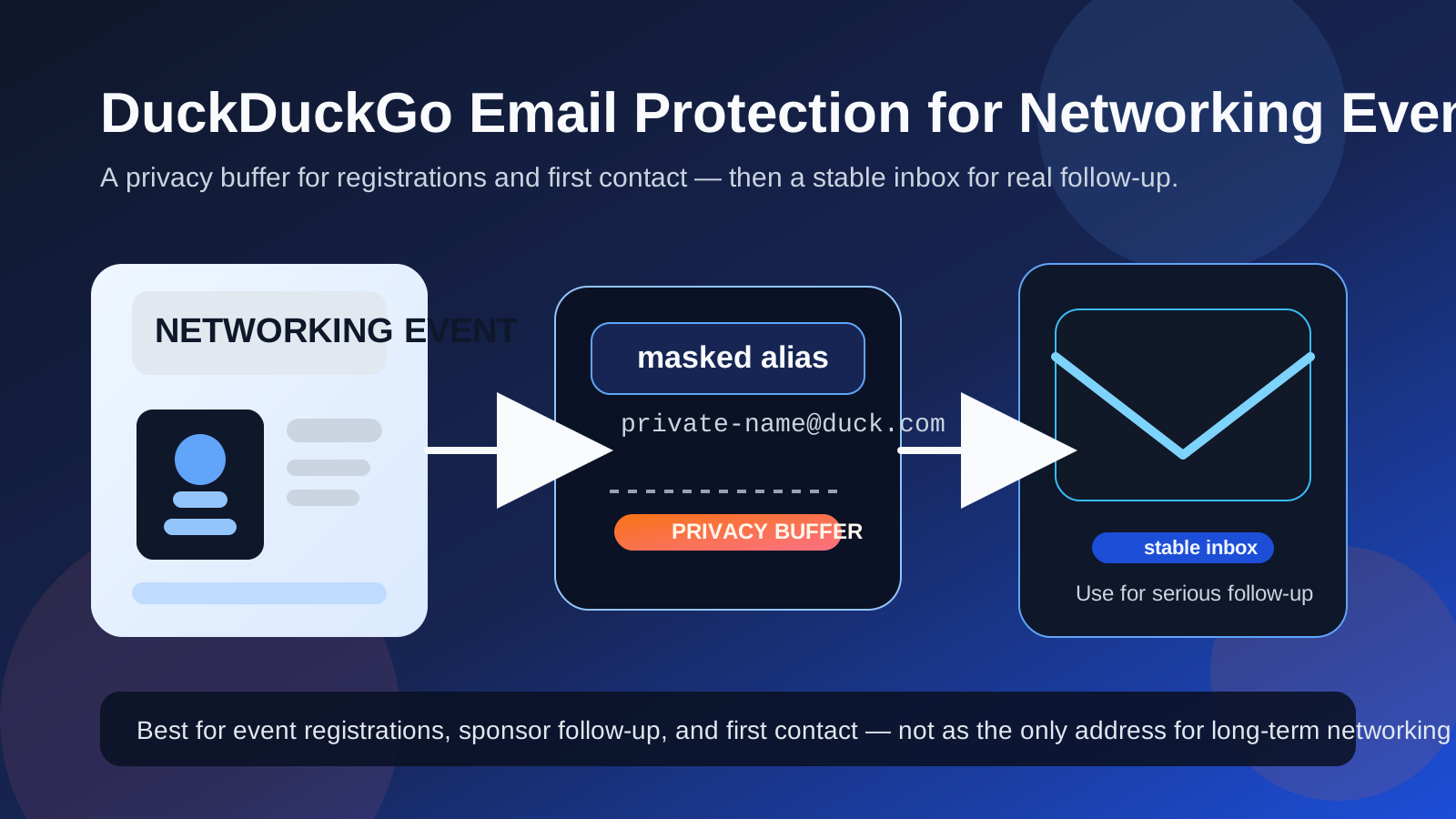
DuckDuckGo Email Protection can be useful for networking events if you want a privacy buffer for registrations, sponsor follow-up, and early introductions, but it is usually not the best permanent address for relationships you want to keep.
Use it when the interaction is broad, early, or a little noisy; switch to a stable dedicated inbox when the conversation turns into real networking, referrals, or job leads.
Why this question matters at networking events
Networking events create a strange kind of email exposure. In a single afternoon, you might register for a conference, scan a sponsor QR code, request slides from a speaker, join an attendee directory, enter a giveaway, exchange contact details with a recruiter, and get added to follow-up campaigns you never asked for. None of those interactions are exactly the same, but they all compete for the same inbox space.
That is why people look for a middle-ground tool. They do not want to hand their oldest personal email address to every event organizer, booth rep, and marketing automation system. At the same time, they also do not want to disappear behind a throwaway inbox if the right person wants to follow up next week.
DuckDuckGo Email Protection is appealing because it sits in that middle zone. It can help reduce direct exposure of your main inbox while still allowing people to reach you. The real question is whether that convenience stays helpful once a networking contact becomes valuable.
What DuckDuckGo Email Protection does well
1. It gives you a privacy buffer during broad exposure
Networking events often involve more list-sharing than people expect. You may think you are giving your address to one event organizer when in reality you are also feeding sponsor follow-up, partner messages, attendee newsletters, or future event promotions. Using a masked forwarding address can make that first layer of exposure less direct.
2. It can keep your main inbox cleaner
If you use one personal address for everything, networking-event clutter lands right next to bills, travel confirmations, family email, banking alerts, and other everyday messages. A forwarding layer can help separate event-related activity from the inbox identity you care about most.
3. It works well for low-to-medium trust event interactions
Not every event form deserves permanent access to your main address. Some signups are useful but noisy. Some sponsors are legitimate but persistent. Some event apps are fine, but not important enough to become part of your long-term digital footprint. In those situations, a privacy layer is a sensible compromise.
4. It helps when you are still deciding which conversations matter
A lot of networking activity goes nowhere. That is normal. A speaker resource request, attendee-list signup, or sponsor follow-up may never become a real relationship. DuckDuckGo Email Protection can give you a way to stay reachable without treating every first touchpoint like it deserves permanent access to your default inbox.
When it is a strong fit
DuckDuckGo Email Protection usually makes the most sense when the event interaction is real, but still early-stage. Good examples include:
- Event registrations: you want confirmations, schedule reminders, and venue updates without exposing your main personal inbox directly.
- Sponsor downloads: whitepapers, slide decks, benchmark reports, or product sheets you want to see once.
- Booth follow-up: you want pricing info, a recap, or a link, but you are not ready to turn the interaction into a long-term contact channel.
- Attendee directories or community pages: you want to stay reachable while limiting how broadly your everyday address circulates.
- First contact after a mixer, meetup, or panel: especially when you are open to follow-up but still deciding whether the connection is important.
In all of those cases, the tool works as a buffer. It lets you keep the conversation open while giving yourself room to judge whether the relationship deserves a more permanent communication setup.
Where it becomes less comfortable
Real networking is about continuity, not just first contact
The biggest weakness is not whether messages can arrive. It is whether your setup still feels wise after the interaction becomes meaningful. Networking value often shows up later: an alum remembers you after a panel, a recruiter circles back after reviewing resumes, a speaker sends a useful introduction, or a hiring lead appears weeks after the event.
If your contact strategy was optimized only for short-term privacy, you may create unnecessary friction for long-term follow-up. That does not mean DuckDuckGo Email Protection is a bad tool. It means networking is often more durable than the first event itself.
Forwarding still adds a layer you have to manage
A masked forwarding address is simpler than managing multiple full inboxes, but it is still a layer between you and the sender. That is fine for broad event traffic. It matters more when you are trying to build a relationship you do not want to miss, lose, or handle casually.
You may outgrow the setup quickly
A lot of people go to networking events thinking they are just browsing, then one useful contact turns the whole trip into something real. Suddenly the question is not “How do I reduce spam?” It is “How do I make sure this person can reach me again in two months?” Once the conversation has actual career value, a stable dedicated inbox is usually the safer long-term answer.
DuckDuckGo Email Protection vs a separate inbox vs temporary email
These options solve different problems, so it helps to be honest about what you are trying to protect.
DuckDuckGo Email Protection
This is a good middle-ground option when you want privacy without setting up an entirely separate mailbox. It is well-suited to registrations, light follow-up, and first-touch networking where you want some protection but still expect real messages to reach you.
A separate networking inbox
This is usually the best option if you attend events regularly, expect serious follow-up, or want a stable professional identity for networking. It gives you cleaner organization, easier searching, and less risk that an important relationship will feel tied to a temporary or experimental workflow.
Temporary or disposable email
This is the most aggressive privacy option, but it is usually too fragile for real networking. Temporary inboxes are best for low-trust signups, giveaways, and one-off downloads rather than for connections you want to preserve. A disposable tool like Anonibox can be useful at the noisy edges of an event, but most meaningful networking should still live in a more stable inbox.
How to use it without hurting real opportunities
1. Use it for registrations and broad event exposure
If your goal is to prevent your main inbox from becoming the permanent destination for event marketing, this is the cleanest use case. You get the confirmations and follow-up links you need without exposing your default inbox identity as widely.
2. Keep an eye on the destination inbox after the event
The first few days after a networking event often matter more than the event itself. People send thank-you notes, slide decks, calendar links, and introductions after they get home. If you use a forwarding-based privacy layer, monitor the inbox closely while the event is still fresh.
3. Move promising relationships to a stable inbox
You do not need to keep every valuable contact behind the same initial privacy layer forever. If a recruiter, mentor, alum, client prospect, or operator becomes important, it is normal to shift the conversation to the email address you actually plan to maintain.
4. Do not treat every alias like a throwaway identity
One of the easiest mistakes is carrying a disposable mindset into a relationship that is no longer disposable. If you want someone to remember you, introduce you, or reach out later, act like the connection matters and give it a stable channel before it becomes messy.
5. Match the tool to the trust level
A sponsor giveaway form is not the same as a thoughtful one-to-one follow-up from someone in your field. A generic conference app is not the same as a recruiter who wants to talk next week. The more human and valuable the relationship becomes, the more stable your email setup should become too.
When job seekers should be especially careful
If you are networking because you want a new job, the stakes are a little higher. A casual event conversation can quickly become an informational interview, referral, or interview request. That makes a pure spam-control mindset less useful than people expect.
If you know you are actively searching, a dedicated long-term job-search inbox is usually stronger than relying on an alias as the main identity for all networking. The alias can still help for event registration and lower-trust sponsor traffic, but the contact path for real opportunities should be stable enough that you never wonder whether you will miss the message that matters.
Signs you should skip it and use a separate inbox instead
- You attend networking events often and want one consistent contact identity.
- You are actively job hunting and expect event conversations to turn into recruiter follow-up.
- You want all networking threads organized in one searchable place.
- You dislike managing layered inbox workflows.
- You want a professional address you can keep using on badges, follow-up messages, and future introductions.
When those conditions apply, a separate inbox usually beats a forwarding layer. It gives you privacy through separation, not just masking.
Quick decision checklist
- Am I trying to access an event, or build a relationship?
- Would I care if this person emailed me again in a month or two?
- Is this mainly sponsor traffic, or genuine human follow-up?
- Do I want privacy, organization, or both?
- Would a dedicated networking inbox solve the problem more cleanly?
If your answers lean toward broad exposure, low trust, and spam prevention, DuckDuckGo Email Protection can be a smart fit. If your answers lean toward real follow-up, continuity, and relationship-building, a stable separate inbox is usually the better choice.
Final takeaway
DuckDuckGo Email Protection can absolutely be useful for networking events, especially when you want a privacy buffer for registrations, sponsor messages, and early contact. It is a practical way to avoid handing your everyday inbox to every event system you touch.
But it works best as a filter, not as the final home for every valuable professional relationship. Once an event connection starts turning into a real conversation, referral, or job lead, move it to a stable inbox you plan to keep. That gives you the privacy benefit up front without making yourself harder to reach when the opportunity becomes real.