If you want more privacy and better inbox control, Firefox Relay can be useful for job referrals—but it is not the best choice for every referral conversation.
It works best for early introductions and low-stakes outreach, while a stable long-term inbox is usually safer once a referral turns into real recruiter communication.
Why job referrals are different from ordinary applications
A job referral is not just another signup form. In a normal application, you often submit your details into an applicant tracking system and wait for a response. In a referral flow, the communication path is usually messier and more human. A friend, former coworker, recruiter, alumni contact, or industry connection may introduce you to someone inside the company. That can lead to forwarded emails, calendar coordination, résumé handoffs, internal recruiter replies, and follow-up messages from multiple people.
That difference matters because a referral email address needs to do more than receive one verification message. It may need to handle a longer chain, survive handoffs between people, and stay dependable for days or weeks. That is why Firefox Relay can be smart in some referral situations and awkward in others.
What Firefox Relay helps you do
Protect your primary email address
The clearest advantage is privacy. Firefox Relay lets you share a masked forwarding address instead of exposing your primary inbox to every networking contact, recruiter, or employee who offers to pass along your résumé. If you are doing a broad job search and testing several referral paths at once, that separation can keep your real address out of more places.
Track where referral traffic is coming from
A separate forwarding alias can also help you understand which contact or company produced which messages. If you use a different alias for each referral source, it becomes much easier to tell whether follow-ups came from a former colleague, a recruiter, an internal employee, or a third-party contact form. That kind of tracking is helpful when you are managing several conversations at once.
Reduce long-term inbox clutter
Not every referral becomes a real process. Sometimes a contact says they will “pass your résumé along,” but the conversation never turns into an interview. Sometimes one introduction leads to months of recruiting newsletters, event invites, and generic talent-community mail. A forwarding alias gives you more control if you later decide a particular source is no longer useful.
Create a cleaner boundary between job search and daily life
People often think about privacy only in terms of scams, but organization matters too. Using a Relay address can keep job-search traffic from mixing with banking alerts, family messages, account recovery emails, and everything else already landing in your main inbox. Even if the referral is legitimate, better separation makes the whole search less chaotic.
Where Firefox Relay can create problems in referral workflows
Referral conversations can become long-running
A referral is often the beginning of a relationship, not a one-time exchange. Someone may introduce you today, a recruiter may respond next week, and a hiring manager may re-open the thread later. If your forwarding setup changes, if you lose track of the alias, or if the workflow becomes hard to manage, you create risk at exactly the moment you want reliability.
Forwarding is one more moving part
Any forwarding-based setup adds an extra dependency between the sender and your real inbox. Most of the time that is fine, but referral conversations are often time-sensitive. If someone inside a company sends a quick note asking whether you are available for a screening call tomorrow, you do not want that message delayed, filtered strangely, or lost in a setup you forgot to test.
Replies may be less intuitive than a normal inbox
Depending on how you use Firefox Relay and how the message thread develops, replying through a masked alias may be less straightforward than using a standard dedicated mailbox. That does not always make Relay a bad choice, but it does mean you should avoid assuming it behaves exactly like a normal long-term email account in every situation.
Multiple people may get involved
Referrals often expand beyond one sender. Your contact might introduce you to recruiting, recruiting might loop in a coordinator, and a hiring manager might join later. In those multi-person threads, clarity matters. If an alias creates confusion or makes it harder for you to manage a professional thread, the privacy benefit stops being worth much.
So, should you use Firefox Relay for job referrals?
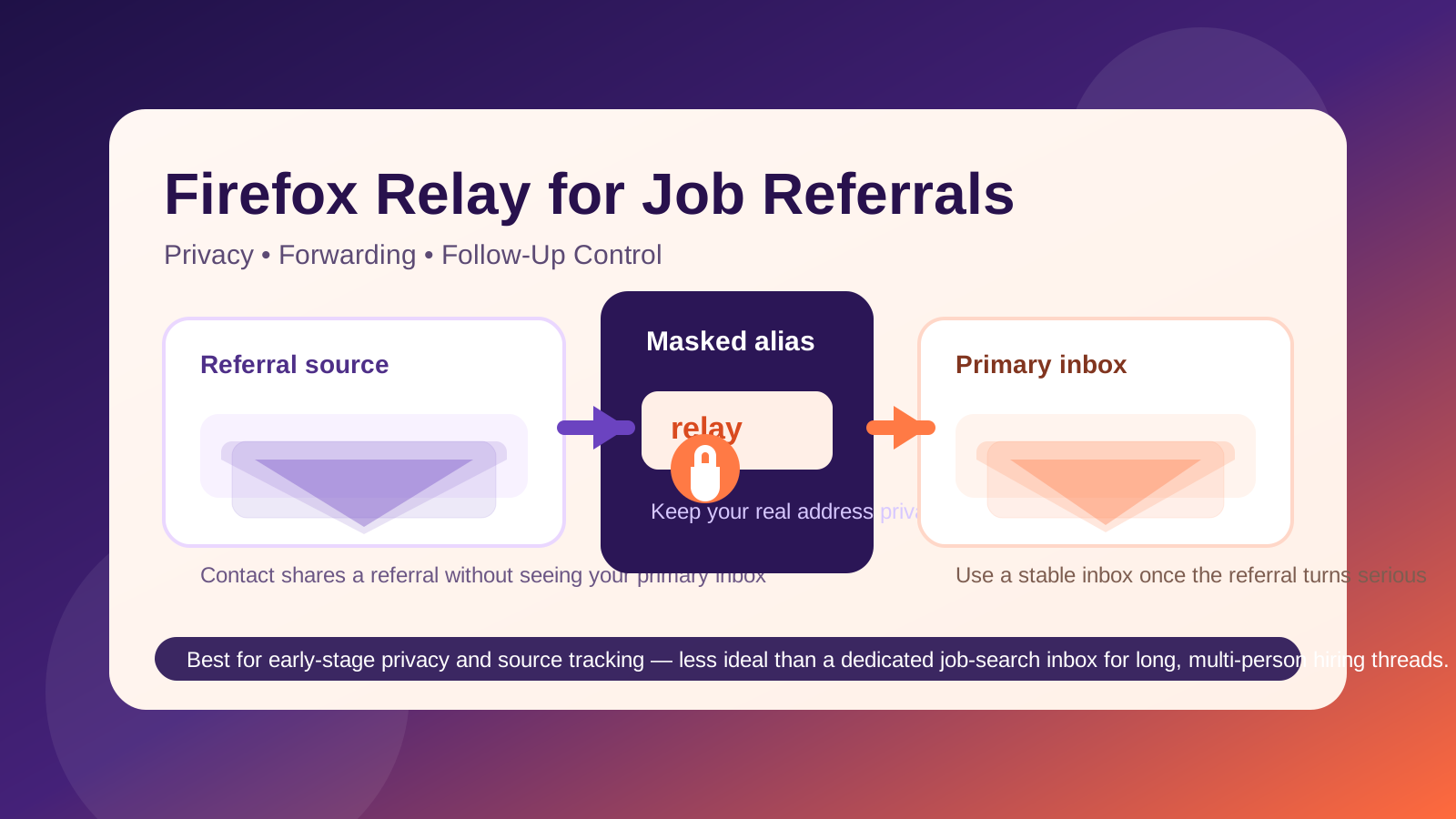
Usually, yes for early-stage referrals and cautious networking—but not as your forever address for a serious hiring process.
That is the practical middle ground. Firefox Relay is useful when you want to protect your real inbox while testing a new contact, responding to a weaker referral, joining a talent community, or seeing whether an introduction actually leads anywhere. But once the conversation becomes active and legitimate, a stable dedicated email account is often the better tool.
When Firefox Relay makes sense for referrals
- You are networking broadly: You are talking to many weak ties, event contacts, alumni, or online connections and do not want your primary email circulating everywhere.
- The referral is still uncertain: Someone offered to pass along your details, but there is no confirmed process yet.
- You want source-level tracking: Using one alias per contact helps you see which referrals generate real responses.
- You are trying to reduce spam: Some referrals eventually turn into recruiting newsletters or generic talent-pool mail rather than specific opportunities.
- You already monitor the destination inbox carefully: Forwarding works best if your real inbox is organized and checked often.
In those cases, Firefox Relay can be a sensible privacy layer. It is much better suited to referrals than a throwaway disposable inbox, because the messages still arrive in a mailbox you actually use.
When you should switch to a stable dedicated inbox
- The company is clearly legitimate and engaged.
- You have moved from introduction to active recruiter contact.
- Interview scheduling, assessment links, or attachments are starting to arrive.
- The thread now includes multiple people.
- You expect the process to last more than a quick exchange.
At that point, reliability matters more than masking. A separate long-term job-search inbox is usually the better answer. You still protect your everyday personal address, but you reduce the chances of confusion during a real hiring process.
This is where Anonibox fits naturally into the workflow. It can be useful when you want to separate early outreach, test inbound mail patterns, and protect your main identity footprint. But for a high-value referral that is turning into a serious opportunity, a stable inbox you fully control is usually safer than relying on a mask alone.
Best practices if you use Firefox Relay for job referrals
1. Use one alias per referral source
Do not recycle the same alias across unrelated contacts if you want clean tracking. One alias for one source gives you a much better sense of who shared your address and which conversations are producing results.
2. Test the forwarding before sending your résumé
Send a message to the alias yourself or have a trusted contact test it. A thirty-second check is worth it. Never assume the first real recruiter email should double as your forwarding test.
3. Move important threads into a stable inbox early
If the referral becomes real, switch before the process gets complicated. It is better to transition early with a short note like, “For the rest of this process, please use this email address,” than to do it after scheduling problems begin.
4. Keep your replies professional and consistent
Whether you start with Relay or not, use a clear signature, check your messages often, and reply promptly. Privacy tools only help if your communication still looks polished and dependable.
5. Save critical emails and attachments
Do not rely on memory. Save recruiter instructions, interview times, portfolio requests, and assessment links somewhere organized. Referral conversations can spread across threads quickly.
6. Do not confuse “masked” with “risk-free”
Firefox Relay can reduce exposure, but it does not verify that a recruiter or referral source is legitimate. You still need normal judgment. Verify the company, confirm the role exists, and be suspicious of pressure, payment requests, or strange links.
What is usually better than Firefox Relay?
If you expect the referral process to go anywhere, a dedicated long-term job-search inbox is usually stronger than either a disposable email or a simple forwarding mask. It gives you privacy and organization without adding too much fragility.
A good setup often looks like this:
- Use a main personal inbox for everyday life only.
- Use a separate job-search inbox for real applications, referrals, and recruiter follow-up.
- Use tools like Firefox Relay selectively when you want to protect that job-search inbox from unnecessary spread or test lower-trust contacts.
That layered approach is usually more practical than trying to make one masked alias handle your entire hiring pipeline.
Final answer
Firefox Relay can be a smart choice for job referrals when you want privacy, source tracking, and protection from future spam—but it is best used for early-stage or uncertain referral conversations, not as the long-term backbone of a serious hiring process.
If a referral is weak, casual, or experimental, a Relay alias is a reasonable shield. If the referral becomes real, switch to a stable dedicated inbox before the process gets more complex. That gives you the privacy upside without increasing the odds that an important recruiter message gets mishandled.
In short: use Firefox Relay as a filter, not as a permanent substitute for a dependable job-search email account.