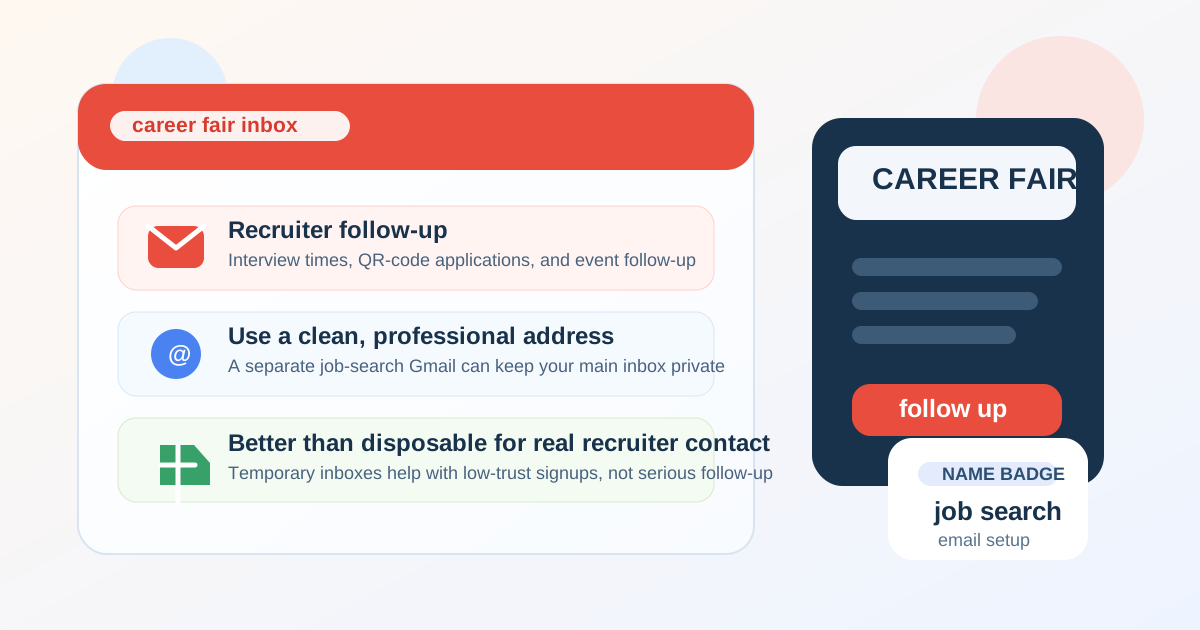
Yes — Gmail is usually fine for career fairs if the address looks professional, you check it regularly, and you expect recruiters to contact you after the event.
For better privacy and organization, a separate Gmail account for job search is often smarter than using your oldest personal inbox or a disposable address.
That short answer matters because career fairs create a very specific kind of communication pressure. You may hand out resumes, scan employer QR codes, enter talent communities, and talk to multiple recruiters in a single afternoon. A normal, reliable email address helps you look reachable and organized. At the same time, career fairs can generate a lot of marketing follow-up, broad talent-pool outreach, and occasional scam attempts, so the exact Gmail account you use matters more than many students and job seekers realize.
In practice, Gmail works well for most career fair situations. Recruiters recognize it, applicant tracking systems accept it, and it is easy to manage on a phone during a busy event. The real question is not whether Gmail is “allowed.” It is whether you should use your main personal Gmail, a separate job-search Gmail, a school or work address, or something more disposable. For most people, the best answer is a clean dedicated Gmail account that feels professional and stays under your control.
Why recruiters still expect a normal email at career fairs
Career fairs are not just casual networking sessions. They are often the top of a real hiring funnel. Recruiters may collect resumes, send application links, invite you to campus interviews, or follow up later when a matching role opens. Because of that, they usually want an address that looks stable and easy to reach.
- It supports fast follow-up: recruiters can send next steps, role links, and interview times without friction.
- It works across tools: Gmail is widely accepted by career fair forms, QR-code landing pages, and applicant tracking systems.
- It feels normal: a mainstream provider does not distract from your candidacy the way a strange or obviously temporary address might.
- It helps with attachments and threading: you can keep resumes, cover letters, and recruiter replies in one place.
That is why Gmail is usually a safe default. It is familiar, dependable, and rarely raises questions on its own.
When Gmail is a strong choice for career fairs
Gmail is a good option when you want a mainstream address that recruiters can trust and you want something simple to manage from your phone before, during, and after the event.
It is especially strong when:
- your Gmail address uses a normal variation of your name
- you already monitor the inbox every day
- you plan to apply quickly after speaking with recruiters
- you want labels, filters, and search to keep employer replies organized
- you expect some of the follow-up to continue for weeks after the fair
Those last two points matter. Career fair communication is rarely limited to one same-day conversation. Recruiters may circle back after reviewing your resume, after comparing candidates, or after a hiring manager requests a shortlist. A reliable Gmail inbox is well suited to that longer follow-up window.
When Gmail is not the best choice
The problem is usually not Gmail itself. The problem is which Gmail account you use.
Your main personal Gmail may be a poor fit if:
- the address looks unprofessional or overly casual
- the inbox is already flooded with newsletters, shopping receipts, and old signups
- you share the account across too many parts of your life
- you do not want career-fair activity mixed into your everyday identity footprint
- you are worried about spam after scanning a lot of employer forms and event QR codes
If your current Gmail address is something you created years ago for friends, gaming, or random signups, it may technically work while still being a bad professional choice. Recruiters are not grading email providers like a school assignment, but they do notice obvious sloppiness. A clean address creates less friction.
Main personal Gmail vs a separate Gmail for job search
For most people, this is the real decision. A separate Gmail account built specifically for career and recruiting use is usually the sweet spot between professionalism and privacy.
A dedicated job-search Gmail gives you:
- cleaner organization: recruiter emails are not buried under personal mail
- better privacy: your oldest inbox is not handed to every employer booth, QR form, and talent community
- easier filtering: you can label messages by company, event, or status
- less long-term clutter: if the inbox starts attracting noise later, it does not pollute your main account
- more professional presentation: you can choose a simple name-based address instead of reusing a messy legacy account
If you are actively attending multiple fairs, applying broadly, or exploring several industries, a separate Gmail is usually better than your everyday inbox. It keeps the process tidy without looking odd or risky to recruiters.
Should you use a temporary email instead?
Usually, no — not as your primary career fair contact address.
Temporary or disposable email can be useful in lower-trust situations, such as downloading a guide, testing a form, or shielding your real inbox from spammy signups. That is where an option like Anonibox can make sense. But career fairs are different from one-off coupon forms or anonymous app trials. If a recruiter genuinely wants to follow up, you need an address that will still be there when they email next week.
That is why a disposable inbox is often the wrong choice for serious recruiter communication:
- the inbox may expire before follow-up arrives
- some employers or systems may reject obviously temporary domains
- it can make you look less stable or less reachable
- you may lose threaded conversations, calendar invites, or attachment history
A better middle ground is to use temporary email only for low-trust or low-value signups around the edges of an event, while using a dedicated Gmail for actual recruiter contact. That gives you privacy without risking missed opportunities.
How to set up Gmail for career fair follow-up
If you decide Gmail is the right choice, a little setup work goes a long way.
1. Use a professional address
Stick with a clean variation of your name whenever possible. Avoid nicknames, jokes, birth years if you can help it, or anything that looks like an old throwaway account. You do not need an ultra-formal custom domain for a career fair, but you do want the address to look intentional.
2. Create labels before the event
Set up labels such as “Career Fair,” “Applied,” “Interview,” and “Follow Up.” If you meet ten employers in a day, that structure makes a big difference when replies start landing.
3. Turn on notifications for important messages
Career fair follow-up can move quickly. A recruiter may send an application link with a short window or ask for availability for a screening call. Make sure the Gmail app is installed, working, and not muted into oblivion.
4. Add a simple signature
A short signature with your full name, phone number if you are comfortable sharing it, LinkedIn URL, and portfolio link can make reply chains smoother. Keep it minimal and professional.
5. Store your latest documents nearby
Have your current resume, unofficial transcript if relevant, portfolio links, and one or two role-specific cover letter templates easy to access. The faster you can follow up after the fair, the better Gmail works as part of your overall workflow.
Privacy and scam risks to watch
Career fairs are usually legitimate, but job-search scams still exist. A normal Gmail address does not create danger by itself, yet it can become a target if you share it widely.
Watch for these warning signs:
- messages that push you to move to WhatsApp, Telegram, or text immediately
- requests for sensitive documents before a real screening process starts
- links that do not match the employer’s actual domain
- urgent promises of easy remote work with unusually high pay
- follow-up that asks you to buy equipment, gift cards, or software
Gmail’s spam filters help, but they are not a perfect shield. You still need judgment. If something feels off, verify the company through its public careers page before replying or uploading documents.
What about school email or work email instead?
Compared with those options, Gmail is often the more balanced choice.
A school address can work well while you are enrolled, especially for student-focused career fairs, but it may become less convenient after graduation. A work email is usually worse if you are job hunting discreetly, because it can expose your search to your employer or mix personal career activity with company systems.
That is another reason Gmail wins so often. It is personal, portable, and fully yours. You are not tied to a school or employer account lifecycle.
Best-practice answer: use Gmail, but use it intentionally
If you want the most practical answer, here it is: Gmail is usually a good choice for career fairs, but a separate job-search Gmail is often better than your main personal inbox. It gives you the professionalism recruiters expect and the control you want.
That is also a better long-term workflow than leaning on disposable email for serious hiring conversations. Temporary inboxes have their place for privacy-sensitive browsing and low-trust signups, but real recruiter follow-up needs stability.
Quick checklist before the event
- Is your Gmail address professional and easy to read?
- Have you created labels or filters for recruiter messages?
- Are notifications turned on for important email?
- Do you have your latest resume and links ready to send quickly?
- Are you using a separate Gmail if you want stronger privacy and cleaner organization?
- Do you know when to use a temporary inbox and when not to?
Final answer
So, should you use Gmail for career fairs? Yes — in most cases, it is a sensible and professional choice.
Just do not assume every Gmail account is equally good. A clean dedicated Gmail for job search is usually the smartest setup because it keeps recruiter follow-up reliable while protecting your main inbox from clutter, spam, and identity overlap. That approach gives you the convenience recruiters expect without treating your oldest personal inbox like a public utility.