iMessage can be acceptable for quick offer-stage coordination after you independently verify the employer, but it should not be the only place where your offer letter, salary details, deadlines, or onboarding steps live.
The safer approach is to treat iMessage as a secondary channel for short logistics while keeping the actual offer in company email, an applicant portal, or another formal record you can save and review carefully.
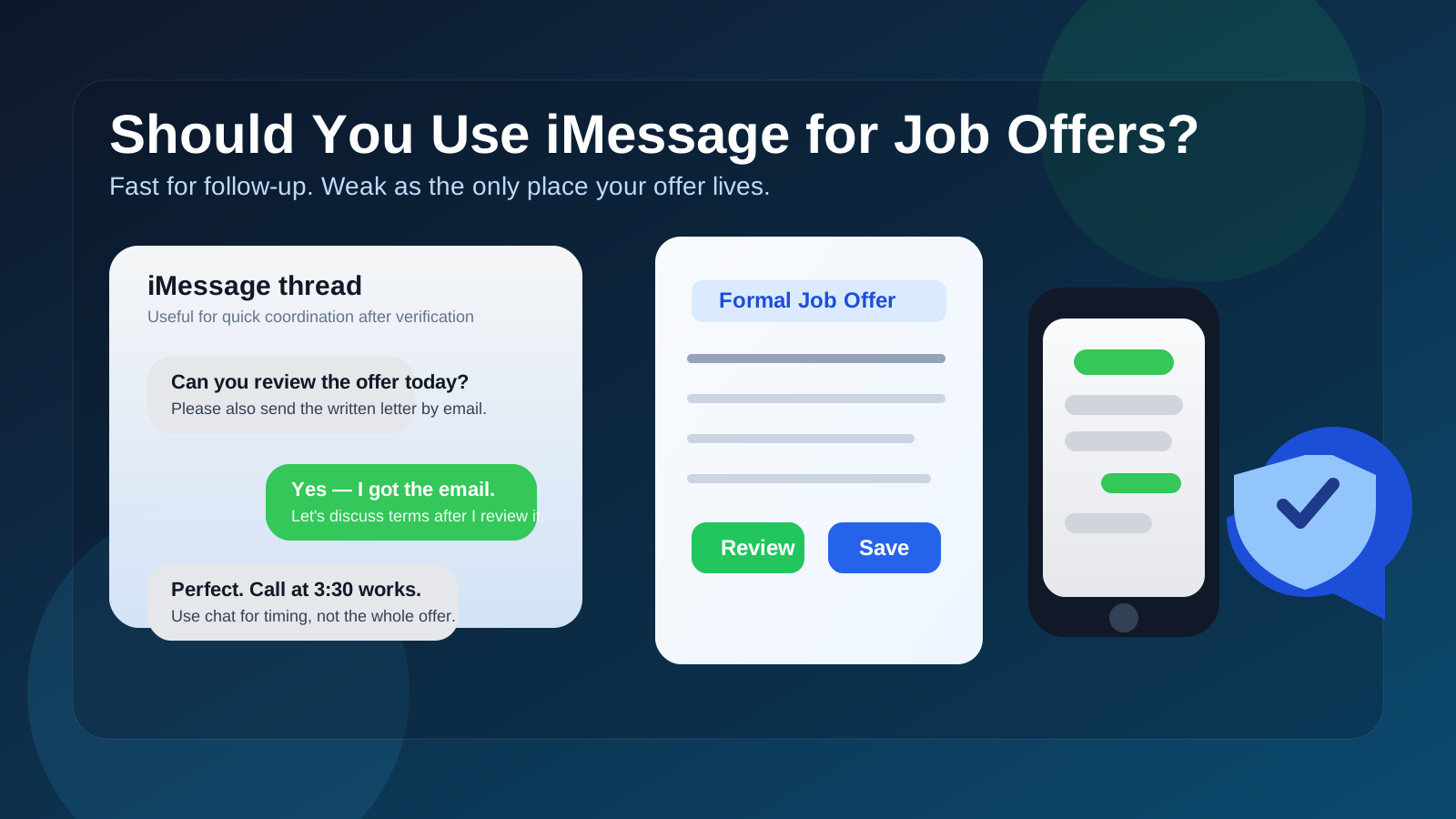
That is the real answer behind the question should you use iMessage for job offers. The issue is not whether Apple Messages is “bad” by itself. The issue is that the offer stage carries higher stakes than earlier recruiter outreach. Once a company is talking salary, start dates, contingencies, background checks, relocation, benefits, or signing deadlines, a casual chat thread stops feeling harmless.
iMessage is comfortable, fast, and familiar. That is exactly why it can be risky. A blue bubble does not prove the sender is legitimate. A short text can be useful for “Did you get the letter?” or “Can we move our call to 3:30?” but it is a weak place to store the actual terms of an employment decision. If something goes wrong, it is much easier to sort out a company email thread or official offer portal than a scattered conversation attached to a phone number.
For most job seekers, the best rule is simple: use iMessage only for convenience after verification, not as the main container for the offer itself.
Why this question comes up
Recruiters, hiring managers, and coordinators increasingly use whatever channel gets the fastest response. That can include phone calls, SMS, WhatsApp, Slack, LinkedIn Messages, and sometimes iMessage. When you are near the finish line, they may want to confirm availability, make sure you saw the offer email, or line up a discussion about the package. None of that is automatically suspicious.
But the offer stage is also where scammers become more persuasive. They know candidates are emotionally invested. A message that says, “Congratulations, we are ready to move forward—reply now so we can finalize your package today” creates urgency, and urgency lowers judgment. That is why channel choice matters. You want a channel that is not only fast, but also easy to authenticate and preserve.
Short answer: fine for logistics, weak for the actual offer
If a verified employer uses iMessage to confirm that your written offer has been emailed, remind you about a discussion call, or coordinate timing, that can be perfectly reasonable.
If someone wants to deliver the entire offer only through iMessage, pressure you to share sensitive information there, or avoid company-domain email entirely, that is a warning sign.
Think of iMessage as a side channel. It becomes risky when it starts pretending to be the whole hiring workflow.
When iMessage can be reasonable for job offers
- You already know the employer is real. You applied through a legitimate careers page, interviewed with identifiable people, and can independently confirm the company and role.
- The employer also uses formal channels. The offer letter, compensation summary, and next steps still exist in company email or a hiring system.
- The texts are narrow and practical. They are about scheduling, confirming receipt, or answering a quick follow-up question.
- The phone number context makes sense. It belongs to a recruiter or coordinator you already interacted with through verified channels.
- You are not being asked to make the big decision inside chat alone. The actual terms are documented somewhere more durable.
Used this way, iMessage is just a convenience layer. It helps the process move quickly without becoming the official record.
Why iMessage is a weak primary channel for job offers
1. A blue bubble is not identity verification
People sometimes over-trust iMessage because it feels cleaner and more personal than random SMS. But all iMessage really tells you is that the sender is using Apple’s messaging system. It does not prove they work for the company they claim to represent, and it does not prove the job offer itself is legitimate.
A scammer can still sound polished, mention a company name, and create urgency. Verification has to come from outside the chat: real company email, a careers portal, a public company website, or a phone number you independently confirm.
2. Your phone number becomes part of the offer process
Your phone number is sticky. Once it is in a recruiter database, a staffing spreadsheet, or a compromised contact trail, it is harder to rotate than an email alias. That does not mean you should never share it. It means you should be more selective about how and when it becomes central to the hiring process.
Many job seekers are already careful with inbox privacy. They may use a separate email address, or even a temporary inbox such as Anonibox during early research or low-trust signups, specifically to limit long-term exposure. The offer stage is different. At that point, reliability matters more than short-term insulation. The same logic applies to your phone number: convenience is fine, but continuity matters more.
3. Important terms are easier to miss in chat
Offers often include details you need to compare slowly: base pay, bonus structure, equity, reporting line, location expectations, signing timelines, start dates, benefits enrollment, relocation support, and contingencies. Those details are easier to read, forward, search, and revisit in a formal letter or email thread than in a text conversation mixed with casual replies.
If you are comparing multiple offers, the difference becomes even clearer. Chat is good for motion. It is not good for recordkeeping.
4. Sensitive documents do not belong in casual messaging by default
Some employers move quickly once the offer is accepted. Suddenly you may be discussing identification documents, payroll onboarding, background checks, or tax paperwork. That is not where you want a loose “send it here” iMessage habit to lead. Even when the company is real, the safer move is to use its official secure process for anything sensitive.
5. Informality can blur professional judgment
iMessage makes communication feel conversational. That can be pleasant, but it can also make people treat a major decision too casually. A job offer is not just another text thread. It affects compensation, timing, privacy, and sometimes your current employment status. The channel should support careful review, not just speed.
When iMessage should make you cautious
Be more skeptical if any of these happen:
- the offer appears first in iMessage instead of company email
- the sender avoids using a company domain entirely
- you are asked to accept quickly without a formal written offer
- the role details stay vague even though they want urgent action
- the conversation jumps straight to personal information, banking details, or ID requests
- you are told to ignore the normal hiring system “just for convenience”
- the recruiter wants the entire process to happen only through text
Any one of those may not prove fraud, but together they are strong signals that you should slow down.
How to use iMessage safely if a real employer texts you
1. Verify outside the message thread
Do not rely on the text itself for proof. Confirm the recruiter’s name, role, and company through the employer’s public website, a verified email domain, or previous interview correspondence. If needed, call the main company line and ask to be connected.
2. Ask for the formal offer in email or the hiring portal
You do not need to be confrontational. A simple reply works: “Thanks — please send the written offer to my email as well so I can review it carefully.” Legitimate employers should not find that strange.
3. Use text for quick coordination only
Good uses include confirming a call, acknowledging receipt, or asking whether a revised letter has been sent. Bad uses include treating a text summary as the only record of compensation, contingencies, or acceptance terms.
4. Keep a clean record of what matters
If any meaningful detail is discussed by text, move it into a durable channel. That could mean asking the recruiter to restate it by email, forwarding yourself a screenshot for reference, or summarizing it back in a formal message: “To confirm, the written offer reflects X salary, Y start date, and Z signing deadline.”
5. Be careful with attachments and links
Do not assume a link is safe because it arrived in iMessage. If an offer message includes a portal link, compare it with the company’s real domain before signing in. If you are unsure, navigate to the company site manually instead of tapping the link from chat.
6. Protect your number if you job-search often
If privacy matters to you, consider using a dedicated job-search number or a separate communication strategy for recruiting. That way, legitimate employers can still reach you quickly without turning your everyday personal number into a long-term magnet for recruiter spam and random follow-up texts.
What is better than iMessage for the actual offer?
The strongest setup usually looks like this:
- official company email for the written offer and follow-up questions
- an applicant portal or document system for formal signatures, benefits, and onboarding
- a phone or video call for negotiation or clarifying questions
- iMessage only as a supplemental channel for timing and quick nudges
This combination gives you speed without sacrificing documentation.
What if you already received an offer through iMessage?
Do not panic, but do not treat the message alone as enough. Your next move should be to get the offer into a better channel. Ask for the full written document by email, confirm the sender’s identity independently, and review the company details carefully before sharing anything sensitive or giving notice at your current job.
If the sender resists that very normal request, that is useful information by itself.
A quick checklist before you trust an iMessage offer conversation
- Have I already verified the company and recruiter through other channels?
- Do I have a formal written offer outside the text thread?
- Does the number align with the process I already know about?
- Am I being pressured to act before I can review the terms properly?
- Is anyone asking for sensitive documents or financial details through chat?
- Would this still look legitimate if I removed the urgency from it?
If those answers do not feel solid, step back and move the conversation into a more trustworthy format.
Final answer: should you use iMessage for job offers?
Yes, sometimes — but only as a supporting channel after verification. iMessage can be useful for quick logistics, follow-up, and simple coordination with a legitimate employer.
No, it should not be the only place where your offer exists. The written offer, important terms, deadlines, and sensitive onboarding steps belong in official email or another formal system you can authenticate and revisit easily.
If you treat iMessage as a convenience layer rather than the foundation of the offer process, you get the speed without taking on unnecessary privacy and verification risk.