Usually, no—not as your first outreach channel. Microsoft Teams can work for informational interviews when both sides already share context, an introduction, or an existing workplace/community connection, but email or LinkedIn is usually cleaner, easier to verify, and more professional for first contact.
If you do use Teams, treat it as a follow-up or scheduling channel after the relationship is established. That gives you the convenience of chat or video without making your work account, tenant identity, or personal availability more visible than necessary.
Why this question comes up
Microsoft Teams sits in an awkward middle space. It is more professional than a casual social app, but it is also more environment-dependent than email. Many people already use it at work every day, so it can feel natural to ask: if someone is happy to meet on Teams anyway, why not reach out there from the start?
The answer is that channel choice changes the tone of the request. Informational interviews are usually low-pressure professional conversations: you are asking someone to share career perspective, explain how they entered a field, or offer advice on a role, company, or transition. For that kind of outreach, first impressions matter. A direct Teams message can feel abrupt, overly familiar, or tied to an organizational identity that the other person did not agree to use for networking.
That does not make Teams wrong. It just means the best use case is narrower than many people assume.
The short answer
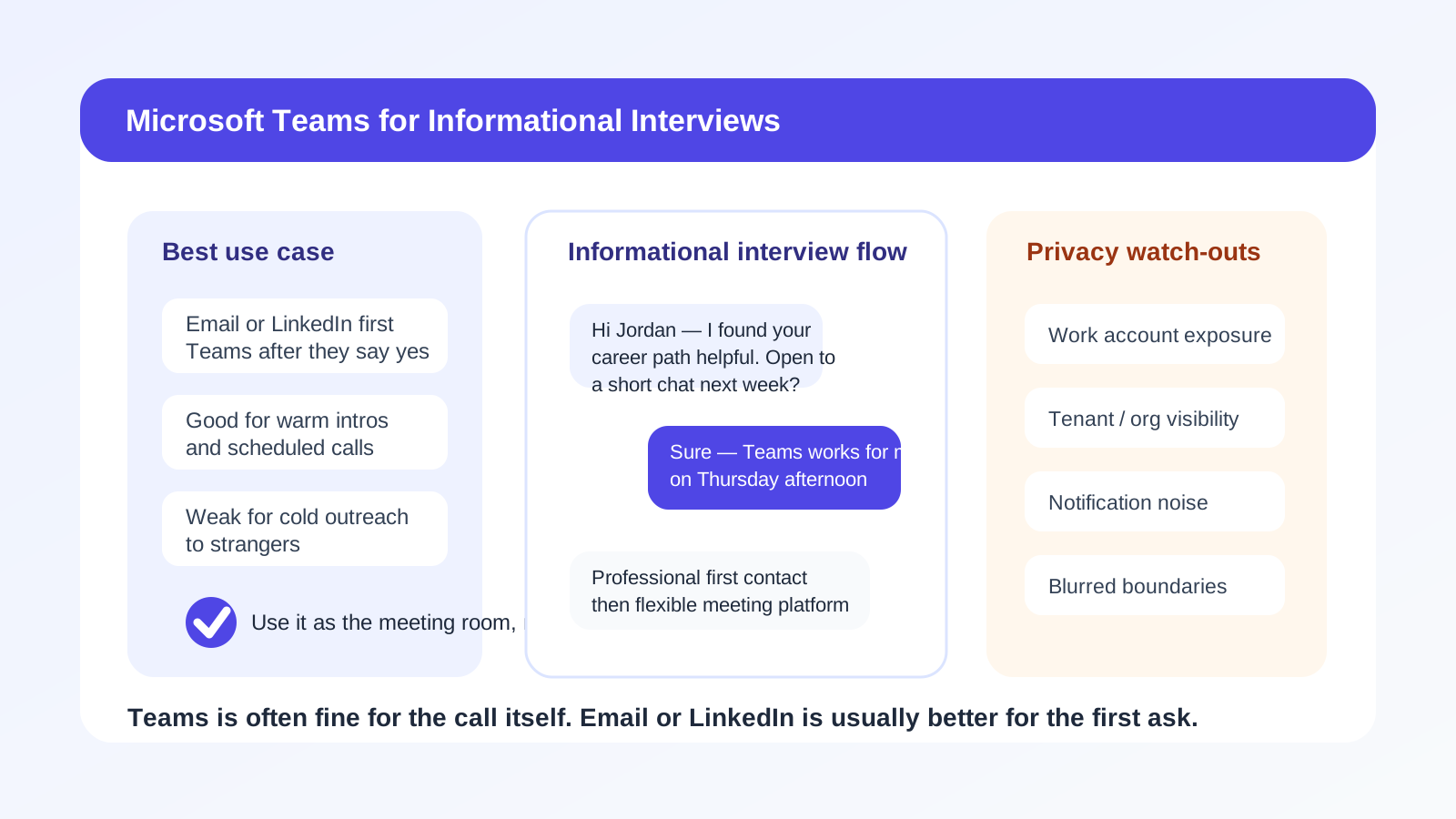
Microsoft Teams is usually a good meeting platform for an informational interview, but it is often a weak first-contact platform for asking for that interview in the first place.
In practice, the strongest workflow is:
- Make the initial request by email or LinkedIn.
- Confirm the person is open to a conversation.
- Use Teams only if both sides prefer it for the actual call or quick follow-up.
That sequence keeps the outreach professional, documented, and easier to verify while still letting you use a familiar tool for the conversation itself.
When Teams can work well
There are situations where Teams makes sense.
- Warm introductions: a mutual contact already connected you and mentioned that Teams is easiest.
- Shared organizational context: you are both part of the same university network, community, incubator, alumni program, volunteer board, or professional association that already uses Teams.
- Internal or semi-internal networking: you are speaking with someone inside the same company, parent organization, or client environment and Teams is the standard communication tool.
- Post-yes scheduling: the person already agreed to talk and now the only question is what platform to use.
- Time-sensitive logistics: a quick message about timing, links, or a delayed meeting can be easier in Teams than in a long email thread.
In those cases, Teams can feel efficient and normal. The key is that the relationship or communication context already exists. You are not forcing a stranger into your workspace-style communication channel out of nowhere.
Why Teams is often a poor first-contact channel
1. It can feel too workplace-specific
Many people mentally reserve Teams for employer-managed communication. Even if they technically can use it for outside conversations, they may not want casual career outreach mixed into a space associated with meetings, internal chats, and company notifications.
That matters for informational interviews because you are asking for time and goodwill. A channel that feels imposed or awkward can lower response rates before your message content even gets a fair read.
2. Tenant and account visibility can create friction
Teams is not just “a chat app.” It often exposes organizational context such as the account domain, profile identity, meeting host setup, presence indicators, or whether the conversation lives inside a managed tenant. Some people are fine with that. Others would rather keep employer-linked tools separate from outside networking.
If you are using a work-managed Teams account, that concern gets bigger. You may be exposing more about your current employer, your work identity, or your availability patterns than you intended.
3. Verification is weaker than email for cold outreach
A well-written email from a reasonable address gives the other person a stable, searchable record. LinkedIn gives a professional profile with context. A Teams ping from an unfamiliar person can feel harder to place, especially if it arrives without introduction. The recipient may wonder whether the request is legitimate, internal, misrouted, or simply not worth engaging with.
4. Boundaries get blurry fast
Informational interviews work best when expectations are clear: a short conversation, a narrow topic, a respectful follow-up. Teams can encourage more real-time back-and-forth than you actually need. That is convenient when both sides want it, but it can also make the interaction feel like an ongoing workplace thread instead of a contained professional favor.
5. The message can disappear into notification noise
People already drown in Teams pings, status changes, channel messages, and meeting reminders. Ironically, the channel that feels most immediate to you may be one the other person ignores most aggressively. Your careful request may get buried between internal meetings and project chatter.
Privacy issues to think about before using Teams
Work account exposure
If you use a current employer account to contact people for informational interviews, you may be broadcasting more than just your name. Depending on the setup, the other person may see your company identity, domain, photo, title, or other signals tied to your current workplace. That is not always dangerous, but it can be uncomfortable if you are trying to keep your job search discreet.
Presence and availability signals
Some communication tools make it easy for others to notice when you appear online, away, or active. For a simple networking conversation, that is unnecessary visibility. Email does not create that same ambient pressure.
Recordkeeping and separation
If you are talking to several people across different industries or companies, you need a clean system for remembering who said what, when to follow up, and what introductions were offered. Email is often better for that than an assortment of chat threads scattered across communication tools.
Shared-device or shared-workspace concerns
If you use Teams on a work laptop or inside a managed environment, that may create extra discomfort. Even if nobody is actively monitoring you, many job seekers understandably prefer not to mix informational-interview outreach with employer-managed apps, browsers, and devices.
A better default: email first, Teams second
If your goal is to get useful career insight without oversharing, the cleanest approach is simple:
- Start with email or LinkedIn. That gives the other person context, lets them verify who you are, and keeps the tone professional.
- Ask for a short conversation, not a vague connection. Specific requests are easier to accept.
- Offer platform flexibility. Say you are happy to talk by phone, Zoom, Teams, or whatever is easiest for them.
- Use Teams only after they say yes. At that point, it becomes a logistics tool rather than an intrusive first-contact method.
This matters even more if you are reaching out to multiple people. A separate inbox for networking keeps confirmations, calendar notes, and follow-up messages organized. If you are registering for alumni directories, professional communities, or early-stage events during that process, using a separate address can also help keep your main inbox cleaner. That is one place Anonibox fits naturally: not as a guarantee of anonymity, but as a practical way to reduce clutter while you decide which conversations or communities deserve long-term follow-up.
When using Teams is actually the smart move
There are cases where Teams is not just acceptable but preferable.
- The person explicitly says, “Just message me on Teams.”
- You already met through a program that runs on Teams.
- You work in an environment where Teams is the normal, expected networking layer.
- The informational interview is internal and discretion is not a concern.
- You need screen sharing for a portfolio, resume walkthrough, or product demo and the other person already prefers Teams.
In those cases, the issue is not the platform. The issue is simply whether the context supports it.
How to use Teams more professionally if you do choose it
Keep the first message short
Do not send a wall of text. State the shared context, your reason for reaching out, and the narrow ask. For example: “Hi Priya — we were both in the university analytics alumni group, and I noticed you moved from consulting into healthcare data. If you are open to it, I would appreciate a 15-minute informational chat sometime next week.”
That is respectful, specific, and easy to answer.
Do not assume fast replies
Because Teams feels real-time, people sometimes expect instant responses. That is the wrong mindset for informational interviews. Give the other person room to answer on their own schedule.
Avoid unnecessary personal detail
You do not need to explain your entire job situation, frustrations with your employer, or every detail of your resume in the first message. Keep the opener light. The point is to earn the conversation, not unload everything before the conversation exists.
Move durable follow-up to email when appropriate
If the person shares resources, agrees to introductions, or offers to review your resume later, email is usually better for the durable parts of that exchange. Chat is good for coordination. Email is better for records.
Use the right account
If you have a choice between a work-managed Teams identity and a personal or neutral account, the safer move is usually the one that reveals less about your employer and gives you more control over boundaries. If neither option feels clean, that is another sign to use email instead.
Red flags that mean you should not rely on Teams
- The person is a complete stranger and you have no mutual context.
- You are trying to keep your current job search confidential from your employer.
- The message would expose a work identity you do not want connected to the outreach.
- You need a clear searchable trail for follow-up, scheduling, or introductions.
- The other person has not shown any preference for Teams.
- You are only choosing Teams because it feels faster, not because it is actually better for the relationship.
If several of those are true, email is almost always the safer starting point.
Quick checklist before you use Teams
- Do we already share a real context or introduction?
- Will this expose a work account or employer identity I would rather keep separate?
- Would email or LinkedIn make the first request look more professional?
- Am I using Teams for convenience, or because the other person actually prefers it?
- If the conversation becomes important, do I have a better place to keep the follow-up organized?
If those answers point toward caution, trust that instinct.
Final answer
So, should you use Microsoft Teams for informational interviews? Usually only after the person has agreed to talk or when a shared context already makes Teams normal. As a platform for the actual conversation, it can be perfectly fine. As a cold or semi-cold first-contact method, it often creates unnecessary friction, weaker boundaries, and more account visibility than you need.
For most people, the best workflow is still the boring one: introduce yourself by email or LinkedIn, make a clear and respectful ask, then use Teams later if both sides prefer it. That keeps the outreach professional, protects your privacy a bit better, and makes the whole informational-interview process easier to manage.