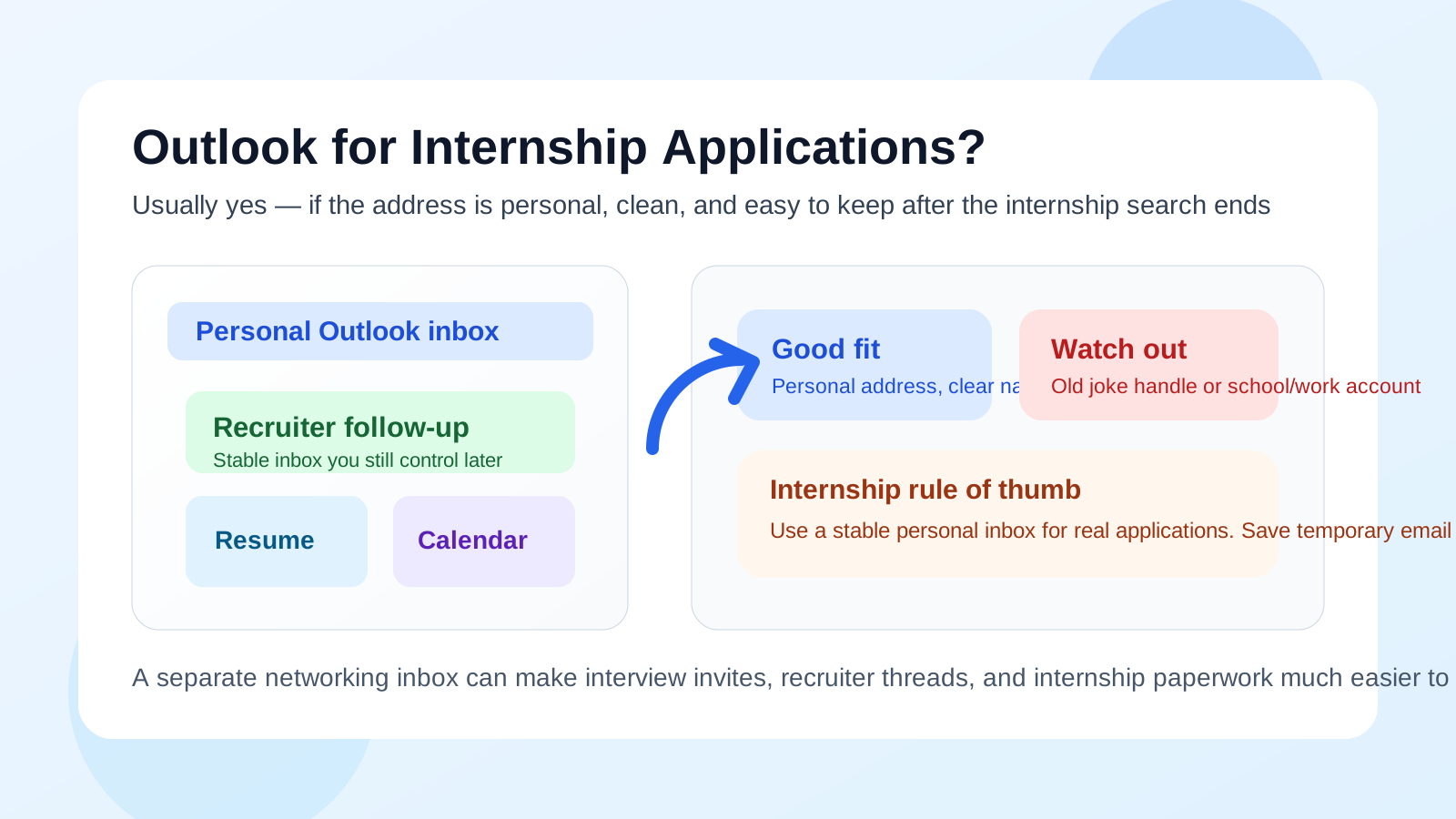
Yes, you can usually use Outlook for internship applications if it is a personal address you control, your display name looks normal, and the inbox is one you will keep checking throughout the hiring process.
The bigger problems are not Outlook itself. They are using an old embarrassing handle, relying on a school or work-managed Microsoft account you may lose access to later, or treating a disposable inbox like a real recruiter communication channel.
Why this question matters for internships
Internship applications move faster and messier than many full-time searches. You may apply to a dozen openings in a week, send résumés to campus recruiters, sign up for employer events, reply to coding challenge invites, and juggle interview scheduling at the same time. That makes your email address more important than it seems.
Recruiters are not usually sitting there ranking candidates by email provider alone. Still, the address you use affects professionalism, organization, privacy, and long-term follow-up. A good inbox makes you easier to reach and helps you keep your search under control. A bad one creates friction at exactly the wrong moment.
Short answer: Outlook is usually fine
A personal Outlook address is generally a perfectly acceptable choice for internship applications. It is mainstream, familiar, and normal in professional settings. Most recruiters care much more about whether your inbox is stable and your communication is clear than whether you use Outlook, Gmail, or another major provider.
If your address looks clean and you respond reliably, Outlook does not create a credibility problem by itself.
When Outlook is a good choice
1. You control the account personally
The best version of this is a personal Outlook.com or Hotmail account that belongs to you, not to your employer or university. If you own the account, control the recovery options, and expect to keep it for years, it can work well for internships and later job follow-up too.
2. The address looks normal
An email provider rarely hurts you. A chaotic address can. If your address is based on your real name or a simple variation, you are fine. Something like firstname.lastname, firstinitiallastname, or another straightforward version is much better than an old joke name, gamer tag, or middle-school relic you never expected to use professionally.
If your current Outlook address is messy, make a cleaner one before applying. That usually matters more than the provider name itself.
3. You check it consistently
Internship timelines can be tight. Some employers send follow-up requests, availability forms, or screening invites that expire quickly. Outlook is a good option if it is an inbox you actually monitor, with notifications set up and enough storage space to avoid missed attachments or delivery headaches.
4. You want long-term continuity
Internship applications do not always end when the application closes. A recruiter may return months later for another opening. A hiring manager may revisit strong candidates for a different team. A summer internship can turn into a return offer or a full-time conversation later.
That is why a stable personal inbox matters. Outlook works well when it is part of your longer-term professional identity, not just something you happened to have open today.
What Outlook does well for internship applications
It is familiar and low-drama
Outlook is a normal mainstream provider. It does not raise strange deliverability questions the way a random niche mailbox might. It is easy for recruiters to recognize and easy for you to use across desktop and mobile devices.
It can stay with you after school or after a role change
That is a major advantage over school or employer-managed Microsoft accounts. If you are applying to internships now, there is a decent chance the conversation may continue after the semester ends, after you graduate, or after you move cities. A personal Outlook account can stay active through those changes.
It can be organized well
Internship searches create clutter fast. Outlook can still work well if you use folders, categories, flags, or rules to separate recruiter emails from event registrations, coursework, and normal personal mail. The better you organize the inbox, the less likely you are to miss an important reply.
The real risks are not the provider — they are the setup
1. An outdated or unserious address
If your Outlook address is something you made at age thirteen and never expected to use professionally, fix that before applying. Recruiters might not reject you for it alone, but it can create an unnecessary “why did they choose this?” moment.
If you want your application to look polished, remove distractions you can control.
2. Using a school-managed Microsoft account
Some students and recent grads apply with a university Outlook or Microsoft 365 address. That can be fine in the short term, but only if you are sure it will stay active long enough. Many school accounts have retention limits, graduation cutoffs, or access changes that make them risky for long hiring cycles.
If you are unsure whether you will keep the account after graduation or after leaving the school, do not make it the center of your internship search.
3. Using a work-managed Microsoft account
This is a different situation entirely. A personal Outlook account is one thing. A work-managed Outlook or Microsoft 365 account is another. If the account belongs to your current employer, it is usually the wrong choice for internship applications because it can expose employer identity, create privacy concerns, and trap your search inside systems you do not fully control.
For internship applications, personal ownership matters.
4. Mixing everything into one noisy inbox
Even a perfectly good Outlook address can become a problem if it is buried under newsletters, receipts, school alerts, and old spam. If you are serious about internships, your inbox setup should make recruiter messages easy to spot.
Should you make a separate inbox just for internships?
Often, yes. If you expect to apply widely, attend campus events, or sign up for internship portals, a separate personal inbox can make life much easier. That separate inbox can still be Outlook if you like Outlook. The point is not switching brands. The point is creating cleaner boundaries.
A dedicated internship inbox can help with:
- Organization: applications, assessments, and interview requests stay in one place.
- Privacy: your oldest personal inbox does not absorb every recruiter and event signup.
- Speed: it is easier to notice follow-up requests when they are not mixed into everything else.
- Continuity: you can keep using the same address for future internships or full-time roles.
When Outlook is not the best choice
Your address looks rough
If the actual handle is distracting, that matters more than whether the provider is Outlook. Create a cleaner address.
The account is temporary or managed by someone else
If the inbox is tied to a school, employer, or organization that can remove access later, it is a weak choice for application threads that may matter months down the line.
You want extra separation from your main life
If internship applications are likely to generate a flood of career-fair follow-ups, low-trust employer newsletters, recruiter drip campaigns, and portal reminders, a dedicated inbox is usually smarter than reusing your oldest personal address.
Best practices if you use Outlook for internship applications
Use a professional display name
Make sure your display name matches the name on your résumé and LinkedIn profile closely enough that recruiters immediately know who they are talking to.
Clean up your signature
You do not need a huge signature block. Your name, phone number if you want it there, and one relevant link such as LinkedIn or a portfolio are usually enough.
Set up folders or categories
Create simple organization before the search gets busy. For example:
- Applications submitted
- Assessment invites
- Interviews and scheduling
- Offers and next steps
This is boring admin work, but it saves real stress later.
Check notifications and spam settings
Internship recruiting often depends on timing. Make sure messages from unknown senders are not silently disappearing into clutter or junk, and make sure your phone alerts actually work.
Keep documents in a personal storage workflow
If you attach a résumé, portfolio PDF, or writing sample, make sure the file is coming from a personal, stable location you control. Avoid accidental sharing links from school or work systems that might break later.
Where temporary or disposable email fits in
Temporary email has a place in the broader internship-search workflow, but not as the main address on the actual application. If you are downloading a gated salary guide, testing a questionable career resource, or signing up for a one-off tool you do not fully trust, a temporary inbox can help protect your main address from junk and resale lists.
That is where a service like Anonibox makes sense.
But when a real recruiter, coordinator, or hiring manager needs to reach you, you want a stable inbox you control long-term. Disposable email is great for low-trust intake. It is usually the wrong tool for actual application threads, interview scheduling, or offer-stage communication.
A quick checklist before you apply
- Is this a personal Outlook account, not a school or employer-managed one?
- Does the address look clean and professional?
- Will I still control this inbox after the internship cycle ends?
- Do I check it often enough to catch fast recruiter follow-up?
- Do I need a separate inbox to keep internship traffic organized?
If you can answer yes to most of those, Outlook is probably a solid choice.
Final answer
So, should you use Outlook for internship applications? Usually yes — if it is a personal account you control, the address looks professional, and you can keep using it throughout the process and beyond.
The real mistakes are using a messy old handle, relying on a school or work-managed account that may not last, or confusing a disposable inbox with a serious recruiter communication channel. If you want the safest setup, use a stable personal Outlook account or a separate personal networking inbox, and keep temporary email for low-trust signups rather than real internship follow-up.