Yes — Webex is usually a normal and legitimate platform for job interviews, especially with larger companies and enterprise-heavy teams.
The safest setup is a personal device with guest join or a clean personal account, not a work-managed Webex account, work laptop, or noisy browser session.
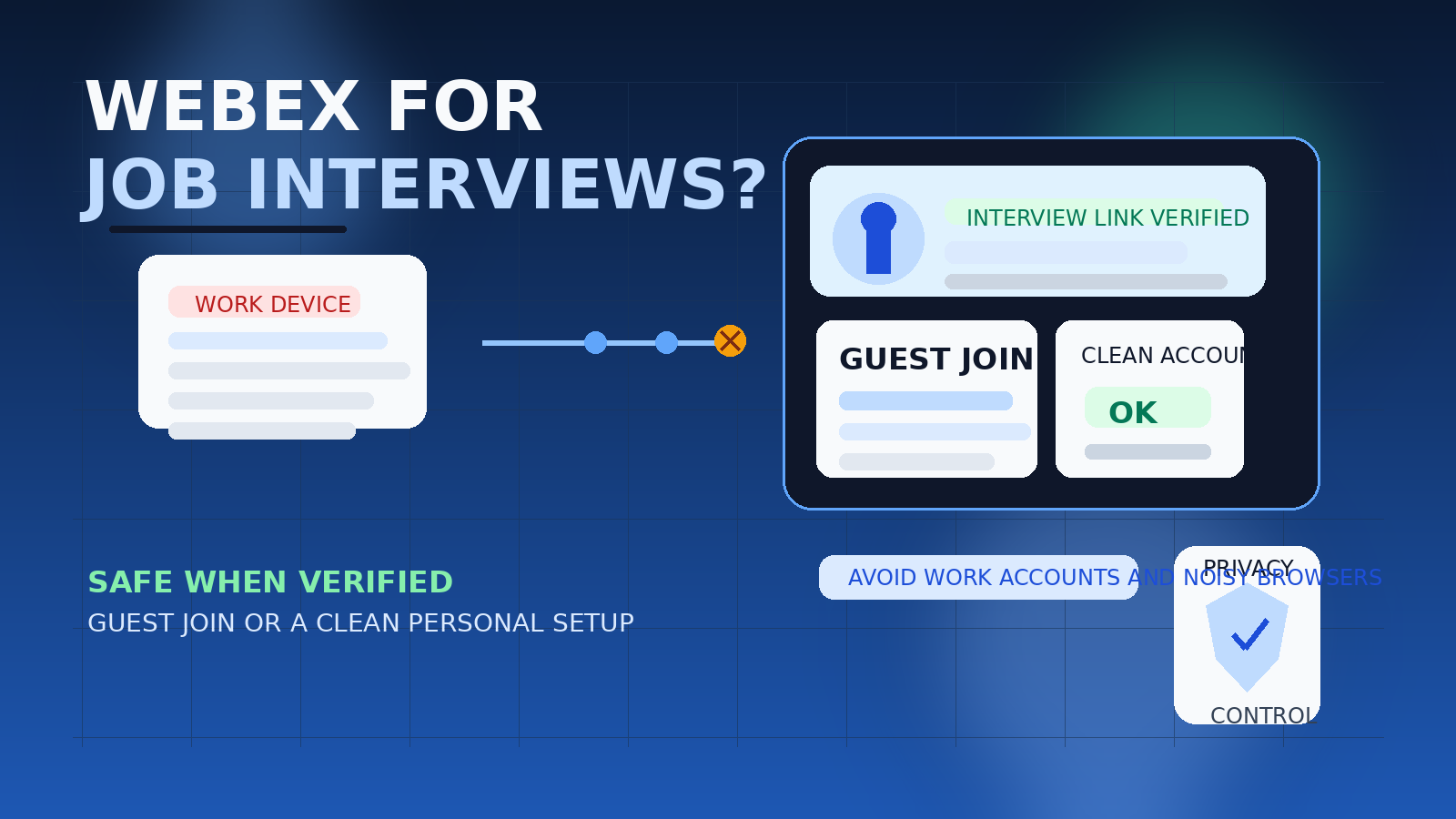
That distinction matters because job seekers often focus on the video platform name when the real risk is the setup around it. A plain Webex invitation from a legitimate recruiter is not weird on its own. In many industries, it is completely standard. But the moment you join from a work-managed device, a company Webex account, or a browser full of saved corporate sessions and desktop notifications, the interview starts sharing more context than you may want.
So if you are asking should you use Webex for job interviews, the most honest answer is: usually yes, but deliberately. Verify the employer, join from a clean environment, and avoid tying your interview to tools your current employer controls. If you do that, Webex is usually just another ordinary professional meeting platform, not a red flag.
Short answer: Webex is usually fine, but account choice matters
If the interviewer is real and the process looks normal, using Webex for a job interview is usually acceptable. The more important questions are:
- Are you joining from a personal device instead of a work-managed one?
- Can you use guest join instead of signing into a company-controlled account?
- Does your displayed name, profile photo, and browser state look professional?
- Have you verified that the recruiter and meeting invite are legitimate?
For most people, the best path is simple: use your own device, keep the setup clean, and avoid your current employer’s collaboration stack unless there is absolutely no alternative.
Why employers use Webex for interviews
Webex still shows up often in hiring because a lot of larger organizations already use it internally. Companies in healthcare, finance, government, consulting, and enterprise software often standardize on one meeting platform for security, IT support, scheduling, and compliance reasons. That means recruiters and hiring managers may default to Webex even if candidates personally use Zoom or Google Meet more often.
In other words, a Webex link does not automatically mean anything suspicious. Sometimes it simply reflects the employer’s existing workflow. If the recruiter has a real company email, the role exists on the careers page, and the interview process feels consistent, Webex can be a perfectly ordinary choice.
When a Webex interview is a good sign
Webex is often a mild green flag when it appears inside an otherwise normal hiring process. Good signs include:
- the invite comes from a recognizable company domain
- the role matches a public listing or a clearly described position
- the recruiter or coordinator is easy to verify on the company site or LinkedIn
- the meeting invite includes clear names, time zone details, and a normal agenda
- the employer appears to be the kind of organization that routinely uses enterprise meeting tools
None of those signs proves the interview is real by itself, but together they create a much more credible picture than a random message telling you to install software immediately.
The main privacy risks are not really about Webex itself
The platform is usually not the problem. The surrounding account and device context is.
1. Using a work-managed Webex account
If you join through your current employer’s Webex account, you may create meeting traces, account history, or identity spillover inside a system you do not control. Even if nobody is actively watching, it is still poor separation. That is why it is usually better to avoid a work-managed account entirely. The site already covers why a work Webex account is the riskiest option for interview privacy.
2. Joining from a work laptop or managed device
Even if you avoid the work account, a company-issued laptop can still expose you to browser sync, meeting history, notification leaks, VPN routing, endpoint monitoring, or cached sign-in confusion. A personal device is usually the cleaner choice.
3. Profile and display-name spillover
If you sign in with a personal account, make sure the visible identity is actually interview-ready. An old nickname, casual profile picture, or stale account name can create a worse first impression than you expect. This is not a disaster, but it is an avoidable distraction.
4. Browser and calendar clutter
Interview privacy problems often come from what surrounds the call: pop-up notifications, open tabs, synced calendars, recent files, or a browser profile that mixes work, personal life, and job search activity in one place. If screen sharing happens, that clutter matters fast.
5. False trust based on a familiar brand
A recognizable platform does not guarantee that the recruiter is genuine. Scammers can use familiar meeting brands too. A polished Webex invitation is still only one piece of the puzzle.
Best setup for a Webex job interview
If you want the safest practical answer, rank your options like this:
Best simple option: guest join on a personal device
If the meeting link allows you to join as a guest from your own laptop, that is often the cleanest setup. It minimizes account spillover and avoids tying the meeting to an employer-controlled identity. You still want to test your microphone and camera first, but guest join is frequently the lowest-friction privacy option.
Very good option: a clean personal or separate Webex account
If you are interviewing a lot, a polished personal account or a dedicated interview-only setup can be useful. It gives you predictable settings and a stable join experience, while keeping the interview separate from work tools. If you want a deeper breakdown, there is already a related article on when a separate Webex account makes sense.
Worst option: work account or work-managed environment
This is the one to avoid whenever possible. A work Webex tenant, work laptop, or work browser session adds privacy and visibility issues without giving you any real advantage for the interview itself.
Should you sign in at all?
Not always. Many candidates assume they need a full Webex account because the employer uses Webex internally, but that is often not true. If guest join works smoothly, it is usually better than forcing a sign-in you do not need.
You may still prefer signing in when:
- you have multiple rounds with the same employer and want a repeatable setup
- you have already tested the account and know the camera and audio settings behave properly
- your personal profile is clean and professional
- the browser guest flow is buggy on your device and the account-based flow is more stable
But if signing in adds more account baggage than convenience, guest join is often the smarter move.
Red flags that matter even if the meeting is on Webex
Using Webex does not automatically make the opportunity legitimate. Slow down if:
- the recruiter uses a free email address while claiming to represent a major company
- the job description is vague, unusually lucrative, or missing from the employer’s site
- you are pressured to join immediately without a normal scheduling process
- the message asks you to download unfamiliar software from a strange page instead of the normal Webex flow
- the interview quickly shifts into requests for ID documents, money, banking details, or one-time codes
- the sender will not provide a full name, company page, or verifiable role details
Those are recruiting-process problems, not Webex problems. But they matter much more than the platform name.
How to prepare for a Webex interview without leaking unnecessary information
Use a personal device if possible
This is the easiest privacy win. Your own laptop or tablet is less likely to be connected to employer-managed accounts, security tooling, or collaboration histories you do not control.
Pick a clean browser profile
If you have a dedicated browser profile for job search activity, use it. The site already has a broader guide on using a separate browser profile for job interviews, and the logic applies here perfectly.
Check your visible name and image
Look at what the interviewer will see before the call starts. If you are signing in, make sure the display name is correct and the profile image is neutral or removed.
Silence notifications
Close chat apps, mute email pop-ups, and disable desktop banners. Even a good interview can get derailed by one badly timed notification preview.
Open the link early
Join a few minutes ahead of time so you can confirm permissions, camera framing, and audio without the stress of troubleshooting live in front of the interviewer.
Assume screen sharing could happen
Even if you were not told to share your screen, prepare as if it might happen. Close sensitive tabs, documents, and anything tied to your current employer or private life.
What about email and scheduling privacy around the interview?
The meeting platform is only one layer of job-search privacy. The inbox receiving recruiter outreach, interview confirmations, and reschedule notes matters too. Many people use a stable personal address for serious opportunities and reserve temporary email for low-stakes signups, newsletters, or early research.
That is where Anonibox fits naturally. If you want to keep exploratory job-search traffic away from your primary inbox, a temporary address can help at the very start. Once an interview is real and ongoing, though, you still want a dependable email setup you control so the scheduling side of the process does not get messy.
A quick decision checklist
- Is the recruiter and company independently verifiable?
- Does the Webex invite come from a credible company domain or a clearly identified coordinator?
- Can you join as a guest from a personal device?
- If you sign in, is the account clean and professional?
- Have you avoided work-managed accounts, work devices, and noisy browser sessions?
- Have you closed sensitive tabs and silenced notifications?
If those boxes are checked, Webex is usually a perfectly reasonable interview platform.
Final answer
Yes — you can usually use Webex for job interviews without much concern, as long as the employer is legitimate and your setup is clean. The safest approach is a personal device plus guest join, or a polished personal account if signing in genuinely makes the experience smoother.
The part to avoid is dragging your current employer’s tools into the process. Skip the work Webex account, skip the work laptop if you can, and treat the surrounding privacy choices as seriously as the meeting platform itself. Done that way, Webex is typically just another normal professional interview tool.