Yes, you can use Yahoo Mail for career fairs if the address looks professional, you check it consistently, and you are comfortable using it for recruiter follow-up.
But if your Yahoo inbox is old, cluttered, or tied to years of random signups, a cleaner dedicated job-search address usually gives you better privacy and organization.
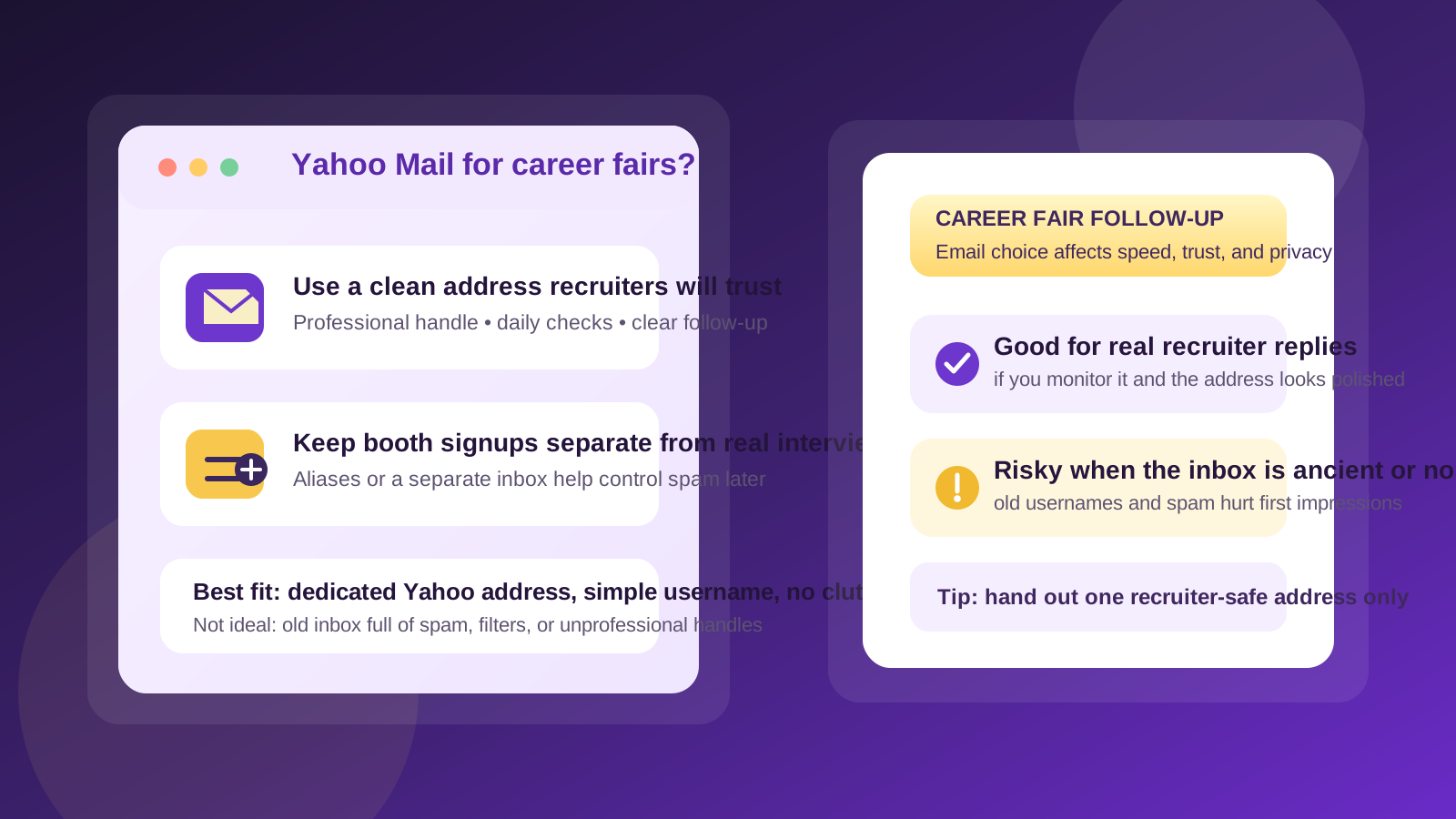
Short answer: Yahoo Mail is fine, but context matters
Yahoo Mail is not automatically a bad choice for career fairs. Recruiters mainly care that your email works, looks professional, and gets checked often. If you have a simple address like firstname.lastname@yahoo.com, you respond promptly, and you keep the inbox organized, Yahoo can do the job perfectly well.
The problem is not really “Yahoo Mail” as a provider. The real issue is that many people still use an old Yahoo address they created years ago for newsletters, coupons, shopping accounts, and random website signups. That creates two common career-fair problems: important recruiter follow-up gets buried, and the address itself may not make the best first impression.
Why this question comes up at career fairs
Career fairs are messy by nature. You meet several employers quickly, hand out resumes, scan QR codes, fill out talent-community forms, and sometimes send follow-up messages to recruiters later the same day. That means your email address is doing more than one job at once. It may need to:
- Appear on your resume
- Be written on sign-up sheets or typed into tablets at booths
- Receive interview invitations and thank-you replies
- Handle event-related newsletters, talent alerts, and recruiter outreach
If all of that flows into an inbox you barely manage, even a legitimate recruiter message can disappear under job alerts, promotional mail, and random account notifications.
When Yahoo Mail is a perfectly reasonable choice
Yahoo Mail works well for career fairs when the account is being used intentionally rather than by default. It is a strong enough option if most of these are true:
- Your email address looks professional and easy to read
- You check it daily, especially during an active job search
- You have notifications turned on or a reliable habit for reviewing it
- You can quickly find recruiter messages without digging through clutter
- You are comfortable using the same address for resumes and follow-up
If that describes your Yahoo account, there is no need to overcomplicate things. A recruiter is far more likely to care about responsiveness and professionalism than whether you prefer Yahoo, Gmail, or Outlook.
When Yahoo Mail becomes a weak option
Yahoo Mail becomes less ideal when you are relying on an address that is technically active but practically unmanaged. Career fairs move fast. Missing a follow-up because your inbox is chaotic is a real cost.
Be more cautious if your Yahoo account has any of these problems:
- An old or awkward username that looks unprofessional
- A huge backlog of unread messages that makes new mail easy to miss
- Heavy spam from years of shopping, newsletters, and low-trust signups
- Filters or forwarding rules you barely remember setting up
- An inbox you only check occasionally
In those cases, Yahoo itself is not the issue. The issue is that the account is not serving your current goal well. A recruiter-safe inbox should feel clean, searchable, and dependable during the few weeks when follow-up matters most.
What recruiters usually care about
Most recruiters are practical. They want a working address, a clear resume, and a candidate who responds. They are usually not judging you purely because you use Yahoo Mail. What they may notice instead is whether your email identity feels current and professional.
For example, these details matter more than the provider name:
- Does the address use your real name or a close professional version of it?
- Is it easy to dictate across a noisy booth or phone call?
- Does it avoid slang, jokes, or old gamer-style handles?
- Will you actually see the reply quickly?
An address like janesmith.yahoo@yahoo.com or firstname.lastname@yahoo.com is usually fine. An address like partyanimal2009@yahoo.com is a very different story.
Privacy and spam risks at career fairs
Career fairs are not just about recruiter conversations. They are also environments where your contact information gets shared widely. Some booths are run directly by hiring teams, while others collect leads for future campaigns, university outreach, or general talent pools. That means the email you hand out can keep receiving messages long after the event ends.
If your Yahoo address is also your long-term personal inbox, that exposure may be annoying. You might start getting extra newsletters, promotional recruiting mail, event reminders, and follow-up from companies you barely remember speaking to.
This is where separation helps. If you want more control, a dedicated job-search address is often better than your main personal inbox. And if you expect to sign up for multiple QR-code forms or low-stakes employer mailing lists, a separate inbox workflow using something like Anonibox, aliases, or a temporary address for the initial form can reduce clutter while keeping your main recruiter address cleaner. The important distinction is that serious follow-up should still go to an address you monitor reliably.
Best practice: use one clean address for recruiters and another for noisy signups
This is usually the smartest middle ground. You do not need five different inboxes, but you also do not need to dump every career-fair interaction into the same account.
A practical setup looks like this:
- Put one professional email address on your resume and LinkedIn profile.
- Use that same address when a recruiter or hiring manager is likely to follow up directly.
- Use a separate alias or lower-stakes inbox for general booth raffles, newsletter forms, or broad talent-community signups if you expect extra noise.
- Check both during the event window, but treat the recruiter-facing address as the priority inbox.
If your Yahoo Mail account is clean and professional, it can absolutely be that main recruiter-facing address. If it is not, create a better job-search address before the event rather than hoping the old account behaves well under pressure.
How to decide whether your Yahoo address is good enough
Before the career fair, run a quick test. Ask yourself:
- Would I feel comfortable seeing this address at the top of my resume?
- Can I give it to a recruiter out loud without spelling something awkward?
- Would an interview invitation stand out clearly in this inbox?
- Do I trust myself to check it several times a day after the event?
- Is this account tied to too much old clutter or too many low-value signups?
If the answers are mostly yes, Yahoo Mail is likely fine. If two or three answers make you hesitate, that is your sign to tighten things up before recruiters start writing back.
Ways to make Yahoo Mail safer and more useful for a career fair
If you want to keep using Yahoo, a few cleanup steps go a long way:
1. Simplify the address you share
If you have more than one Yahoo account, choose the most professional one. Your job-search email should use your name, not a nickname or a dated personal reference.
2. Clean out obvious clutter
Archive or delete old promotional mail, unsubscribe from the worst repeat senders, and create a quick folder or label system if that helps you spot recruiter messages faster.
3. Turn on notifications
If a company reaches out after the event, speed matters. Make sure interview requests do not sit unseen for two days.
4. Check spam and junk folders
Important recruiter emails sometimes land in the wrong place, especially when companies send from automated systems.
5. Match your resume, LinkedIn, and follow-up signature
Use the same address consistently so recruiters are not trying to reconcile multiple identities after a busy event.
When a different email option may be better than Yahoo
You do not need to switch providers just because career fair season is starting. But another option may be better if:
- Your Yahoo account is tied to an old online identity you no longer want to present professionally
- You want a fully separate inbox for job searching and nothing else
- You need stronger separation between personal life and recruiting activity
- You already know the account attracts too much junk mail
In that case, the move is not “avoid Yahoo at all costs.” It is “use the cleanest, most manageable email identity for this specific purpose.” Sometimes that is still Yahoo. Sometimes it is a newer dedicated address elsewhere. Sometimes it is Yahoo plus an alias strategy for noisy signups.
Common mistakes to avoid at the event
- Giving recruiters an address you rarely check
- Using one cluttered inbox for resumes, newsletters, and giveaway forms
- Listing an email on your resume that looks casual or outdated
- Forgetting to review spam folders after the event
- Following up from a different address than the one on your resume without explanation
These mistakes matter more than the provider name. A thoughtful workflow beats brand loyalty every time.
Final answer: should you use Yahoo Mail for career fairs?
Yes, you can use Yahoo Mail for career fairs, and for many people it is a perfectly workable option. The key is that the account should be professional-looking, actively monitored, and clean enough that recruiter follow-up does not get lost.
If your Yahoo inbox is old, noisy, or awkwardly branded, it is worth upgrading your setup before the event. A dedicated job-search email, a separate alias, or a temporary inbox for lower-trust signups can make career-fair outreach much easier to manage. The best choice is the one that helps recruiters reach you quickly while giving you more control over spam, privacy, and follow-up after the event.