Yes, usually. A personal calendar is generally a better choice than a work calendar for job applications because you control the account, the reminders, and the devices it touches.
But it is not automatically perfect. If that calendar is shared with family, synced to work devices, cluttered with everything else in your life, or full of revealing event titles, a separate job-search calendar can still be the cleaner and more private setup.
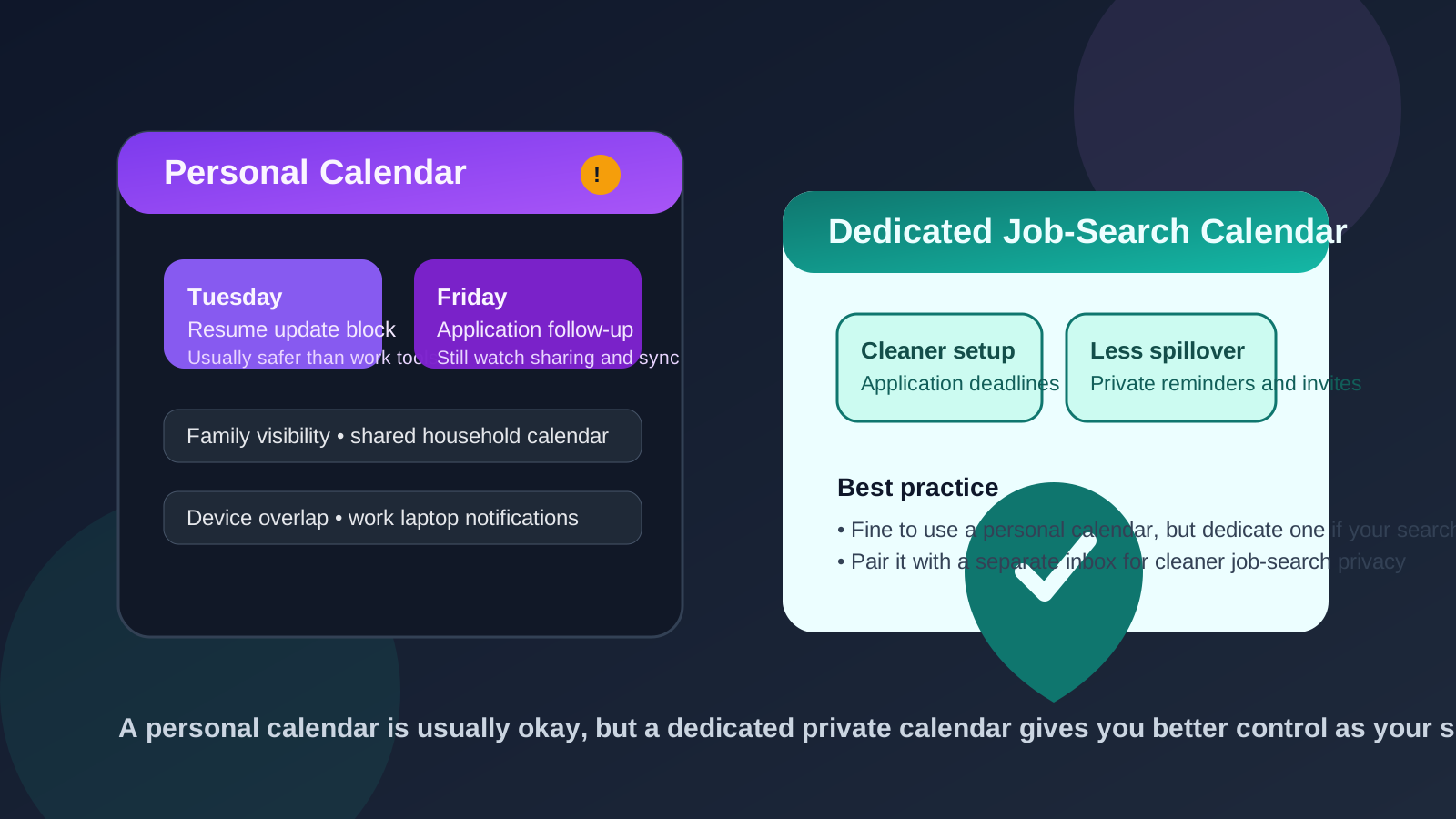
When people think about job-search privacy, they usually focus on email first. That makes sense. Email carries recruiter messages, application confirmations, and follow-up threads. But the calendar you use matters too. Job applications create deadlines, reminders, task blocks, assessment windows, and follow-up dates. If those details live in the wrong calendar, they can leak more context than you expect.
Using your personal calendar for job applications is often the practical middle ground. It is safer than putting job-search activity on an employer-managed calendar, and it is easier than building a whole new system from scratch. Still, “personal” is not the same thing as “fully private.” The real question is whether your personal calendar gives you enough control over visibility, reminders, sharing, and clutter for the kind of search you are running.
Why a personal calendar is usually the better default
For most people, the main advantage is simple: ownership. A personal calendar belongs to you, not your employer. That means your reminder titles, event notes, links, and scheduling patterns are less likely to sit inside workplace systems, retention rules, admin controls, or company-managed devices.
That alone makes it a stronger default for job applications than a work calendar. If you are tracking application deadlines, portfolio updates, online assessments, resume revisions, or follow-up windows, those are personal career activities. They do not belong in tools your employer controls.
A personal calendar is also convenient. You probably already trust it, check it regularly, and receive notifications on devices you own. That lowers the odds that you will miss a deadline simply because you tried to build an overcomplicated privacy setup.
What can still go wrong on a personal calendar?
The fact that a calendar is personal does not remove every privacy risk. It just changes the type of risk.
1. Shared household calendars can reveal more than you intended
Many people share parts of their personal calendar with a spouse, partner, family member, or assistant. That is usually harmless for normal life planning, but it can create awkwardness if your job search is supposed to stay private.
An event titled “Recruiter call,” “Application follow-up,” or a company name on a weekday afternoon can reveal more than you meant to share. Even if nobody is doing anything wrong, you may not want early-stage applications visible to other people in your life until opportunities become serious.
2. Work-device sync can reintroduce exposure
Some people use a personal calendar but still view it on a work laptop or employer-managed phone. That weakens the privacy benefit. Pop-up reminders, browser notifications, synced sidebars, and calendar previews can still surface job-search activity on devices you do not fully control.
If you are using a personal calendar for job applications, the best version of that setup keeps the notifications on personal devices only. Otherwise, you are recreating part of the same visibility problem you were trying to avoid.
3. Your main personal calendar can become messy
Job applications do not usually create just one or two calendar entries. They create waves of little commitments: submit by Friday, revise cover letter, complete assessment, follow up next Tuesday, check reference availability, review portfolio link, and so on.
If all of that lands in the same calendar as birthdays, medical appointments, school pickups, travel plans, bill reminders, and everything else, your job search can become harder to manage. This is not a security failure. It is an organization problem. But organization problems turn into missed deadlines, weak follow-up, and unnecessary stress surprisingly fast.
4. Event titles can still be too revealing
Even on a private calendar, it is smart to think about naming. You do not need to turn every entry into a code word, but you also do not need titles like “Final application for competitor role” flashing across your screen in public places. Simple, professional labels such as “Application follow-up,” “Portfolio update,” or “Assessment window” are usually enough.
The goal is not paranoia. It is keeping your workflow tidy without adding detail that could create problems if somebody glances at a screen or if a notification appears at the wrong moment.
When using your personal calendar makes perfect sense
For many job seekers, a personal calendar is exactly the right level of separation. It is especially sensible when:
- you are applying occasionally rather than running a large search campaign
- you are not sharing the calendar broadly with other people
- your reminders only appear on devices you own
- you want a straightforward system you will actually maintain
- you are mostly tracking deadlines, document tasks, and follow-ups rather than heavy interview scheduling
In that situation, a personal calendar is often enough. You get privacy from employer systems without making your process more complicated than it needs to be.
When a separate calendar is better than your main personal one
A separate calendar becomes attractive when your search gets more active, more sensitive, or more operationally messy.
For example, a dedicated job-search calendar is usually better if:
- you are applying to many roles at once
- you want cleaner separation from family or daily-life scheduling
- you are actively interviewing and calendar traffic is increasing
- you share your main personal calendar with other people
- you want to mute, color-code, or manage job-search reminders differently
This does not always require a whole new account. Sometimes a separate calendar inside your personal account is enough. The point is to isolate the workflow so you can manage application tasks without mixing them into everything else.
What should you actually put on the calendar?
One useful habit is to limit the calendar to time-based actions rather than turning it into a full application database. Good calendar items include:
- application deadlines
- follow-up reminders
- assessment windows
- time blocks for resume, portfolio, or cover-letter revisions
- reminders to check application portals
What does not need to live there? Long research notes, sensitive copies of documents, or detailed opinions about the company. Keep the calendar for timing. Keep deeper notes somewhere else you control.
How to use a personal calendar more privately
Keep notifications on personal devices
If your personal calendar is useful, protect that advantage. Avoid showing its reminders on employer-managed devices where previews or sidebars might expose more than you want.
Use a dedicated color or label
Even if you do not create a separate calendar, a clear color or category helps you scan your week quickly. That makes it easier to stay organized without filling event titles with too much detail.
Name entries clearly, not dramatically
You want reminders that make sense to you. You do not need verbose labels full of company names and personal commentary. Neutral naming keeps things cleaner.
Review sharing settings
Many privacy leaks come from old sharing settings people forgot were enabled. If you rely on your personal calendar, take a minute to confirm who can see it, what they can see, and whether event details are exposed.
Pair it with a separate inbox when needed
If you are already isolating low-trust signups, job-board activity, or early application traffic with a separate inbox, your calendar strategy should match that level of care. Some job seekers use Anonibox to keep early email exposure under control, then pair it with a private personal or dedicated calendar so both the message trail and the reminder trail stay separate from work systems.
A simple setup that works for most people
- Use your personal account, not your work account.
- Create either a dedicated job-search calendar or a clear label inside your personal calendar.
- Track deadlines, follow-ups, and scheduled work blocks only.
- Keep notifications on personal devices.
- Audit sharing and sync settings once before your search gets busy.
That is usually enough. You do not need a complicated privacy stack just to manage job applications well. You mainly need to avoid obvious exposure points and keep the workflow usable.
Quick decision checklist
- Do I control this calendar account completely?
- Is it shared with family, a partner, or anyone else?
- Do reminders appear on any work-managed device?
- Will my main personal calendar become too cluttered if applications increase?
- Would a dedicated job-search calendar give me better focus with very little extra effort?
If your answers look clean, your personal calendar is probably a fine choice. If the answers reveal sharing, sync overlap, or clutter, a separate calendar is the better move.
Final answer
Yes, you usually should use your personal calendar for job applications instead of a work calendar. It gives you far more control over privacy, reminders, and visibility, and it keeps your search off employer-managed systems.
But if your personal calendar is shared, noisy, or partially visible on work devices, do not stop at “personal.” Create a separate private job-search calendar. That small extra step can make deadlines easier to manage while keeping your job search cleaner, quieter, and much easier to control.