Usually no. Using your work browser profile for employment verification can expose sensitive hiring activity through synced history, saved logins, autofill data, downloads, and employer-managed browser tools.
If employment verification is moving forward, a personal browser profile on a personal device is usually the safer choice because it gives you more control over privacy, accounts, and document handling.
Why this choice matters more than people expect
Employment verification feels administrative, but it often happens at a sensitive point in the hiring process. You may be uploading offer-related documents, responding to HR emails, reviewing screening instructions, or signing into third-party verification portals. That is a lot of job-change activity to run through a browser profile that may already be tied to your current employer.
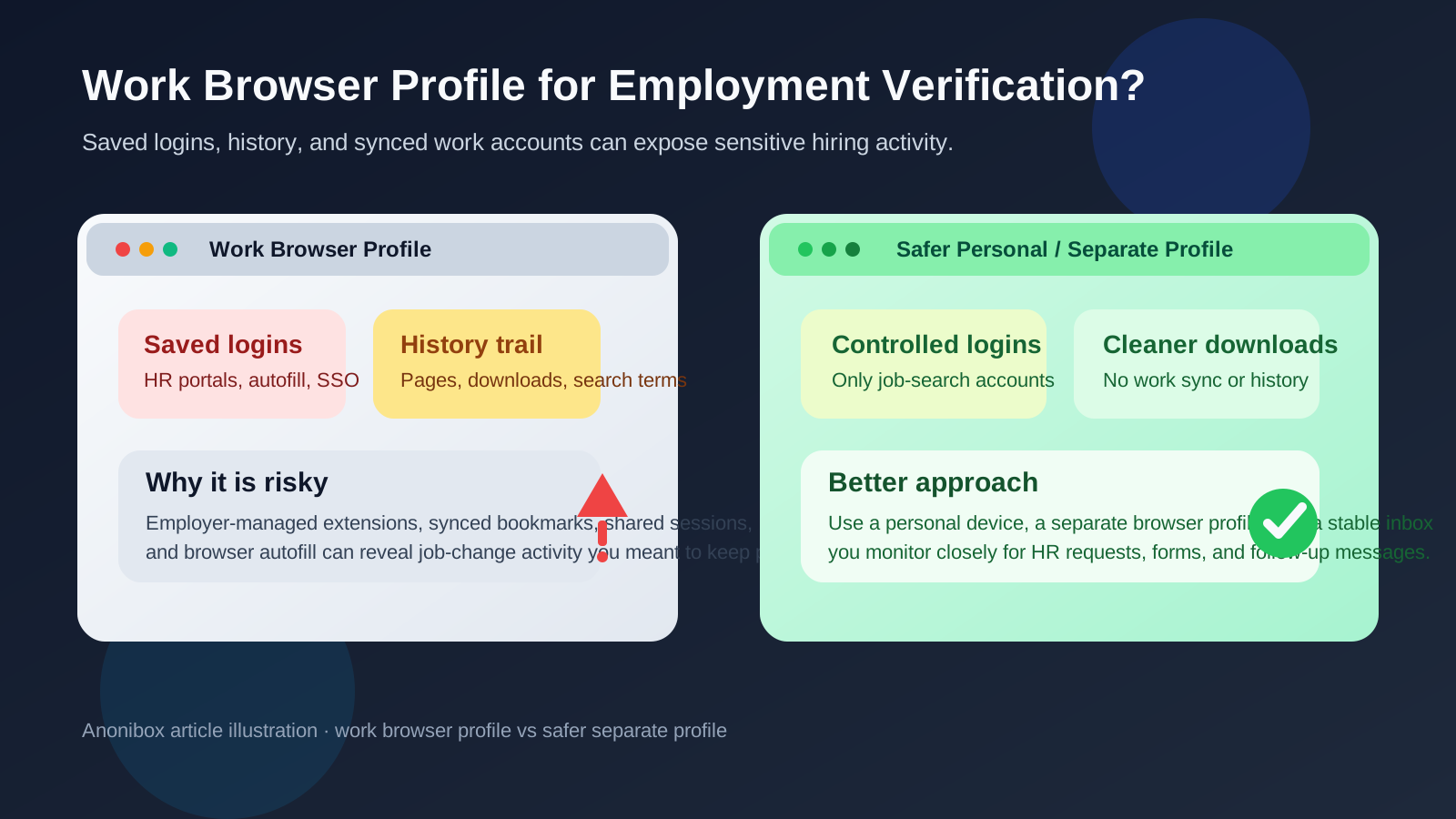
A work browser profile is not just a browser window with a different icon. It often comes bundled with synced bookmarks, managed extensions, saved passwords, company sign-in sessions, policy controls, and browsing history that lives inside a work ecosystem. Even if nobody is watching you in real time, it is still a poor place to handle a process you probably want to keep separate.
What “work browser profile” usually includes
Many people think of a browser profile as a minor convenience setting, but work-managed profiles can carry a surprising amount of state. Depending on your setup, your work Chrome, Edge, or managed browser profile may include:
- signed-in company Google or Microsoft accounts
- synced browsing history and bookmarks
- saved autofill data for names, addresses, or phone numbers
- saved passwords or passkey prompts
- extensions installed or enforced by your employer
- download histories and recently opened files
- single sign-on traces connected to corporate identity tools
That means employment-verification activity can leave more evidence than you expect. Even if the exact verification forms are private, the surrounding browser behavior may not be.
The main privacy risks
1. Browsing history can tell a clear story
If you open a background-screening vendor portal, review offer paperwork, or revisit a hiring company’s onboarding pages from a work profile, the browser history itself can become a signal. A current employer usually does not need access to your private job-search process, and a work profile is a bad place to create that trail.
2. Saved logins and account mix-ups are common
Employment verification often involves multiple portals: HR systems, payroll providers, document-signing tools, and third-party screeners. In a work browser profile, you are more likely to hit the wrong saved login, the wrong autofill entry, or the wrong synced account. That can create confusion, slow the process down, or expose job-search details through the wrong identity context.
3. Autofill can leak more than you meant to share
Forms may ask for contact details, past addresses, legal names, or employment dates. If your work profile has aggressive autofill turned on, it can suggest or insert details from unrelated business activity. At best that is messy. At worst it creates accuracy problems or oversharing in a process that already handles sensitive information.
4. Employer-managed extensions and policies add uncertainty
Some work browsers run extensions for security, data-loss prevention, SSO, or company productivity tooling. That does not automatically mean anyone is reading your forms, but it does mean you are using a managed environment you do not fully control. When the task involves personal employment changes, uncertainty alone is reason enough to move it elsewhere.
5. Downloads and file traces stick around
Verification workflows often create PDFs, signed forms, pay stubs, tax records, or identity-related files. Saving those through a work profile can leave recent-download traces, open-file hints, and sync artifacts you would rather avoid. A personal setup gives you cleaner control over where those files live and how long they stay around.
Why employment verification is different from early job applications
Early applications can sometimes be lightweight: a résumé upload, a short form, maybe a recruiter reply. Employment verification is usually later-stage and more specific. By that point, the messages and portals often reveal that you are further along in a real hiring process. They may also involve more sensitive material than a normal application.
That is why privacy mistakes matter more here. A work browser profile is risky not just because it is a work tool, but because employment verification tends to combine timing, documentation, and portal activity in a way that is easier to interpret.
What to use instead
A personal device is best
If possible, handle employment verification on a personal laptop or desktop that you control. That gives you the cleanest separation from employer-managed accounts, extensions, and network policies.
A separate personal browser profile is even better
Inside your personal browser, create a dedicated profile just for job-search and hiring tasks. That profile can hold only the logins, bookmarks, and downloads related to applications, interviews, offers, and verification. It is a simple compartmentalization step that reduces mix-ups and makes cleanup easier later.
Use a stable inbox you actually monitor
Employment verification is usually not the moment for a throwaway setup that might disappear or be forgotten. If you used Anonibox or another privacy-first email workflow earlier in your search, this is the stage to make sure the inbox behind it is stable, monitored, and appropriate for time-sensitive follow-up. Separation is still useful; unreliability is not.
A safer setup in practice
- Use a personal device and personal network when possible. That keeps the environment outside work-managed hardware and connectivity.
- Create a dedicated browser profile for hiring tasks. Keep only job-search bookmarks, portal logins, and downloaded forms there.
- Turn off or review autofill. Verify every field before submitting address histories, phone numbers, and employment details.
- Use a dedicated download folder. Store verification documents somewhere you can review, encrypt, back up, or delete intentionally.
- Stay consistent with contact details. Use the same reliable email and phone number you are actively monitoring so HR or screening vendors can reach you.
- Sign out when finished. Close portals, remove cached sessions if needed, and keep the profile clean.
Is there ever a case where a work browser profile is okay?
In practice, very rarely. If your employer openly allows limited personal browsing, your profile is not tightly managed, and the verification step is extremely minimal, you might get away with it. But that is not the same thing as it being wise. The downside is real, and the upside is mostly convenience.
When the safer option is as simple as opening a personal browser profile on your own device, the work profile usually loses on basic risk-reward math.
Warning signs that you should stop and switch immediately
- You notice your work Google or Microsoft account is signed in.
- Your browser suggests company-related autofill entries.
- A verification portal opens with saved credentials you did not intend to use.
- You are downloading pay stubs, tax forms, or signed documents.
- You see work security extensions or policy notices in the browser.
- You are on a shared office machine or any device someone else can access.
If any of those happen, stop, move to a personal environment, and continue there. It is easier to change course early than to wonder later what traces you left behind.
Quick checklist before you continue employment verification
- Am I on a personal device?
- Am I using a personal or separate browser profile instead of a work one?
- Do I control the inbox receiving verification messages?
- Will downloaded documents stay in a private folder I can manage?
- Have I checked autofill and saved-login behavior before submitting forms?
If the answer to those questions is yes, you are in a much better position to finish the process cleanly and privately.
Final answer
You usually should not use your work browser profile for employment verification. The risk is not just that someone could theoretically see what you are doing. It is that work profiles naturally accumulate history, saved logins, synced accounts, extensions, and download traces that make sensitive hiring activity harder to keep separate.
A personal device plus a separate personal browser profile is the better default. It keeps verification portals organized, reduces login mistakes, limits privacy leaks, and gives you more control over documents and follow-up. If you want to stay reachable without turning your whole job search into a mess, keep the process compartmentalized and choose tools you actually control.