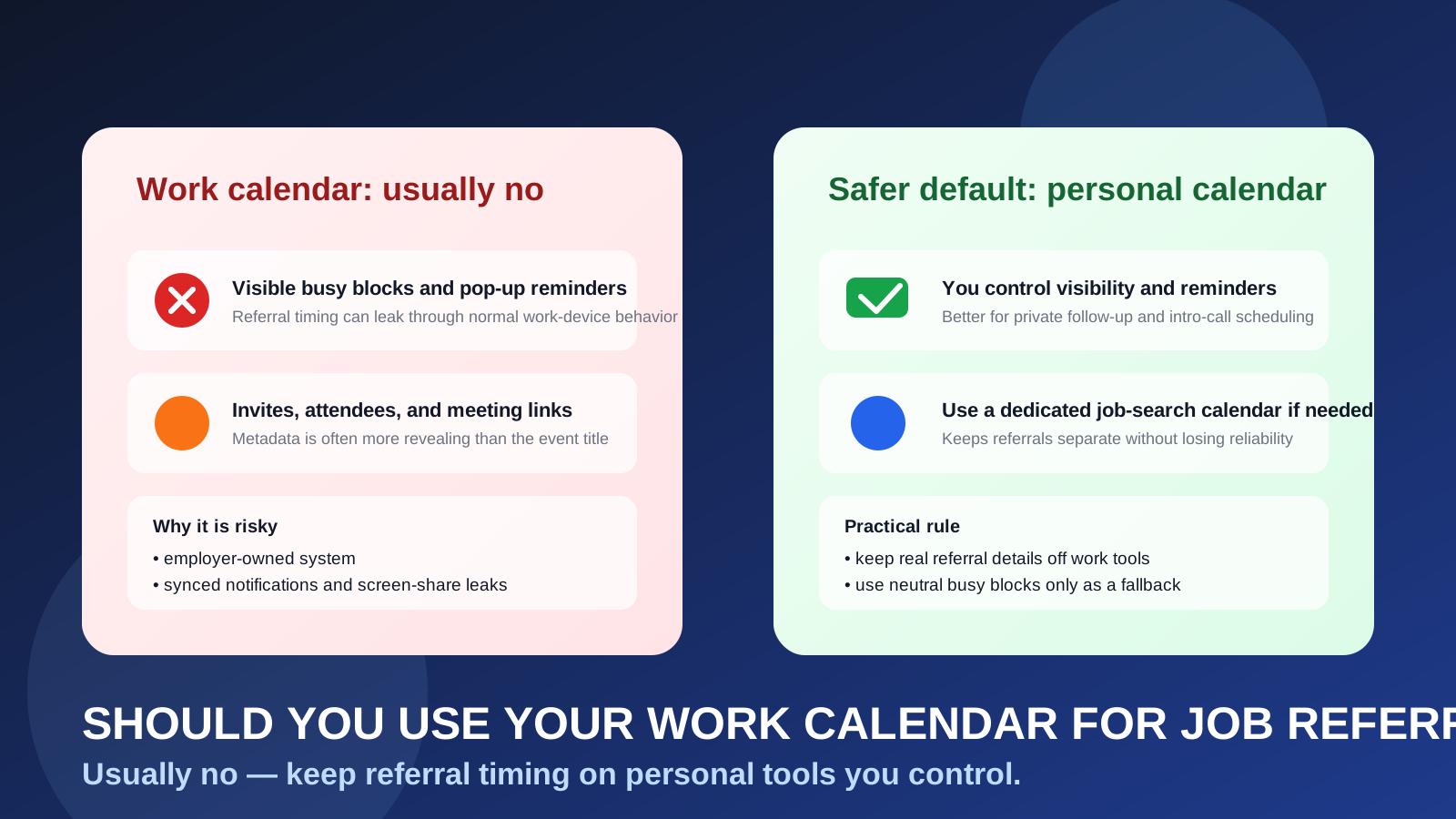
Usually no. If your employer controls the calendar account, referral reminders, intro calls, recruiter invites, and follow-up holds can leave a visible trail inside work systems.
A personal calendar is usually safer for job referrals because it keeps timing, notifications, and scheduling details under your control instead of your employer’s.
People usually think about email first when they want a private job search. That makes sense, but calendars leak information too. A referral often starts casually: a former coworker offers an intro, a friend says a recruiter may reach out, or an employee asks when you are free for a quick call. The moment those steps become meeting holds, reminder blocks, or calendar invites, the privacy question changes. The issue is no longer just who has your email address. It is who can see the timing, patterns, and metadata around your search.
That is why the answer to should you use your work calendar for job referrals is usually no. It may feel convenient because you already check it all day, but convenience is not the same as privacy. A work calendar belongs to your employer’s environment, and that matters even when nobody is actively watching you.
Why job referrals create calendar exposure faster than people expect
Referrals feel informal compared with job applications and formal interviews, so candidates often underestimate how much scheduling is involved. In reality, referral-stage activity can create a long trail:
- reminders to follow up with the person who offered the intro
- time blocks to send a tailored resume or portfolio
- quick intro calls with a recruiter or hiring manager
- coffee chats, informational conversations, or screening calls
- calendar invites that arrive before a full interview loop even exists
- notes about who referred you, which team is involved, and when to check back
That may not sound dramatic, but those small scheduling artifacts add up. On a personal calendar, they are just organizational details. On a work calendar, they become activity inside an employer-managed system. That is the privacy problem.
Short answer: a work calendar is usually the wrong default
If the calendar belongs to your current employer, you should assume it is part of a broader company environment with admin access, retention rules, device sync, and notification surfaces you do not fully control. Even if your workplace is relaxed and nobody seems interested in your schedule, you are still placing confidential job-search timing inside tools designed for your current job.
For most people, the better choice is simple: keep referral scheduling on a personal calendar, or use a dedicated job-search calendar inside a personal account you control.
What can go wrong when you use your work calendar for job referrals?
1. Visible meeting blocks can create a pattern
You may think you can hide everything by writing vague titles like “Private appointment” or “Focus block.” That is safer than accepting a recruiter invite directly, but it does not solve the whole problem. Repeated blocks during business hours, especially around lunchtime or late afternoon, can still attract attention. In smaller teams, people notice patterns quickly.
A single vague event is probably harmless. A series of them tied to external calls, recruiter follow-up, or recurring “busy” holds can start telling a story.
2. Calendar invites may reveal more than the event title
Referral conversations can turn into real invites fast. A recruiter may send a hold from a company domain. A hiring manager may invite you to a short intro call. A scheduling platform may automatically add a title, attendee list, and meeting link. Even if you later rename the event, notification previews or cached data may already have exposed the original details.
The risk is not only the title itself. It is the surrounding metadata: company names, attendee addresses, links, notes, and timestamps.
3. Work devices surface reminders at the wrong time
Calendar privacy failures often happen through ordinary device behavior. A pop-up appears while you are screen sharing. A phone banner lights up on your desk. A smartwatch buzzes during a meeting. A sidebar shows upcoming events when a colleague is nearby.
If your work calendar is synced to employer-managed devices, referral activity becomes much harder to keep discreet. Nobody has to audit your account for the leak to happen. Normal notifications are enough.
4. Shared visibility and admin controls are not in your hands
Many work calendars are more visible than employees assume. Managers, assistants, coordinators, or admins may be able to see free/busy blocks, event locations, guest lists, or more, depending on company settings. Even if they cannot read every detail, the timing itself can still be revealing.
The deeper issue is ownership. It is not your calendar environment. You are borrowing a company tool for a personal career move, and that almost always creates unnecessary exposure.
5. Calendar data sticks around longer than you expect
Employer systems often keep logs, backups, retention records, and searchable history. Deleting an event later does not necessarily mean it disappeared everywhere. That does not mean your employer is hunting for evidence. It means work systems are built for continuity and oversight, not for confidential personal use.
Why this is different from using a work calendar for ordinary personal errands
Some people push back here because they already put dentist appointments or delivery windows on their work calendar. That is understandable. But job referrals are different in one important way: they can evolve into a search process you specifically want to keep private from your employer.
A dentist appointment usually stays a dentist appointment. A referral can become a recruiter thread, a screening call, an interview loop, a take-home assignment, and a resignation trigger. The stakes are just higher, which is why it is smarter to separate the workflow early instead of waiting until things become serious.
Better alternatives to a work calendar
Use your personal calendar
For most people, this is the easiest and best answer. A personal calendar on a personal account keeps referral timing in a place you own. You control the event names, reminders, devices, and deletion. You also avoid tying your search to your employer’s scheduling ecosystem.
Use a dedicated job-search calendar inside a personal account
If you want cleaner organization, create a separate calendar just for your job search. That gives you the privacy benefits of a personal system while keeping referral follow-up, application reminders, and interview prep separate from family events and everyday errands.
This is often the strongest balance: private, organized, and still easy to monitor.
Block time on your work calendar only as a backup
Sometimes you need to protect time during the workday so colleagues do not book over a personal commitment. If that happens, the safer fallback is a neutral internal block on your work calendar, without company names, external attendee details, recruiter emails, or meeting links.
Think of the work-calendar block as camouflage for your availability, not the home for the real referral details. Keep the actual scheduling information somewhere personal.
What about early-stage job-search privacy tools?
Calendars are only one piece of the privacy setup. Many people also want more control over which inbox they use when they first explore job boards, salary communities, newsletters, or gated career content. That is where a tool like Anonibox can make sense. A temporary inbox can reduce clutter and protect your main address during early, low-trust exploration.
But once a real person is referring you to a real opportunity, reliability matters more than maximum throwaway separation. Referral conversations and scheduling should usually move onto stable personal tools you control long-term. In other words, disposable inboxes can help at the edge of the funnel, while serious referral timing belongs on a dependable personal calendar.
Best practices if you are managing job referrals privately
Keep the whole workflow in personal tools
A private calendar helps most when it matches the rest of your setup. If possible, use a personal email, personal browser profile, and personal device too. A personal calendar loses a lot of value if you only check it through your work laptop or company-managed phone.
Use discreet but useful event titles
You do not need to write “Recruiter intro with Company X” in giant letters. Clear but low-drama labels like “Private call,” “Referral follow-up,” or “Career chat” are often enough. Put fuller details in notes you can review privately.
Save the context inside the event
If the referral becomes a real call, store the key details where you can find them quickly: who referred you, who you are speaking with, the role, the time zone, the meeting link, and what you want to ask. That cuts down on last-minute inbox hunting.
Set reminders you will actually notice
Too many reminders create noise. Too few create misses. Usually one reminder early enough to prepare and one closer to the event is enough. The goal is reliable follow-up, not constant buzzing.
Review device notification settings
Even on personal devices, lock-screen previews and desktop popups can be more visible than you think. If your search is sensitive, tighten notification previews and keep referral details out of places where someone else might glance at them.
When is using a work calendar especially risky?
- You work in a small team: schedule shifts stand out more.
- Your manager or assistant has visibility: even partial calendar access can reveal patterns.
- You screen share often: sidebars, reminders, and calendar windows can leak information fast.
- Your devices are tightly managed: banners, sync logs, and previews become harder to control.
- You are running a confidential search: even small clues matter more when privacy is the priority.
If any of those apply, a work calendar is not just imperfect. It is one of the easier places for referral activity to become visible before you are ready.
If you already used your work calendar, what should you do now?
Do not panic. One event does not automatically expose your search. Just clean up the workflow going forward.
- Move future referral scheduling to a personal calendar.
- Remove unnecessary external details from any existing work-calendar holds if you still can.
- Check synced work devices for visible reminders or cached notifications.
- Stop accepting recruiter or referral invites directly into your employer account.
- Keep real meeting details in personal email and personal notes instead.
The goal is not perfection. It is reducing future exposure.
A quick decision checklist
- Who owns this calendar account?
- Which devices will show reminders from it?
- Could visible holds or invite metadata raise questions at work?
- Do I need better separation between current-job tools and future-job conversations?
- Would a personal calendar solve the problem with very little extra effort?
If the last answer is yes, that is usually the better move.
Final answer
Usually no, you should not use your work calendar for job referrals. It can expose timing, reminders, attendee details, and patterns inside employer-managed systems, even when you think you are being careful.
A personal calendar or dedicated job-search calendar is usually the safer default. It keeps your referral follow-up organized, reduces accidental visibility, and gives you control over a process that may matter weeks or months later.