No, you usually should not use your work Gmail account for informational interviews if privacy, discretion, or long-term relationship building matters to you.
A personal inbox you control — ideally a separate one dedicated to networking and career conversations — is usually the safer choice because a work-managed Gmail or Google Workspace account can reveal employer context, drag in calendar and account-boundary issues, and leave important follow-up tied to an inbox you may not keep.
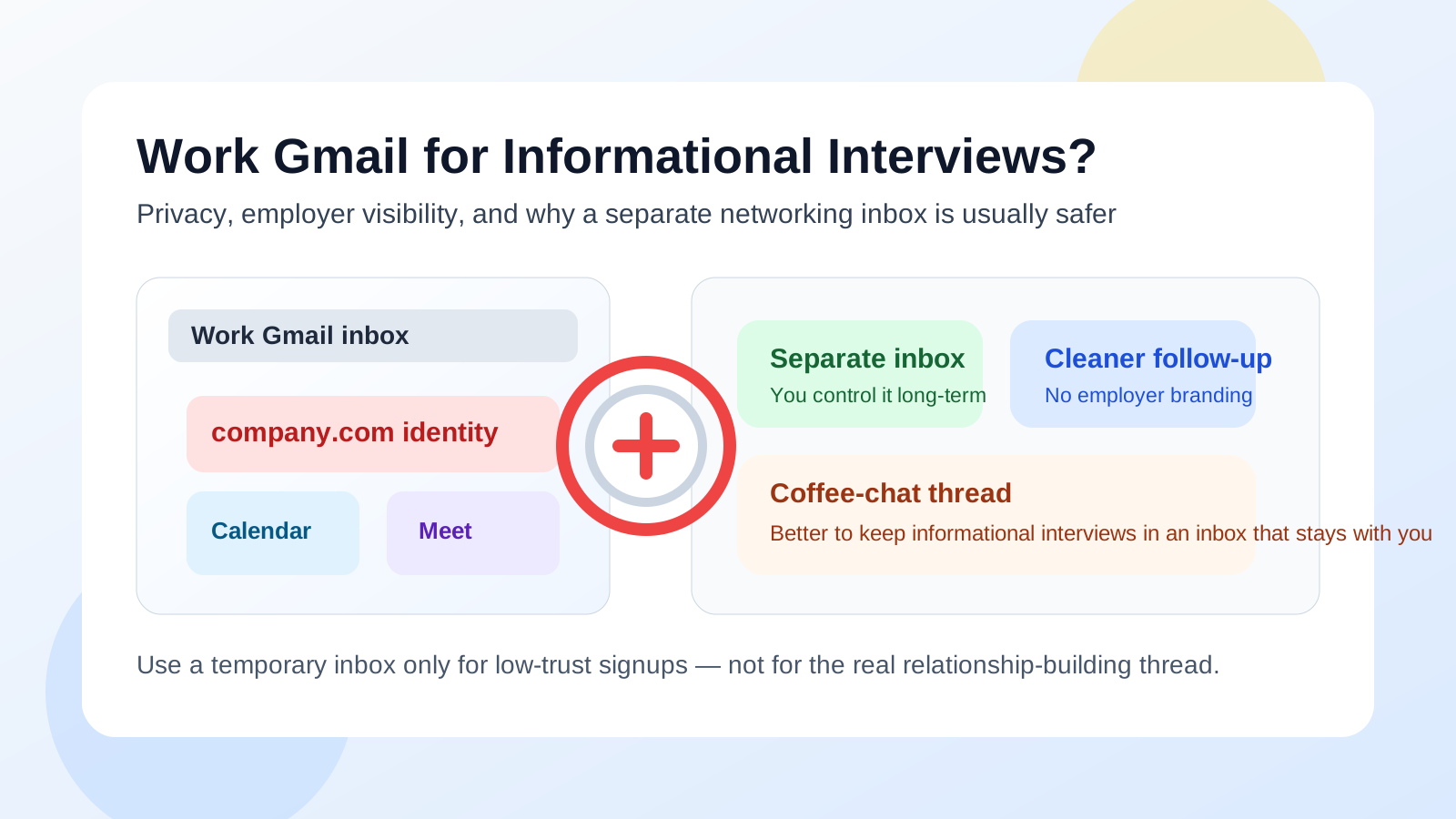
Why this question matters
Informational interviews are not random throwaway messages. They often start as a brief note to an alum, a former coworker, a hiring manager in another department, or someone doing work you want to understand better. Sometimes the conversation ends after one chat. Sometimes it turns into a referral, a second introduction, a recruiter handoff, or a long-term professional relationship.
That is why the account you use matters more than it first appears to. A work Gmail account may feel polished and convenient, especially if you already live inside Google Workspace all day, but convenience is not the same thing as privacy or control. For informational interviews, the safest default is usually the inbox that belongs to you, not to your employer.
Short answer: usually no
If your Gmail account is employer-managed, attached to your company domain, or tied into your workplace Google Workspace setup, it is usually the wrong default for informational interviews. Even if no one is actively monitoring your messages, the account still exists inside work systems, work policies, and work identity settings you do not fully control.
That makes it a weak choice for private networking, quiet career exploration, or any conversation you may want to keep independent from your current employer.
What makes a work Gmail account risky?
1. It signals your employer identity immediately
A work Gmail account does more than show an email address. It usually shows your company domain, your name as configured by your employer, and often your organization’s branding or signature style. For informational interviews, that can create the wrong frame from the first message.
If you are reaching out as an individual to learn, explore, or build your own network, you may not want the conversation anchored to your current employer. Once that context is attached, many people will naturally assume you are speaking partly on behalf of the company rather than purely for yourself.
2. Google Workspace settings are not fully yours
Many people think, “It is just Gmail, and I use Gmail everywhere.” But a work Gmail account is not the same as a personal one. Inside Google Workspace, your employer may control retention rules, account recovery, mobile device policies, security prompts, sign-in restrictions, and directory details.
That does not automatically mean someone is reading your networking emails. It does mean the account is part of business infrastructure, not a private personal communication space. For career-adjacent conversations, that difference matters.
3. Calendar, Meet, and Drive can leak extra context
Informational interviews often move beyond plain email. You send a calendar invite, share a Google Meet link, attach a résumé, or offer a scheduling option. With a work Gmail account, those simple steps can pull in your employer-managed calendar, your company Meet setup, your default signature, your directory photo, or Drive sharing defaults you did not mean to expose.
None of that is always disastrous. It is just a lot of unnecessary spillover for a conversation that is often supposed to be personal, exploratory, and low-pressure.
4. Browser and device mix-ups become more likely
If you use Chrome or another browser while logged into work Google accounts all day, it is easy to send from the wrong identity, attach the wrong document, or open a scheduling link from the wrong calendar context. Informational interviews are exactly the sort of situation where small mistakes feel awkward fast.
One wrong sender identity, one accidental company footer, or one calendar invite from the wrong account can quietly change the tone of the conversation.
5. You may not keep the account long-term
Informational interviews are about relationships that can matter months or years later. That is a poor fit for an account you might lose when you change jobs, get laid off, switch teams, or simply stop checking an employer-managed inbox. If an informational chat turns into a future opportunity, you do not want that thread stranded in a mailbox you no longer control.
Why people still feel tempted to use it
The temptation is understandable. A work Gmail account is already open. It looks professional. Your calendar is there. Your contacts are there. You probably check it more often than anything else.
Those are real advantages, but they are mostly convenience advantages. Informational interviews are not a place where convenience should automatically beat privacy, discretion, and long-term continuity.
Is it ever acceptable?
Sometimes, yes — but only in narrow cases. If the conversation is clearly part of your current job, your employer expects you to represent the company, and there is no personal-career privacy concern, then using work Gmail may be perfectly fine. For example, maybe you are reaching out for market research, partnership learning, or peer conversations that obviously belong to your role.
That is very different from using the same account for private networking, career exploration, informational chats at target companies, or off-hours conversations you would rather keep separate from work systems.
What should you use instead?
A personal inbox you control
The safest baseline is a personal inbox that is not tied to your employer, school, or company device policies. It does not have to be fancy. It just needs to be stable, professional, and actively monitored.
A separate networking inbox
For many people, this is the best answer. A dedicated inbox for informational interviews, networking follow-up, and job-search-adjacent conversations gives you cleaner boundaries without mixing everything into your oldest personal mailbox. That could be a separate Gmail account, another mainstream provider, or a custom-domain address if you want long-term portability.
This approach helps because it solves two problems at once: it protects privacy, and it keeps your important replies from being buried under ordinary daily mail.
Temporary email only for low-trust intake
Temporary inboxes can still be useful in the broader networking workflow, just not as the main channel for a real informational interview. If you are downloading a gated report, registering for a spammy webinar, or testing a low-trust form, a disposable inbox can keep your main networking account cleaner. That is a natural use case for Anonibox.
But once you are exchanging real messages with a person, continuity matters more than short-term filtering. Informational interviews usually belong in a stable account that stays with you.
Why a separate personal Gmail account often works better
If you already like Gmail, you do not need to abandon Gmail itself. You usually just need to stop using the work-managed version of it for private career conversations. A separate personal Gmail account can still give you the interface, search, labels, and mobile convenience you are used to — without tying the conversation to employer systems.
A separate personal Gmail account can give you:
- Long-term ownership: the account stays with you, not with your company.
- Cleaner identity boundaries: no accidental company footer, domain, or org-managed photo.
- Safer scheduling: informational interview invites do not spill into your work calendar by default.
- Better organization: you can label networking threads separately and actually find them later.
A safer workflow for informational interviews
1. Pick one stable address for real conversations
Choose the inbox you want to keep for years, not just the one that is already open today. That is the address you should use for outreach, thank-you notes, and future follow-up.
2. Use a separate browser profile if needed
If you switch between work and personal Google accounts often, create a separate browser profile for networking and job-search communication. It reduces autofill mistakes, wrong-account replies, and calendar mix-ups.
3. Keep your signature simple
You do not need a full corporate-style footer for an informational interview. Usually your name, one relevant link if helpful, and a clean contact line are enough. The simpler the signature, the less accidental context you reveal.
4. Keep scheduling in your personal lane
If a conversation turns into a call, use a calendar and meeting setup you control personally. That keeps reminders, availability, and call links away from work infrastructure.
5. Save contacts and notes somewhere you own
Informational interviews become more valuable when you can remember who introduced you, what they recommended, and when to follow up. Do not leave that entire relationship trail trapped inside work tools you may lose later.
Common mistakes to avoid
- Assuming “professional-looking” means “safe”: a work Gmail account can look polished and still be the wrong privacy choice.
- Using disposable email for the actual relationship: temporary inboxes are good for low-trust intake, not for meaningful long-term networking.
- Letting work tools become the default for everything: when work Gmail, work calendar, work browser profiles, and work devices all overlap, privacy mistakes become much easier.
- Forgetting future continuity: if you would care about this contact in a year, use an account you will still own in a year.
A quick decision checklist
Before you use work Gmail for an informational interview, ask yourself:
- Do I want this conversation associated with my employer-managed identity?
- Could my calendar, Meet, or Drive defaults reveal more than I intend?
- Am I choosing this account only because it is convenient right now?
- Would a separate personal Gmail account or networking inbox work just as well?
- Would I still want this thread tied to work if I changed jobs next year?
If those questions make you hesitate, that hesitation is probably useful. In most cases, you are better off with an inbox you fully control.
Final answer
So, should you use your work Gmail account for informational interviews? Usually no. It is too easy to blur personal networking with employer-managed identity, too easy to expose extra Google Workspace context, and too weak on long-term continuity for conversations that may matter later.
A personal inbox you control — especially a separate one dedicated to networking and career communication — is usually the better choice. It keeps follow-up cleaner, privacy stronger, and important professional relationships attached to you instead of to the company you happen to work for today.