If you only need to verify a JustCall trial and look around, a temp email can work.
If the account will control team access, shared numbers, call routing, CRM sync, billing, or recovery, switch to a stable inbox early.
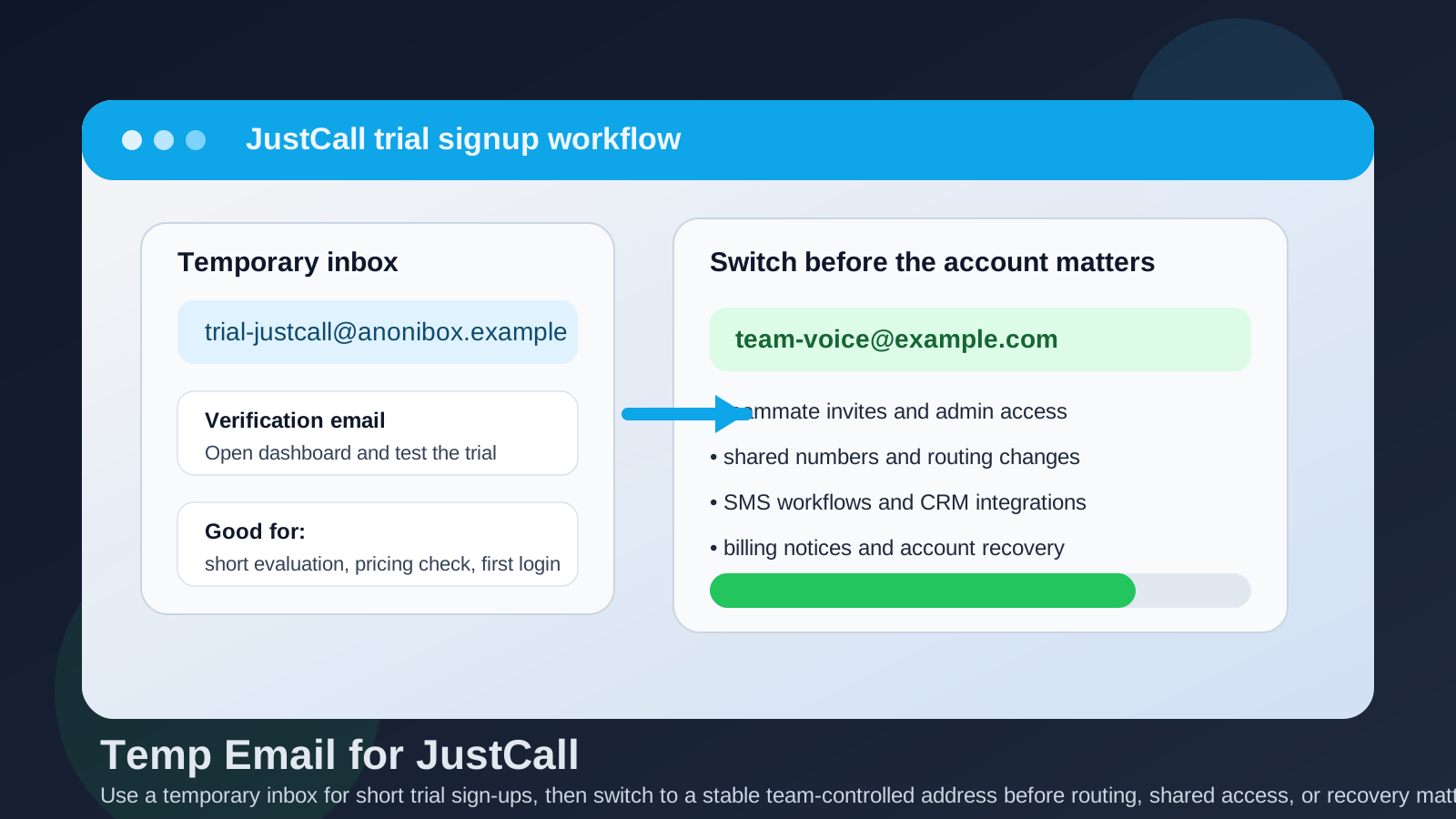
A temp email for JustCall can be genuinely useful during the earliest stage of evaluation. If you are comparing cloud phone systems, outbound calling tools, or support-focused voice platforms, a disposable inbox lets you receive the first verification email without adding one more vendor nurture sequence to your main inbox. That is a real convenience when you are signing up for several tools in a short window.
But JustCall is not the kind of product that always stays in a harmless trial state. Once a business phone account starts holding teammates, numbers, routing logic, voicemail settings, texting workflows, or CRM-related activity, the login email stops being a minor signup detail. It becomes part of account ownership and recovery. That is the point where a throwaway inbox turns from a tidy privacy trick into a liability.
Why people consider a temp email for JustCall in the first place
Most teams do not sign up for JustCall because they are casually browsing. They are usually comparing several communication tools at once and want fast answers to practical questions:
- How hard is the setup?
- What does the calling or texting interface look like?
- Can the team test workflows before speaking to sales?
- Does the dashboard feel better than alternatives like RingCentral, Aircall, Dialpad, OpenPhone, or Nextiva?
- Will the trial trigger a long stream of promotional emails if the platform is not a fit?
That last point is where a temporary inbox earns its keep. A disposable address can keep early product research separate from your real work inbox, which is especially helpful if you are evaluating multiple vendors, running side-by-side comparisons, or simply not ready to hand over your main address to every SaaS tool on the shortlist.
When a temp email for JustCall makes sense
There are situations where using a temporary inbox is perfectly reasonable.
1. You only want a short product look
If your goal is to verify the account, open the dashboard, look at the interface, and judge whether the product belongs on a shortlist, a temp email is usually fine. In that phase, the account has little lasting value and the privacy upside is real.
2. You are comparing several vendors at once
Communication software evaluations can get noisy fast. One vendor sends a welcome email, another sends booking reminders, another sends “your trial is ending” messages, and suddenly your real inbox is cluttered by tools you may never use again. A temporary inbox helps keep that research phase contained.
3. You are not inviting teammates yet
Solo evaluation is much lower risk than team evaluation. If you are the only person testing the product and you are not connecting real workflows, the downside of a disposable address stays fairly small.
4. You want a privacy buffer before committing
Sometimes the smartest move is to keep a little distance until you know the tool is worth deeper attention. A temporary inbox gives you that buffer without blocking the initial verification step.
When it becomes a bad idea
A temp email for JustCall stops being smart when the account starts behaving like real business infrastructure instead of a simple trial.
1. Team access starts to matter
Once you invite teammates or assign admin responsibility, the account email becomes part of how access is managed. Permission changes, user invites, security alerts, and ownership questions become much harder to handle if the inbox is short-lived, forgotten, or inaccessible.
2. Shared numbers and call routing outgrow the trial
Business phone tools often get sticky quickly. A team may start by “just testing,” then add a number, experiment with forwarding, try round-robin routing, configure voicemail, or connect a support flow. At that point, the setup already represents time and operational value. If the account is still tied to a throwaway inbox, recovery gets harder than it should be.
3. SMS, follow-up, and customer communication workflows may depend on the account
JustCall can sit close to sales and support workflows. Even if your test starts small, teams often move into texting, logging conversations, or checking how the platform fits daily communication. The more real activity attached to the account, the less acceptable a disposable admin inbox becomes.
4. Billing and procurement notices can become important
Maybe the product is only a trial today. Tomorrow it might be a finalist. If trial-end notices, billing changes, or account-related warnings keep going to an inbox that no one monitors, your team creates a completely avoidable blind spot.
5. Recovery is where temporary email usually fails
Temporary email is convenient precisely because it is not meant to be permanent. That is also why it breaks down when recovery matters. If you lose access, need a reset link, want to confirm account ownership, or need to receive a security notice, an expired or abandoned inbox is the worst possible moment to discover that the original signup address no longer helps.
A safer workflow for evaluating JustCall
If you want the privacy benefits without the long-term mess, the best approach is staged rather than all-or-nothing.
Step 1: Use the temp inbox only for initial signup
If you are still in the “does this belong on the shortlist?” phase, using a temporary inbox can be sensible. Get through the verification step, open the product, and decide whether the interface, feature set, and pricing justify a deeper test.
Step 2: Decide quickly whether the trial is serious
Ask a blunt question early: are we just looking, or are we actually going to test this with real numbers, real teammates, or real workflows? If the answer is no, the temporary inbox did its job and you can move on cleanly. If the answer is yes, do not keep building on disposable foundations.
Step 3: Switch to a stable team-controlled email before meaningful setup
Before you invite users, connect numbers, configure routing, or rely on the account for anything operational, change the contact email to a durable inbox your team controls. In many cases, a role-based address works better than an employee’s personal work inbox because ownership survives team changes more cleanly.
Step 4: Save your evaluation notes outside the inbox
Do not treat vendor emails as your only memory of the trial. Keep notes elsewhere about pricing, setup friction, routing options, SMS testing, CRM behavior, admin limitations, and deal-breakers. That way, even if the temporary inbox disappears, your actual evaluation does not disappear with it.
When you should skip temp email entirely
Sometimes the cleanest answer is to start with a real inbox from the beginning.
- You already know JustCall is on the serious shortlist.
- You expect several teammates to test it.
- You plan to connect live numbers or meaningful call flows.
- You may carry the same account into a paid rollout.
- You want strong continuity for admin alerts and account recovery.
In those cases, the privacy benefit of a temp inbox is smaller than the operational downside. Saving a few promotional emails is not worth risking access, continuity, or ownership confusion later.
Where Anonibox fits naturally
Anonibox is most useful at the very front of the research process. If you are comparing multiple phone or support platforms and want to avoid filling your primary inbox with marketing follow-ups before you even know which product deserves a second look, a temporary inbox can be a clean way to handle initial verification.
That is the sweet spot: early evaluation, short-lived testing, and low-stakes exploration. Once the account starts to matter for real business communication, a durable inbox should take over.
Common mistakes to avoid
- Leaving the temp email in place too long: the evaluation quietly becomes real deployment while the login email stays disposable.
- Inviting teammates before switching: now multiple people depend on an inbox nobody truly owns.
- Connecting real workflows too early: routing, texting, and admin setup create value faster than expected.
- Ignoring recovery planning: if the account matters, the inbox matters too.
- Using the inbox as your only record: useful trial notes should live somewhere more stable.
A quick decision checklist
Before using a temp email for JustCall, ask yourself:
- Am I only doing a short trial or am I preparing a real team test?
- Will shared numbers, routing, or user access be configured soon?
- Would it hurt if I could not receive a reset or security email later?
- Is this account likely to convert into a paid or semi-permanent setup?
- Would a stable team inbox save trouble later with almost no downside now?
If most answers point to a serious evaluation, skip the disposable approach or replace it early.
Final takeaway
A temp email for JustCall is fine for short trial sign-ups, quick dashboard checks, and early vendor comparison when your goal is simply to verify the account and keep your main inbox cleaner.
It becomes risky once the account starts holding team access, shared numbers, routing logic, texting workflows, billing relevance, or recovery value. Use a temporary inbox to explore. Use a durable team-controlled inbox to operate. That is the simplest way to balance privacy with practical account ownership.