Yes — a temp email for Shopware can be a smart way to test a staging store, create throwaway customer accounts, or verify early setup messages without connecting every experiment to your permanent inbox.
It becomes a bad idea once the store is tied to real orders, billing, admin recovery, plugin licenses, or customer communication that your business cannot afford to miss.
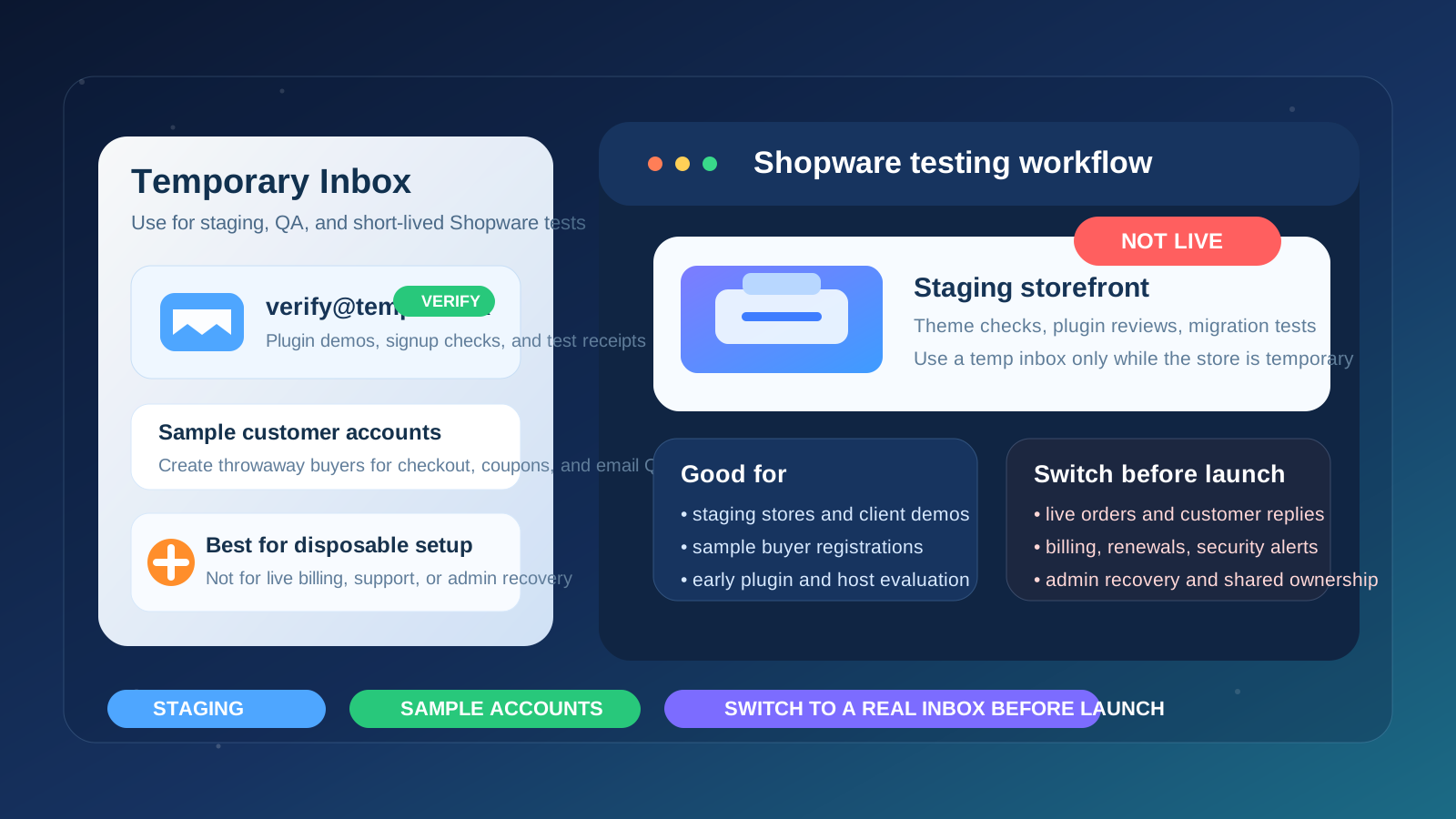
Why people look for a temp email for Shopware
Shopware projects often start in a low-stakes testing phase. A merchant might be comparing themes, trying a new hosting setup, evaluating plugins, exploring B2B features, checking a migration plan, or building a client demo before anyone decides whether the store will become the real production site. During that phase, a permanent mailbox can collect a surprising amount of noise: account verification messages, onboarding flows, plugin vendor follow-ups, sales outreach, release notices, support replies, and trial reminders from tools that may never survive the evaluation.
A temporary inbox helps create distance between short-lived testing and long-term operations. You still receive the messages needed to activate an account, inspect workflows, and finish a useful evaluation, but you do not automatically turn every Shopware experiment into a permanent inbox obligation. If you already use a privacy-first service like Anonibox for low-stakes signups, this is one of the cleaner use cases.
When a temp email for Shopware makes sense
A temporary email is most useful when the Shopware environment is clearly disposable. Good examples include:
- building a staging store that may be deleted after design or checkout testing,
- creating sample customer accounts to review registration, verification, and order emails,
- comparing plugins, themes, or hosting setups before committing long term,
- testing migration workflows from another ecommerce platform,
- creating a short-lived client demo or proof of concept,
- isolating early vendor outreach from the inbox used for real store operations.
The pattern is simple: if the store exists mainly to answer a temporary question, a temporary inbox can be appropriate. Does the theme fit the brand? Does the checkout flow behave the way you expect? Is the plugin worth buying? Will the migration path work? If the environment may disappear next week, using a throwaway address can keep your main mailbox much cleaner.
When it is the wrong choice
A temp email is the wrong tool once the Shopware project starts carrying real business risk. The moment the account controls anything operationally important, your contact email needs to be stable, monitored, and recoverable.
Do not rely on a temporary inbox for:
- the primary admin account you may need to recover later,
- live order notifications, customer replies, or support issues,
- billing, renewals, receipts, or payment-related communication,
- plugin, extension, or service licenses you plan to keep,
- security notices, maintenance alerts, or hosting communication,
- shared team ownership where several people depend on the same account.
That boundary matters. Temporary email for temporary testing is practical. Temporary email for production store ownership is a shortcut that often creates avoidable headaches.
Practical Shopware situations where a temp inbox helps
Testing customer signup and account email flows
Many store owners want to see exactly what customers receive after registration, password setup, or order-related actions. A temporary inbox lets you create sample buyer accounts, inspect the messages, and throw those test identities away when you are done. That is especially helpful during template edits, localization checks, or storefront QA.
Creating throwaway accounts for checkout and promotion testing
Checkout testing usually works best when each run looks like a clean customer. A temp inbox makes it easy to create new sample accounts for coupon checks, tax validation, shipping rule tests, abandoned-cart experiments, or guest-versus-account comparisons without filling a real mailbox with fake receipts and repeated notifications.
Reviewing plugins and connected tools during evaluation
Some Shopware-related tools ask for an email address before you can access a demo, download, sandbox, support portal, or onboarding sequence. If you are still deciding whether the tool belongs in your stack, a disposable inbox can keep those first-wave messages separated from the long-term communications you actually want to keep.
Agency and freelancer demo builds
Agencies and freelancers regularly spin up Shopware demos for pitches, redesigns, and migration projects. Some of those builds become real stores. Many do not. Using a temp inbox during the demo phase can prevent every concept store from leaving a long trail in your main business email.
How to use a temp email for Shopware without causing future problems
1. Decide whether the store is genuinely temporary
Before signing up anywhere, ask the blunt question: is this just a test, or could this quickly become the live store? If there is a serious chance the environment will become production, a disposable inbox may already be the wrong starting point. If the answer is clearly “this is only for evaluation,” then a temp address is much easier to justify.
2. Limit the temp inbox to verification and short-term testing
The cleanest workflow is narrow. Use the disposable address for signup confirmation, setup messages, and a first-pass review of the store or tool. The more vendor accounts, notifications, and services you connect to that inbox, the harder cleanup becomes later.
3. Keep a real business inbox ready for promotion
Even if you start with a temporary inbox, know which permanent address will take over if the Shopware project survives. That may be a store operations mailbox, a founder-managed address, or a shared support/admin inbox. What matters is having a durable destination ready before the build becomes important.
4. Save the messages that actually matter
Temporary inboxes are useful, but they are not archives. If an email contains a setup link, initial instructions, or access details you may need during migration, save it somewhere under your control. Do not assume you will remember to grab it later or that the mailbox will still be available when you need it.
5. Replace temporary addresses before the store goes live
Before launch, update every place where the throwaway inbox appears. That includes the Shopware admin email, plugin and vendor accounts you plan to keep, billing tools, support portals, hosting dashboards, and any customer-facing notification addresses. A store is only as reliable as the contact paths behind it.
What can go wrong if you forget to switch
Missed order and support notifications
If live notifications still point at a disposable inbox, real customer events may disappear into a mailbox nobody is checking. That can mean delayed support, missed order issues, and confusion about what is happening inside the store.
Admin recovery becomes painful
Password resets and account recovery are easy when the address is stable and monitored. They are much harder when the original admin email was temporary and no longer accessible. This is one of the most common ways a harmless early shortcut becomes a real operational problem.
Billing and license emails go missing
Shopware stores often rely on a mix of hosting, plugins, payment tools, design assets, and service renewals. If those messages keep flowing to a throwaway inbox, it becomes easy to miss an invoice, a license issue, or a service interruption warning that you actually needed to see.
Test and production environments get blurred together
A temp inbox only helps if it supports a clean testing boundary. If you keep using temporary addresses after the project becomes real, it gets harder to remember which accounts were disposable and which ones now matter. That confusion is exactly what a disciplined workflow is supposed to prevent.
Temp inbox, alias, or dedicated mailbox: which is best?
Not every Shopware project falls neatly into “throwaway” or “permanent.” Sometimes you are in the middle: a serious evaluation that may run for a few weeks, a migration pilot you may revisit, or a client build that is not live yet but is likely to keep moving forward. In those cases, a disposable inbox may not be the best long-term fit.
A simple framework looks like this:
- Temp inbox: best for quick staging builds, sample customer accounts, and low-stakes experiments.
- Email alias or secondary mailbox: better for longer evaluations that still need separation but may outlive a short test.
- Permanent business or team inbox: required for production stores, live operations, billing, and shared ownership.
That middle option is often underrated. If you expect to revisit the project repeatedly, an alias or dedicated secondary inbox can give you organizational separation without the fragility of a temporary address.
A quick checklist before using a temp email with Shopware
- Is this store definitely a test, staging environment, or disposable demo?
- Do you only need the inbox for verification and early QA?
- Would it be acceptable to lose access to this mailbox later?
- Are you avoiding it for anything tied to real orders, billing, or recovery?
- Do you already know which permanent address will replace it if the store becomes serious?
If most answers are yes, a temp inbox is probably appropriate. If several answers are no, you are better off starting with something more durable.
Launch checklist: what to change before a Shopware store goes live
If the staging build grows into a real store, do not just swap one address and assume the work is done. Run through a short launch review:
- update the main Shopware admin and contact email,
- replace temp inboxes on plugin, marketplace, and vendor accounts you plan to keep,
- confirm billing and renewal notices go to a monitored address,
- test password reset and recovery with the permanent mailbox,
- review customer-facing notification and reply-to addresses,
- remove leftover test accounts that no longer serve a purpose.
It is not glamorous work, but it is exactly the kind of cleanup that prevents annoying problems later.
Where Anonibox fits naturally
If you frequently test ecommerce ideas, compare plugins, or build short-lived demos for clients, Anonibox fits neatly into the early evaluation stage. It lets you capture the verification and onboarding emails you need while keeping low-value signup traffic away from your main inbox. The important part is remembering that this is a testing tool, not a permanent identity layer for a live Shopware business.
Conclusion
A temp email for Shopware is useful when you are testing a staging build, creating sample customer accounts, comparing plugins, or validating early setup flows without wanting every experiment tied to your long-term business inbox.
It is the wrong choice for live operations. Once a Shopware project touches real orders, billing, admin recovery, customer support, or ongoing team ownership, move to a stable monitored address immediately. Used at the right stage, temporary email keeps testing clean and private. Used too long, it creates preventable store-management chaos.