Usually yes—if the website is relevant, polished, and safe for an employer to review. You should leave it off if it is outdated, too personal, or exposes information you would rather not hand to every hiring team.
A personal website can strengthen a job application by showing proof of work, writing samples, projects, or a portfolio, but it is not an automatic win. If the site creates confusion, privacy risk, or a weak first impression, it can hurt more than it helps.
Why this question matters
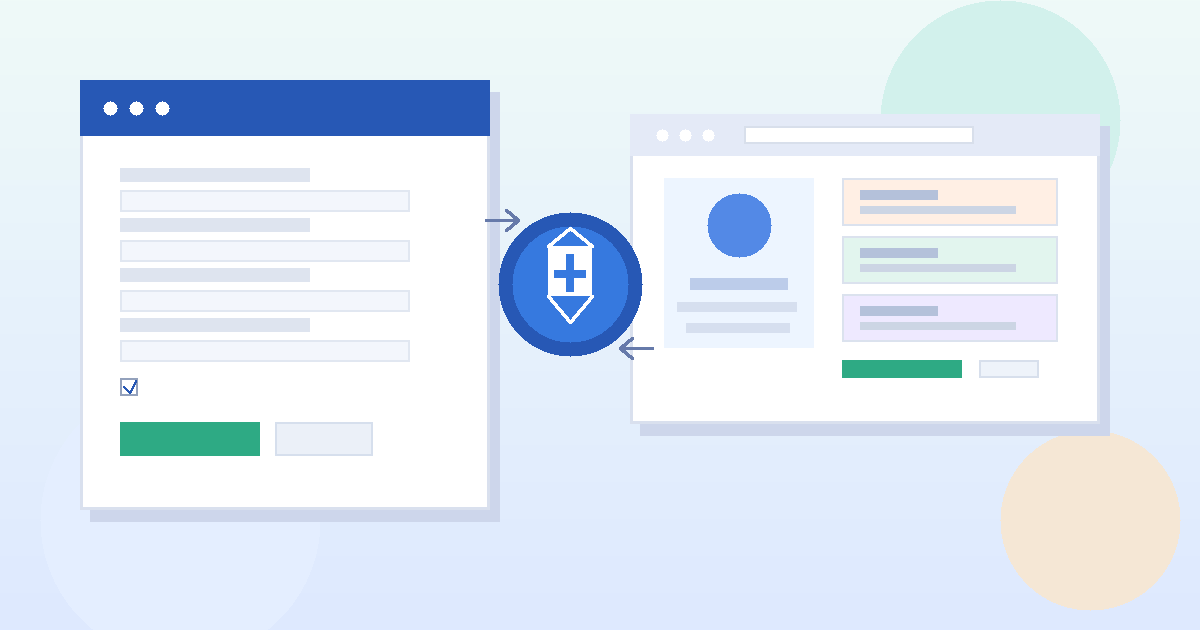
Job application forms often have an optional field for a website, portfolio, or online profile. That field looks harmless, but it changes how hiring teams experience your application. A resume is brief and controlled. A personal website is broader. Once you add the link, you are inviting someone to look beyond the one-page summary and judge your work, taste, priorities, and sometimes your personal boundaries.
That can be a big advantage when the site supports your candidacy. It can also backfire when the website is stale, messy, irrelevant, or too revealing. The real question is not simply whether you have a website. It is whether this particular website helps you get this particular job.
When adding a personal website usually helps
A personal website is most useful when the role benefits from examples, context, or visible proof of work. In those cases, the link does more than decorate the form. It answers the unspoken employer question: “Can this person show me something concrete?”
- Designers and creatives: portfolios, case studies, mockups, and campaign work are easier to review on a site than in a PDF.
- Developers and technical candidates: project write-ups, demos, GitHub links, and technical explanations can make your experience more credible.
- Writers, marketers, and content people: articles, landing pages, newsletters, SEO work, and measurable results are often stronger when employers can click through.
- Consultants, freelancers, and independent professionals: if your website is already part of your public working identity, including it often feels natural.
- Career changers and students: a website can help fill the gap when your résumé alone does not show enough relevant work.
In these situations, the website is evidence. It helps employers understand your skills faster and gives your application more texture than a form alone can provide.
When it is smarter to leave it off
Not every website belongs on a job application. Many people assume that any extra proof is better than none. That is not true. A weak website can make a qualified candidate look less polished than they really are.
Leave the link off for now if any of these are true:
- The site is unfinished, buggy, or obviously outdated.
- Your best work is hard to find within the first few seconds.
- The content is too personal, political, informal, or unrelated to the role.
- The design looks broken on mobile or takes too long to load.
- The website exposes personal contact details, family information, location details, or other privacy-sensitive material.
- You would feel nervous if a hiring manager clicked every visible page on the site.
If the website raises more questions than it answers, it is not helping. In that case, a clean application with no website link is usually better than a link that creates doubt.
What employers usually notice first
Most hiring teams do not perform a deep forensic review of your entire site. They usually make a fast decision based on a few signals.
1. Relevance
Does the site immediately support the job you are applying for? If a product designer links to strong case studies, that is helpful. If the same site opens with random travel posts, unfinished side projects, and a vague bio, the employer may not keep digging.
2. Clarity
Can someone tell what you do within a few seconds? A strong site makes your role, specialty, and strongest work easy to understand. A weak site makes visitors work too hard.
3. Professional judgment
Your site shows more than skills. It shows how you present yourself, how carefully you edit, and whether you understand audience expectations. Broken links, placeholder text, expired SSL warnings, or thin pages can quietly undermine confidence.
4. Privacy awareness
Employers may not say it out loud, but a site that casually exposes too much personal information can signal weak digital boundaries. That matters more than many candidates realize.
Personal website, portfolio, blog, and social profile are not the same thing
This is where people get tripped up. A personal website can be a portfolio, but it can also be a blog, a side-project hub, a consulting site, or a mix of everything. That matters because job applications are not asking whether you have a website in the abstract. They are asking whether the link improves your candidacy.
A focused portfolio site is usually the safest and strongest option. A broad personal site is more complicated. It may still help, but only if it is curated with employers in mind.
Ask yourself what someone will see in the first ten seconds after clicking:
- Your best work and a clear summary of what you do
- Or a confusing mix of opinions, experiments, life updates, and unrelated links
If the second description is closer to reality, either clean the site up or skip the link.
The privacy risks people forget about
Even a polished website can create privacy problems if you do not audit what it reveals. Before you add the URL to a job application, check the obvious and the less-obvious details.
Public contact details
Many personal sites list an email address, phone number, city, or contact form. Once your application starts moving around, that information may be seen by recruiters, hiring managers, contractors, resume-screening vendors, and anyone else who gets forwarded the link. If you want a cleaner boundary, use a separate job-search contact method rather than your main personal inbox.
If your site needs a public-facing contact address, some people use a separate inbox strategy to reduce spam and keep first-contact traffic organized. Anonibox can be useful for low-trust signups or public testing workflows, but serious employer conversations should move to an address you monitor reliably.
Hidden personal clues
A site may reveal more than you intended through old blog posts, event pages, résumés left in downloads folders, EXIF-heavy images, calendar mentions, or personal side projects. Even a harmless “About” page can give away more location or family information than you are comfortable sharing.
Unmoderated comments or old content
If your site includes a blog, comments, or archived writing, review it with fresh eyes. Employers do not need to agree with every opinion you have ever expressed, but you also do not need to hand them distractions that have nothing to do with the role.
Weak security or low trust signals
An expired certificate, obvious spam comments, or broken plugins can make a website look neglected. Employers are not doing a penetration test, but they do notice when a link feels sketchy.
If the field is optional, do you have to fill it in?
No. If the website field is optional, leaving it blank is completely reasonable when the link does not add value. Optional means optional. You are not obligated to provide every piece of personal or professional information just because a form gives you the chance.
That said, if the role strongly benefits from proof of work, skipping the field may cost you an easy advantage. The best choice depends on the quality of the site and how closely it supports the role.
What to do if the application asks for a website but you are not fully ready
If you are between “I have something useful” and “I want strangers judging the whole site,” you do not need to choose between full exposure and total silence. A few middle-ground options work well:
- Create a cleaner landing page: one page with a short bio, selected work, and a contact method is often enough.
- Use a portfolio page instead of the full site: link directly to your strongest work rather than a broad homepage.
- Hide or archive weak sections: remove stale posts, unfinished projects, or irrelevant pages before applying.
- Separate personal and professional identities: if your current site mixes both, consider a more job-focused version.
In other words, you do not need a giant personal brand machine. You just need a link that helps more than it hurts.
Best practices before you add the link
Lead with your strongest page
If one URL makes your case best, use that. Do not assume the homepage is always the right destination.
Test it like an employer
Open the site on desktop and mobile. Check load speed, navigation, broken links, image rendering, and whether your top work is obvious without scrolling forever.
Audit privacy before polish
Design matters, but privacy matters too. Remove unnecessary phone numbers, home addresses, family references, or personal details you would rather keep off the hiring circuit.
Make your role-specific value obvious
If you are applying for a content role, show content. If you are applying for a design role, show design. If you are applying for a technical role, show projects, explanations, or results. Relevance beats volume.
Keep the tone professional enough for review
You do not need to sound bland, but you do need to sound intentional. Employers can handle personality. What hurts is sloppiness or confusion.
A quick decision checklist
- Does this website clearly improve my application for this role?
- Would I feel comfortable if a recruiter clicked several pages, not just one?
- Is the site current, easy to navigate, and free of obvious errors?
- Does it expose any contact or personal information I do not want widely shared?
- Would linking a narrower portfolio page be smarter than linking the full site?
If most of those answers look good, include it. If not, fix the site first or leave the field blank.
Final answer
Yes, you can put your personal website on job applications—but only when it strengthens your candidacy and respects your privacy. A strong website can make you more credible, show proof of work, and help the right employer understand you faster.
But it is not a mandatory field, and it is not automatically a good idea. If the site is irrelevant, unfinished, or too revealing, skip it until it is ready. The best personal website link is one that feels intentional, useful, and safe—not one you add just because the form had an empty box.