Usually no. Using your work calendar for job applications can expose deadlines, reminders, recruiter follow-ups, and job-search patterns inside an employer-managed system.
A personal calendar or separate private calendar you control is usually the safer option, especially if your employer can see event metadata, notification previews, or synced work-device reminders.
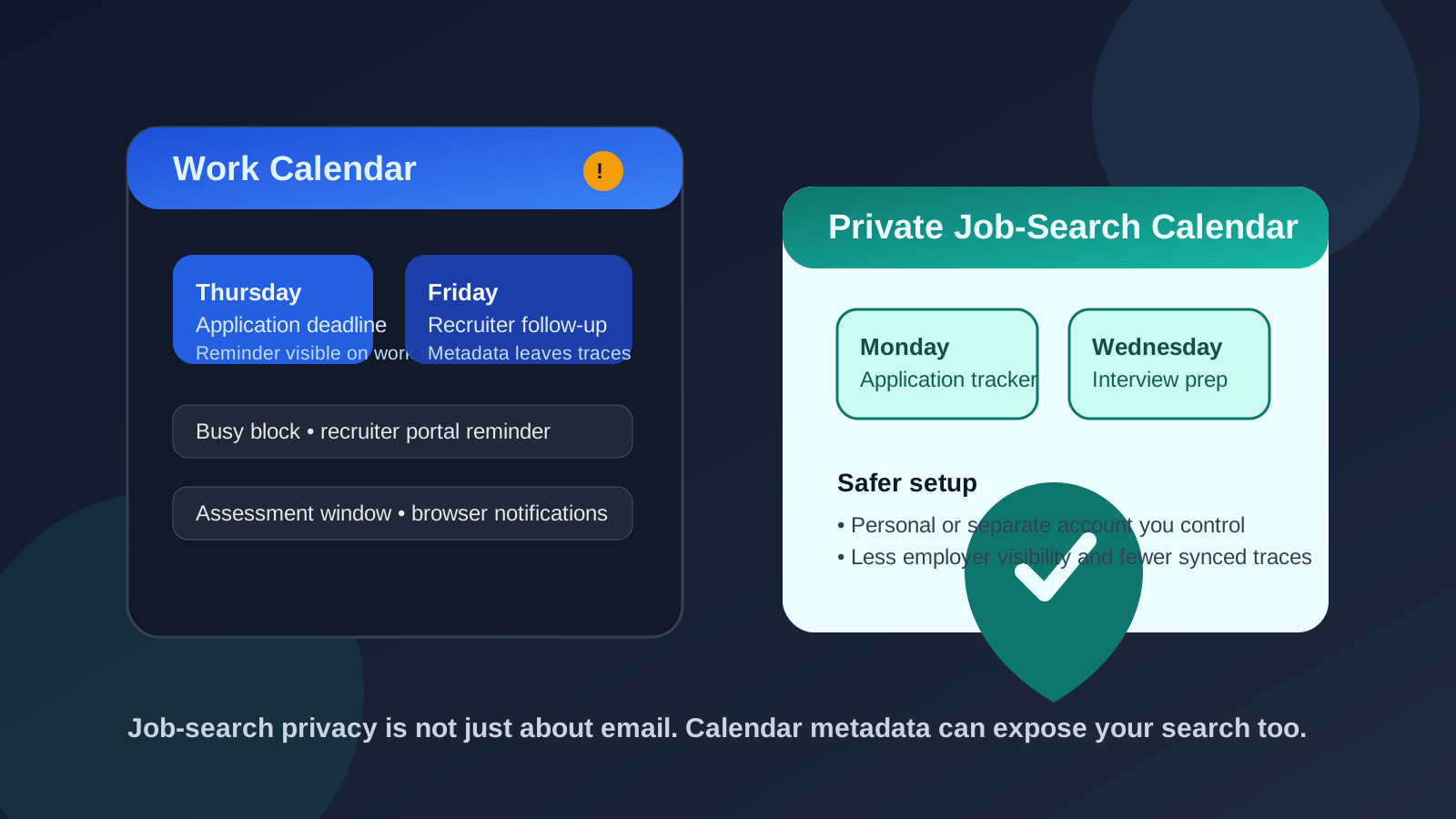
Many job seekers think carefully about which email address to use when they apply for jobs, but calendars often slip under the radar. That is a mistake. A calendar does not just store dates. It stores titles, notes, invite metadata, reminders, meeting links, device notifications, and patterns about what you are doing and when.
When that calendar belongs to your current employer, the privacy risk changes. Even if nobody is reading every entry manually, work calendars often live inside managed ecosystems with admin controls, shared availability, synced mobile devices, notification previews, and retention policies you do not fully control. That makes a work calendar one of the worst places to organize a confidential job search.
In practice, the safest setup is simple: keep job-application planning on a personal account or a dedicated job-search calendar, and keep it separate from your employer’s tools. If you already separate your inbox for job hunting, this fits naturally. For example, some people use Anonibox for low-trust signups or early-stage job-board activity, then pair that with a private calendar they manage themselves so their scheduling trail stays separate too.
Why a work calendar is risky for job applications
Job applications create more scheduling activity than people expect. You may track deadlines, reminders to follow up, assessment windows, recruiter calls, portfolio review dates, interview prep blocks, and document update tasks. On a personal calendar, that is mostly an organization choice. On a work calendar, it can become a visibility problem.
1. Reminder names and event titles can expose your search
Even if you never write “job application” in big obvious letters, a lot of calendar entries are revealing. Something like “Update resume,” “Send follow-up,” “Assessment due,” or “Recruiter call” does not take much interpretation. Add a company name, and the context becomes even clearer.
Those clues may appear in desktop popups, lock-screen previews, mobile notifications, smart watches, shared office screens, or synced work laptops. You may think the entry is private because only you created it, but the reminder surface itself can still betray what you are doing.
2. Work-admin visibility is often broader than you think
Different organizations handle calendars differently, but many work accounts exist inside Google Workspace, Microsoft 365, or similar environments where admins can manage retention, audit activity, restore data, or review metadata under certain circumstances. That does not mean somebody is watching your calendar in real time. It means your privacy depends on systems you do not own.
That is a bad fit for confidential job-search activity. If you would not want an employer-owned inbox storing a sensitive application trail, you probably should not want an employer-owned calendar doing it either.
3. Shared availability can still leak patterns
Sometimes the issue is not entry content. It is timing. If your calendar suddenly fills with brief “busy” blocks during lunch, late afternoon, or random weekday mornings, that pattern alone can raise questions. A manager or teammate does not need access to the event details to notice that your schedule is behaving differently.
This matters even at the application stage. Job seekers often create reminders for online assessments, callback windows, or deadlines that do not look suspicious one by one but create a suspicious pattern over time.
4. Work devices create extra exposure
A work calendar rarely stays inside one web tab. It often syncs to a work phone, company laptop, desktop app, browser sidebar, or meeting-room workflow. That means even a harmless reminder can surface in places you were not thinking about when you created it.
If your employer manages the device, installs monitoring software, or controls notification settings, you are adding another layer of unnecessary exposure. Convenience is not worth much if it creates a trail across multiple employer-controlled devices.
Why people use a work calendar anyway
The appeal is understandable. Your work calendar is already open. You check it all day. It handles reminders well. It is easy to drag in a hold for “follow up on application” or block time for a coding assessment. If you are busy, using one calendar feels efficient.
But that efficiency is short-term. The whole point of privacy hygiene is to notice where convenience quietly becomes exposure. A work calendar is convenient in the same way a work email can seem convenient: until you remember who actually owns the account, the devices, and the surrounding logs.
When it is especially unwise to use your work calendar
- You are running a confidential search: especially if you are still employed and do not want signals leaking early.
- Your calendar is visibly shared: assistants, team leads, or coworkers can see your availability or event details.
- Your work devices show pop-up reminders: this creates fast, accidental exposure.
- Your company uses strict device management: the more managed the environment, the less private it is.
- You are applying broadly: more reminders, deadlines, and follow-ups mean more chances to leave traces.
In these cases, a work calendar is not just imperfect. It is the wrong tool.
What should you use instead?
A personal calendar
For many people, a personal calendar is the easiest better option. It keeps job-search planning off employer systems while still giving you dependable reminders on devices you control. If you already have a personal Google, Outlook, or Apple calendar you check daily, that may be enough.
A separate job-search calendar
If your personal calendar is crowded, shared with family, or mixed with travel and appointments, a dedicated job-search calendar is even better. It can be a separate account or simply a separate calendar under your personal account. The goal is clarity and control, not complexity.
A dedicated calendar helps because you can:
- keep application deadlines in one place
- separate recruiter calls from your daily personal schedule
- avoid cluttering your main calendar with short-term job-search tasks
- mute or customize notifications more intentionally
- share nothing with employer-managed systems
How to manage job applications privately without missing deadlines
You do not need an elaborate system. A practical setup usually looks like this:
- Use a personal or separate calendar you control.
- Name events clearly enough for you, but not dramatically. “Follow up with recruiter” is fine; “Secret interview with competitor” is not.
- Keep sensitive details in your own notes, not scattered across work tools.
- Review reminders on personal devices.
- Pair your calendar with a private application tracker.
The important thing is consistency. Privacy does not come from hiding one event title. It comes from moving the whole workflow into systems you control.
What if you already used your work calendar?
Do not panic. A few old reminders do not automatically create a crisis. But it is worth cleaning up the workflow now.
- Move future application reminders to a personal or separate calendar.
- Delete or simplify old work-calendar entries where appropriate.
- Turn off extra notification surfaces if they are not needed.
- Stop syncing job-search planning to employer-managed devices.
- Keep future recruiter scheduling off work systems entirely.
The earlier you switch, the less visible your search pattern becomes.
A quick checklist before you use any calendar for job applications
- Who owns this account?
- Who can see my availability, titles, or reminders?
- Which devices will show these notifications?
- Would I be comfortable if my employer knew this event existed?
- Do I have a private alternative that is just as reliable?
If the honest answers point toward employer visibility or device exposure, the work calendar is not the right place for your job-search planning.
Final answer
No, you usually should not use your work calendar for job applications. It is convenient, but it can expose reminders, deadlines, follow-up patterns, and other signals inside employer-managed systems that were never designed to protect your private job search.
A personal calendar or dedicated job-search calendar is usually the better choice. You still get the reminders and organization you need, but you keep the scheduling trail under your control instead of leaving it on company accounts and work devices.