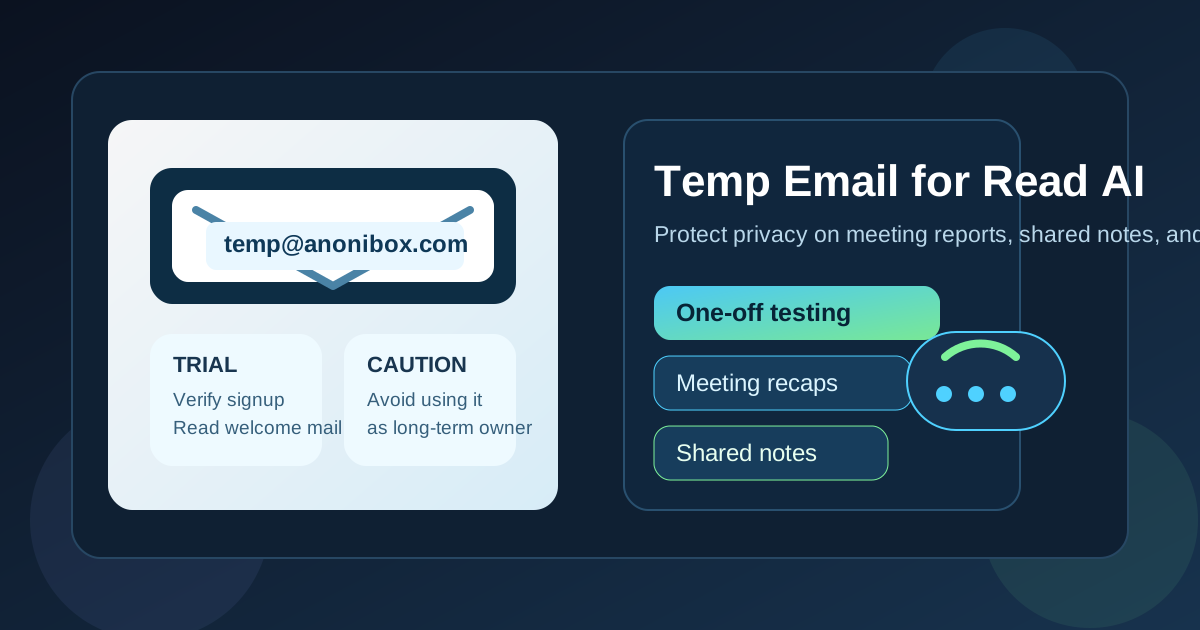
Yes, you can use a temp email for Read AI if you are only testing the product, joining a one-off workspace, or verifying a short trial. It becomes risky when that same account starts holding recurring meeting reports, shared notes, calendar-linked workflows, or team access you may need later.
The practical answer is to use a temporary inbox for early evaluation, not as the permanent owner of an account tied to important meetings. If you want a cleaner way to test signup flows without dumping more vendor email into your main inbox, a disposable address can help. If the account will matter long term, upgrade to an address you actually control and plan to keep.
Why people consider a temporary inbox for Read AI
Meeting tools collect more email than most people expect. Even before you decide whether a platform fits your workflow, you may get verification links, onboarding messages, meeting recap samples, invitation notices, feature announcements, webinar promotions, and repeated prompts to connect more calendars or invite more teammates.
That makes privacy-minded users ask a reasonable question: do you really want every early product test tied to your primary work or personal inbox? In many cases, the answer is no. A temporary inbox lets you keep that first layer of product research separate while you decide whether the tool is worth deeper use.
For a service like Read AI, this matters because the signup itself can be low commitment while the long-term workflow can become more sensitive. The moment a tool is attached to recurring meetings, shared summaries, or cross-team collaboration, the inbox behind the account stops being a throwaway detail.
When a temp email for Read AI makes sense
A disposable address is usually most useful during the early, low-stakes part of evaluation. Good examples include:
- Testing a free trial: you want to see the dashboard, sample recap flow, and basic notification experience before sharing your everyday address.
- Joining one temporary workspace: maybe a friend, colleague, or community organizer asked you to look at one meeting summary and nothing more.
- Comparing several meeting tools: if you are reviewing Read AI next to tools such as Otter AI, Fireflies AI, Fathom AI, or Grain, separate inboxes keep the trial noise organized.
- Avoiding long-term vendor email: early-stage experiments often trigger follow-up messages for weeks or months.
- Keeping side projects separate: if you are exploring a tool for a freelance project, class, pilot, or test environment, a separate inbox may be cleaner than using your main address immediately.
That is the sweet spot for Anonibox or any other temporary-email workflow: fast verification, low commitment, and minimal inbox clutter while you decide whether the tool is useful enough to keep.
When it gets risky
A temporary inbox becomes a bad fit once the account starts acting like real infrastructure instead of a simple trial. Meeting products can quickly move from “just testing” to “this account now owns important context.” That shift is where many people get burned.
Be careful if any of the following are true:
- The account receives recurring meeting summaries you may need later.
- You connect a calendar that powers ongoing scheduling or automated meeting participation.
- You invite teammates, clients, or outside collaborators.
- The account becomes the owner or admin of a workspace.
- You expect to rely on account recovery, billing notices, or security alerts.
- The summaries may contain sensitive project, recruiting, customer, or internal discussion details.
At that point, a disposable inbox stops being a privacy tool and starts becoming a reliability risk. If the inbox expires, stops receiving messages, or is hard to recover later, you may lose access to invitations, password resets, warnings, or workflow updates at exactly the wrong time.
What a good temporary-email workflow looks like
If your goal is a careful test rather than a permanent setup, use a simple process.
1. Generate the inbox before you sign up
Create the address first so the trial stays separated from the start. If you already know you are only exploring, there is no reason to route the first wave of welcome email into your main inbox.
2. Use it only for verification and early onboarding
Open the confirmation email, finish account verification, and review the first few setup messages. This gives you enough access to judge whether the tool is useful without committing your long-term address immediately.
3. Test a limited, realistic scenario
Do not try to build your full meeting stack on top of a temporary inbox. Instead, use one or two meetings, one pilot workspace, or one short evaluation window. That is enough to assess the quality of summaries, notifications, and sharing behavior.
4. Decide quickly whether the tool is worth keeping
After a short test, make a clean decision. Either stop using the account, or migrate it to an address you control long term. What you want to avoid is the half-permanent state where a disposable inbox ends up attached to a tool that now matters.
5. Save the messages and settings that matter
If you plan to switch addresses later, keep any important confirmation messages, invite notices, settings references, or onboarding instructions before the temporary inbox is gone.
Why this matters more for meeting tools than simple newsletters
With a retailer, coupon site, or basic content download, a throwaway email is usually just a convenience. With meeting software, the account can become attached to conversations, action items, summaries, or collaboration habits that people actually depend on.
That means the cost of losing the inbox is higher. You are not just missing marketing mail. You may be missing a guest invitation, a recap delivery, a team-sharing alert, or a password reset connected to active work. The more the platform touches real communication, the less safe it is to leave the foundation on a temporary address.
Better alternatives if you want privacy without fragility
If you like the privacy benefits of a temp email but know the account may stick around, a middle-ground option is usually better.
- Use a dedicated secondary inbox: ideal for job searching, vendor trials, freelance projects, or side work.
- Use an email alias you control: this keeps your main inbox private while still letting you receive account recovery and long-term notices.
- Use a team-owned mailbox for shared tools: especially if multiple people will depend on the account.
These options preserve privacy while giving you reliability that a disposable inbox may not provide. They are especially smart when a tool could become part of your regular workflow rather than a one-day test.
What to check before keeping the account
Before you decide whether to stay with Read AI, ask yourself a few practical questions:
- Will this account hold meeting reports I may need again?
- Will other people send me invites or expect me to receive recap emails reliably?
- Will the account connect to a calendar, workspace, or organization that matters beyond a short test?
- Would I be annoyed or blocked if I lost access to the inbox next month?
- Am I using this as a short experiment, or has it quietly become part of real work?
If the honest answer points toward ongoing use, switch to a durable address sooner rather than later.
A simple rule of thumb
Use a disposable email for evaluation. Use a permanent, controlled email for ownership.
That rule covers most edge cases. If you are only checking whether the product fits your workflow, a temp inbox is fine. If the tool will store valuable summaries, support ongoing collaboration, or sit inside your real meeting stack, you want an address that is stable, recoverable, and easy to manage.
Common mistakes to avoid
- Using a temp inbox as the admin address for a shared workspace.
- Leaving recurring reports tied to an inbox you may not check later.
- Forgetting to change the account email after a successful trial.
- Assuming every account can be migrated cleanly after the fact.
- Treating meeting-summary software like a zero-stakes newsletter signup.
Those mistakes are easy to make because the first signup looks simple. The consequences only show up later, once real meetings and real people are involved.
Final answer
A temp email for Read AI is useful when you want to test signup, review the early onboarding flow, or keep a one-off experiment separate from your main inbox. It is not a great permanent choice if the account will own recurring meeting summaries, calendar-linked activity, shared notes, or team collaboration.
If you want the privacy benefit, use a temporary inbox for the trial period and then upgrade to a stable address once the tool proves valuable. That gives you the best balance: less inbox spam during evaluation, without creating avoidable account-recovery or workflow problems later.