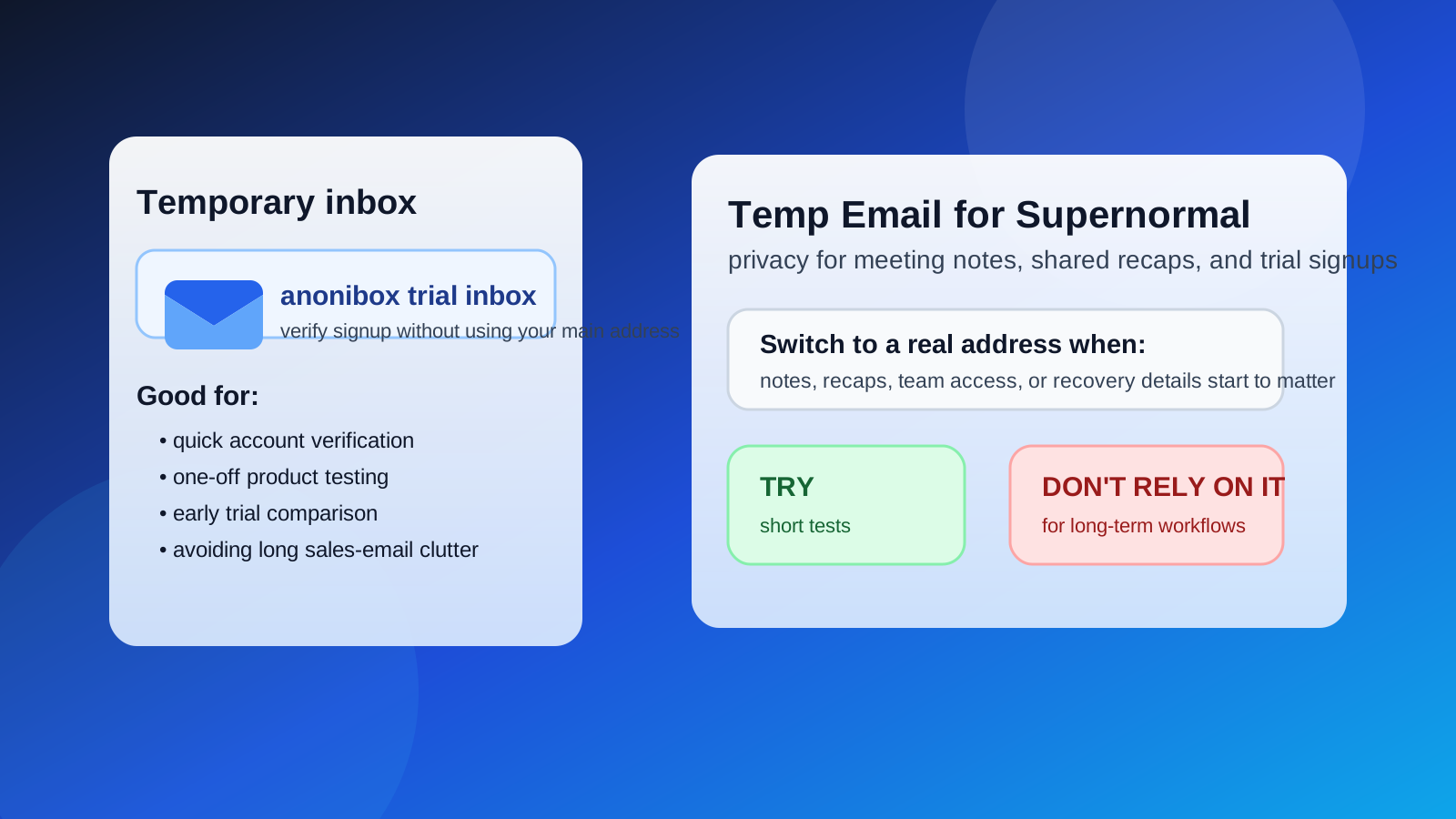
A temp email for Supernormal can work for a quick trial, a one-off signup, or a first-pass product test when you only need account verification and the first onboarding emails.
It becomes risky once the account starts holding meeting notes, shared recaps, team access, or recovery details you would actually care about keeping.
Why people look for a temp email for Supernormal
Meeting productivity tools sit in an awkward middle ground. You are often curious enough to test them, but not always ready to hand over your main work email on day one. That is especially true when you are comparing several products at once and only want to answer a simple question first: does this tool fit the way I actually work?
Using a temporary inbox for Supernormal can help when your goal is limited and practical. You may want to verify an account, see how the dashboard feels, check the onboarding flow, and decide whether it deserves a deeper evaluation. In that early stage, a disposable address keeps your main inbox from filling with marketing sequences, webinar invites, feature announcements, and sales follow-up before you have even decided whether the product is useful.
That is the appeal of a tool like Anonibox. It gives you a way to receive the verification email, unlock the product, and evaluate it on your own terms without immediately tying another software trial to your permanent inbox.
When a temp email for Supernormal makes sense
A temporary address is most sensible when the account is low-stakes, short-lived, and still in the research phase.
1. You only want a quick product test
If you are opening the product to understand the layout, explore the core workflow, and see whether the tool feels relevant, a temp email is usually fine. At that point, you are testing access and first impressions, not building a permanent operational setup.
2. You are comparing several meeting tools side by side
Many people test more than one tool before committing. If you are looking at Supernormal alongside MeetGeek, Tactiq, Otter AI, Fireflies AI, Fathom AI, Grain, Read AI, Avoma, tl;dv, or similar products, separate inboxes make the comparison cleaner. You can track which confirmation email belongs to which trial and avoid mixing several onboarding sequences into one crowded inbox.
3. You want less long-term inbox clutter
Even useful software often starts a long email chain after signup. Temporary inboxes help you avoid months of follow-up from tools you only meant to test for an afternoon.
4. You are privacy-conscious during early evaluation
Some people simply do not want every SaaS tool to get the same permanent address they use for real work, clients, or personal communication. That is a reasonable instinct. Early-stage evaluation does not always require the same level of identity exposure as long-term use.
Where a temp email starts to get risky
The downside is simple: meeting tools stop being “just a trial” surprisingly fast. If the account begins to matter, a disposable inbox can create avoidable problems.
Shared notes and recaps can become important records
Once you start relying on generated meeting notes, summaries, highlights, action items, or follow-up recaps, the account is no longer disposable in any meaningful sense. If access depends on an inbox you no longer control, you are creating friction around work you may want to revisit later.
Team access raises the stakes
The risk goes up even more if coworkers, clients, or collaborators are involved. The moment a tool becomes part of a team workflow, account continuity matters more than inbox privacy. Shared systems need stable ownership.
Account recovery can become messy
Password resets, login alerts, billing notices, workspace changes, and security checks all become harder when the original mailbox was meant for short-term use only. What felt like a harmless shortcut during signup can become a headache later.
Calendar-linked or workflow-dependent use deserves more stability
If the tool is moving from casual test to regular use, switch to a permanent address before you become dependent on it. That does not mean you should give up privacy entirely. It just means your recovery path and account ownership need to match the importance of the workflow.
A safer way to use a temp email for Supernormal
If you want the privacy benefits without the usual downsides, use a staged approach.
- Start with the temp inbox for the first signup. Use it to verify the account and look around without exposing your main inbox immediately.
- Evaluate the tool quickly and intentionally. Decide within the first session whether this is casual curiosity or a serious candidate for your workflow.
- Save anything important right away. If the trial sends setup steps or useful onboarding instructions, save them before you move on.
- Switch to a real address if the tool passes the test. Once you think you may keep using it, move to a permanent email you control.
This gives you the best of both approaches: lower early exposure, but better long-term reliability if the tool earns a real place in your stack.
What to evaluate during the trial
Instead of getting distracted by the signup itself, use the trial to judge the things that actually matter.
- Clarity: does the product help you understand meetings faster, or does it create more noise?
- Workflow fit: does it match how you already organize calls, follow-ups, and collaboration?
- Shareability: will the outputs be useful to teammates, clients, or stakeholders?
- Reliability: does the product feel good enough that you would trust it for repeat use rather than one-off experiments?
- Inbox cost: are the follow-up emails helpful, or are they already becoming a nuisance?
That last point matters more than it sounds. If the tool does not earn a second session, there is no reason to keep receiving a month of promotional email about it.
What if you are testing several meeting assistants at once?
This is one of the strongest use cases for temp email. When you compare multiple tools in the same week, a separate inbox strategy keeps everything cleaner. You can avoid mixing verification messages, product tours, and follow-up offers from several vendors into one place.
It also reduces the chance that your main inbox becomes the long-term storage unit for every product you decided not to keep. That may sound minor, but it saves time later. Less clutter means fewer distractions and fewer forgotten subscriptions.
A better long-term privacy alternative
If you like the privacy logic of a disposable inbox but expect the account to matter, the better compromise is usually a separate permanent address just for software trials and work-tool testing. That gives you continuity without forcing you to use your most important inbox everywhere.
In other words, use a temp email for short evaluation, and use a dedicated real address for tools that survive the first cut. That approach works especially well if you test a lot of SaaS products and want to stay organized without giving each one access to your primary inbox.
Common mistakes to avoid
- Using a temp email and forgetting about account recovery: convenient now, annoying later.
- Leaving a serious workflow attached to a disposable inbox: fine for testing, bad for dependency.
- Ignoring the difference between trial use and production use: they need different levels of stability.
- Letting vendor emails dictate your decision: judge the product by the workflow, not the drip campaign.
Final answer
Yes, you can use a temp email for Supernormal when you want a quick, low-commitment trial and do not want another software evaluation attached to your main inbox right away. That is a practical privacy move, especially if you are comparing several meeting-note tools and only need the verification email plus a short testing window.
But once the account starts holding useful notes, shared recaps, team access, or anything you may need to recover later, a disposable inbox stops being the smart option. Use the temp email for the first look, then move to a stable address if the tool earns a permanent role in your workflow. That way you keep the privacy benefit without creating a future account-management mess.