Yes — a temp email for Leadpages can be useful when you only want to verify a trial, explore templates, and test draft landing pages without handing your main inbox to another platform right away.
No — a disposable inbox is a poor long-term choice once real leads, form alerts, download delivery, billing, or team ownership depend on that address.
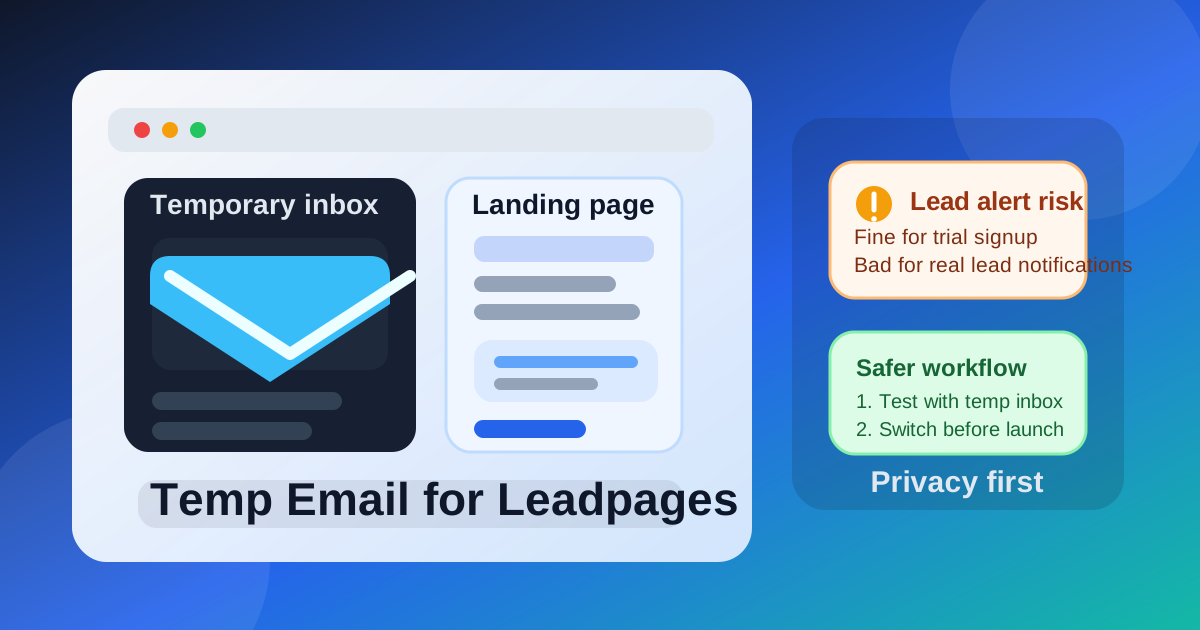
That distinction matters because the email attached to a landing page platform plays two different roles over time. In the beginning, it is mostly a signup credential and a place to receive a few onboarding emails. Later, it can become tied to live lead capture, account recovery, campaign coordination, integrations, and internal handoffs. A temporary inbox is often fine for the first role and risky for the second.
People usually search for a temp email for Leadpages because they want to compare landing page tools without signing up for another long stream of promotional email. They may be testing templates, checking the editor, previewing lead forms, or deciding whether Leadpages belongs on a shortlist next to tools like Unbounce, Instapage, or ClickFunnels. That is a reasonable use case. The key is knowing where the safe boundary is.
If you use a temporary inbox from a service like Anonibox during the evaluation stage, you can confirm the account, inspect the early setup flow, and keep your primary inbox cleaner while you decide whether the platform is worth deeper use. The mistake is treating that temporary address like a permanent operating address after the page goes live.
Why people use temporary email during landing page trials
Landing page and funnel tools tend to send more email than most people expect. A simple signup can trigger verification links, onboarding sequences, feature tours, webinar invitations, upgrade nudges, template recommendations, and sales follow-ups. None of that is unusual, but it can get noisy fast when you are testing multiple tools in the same week.
A temporary inbox solves a few practical problems during that early research phase:
- Less inbox clutter: trial emails stay out of your long-term personal or work account.
- Better privacy: you do not give your main address to every platform before you know which one you will keep.
- Cleaner comparisons: separate trial inboxes make it easier to track which builder sent which verification email, setup guide, or reminder.
- Faster triage: if you decide a tool is not for you, you can walk away without months of lingering marketing email.
That is why temporary email can be a smart evaluation tool. It helps you separate curiosity from commitment.
When a temp email for Leadpages makes sense
1. You are only evaluating the builder
If your goal is to sign up, verify the account, click through templates, and see whether the page builder feels intuitive, a temp inbox is usually fine. At that stage, you are not yet relying on the tool for customer-facing work. You are just trying to answer a simple question: is this worth using seriously?
2. You are comparing several landing page platforms
Many marketers and founders do not test one tool in isolation. They look at multiple options side by side. Using a separate temporary inbox for each trial can make that comparison far easier. You avoid mixing verification emails, walkthroughs, and “finish your setup” reminders from different vendors in one crowded mailbox.
3. You are building draft pages with sample data only
If the page is still a mockup, internal draft, or rough test with fake submissions, the account itself is still low-risk. In that situation, a temporary address can be an acceptable buffer while you explore layouts, forms, page sections, and mobile previews.
4. You want to protect your main inbox from low-value follow-up
Sometimes you already suspect you probably will not keep the platform. You still want to test it properly, but you do not want another long-tail nurture sequence in your personal or work inbox afterward. That is exactly the kind of early-stage use case where temp email is helpful.
Where it starts to break down
The risk appears when the account stops being experimental and starts becoming operational.
Real leads raise the stakes immediately
Once a page is collecting real signups, demo requests, downloads, webinar registrations, or customer inquiries, the account behind that page matters more. Even if visitors never see your account email directly, you may still depend on it for alerts, ownership, recovery, and internal coordination. A temporary inbox is weak precisely where reliability begins to matter.
Lead notifications can become easy to miss
Landing pages are often valuable because they generate action. If form notifications, publishing notices, account warnings, or setup issues go to an inbox you no longer monitor, the cost is not theoretical. You can miss real leads, fail to notice account problems, or create confusion around who is supposed to respond.
Team access and handoffs get messy
If coworkers, clients, contractors, or future teammates need access to the account, a throwaway inbox is a bad foundation. Stable ownership matters. Temporary inboxes are convenient for one person doing a quick trial, but they are poor long-term anchors for shared work.
Billing and account recovery are not trial-stage details forever
It is common for a trial account to turn into a paid one faster than expected. The moment billing notices, password resets, security messages, or account-change confirmations start mattering, a disposable inbox becomes a liability rather than a convenience.
A safer way to use temporary email with Leadpages
If you want the privacy benefits without the avoidable downside, use a staged workflow:
- Create the temporary inbox before signup. That keeps the entire evaluation flow separate from your regular inbox from the start.
- Use it for verification and initial exploration only. Confirm the account, review the builder, inspect templates, and test the first page draft.
- Use sample data while the inbox is temporary. Do not rely on that account for real lead capture, client inquiries, or production traffic yet.
- Switch to a permanent monitored inbox before launch. Make the change before you connect real workflows, team members, ads, or customer traffic.
- Confirm ownership and alerts after the switch. Make sure the right person or team actually receives important notices going forward.
This is the cleanest compromise. You keep your privacy during the trial, then move to a dependable address before the account becomes important.
Common mistakes to avoid
- Leaving the temp inbox attached after publishing: fine for testing, risky for real campaigns.
- Using a throwaway account for client work: poor choice when ownership may need to transfer later.
- Testing with real lead sources too early: do not point traffic at a page until the account sits on a reliable inbox.
- Forgetting about recovery and billing: the account email matters long after the first login.
- Assuming you will definitely remember to switch later: maybe you will, maybe you will not. Safer to switch before launch, not after a problem.
Better alternatives when the page may go live
If you already suspect the page could become real work, a separate permanent inbox is usually better than a disposable one. That could be a project mailbox, a work alias, or another address you control long-term. You still get separation from your everyday inbox, but you do not create the reliability problems that come with temporary email.
This is often the best fit for agencies, solo founders running paid campaigns, growth teams, consultants, and anyone who expects the account to collect leads beyond a quick experiment. You preserve privacy and organization without sacrificing continuity.
Quick decision checklist
Before you use a temp email for Leadpages, ask yourself:
- Am I only testing the platform, or am I about to run a real campaign?
- Will real signups or inquiries depend on this account soon?
- Will someone else need access later?
- Would missed notifications create lost leads or internal confusion?
- Can I switch to a stable inbox before the page goes live?
If you are still in the evaluation phase, temporary email is usually reasonable. If the page is heading toward real traffic, real leads, or team usage, it is time to move to a monitored long-term inbox.
Final verdict
A temp email for Leadpages is useful for early trial signup, builder exploration, and draft landing page testing when you want to protect your main inbox and avoid unnecessary vendor clutter.
It becomes a bad fit once the account is tied to real lead capture, important alerts, billing, or shared ownership. Use temporary email as an evaluation tool, not as the permanent backbone of a live landing page workflow. That way you keep the privacy benefit without creating avoidable lead and account-management problems later.