Yes — a temp email can be useful for Kajabi if you are only testing a trial, draft funnel, freebie opt-in, or early course setup. No — it becomes a bad idea once real member access, password resets, billing receipts, or student notifications matter.
The practical rule is simple: use a temporary inbox for low-stakes experimentation, then switch to a permanent address before anything customer-facing, paid, or long-lived starts depending on that inbox.
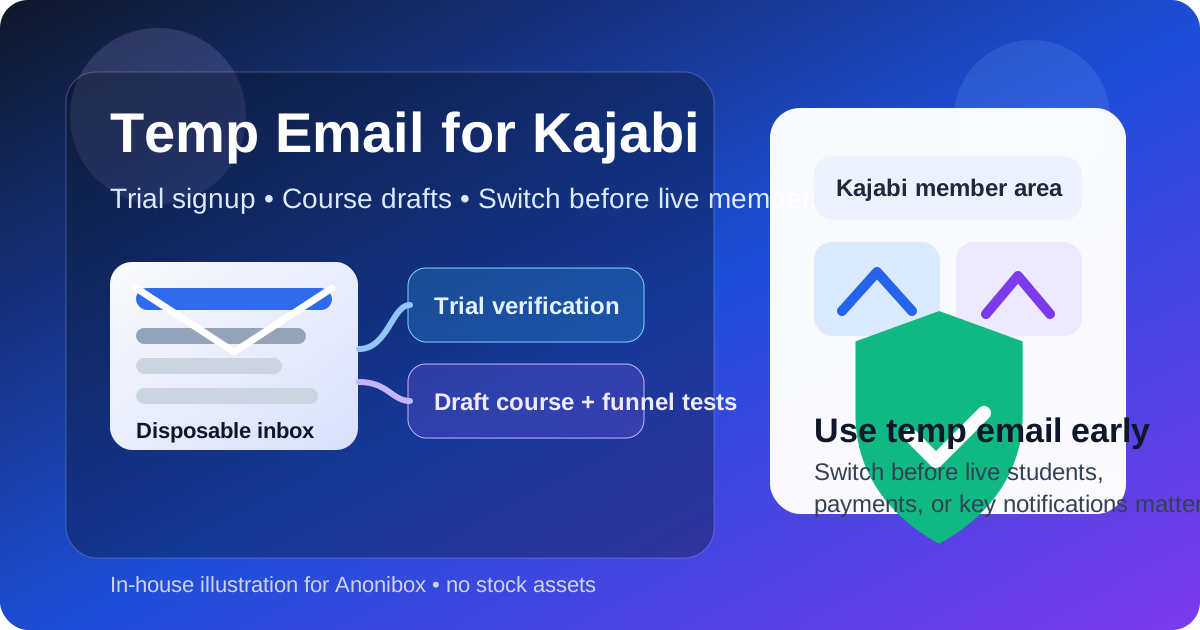
Why people look for a temp email for Kajabi
Kajabi sits in an interesting spot. It is not just an email tool, not just a course platform, and not just a funnel builder. People use it for landing pages, lead magnets, memberships, coaching offers, checkout pages, email broadcasts, automations, and student portals. That makes the email you attach to the account more important than it first appears.
If you are only evaluating the platform, a temporary inbox can feel like the cleanest choice. You get the signup confirmation, explore the dashboard, test a basic pipeline, maybe preview a product page, and avoid turning one curious test into months of promotional follow-up. That is the real value here. A temp inbox helps during the research stage, when you are not ready to tie your main personal or business email to yet another vendor.
But Kajabi is also the kind of platform where email quickly becomes operational. Once you move beyond a casual test, you may need it for login recovery, payment notifications, student communications, and account ownership. That is where a disposable address stops being convenient and starts becoming fragile.
When a temp email for Kajabi makes sense
There are a few realistic situations where using a temporary inbox is perfectly sensible.
1. You are only checking the trial experience
If your goal is to see what Kajabi looks like, how the dashboard feels, what the templates are like, or whether the product fits your business, a temp email can be fine. You are not committing to a launch yet. You just want access long enough to evaluate the basics.
2. You are comparing multiple creator platforms
Maybe you are deciding between Kajabi and alternatives that overlap with courses, funnels, memberships, or creator CRM workflows. In that stage, your main inbox can get buried fast. Trial reminders, webinar invites, upgrade nudges, and onboarding sequences add up. A temporary inbox keeps that first-wave noise separate from your real work.
3. You are testing a draft funnel or freebie flow
Creators often want to check whether a landing page, form, thank-you page, and welcome message chain works before they commit real subscriber or customer data. A temp inbox can be useful for that kind of low-risk self-testing.
4. You want less long-term marketing clutter
This is the most obvious reason. If you know you are in an early, reversible stage, a temporary inbox can keep your permanent address out of long nurture sequences until you decide Kajabi is actually staying in your stack.
When it gets risky fast
The downside is not theoretical. Kajabi accounts become “real” quickly. The moment you attach live products, students, payments, or automations to the account, the email matters in a much bigger way.
Do not keep a disposable inbox if any of these are true:
- You are launching a paid offer and need reliable billing receipts or payment notices.
- You are enrolling real students or members who may trigger support requests.
- You need dependable password resets and account-recovery emails.
- You are sending broadcasts or automations that you may need to monitor or troubleshoot later.
- You are inviting a team member, VA, editor, or coach into the workspace.
- You are using the account as a serious business system rather than a curiosity test.
In those situations, the problem is not that temporary email is “unsafe” in some dramatic sense. The problem is reliability. Disposable inboxes can expire, get blocked, or simply become inconvenient to manage once your business workflow depends on them. A low-friction trial setup can turn into a high-friction ownership problem.
What a safer workflow looks like
If you want the privacy benefits without the usual mess, the smartest approach is staged use.
Stage 1: Use a temp inbox for the earliest evaluation
Create the temporary address first. Use it for the initial Kajabi signup, the verification email, and the first hour or two of exploration. That gives you a clean testing sandbox and keeps your primary inbox quieter while you decide whether the platform is worth deeper attention.
Stage 2: Test only low-stakes pieces
During that early window, focus on questions that do not require long-term account dependence:
- Do the page templates feel usable?
- Is the funnel builder intuitive enough for your workflow?
- Can you draft a basic product, form, or freebie flow easily?
- Does the dashboard make sense for your business model?
- Is the email/automation setup clear enough to justify further testing?
Stage 3: Switch before real operations start
As soon as Kajabi becomes more than a throwaway trial, replace the temp address with an email you actually control long-term. That could be your main business inbox or a dedicated operations address. The point is stability. If customers, students, money, or teammates enter the picture, the account should not depend on an inbox you only meant to keep for a quick test.
A practical checklist: use temp email early, switch before these moments
Using a temporary inbox is usually reasonable before:
- you connect a real payment flow
- you open a live checkout
- you publish a membership people will actually join
- you begin real student onboarding
- you run live broadcasts or evergreen automations you care about
- you hand account access to a teammate or contractor
You should switch to a permanent email before:
- real customers start paying
- login recovery matters
- you expect support conversations about access problems
- receipts, refunds, or failed payment notices need to reach you
- student reminders and launch-day emails become business-critical
Examples of good vs. bad use
Good use: creator evaluating Kajabi for a future course
A solo creator wants to compare Kajabi with other all-in-one platforms. They use a temporary inbox, verify the trial, draft a sample landing page, build one test form, and preview a mini product structure. That is a sensible use. The account is exploratory, and nothing long-term depends on the address yet.
Good use: agency testing a client funnel concept internally
An agency wants to see whether Kajabi can support a rough lead-magnet funnel for a possible client project. A temporary inbox works for the earliest sandbox, especially if the agency is just assessing fit and not yet building the final account structure.
Bad use: live membership with a disposable inbox still attached
A coach launches a paid membership, keeps the temp inbox on the account, then later needs a password reset, billing alert, or notice about student access. Now the convenience has turned into account risk. The inbox was useful for the first hour, but not for the real business phase.
Bad use: active launches and automations tied to a throwaway address
If you are running launches, email sequences, product updates, or student onboarding and the address behind the account is disposable, you are basically depending on a short-term tool for long-term operations. That is where problems start.
What about blocked disposable domains?
Another practical wrinkle: some platforms or signup flows may reject obvious disposable domains. Even if a temp inbox works today, it may not work forever, and some checks can become stricter over time. That means temporary email is best treated as a convenience for low-stakes early testing, not as a permanent account-management strategy.
How Anonibox fits into this workflow
If you want to keep your main inbox cleaner while you test creator tools, Anonibox can be a simple first step. You can generate a temporary address, receive the initial verification email, and see whether Kajabi is even worth a deeper setup. That is the sweet spot: early evaluation, draft experiments, and one-off signups where you want less long-tail inbox clutter.
What Anonibox is not for is pretending a disposable inbox should own your live business forever. Once Kajabi becomes part of your actual revenue, student experience, or customer support flow, move the account onto an address you plan to maintain.
Common mistakes to avoid
- Waiting too long to switch: people often keep the temp inbox “just for now” until it is attached to something important.
- Using it for live customer access: bad trade-off, especially when support and login issues appear.
- Forgetting what you were testing: capture any useful setup notes while you are in the trial so you do not rely on the inbox later.
- Assuming email only matters at signup: on Kajabi, the account email often becomes part of ongoing operations.
Bottom line
A temp email for Kajabi is useful when you are still in the “should I even use this?” stage. It helps with trial access, draft funnel checks, and early creator experiments without dumping more vendor follow-up into your main inbox.
It stops being a good idea once Kajabi becomes tied to real members, real payments, real notifications, and real account ownership. Use temporary email for exploration. Switch to a stable long-term address before your courses, memberships, or billing depend on it.