Yes, a temp email for Linktree can help during early creator-page testing and short-term signup privacy, but it becomes risky once real leads, brand inquiries, or account recovery depend on that inbox.
If you are only testing a link-in-bio setup, a disposable address can be practical. If the page is about to go live on your Instagram, TikTok, YouTube, or creator profile, switch to an email you control long term before people start depending on it.
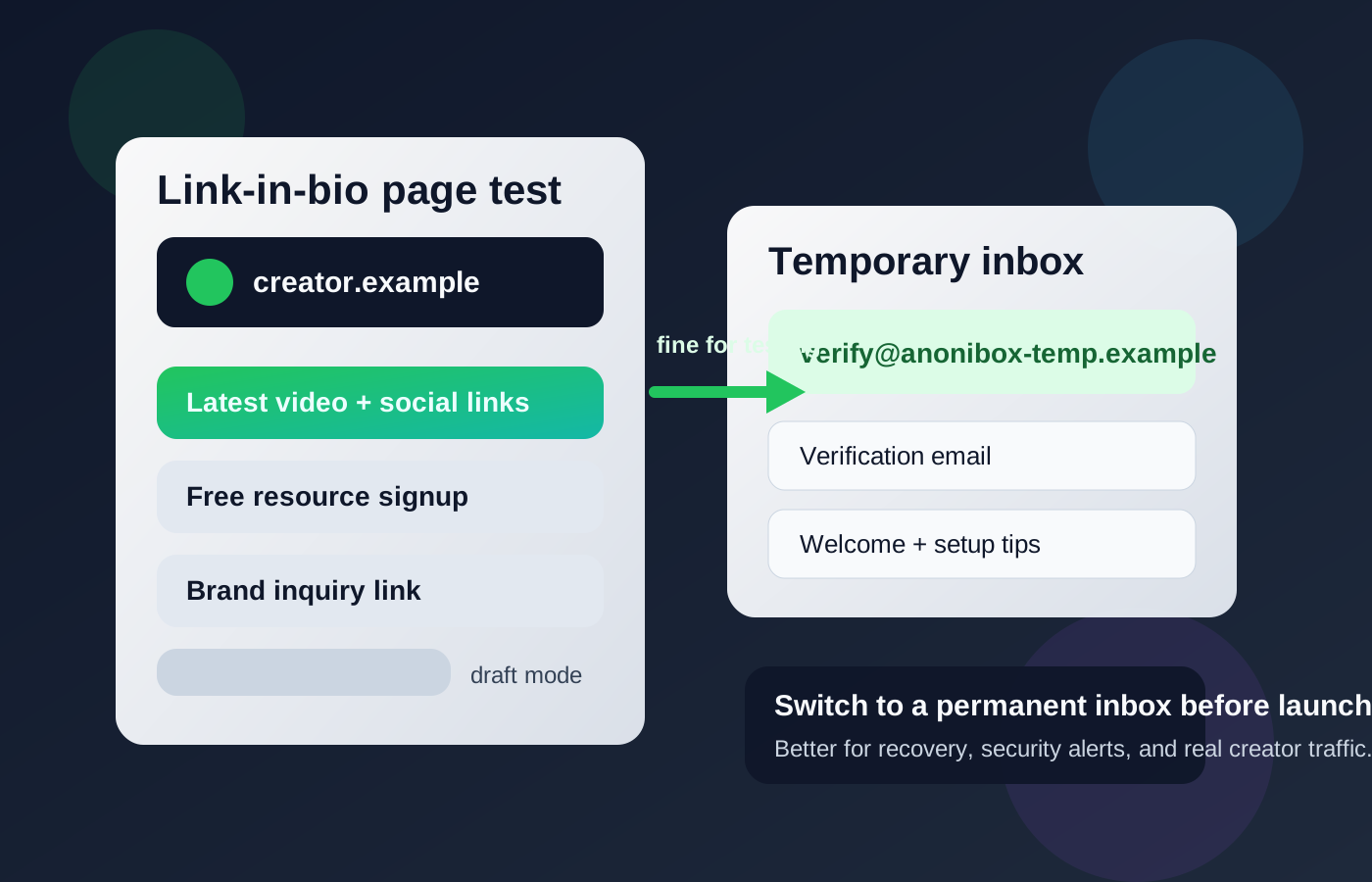
That is the real answer most people need. Linktree often starts as a quick experiment: you claim an account, build a simple page, add a few social links, maybe test a lead magnet or creator offer, and see whether the setup feels cleaner than dropping individual links everywhere. In that early stage, temporary email can be genuinely useful because it keeps your primary inbox out of another stream of welcome emails, promos, feature announcements, and upgrade nudges.
But Linktree also has a habit of becoming important faster than expected. What begins as a lightweight profile page can quickly turn into the front door for your audience. Once your link-in-bio page is public, email is no longer just a signup field. It becomes part of account security, service notices, recovery, and the practical administration of something attached to your brand.
So the safest approach is not “always use a burner” and it is not “never use a burner.” The smarter move is to match the email type to the stage you are in. A disposable inbox is reasonable for low-stakes evaluation. A stable inbox is the better choice for anything live, public, or revenue-adjacent.
Why people look for a temp email for Linktree
Most people are not searching for a temp email for Linktree because they are trying to hide something dramatic. Usually, they just want cleaner boundaries.
- They want to test the signup flow without dragging a permanent inbox into a platform they may not keep.
- They are comparing tools like Linktree, Beacons, Stan Store, Ko-fi, or other creator landing-page options.
- They want less inbox clutter from onboarding sequences, product updates, and promotional campaigns.
- They prefer to separate experiments from real business operations until they know a setup is worth keeping.
That is a reasonable instinct. If you use a service like Anonibox for the first round of testing, you can verify the account, poke around the dashboard, and decide whether Linktree belongs in your workflow before giving it a long-term inbox.
When a temp email for Linktree actually makes sense
Temporary email is most useful when the activity is short-lived, private, and reversible. In other words, it helps when you are exploring Linktree rather than depending on it.
1. You are checking whether Linktree fits your setup
If you are deciding between several link-in-bio tools, a disposable address is a tidy way to keep each trial isolated. You can see the signup flow, dashboard, basic customization, and the first system emails without mixing all of that into your main creator or business inbox.
2. You are building a page that is not public yet
Maybe you are drafting a page, testing link order, checking how it looks on mobile, or seeing whether a certain creator workflow feels intuitive. While the page is still private and experimental, the email tied to it matters less.
3. You are running a one-off test
If your goal is simply to confirm signup, test a simple freebie flow, or inspect how Linktree handles account setup, a temporary inbox is often enough. You get the verification email, complete the setup, and decide what to do next without committing your long-term contact address too early.
4. You want to keep promo noise out of your main inbox
Creator tools tend to send a lot of messages in the first days: welcome sequences, setup suggestions, feature announcements, upgrade prompts, and product education. If you are evaluating multiple tools at once, that adds up fast. A disposable inbox can keep the noise contained.
When it becomes a bad idea
The risk changes as soon as the Linktree account stops being disposable.
1. Your page is live in your social bio
Once you place the Linktree URL in a public profile, it becomes part of your identity and your traffic path. At that point, the account is no longer just a sandbox. If you lose access to the email tied to it, recovering the account becomes far more stressful.
2. Real leads or brand inquiries may be involved
If your page connects people to your newsletter, bookings, portfolio, products, creator offers, affiliate links, or other business assets, the account has moved past the testing stage. Even if inquiries do not arrive directly in the Linktree inbox, the platform account itself now supports something that matters.
3. You expect to keep using the page for months
Temporary inboxes are built for convenience, not continuity. If you know this page will stay attached to your brand, campaign, or audience, a throwaway inbox becomes a weak foundation.
4. You may need password resets or security alerts later
This is the biggest practical issue. Account recovery almost always becomes more important after you stop thinking about it. A temp inbox is fine right up until you need it again and it no longer exists.
What can go wrong if you keep a disposable email too long?
The main problem is not abstract privacy theory. It is operational friction.
- You can lose recovery access: if you forget the password or trigger a security check, the old inbox may be gone.
- You can miss important service emails: platform notices, login alerts, or account-related messages are easy to lose with a short-lived inbox.
- You create avoidable business risk: if the page is tied to sponsorship outreach, newsletter growth, product links, or creator traffic, email instability becomes a real liability.
- You make handoff and maintenance harder: future-you has to remember that the account started with a throwaway address, which is exactly the kind of detail people forget.
In other words, a temporary inbox can solve a small short-term annoyance while quietly creating a much larger long-term problem.
A safer way to use temp email with Linktree
If you want the privacy benefit without the recovery headache, the best approach is staged use.
Start with a temporary inbox only for evaluation
Use it for the first signup if your goal is simply to inspect Linktree, compare it with alternatives, or keep your primary inbox clean during research.
Decide quickly whether the account matters
After the first round of testing, ask a simple question: is this page actually going live? If the answer is yes, treat the account like part of your creator infrastructure, not like a disposable test.
Switch to a permanent inbox before launch
Do this before you add the Linktree URL to public profiles, before you share it in bios, and before you route audience attention through it. The right permanent inbox does not have to be your oldest personal email. It just needs to be stable, accessible, and under your control.
Keep your creator accounts organized
Many people do best with a dedicated creator or side-project inbox rather than a disposable inbox forever. That gives you separation without sacrificing recovery, searchability, and long-term access.
Better alternatives than a throwaway inbox forever
If your real goal is privacy, not pure disposability, you have better options than keeping a temp email attached to a live Linktree account.
- A dedicated creator email: good for long-term page ownership without mixing everything into your personal inbox.
- A separate project inbox: useful if the page belongs to a campaign, product, or audience segment.
- Temporary email only during setup: good for testing, followed by a switch once the page becomes important.
This is usually the sweet spot: you get privacy during experimentation, then reliability once the account matters.
Quick checklist: should you use a temp email for Linktree?
Use a temp email if most of these are true:
- You are only exploring the platform.
- The page is private or short-lived.
- You only need the verification email and first few setup messages.
- You are comparing Linktree against other creator-page tools.
Do not keep using a temp email if most of these are true:
- The page is now public.
- Your audience, clients, or brand partners may rely on it.
- The page is tied to product links, newsletter growth, bookings, or other business activity.
- You would care if you lost access next month.
Final answer
A temp email for Linktree can be a smart short-term tool for early testing, private evaluation, and keeping signup noise out of your main inbox. It is much less smart as the permanent email for a live creator page.
If the account is just an experiment, a disposable inbox is fine. If the page will represent you publicly, collect attention, support campaigns, or sit in your bio for more than a quick test, switch to a durable inbox before launch. That gives you the privacy benefits of testing without turning account recovery into a future mess.