Yes, a temp email for Beacons can help during early creator-page testing and short-term signup privacy, but it becomes risky once real leads, store orders, brand inquiries, or account recovery depend on that inbox.
If you are only comparing creator-page tools or checking a one-off freebie flow, a disposable address can keep your main inbox cleaner. If the Beacons account is going to matter next week, though, switch to an email you control before the page goes live or money and customer messages start flowing through it.
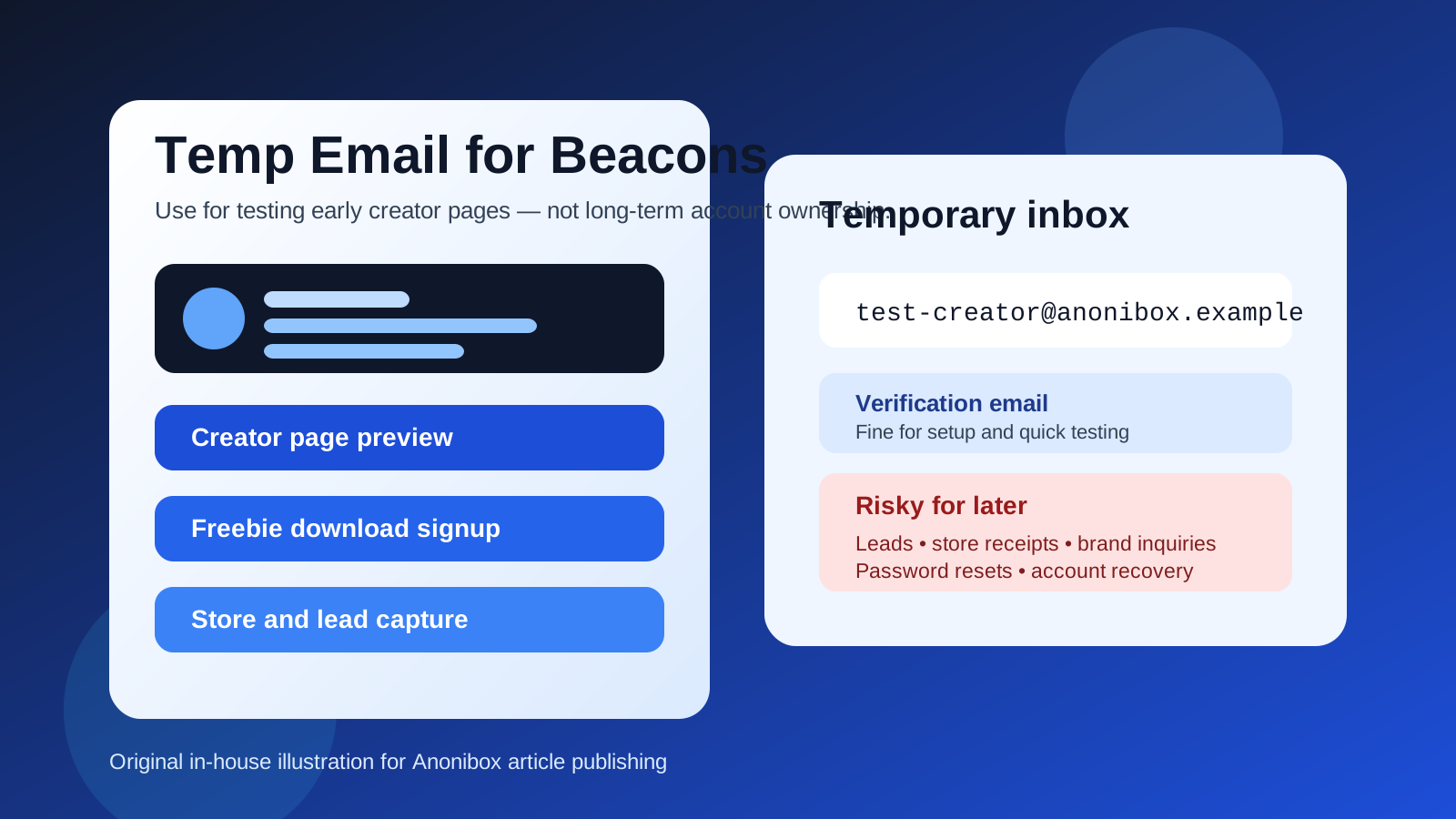
That is the practical answer most people actually need. Beacons sits in a category where temporary email can be genuinely useful at the beginning because creator tools tend to generate verification emails, onboarding nudges, promo messages, upgrade prompts, and product announcements fast. At the same time, it is also the kind of platform that can become part of a real business system. Once your link-in-bio page, storefront, free download, media kit, or lead capture flow is live, email is no longer just a throwaway sign-up detail. It becomes part of your operating infrastructure.
So the right move is not “always use a burner email” and it is not “always use your primary inbox.” The better approach is to match the email type to the stage you are in. A disposable inbox is reasonable for short-lived testing. A durable inbox is the safer choice for anything tied to customers, collaboration, billing, or future recovery.
When a temp email for Beacons actually makes sense
A temporary inbox is most helpful when your goal is narrow, early, and reversible. In other words, you are exploring Beacons rather than relying on it.
- Testing a creator page setup: You want to see the signup flow, dashboard, basic page controls, or onboarding emails before tying the platform to your long-term inbox.
- Comparing creator tools: If you are weighing Beacons against tools like Stan Store, Linktree-style pages, Ko-fi, Buy Me a Coffee, or other creator platforms, a temp inbox can keep each trial contained.
- Checking a free download flow: If the goal is to test whether a freebie signup, lead magnet, or simple confirmation flow works, a temporary address can be enough.
- Reducing early inbox clutter: Creator software usually follows signup with a lot of “finish setup,” “publish your page,” “connect your audience,” and “upgrade your account” messages. A temp inbox isolates that noise while you decide whether the platform is worth keeping.
- Running a one-time experiment: Maybe you are just exploring a side project idea and are not sure the page or offer will survive the week. That is a reasonable time to avoid handing your permanent address to another tool immediately.
In all of those cases, the inbox is acting like a filter. You still receive the first verification email and the first setup messages, but you do not automatically commit your main address to another creator funnel before you even know whether you like the platform.
Why people reach for disposable inboxes on creator-page platforms
The first email is not usually the problem. The follow-up is. Creator platforms often want to help you finish setup, publish faster, connect products, grow an audience, and upgrade sooner. That means one sign-up can quickly lead to:
- welcome messages,
- setup checklists,
- feature announcements,
- case studies and creator tips,
- trial reminders,
- upgrade offers, and
- prompts to connect more of your business systems.
If you test several creator tools in the same week, your main inbox can turn into a pile of product-marketing sequences fast. That is exactly where a tool like Anonibox is helpful. It lets you separate “I am testing this” from “I want this in my real workflow.” That separation is useful. The mistake is letting a testing inbox remain attached after the account starts handling real value.
Where a temp email for Beacons becomes risky
The downside shows up as soon as the account becomes important. Beacons is not just a static profile page in many real-world uses. People connect lead capture, storefront links, creator offers, downloadable resources, audience growth flows, and brand-facing contact paths. Once that happens, the email on the account matters a lot more than it did during the first ten minutes of setup.
1. Lead capture and inquiry follow-up can break
If you use Beacons to collect inquiries, waiting-list signups, collaboration interest, or other creator leads, email continuity matters. A throwaway inbox is fine for a quick test, but it is a weak place to anchor messages you may need later. Missing a serious inquiry because the inbox expired is not a privacy win. It is just lost opportunity.
2. Store orders and product access need reliability
If you sell digital products, link people to paid offers, or use your page as part of a monetized flow, important messages stop being optional. Receipts, access links, customer follow-ups, and account notices are exactly the kind of messages you do not want disappearing into a short-lived inbox.
3. Account recovery becomes fragile
It is easy to underestimate this until you need it. If you forget a password, get logged out, change devices, or need to confirm an ownership action, recovery emails suddenly matter a lot. A disposable inbox is convenient while everything is going smoothly. It becomes annoying the moment you need to prove the account is yours.
4. Public pages deserve stable ownership
Once a Beacons page is linked from your social profiles, videos, newsletter, or store bios, it becomes part of your public identity. That is not the moment to leave the owner account tied to something you may not control later. If the page is public, the email behind it should be stable too.
5. Long-term creator operations outgrow throwaway email fast
Temporary email works best for disposable activity. Real creator work is the opposite. You may need billing notices, platform alerts, security confirmations, support replies, collaborator messages, or future changes. A permanent inbox you control is simply more practical once the account becomes part of your business.
Good use cases vs bad use cases
Sometimes the simplest way to decide is to look at concrete examples.
Good temporary-email use cases
- You want to compare Beacons with two other creator-page tools before deciding which one deserves your real setup time.
- You only need the first verification email so you can inspect the dashboard and page builder.
- You are testing a free download form or basic signup flow in a sandbox before building the real version.
- You are curious about the onboarding experience but are not yet ready to attach the platform to your permanent creator inbox.
Bad temporary-email use cases
- You already linked the page from your public social profiles and expect real traffic.
- You are collecting brand inquiries, client leads, or collaboration requests that could matter later.
- You are selling products, promising downloads, or depending on customer access messages.
- You plan to keep the page long term and would be frustrated if you could not recover the account next month.
The pattern is simple. Temporary email is good for evaluation and disposable experiments. It is bad for ownership, money, and anything you may need to revisit.
A safer workflow if you want privacy without future headaches
You do not have to choose between total exposure and total throwaway behavior. A staged workflow usually works better.
1. Start with a temp inbox only if the account is truly low-stakes
If you are just opening the product, checking the interface, or running a quick test, use the disposable inbox at the beginning and keep the scope narrow.
2. Save the messages you actually need
If the platform sends a verification message, a useful setup note, or a link you care about, save it right away. Temporary inboxes are not long-term archives.
3. Decide quickly whether Beacons is a “no,” a “maybe,” or a “yes” for you
The trouble starts when people drift. They think they are still testing, but the account quietly becomes real. If Beacons looks like a serious option, that is the time to move the account to a permanent inbox while everything is still easy to manage.
4. Switch before leads, orders, or public traffic matter
The best time to change the owner email is before your page becomes important, not after. Do it before publishing a serious link-in-bio page, before collecting meaningful leads, and definitely before relying on product sales or customer communication.
5. Consider a separate permanent creator inbox instead of a disposable one
For many people, the real goal is not disappearance. It is separation. A dedicated permanent inbox for creator tools can give you most of the privacy benefit while still preserving recovery, continuity, and account ownership. That is often the sweet spot: cleaner boundaries without the fragility of a burner inbox.
Common mistakes people make
- They leave the test email attached too long: What started as a quick experiment turns into the live account by accident.
- They treat all creator messages like spam: Some are disposable; some are exactly the billing, recovery, or access messages they later need.
- They mix testing and real operations: The same account ends up trying to serve as both a sandbox and a production setup.
- They forget that public visibility changes the risk: Once a page is linked publicly, ownership and support matter more.
- They wait until a problem happens to update the email: By then it is usually more stressful than it needed to be.
So, should you use a temp email for Beacons?
Yes, if your goal is early creator-page testing, a one-off freebie flow, or a short product comparison and you mainly want to keep another software trial out of your main inbox.
No, if the account will matter for real leads, store orders, inquiries, billing, customer access, or long-term creator identity. In those cases, a disposable inbox solves a short-term annoyance but creates a longer-term reliability problem.
The cleanest rule is this: test with temporary, operate with permanent. Use the temp inbox while the account is disposable. The moment the page becomes part of a real creator workflow, switch to an address you own and monitor consistently.
Conclusion
A temp email for Beacons is useful when you are still exploring. It helps you verify the account, review the onboarding flow, and avoid feeding your primary inbox into another creator software sequence too early. But once your page starts collecting value, whether that value is leads, sales, downloads, or simple brand presence, the email behind the account needs to be more reliable than a throwaway inbox can offer.
If privacy matters, keep using separation as your strategy. Just move from a disposable test inbox to a dedicated permanent creator inbox before anything important depends on it. That way you get the quiet inbox you wanted at the beginning without making recovery, revenue, and long-term account ownership harder later.