A temp email for Storyblok is useful for early CMS testing and quick signup privacy, but it becomes risky once production admins, team invites, and account recovery depend on that inbox.
Use a temporary inbox for verification, sandbox evaluation, and short-lived demos, then switch to a durable address before the Storyblok account matters to a real site, client, or team.
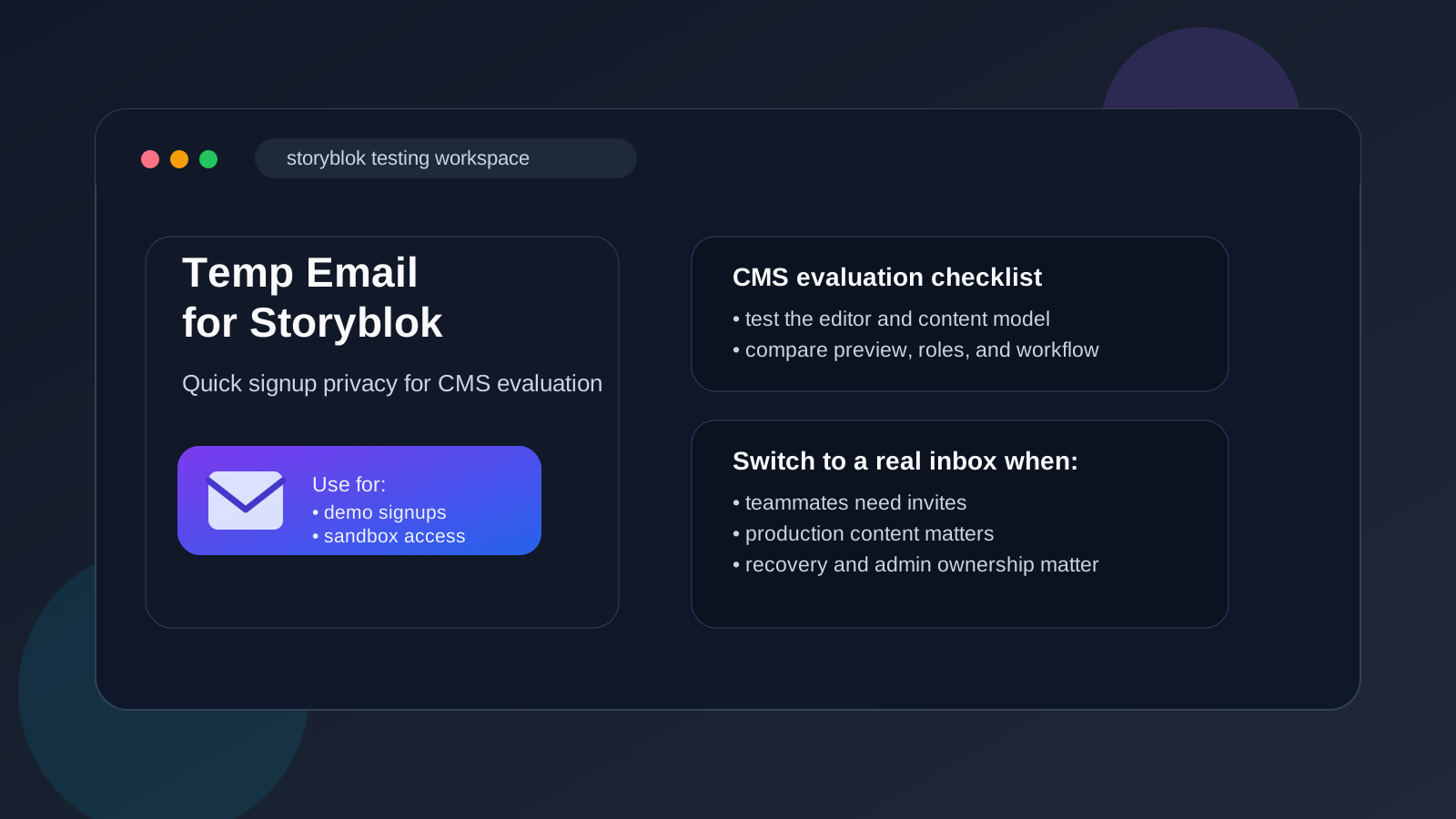
That is the real trade-off. Storyblok often gets evaluated during redesigns, headless CMS comparisons, client pilots, and internal proofs of concept. In that stage, you may want to see the editor, test a content model, or open a space without feeding your primary inbox into another long vendor nurture sequence. A temporary inbox can help with that first step. It keeps the initial verification email, onboarding messages, and early product follow-up contained while you decide whether Storyblok deserves deeper attention.
The problem starts when a throwaway inbox outlives the throwaway phase. If a Storyblok setup becomes tied to a production site, teammate invites, workflow approvals, password recovery, or long-term ownership, a disposable address stops being convenient and starts becoming a liability. The smart move is to use the temp inbox only while the work is genuinely exploratory.
Why people use a temp email for Storyblok in the first place
Storyblok is the kind of platform people rarely test just for fun. Usually there is a real question behind the signup: is it a better fit than the current CMS, does the editor feel easier for non-developers, will preview and component workflows hold up, or can it support a new site launch without creating unnecessary overhead?
Those are sensible questions, and they do not always require a permanent relationship on day one. If you are comparing several content platforms at once, your main work inbox can get noisy fast. Welcome emails, product tours, webinar invitations, feature announcements, and follow-up sales messages pile up long before you know which tool you actually want. A temporary inbox creates a buffer between early curiosity and long-term vendor communication.
If you already use Anonibox or another disposable inbox for low-stakes evaluation signups, Storyblok fits that pattern well during the first testing window.
When a temporary inbox makes sense
A temp email is most useful when the work is low-risk, short-lived, and mainly about evaluation. Common examples include:
- Opening an account to inspect the admin interface before committing to a platform migration
- Testing a space for a pitch, prototype, or internal demo
- Comparing Storyblok with tools like Strapi, Directus, or Contentful
- Reviewing content modeling, preview flow, or editorial usability on a short trial
- Keeping one-off vendor research out of your permanent inbox
In each of those cases, the goal is access and clarity, not durable ownership. You need the confirmation email and maybe the first onboarding sequence, but you do not necessarily want to commit your main address before you know whether the platform belongs on your shortlist.
When it stops being a good idea
A disposable inbox stops being a good fit once the account begins to matter operationally. That usually happens faster than people expect. Be cautious if any of these become true:
- The Storyblok space is now tied to a real production website or customer-facing app
- You are inviting teammates, editors, clients, or contractors into the workspace
- The account controls admin settings, integrations, or recovery paths you may need later
- You expect to return to the environment after a pause and will need dependable password resets
- The project is moving from demo mode into a maintained long-term workflow
At that point, the temp inbox creates avoidable risk. If the inbox disappears or goes unmanaged, important notices may get missed and recovery can become messy. A disposable address is fine for exploration. It is a poor foundation for shared production ownership.
How to use a temp email for Storyblok safely
1. Decide whether this is a trial or a real build
Before you sign up, be honest about the stage of the work. If you are only testing the product, a temporary inbox is reasonable. If you already know the project will become real and shared, begin with a permanent address and skip the cleanup later.
2. Use the temporary inbox only for the first checkpoint
The safest pattern is simple: use the disposable email to verify the account and explore the platform, then move to a durable address once Storyblok survives the first round of evaluation. That lets you protect your main inbox without accidentally locking a valuable project behind a mailbox no one truly owns.
3. Save the emails that matter right away
Do not assume the inbox will always be available or easy to revisit. Save anything important during the first session, especially:
- the verification email
- any invite or activation links
- setup instructions worth comparing later
- notes about roles, access, or onboarding steps
If Storyblok makes the shortlist, migrate to a stable address before the evaluation grows into real work.
4. Keep separate inboxes for separate products
If you are comparing multiple CMS platforms at once, do not route them all through the same disposable inbox. One inbox per tool keeps vendor emails organized and makes it easier to compare onboarding quality, friction, and follow-up without losing track of which messages belong to which platform.
What to evaluate inside Storyblok while you are there
The email address is only a doorway. Once you are inside the account, the real question is whether Storyblok fits your team and project.
Editor experience
Does the content editing experience feel clear for the people who will actually use it? A CMS that looks polished in a product demo can still become frustrating if everyday editing feels awkward or overly technical.
Content structure
Try building a realistic content model instead of a toy example. Ask whether the structure still makes sense when pages, components, and reusable content blocks start to grow. A short test should reveal whether the platform feels flexible or brittle.
Preview and publishing flow
If your team cares about visual review, staging, or editorial signoff, pay close attention to how preview and publishing feel in practice. A fast signup is nice, but the real value comes from how smoothly content moves from draft to live changes.
Team workflow
Even if you are testing alone, imagine what happens when a designer, marketer, developer, or client joins the project. Will permissions, handoffs, and collaboration feel manageable? This is often the point where a temporary inbox stops making sense, because shared ownership matters more than signup convenience.
Migration and operational fit
Early testing should also answer a practical question: if you choose Storyblok, what would the next step look like? Would migration be realistic, or does the tool only feel good in a tiny sandbox? Can your team maintain it without depending on one person who remembers how the test account was created?
Risks people forget about
The biggest problems are not dramatic security failures. They are boring operational mistakes that show up weeks later.
- Lost recovery access: the temporary inbox is gone when you finally need a password reset.
- Unclear account ownership: the test setup becomes the real setup, but nobody wants to manage the original email choice.
- Broken invite chains: collaborator access becomes harder to untangle because the account began as a throwaway experiment.
- Missed admin notices: account, billing, or security-related emails may land in an inbox nobody is actively checking.
None of this means you should never use a temp email. It just means you should treat it like temporary scaffolding, not permanent infrastructure.
Signs it is time to switch to a real email immediately
- The Storyblok space is now supporting a real website, campaign, or client deliverable
- You are documenting the setup for another person to manage
- You need reliable recovery and administrative continuity
- You are connecting long-lived integrations or workflow steps to the account
- You would be genuinely inconvenienced if the current inbox vanished tomorrow
If any of those are true, move the account to a durable mailbox as soon as you can. The temp inbox served its purpose. Now the priority is stability.
Mistakes to avoid
- Using a disposable inbox for a production admin account just because the test started that way
- Forgetting which temporary address was used during signup
- Leaving the project unchanged after the pilot becomes successful
- Confusing inbox privacy with long-term operational safety
- Judging the platform by the signup experience instead of how it handles real content work
A small note written down at the start can save a lot of cleanup later. If you test with a disposable address, document it, decide on a review point, and make changing the contact email part of the handoff if the project continues.
A simple rule that works
If you are testing Storyblok for an hour, a day, or a short proof of concept, a temp email is usually fine. If the account will matter next week, next month, or to anyone besides you, use a real address.
That rule is simple, but it prevents most self-inflicted problems. The temporary inbox helps at the edge of evaluation, where privacy and convenience matter. A permanent inbox belongs at the center of shared ownership, where recovery, trust, and continuity matter more.
Final takeaway
A temp email for Storyblok is a practical privacy move when you want to verify an account, inspect the CMS, and compare it with other tools without turning one product test into a long-term inbox burden. It works well for early evaluation, sandbox experiments, and low-stakes demos.
But once Storyblok is tied to production content, team access, or long-term administration, the disposable inbox should go. Use the temp address to explore, then graduate the account to a stable email before the project becomes important. That keeps your testing lightweight now without creating access headaches later.